
1. Introduction
This manual provides comprehensive instructions for the assembly, operation, and maintenance of your DSEWTEZXI Mobile Electric Adjustable Height Bed Desk. This versatile cross-bed table is designed for various scenarios, including use in bedrooms, hospitals, or living rooms, offering a comfortable surface for working, dining, or reading. It features an electric height adjustment mechanism, integrated storage drawers, and mobile wheels for enhanced convenience and adaptability.
2. Safety Information
- Read all instructions carefully before assembly and use.
- Keep children and pets away from the desk during operation to prevent injury.
- Ensure all screws and fasteners are securely tightened before use. Periodically check for loose connections.
- Do not overload the desk. Refer to specifications for maximum weight capacity.
- Avoid placing hot items directly on the desk surface without protective padding.
- Keep electrical components away from water or excessive moisture.
- Unplug the power cord before cleaning or performing any maintenance.
- Use only the provided power adapter and components.
3. Package Contents
Please verify that all components are present before beginning assembly. If any parts are missing or damaged, contact customer support.
- Desktop with integrated drawers
- Vertical support columns (x2)
- Base frames (x2)
- Cross-braces/Stabilizers (x2)
- Caster wheels with brakes (x4)
- Electric motor and control panel
- Power adapter and cable
- Drive shaft
- Assembly hardware (screws, washers, Allen wrench)
- User Manual (this document)
4. Assembly Instructions
Follow these steps to assemble your DSEWTEZXI Mobile Electric Adjustable Height Bed Desk. It is recommended to have a second person assist with assembly.
4.1. Assembly Video Guide
Video Description: This video demonstrates the step-by-step assembly process for the electric adjustable bed desk, including attaching the frame components, installing the motor, and connecting the drive shaft. The video is 2 minutes and 8 seconds long.
4.2. Step-by-Step Written Instructions
- Attach Vertical Supports to Base Frames: Securely attach the vertical support columns to the base frames using the provided screws and Allen wrench. Ensure the holes align correctly.
- Install Cross-Braces: Connect the cross-braces between the vertical supports and the base frames. This provides additional stability. Use the appropriate hardware and tighten firmly.
- Attach Caster Wheels: Insert the caster wheels into the designated slots on the bottom of the base frames. Ensure they are fully seated and can rotate freely. If your wheels have a locking mechanism, ensure it is disengaged during installation.
- Mount Electric Motor: Attach the electric motor to the designated mounting plate on one of the vertical support columns. Secure it with the provided screws.
- Connect Drive Shaft: Insert the drive shaft into the motor and connect it to the mechanism on the opposite vertical support column. This shaft synchronizes the height adjustment of both sides. Ensure it is properly seated and secured.
- Attach Desktop: Carefully place the desktop onto the assembled frame, aligning the pre-drilled holes. Secure the desktop to the frame using the remaining screws.
- Connect Control Panel and Power: Connect the control panel cable to the motor unit. Then, connect the power adapter to the motor unit and plug it into a standard electrical outlet.
- Final Check: Verify all connections are secure and the desk is stable before initial operation.
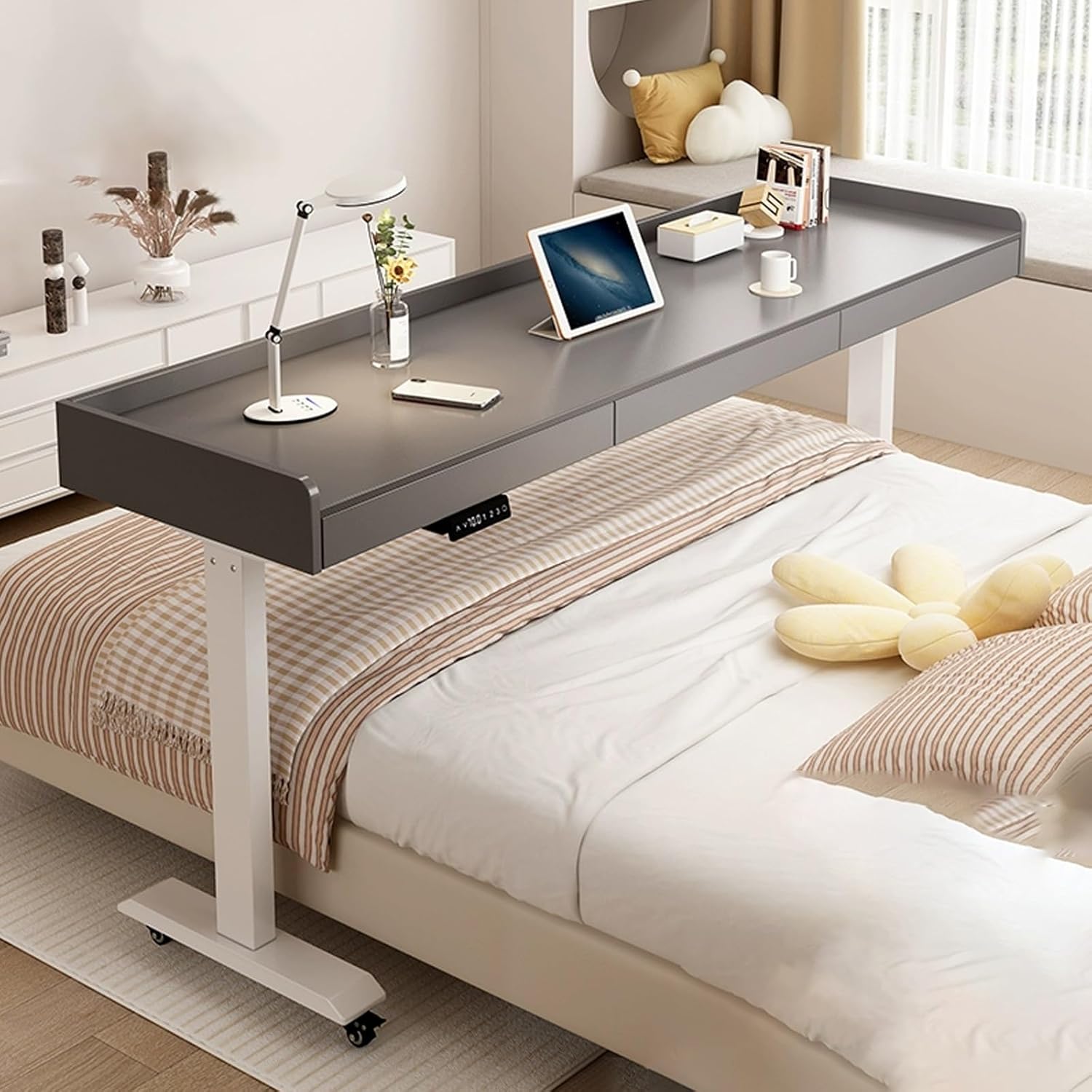
Image Description: The DSEWTEZXI Mobile Electric Adjustable Height Bed Desk, 180cm Gray White, positioned over a bed in a modern bedroom. A laptop, lamp, and other items are on the desk surface, demonstrating its use.
5. Operating Instructions
5.1. Electric Height Adjustment
The desk features an electric lifting system for easy height adjustment. The control panel is typically located on the underside of the desktop.
- Up/Down Buttons: Use the 'Up' (▲) and 'Down' (▼) buttons on the control panel to adjust the desk to your desired height. The current height will be displayed on the digital screen.
- Memory Presets: The control panel includes three memory buttons (1, 2, 3) to save your preferred height settings. To save a height, adjust the desk to the desired level, then press and hold a memory button until you hear a beep or see the display confirm. To recall a saved height, simply press the corresponding memory button.
- Reset Function: If the desk encounters an error or needs recalibration, use the 'Reset' button (often marked 'R' or a circular arrow) as per the specific instructions in the control panel manual (if provided separately).
- USB Interface: A USB port is integrated into the control panel for convenient charging of small electronic devices.

Image Description: A detailed view of the electric control panel, showing the up and down adjustment buttons, a digital height display, three memory preset buttons, and a USB charging port. Icons for energy saving, memory, reset, and USB are also visible.
5.2. Mobility and Locking Wheels
The desk is equipped with universal caster wheels for easy movement.
- Moving the Desk: To move the desk, ensure the wheel brakes are disengaged. Gently push or pull the desk to its desired location.
- Locking the Wheels: To secure the desk in place, press down on the lever located on each caster wheel to engage the brake. Ensure all four wheels are locked for maximum stability.

Image Description: A close-up view of one of the universal caster wheels, highlighting its 360-degree flexible rotation and the brake mechanism with 'open' and 'close' indicators.
5.3. Using the Storage Drawers
The desk includes integrated drawers for convenient storage.
- Opening/Closing: Gently pull the drawer handles to open and push to close.
- Storage: Use the drawers to store pens, papers, small devices, or other personal items, keeping your workspace tidy.
- Safety Baffle: The desk features a heightened table edge baffle to prevent items from rolling off the surface.

Image Description: The DSEWTEZXI Mobile Electric Adjustable Height Bed Desk shown with its integrated storage drawers partially open, revealing their capacity. The heightened table edge baffle is also visible, designed to prevent items from falling.
6. Maintenance
- Cleaning: Wipe the desk surface and frame with a soft, damp cloth. Avoid abrasive cleaners or harsh chemicals that could damage the finish.
- Electrical Components: Ensure the power cord and control panel are kept clean and dry. Do not spray liquids directly onto electrical parts.
- Hardware Check: Periodically inspect all screws and fasteners to ensure they remain tight. Re-tighten if necessary.
- Wheel Maintenance: Keep the caster wheels free of debris to ensure smooth movement.
7. Troubleshooting
| Problem | Possible Cause | Solution |
|---|---|---|
| Desk does not move when buttons are pressed. | Power cord is disconnected or not fully plugged in. Motor or control panel issue. | Check power connections. Ensure the power adapter is securely plugged into both the desk and the wall outlet. If the issue persists, contact customer support. |
| Desk moves unevenly or makes unusual noises. | Loose connections or obstructions. Drive shaft not properly installed. | Inspect all assembly points for loose screws. Ensure the drive shaft is correctly seated and secured. Check for any objects obstructing the lifting mechanism. |
| Memory presets are not working. | Presets not saved correctly. | Re-save your desired height settings by adjusting the desk to the desired level, then pressing and holding a memory button until confirmation. |
| Wheels are not rolling smoothly. | Debris caught in wheels. Brakes engaged. | Clear any debris from the caster wheels. Ensure the wheel brakes are disengaged. |
8. Specifications
- Brand: DSEWTEZXI
- Model Name: DWZ
- Size: 180cm (Length)
- Color: Gray White
- Product Dimensions: 135"D x 45"W x 30"H (Note: This dimension from product data appears to be a general placeholder or error, as 180cm is approximately 70.8 inches. Please refer to the product listing for accurate dimensions if this conflicts with the 'Size' field.)
- Adjustable Height Range: 75cm to 103cm
- Item Weight: 15000 Grams (approximately 33 lbs)
- Shape: Square
- Number of Items: 1
- Features: Electric height adjustment, memory presets, USB charging port, storage drawers, lockable caster wheels, heightened table edge baffle.

Image Description: A diagram illustrating the product dimensions, showing a desktop width of 40cm and adjustable height range from 75cm to 103cm. Available lengths are indicated as 130cm, 150cm, and 180cm.
9. Warranty and Support
For warranty information, technical support, or to inquire about replacement parts, please contact DSEWTEZXI customer service through the retailer where the product was purchased or refer to the official DSEWTEZXI brand store on Amazon: DSEWTEZXI Store.


