
1. Introduction
The belhope Hand Massager (Model FE-0163) is designed to provide comprehensive hand and wrist massage, incorporating air compression, heat therapy, and a cooling fan. This device offers multiple modes and intensity levels to cater to individual preferences, aiming to alleviate discomfort and promote relaxation. Please read this manual thoroughly before use to ensure safe and effective operation.
2. Safety Information
Always follow the user manual for proper usage and do not exceed the recommended pressure settings to avoid injury.
Who Should Not Use The Device:
- People with contagious skin conditions.
- Patients who have osteoporosis.
- Patients with heart diseases or who have any active implants such as a pacemaker.
- People who have a high fever.
- Women that are pregnant or menstruating.
- Children under 8 years old or people with reduced physical, sensory, or mental capabilities if they are not being supervised.
- Individuals with indisposed symptoms like inflammation, blood stasis, or who have undergone hand operation.

Figure 2.1: Visual guide for individuals who should avoid using the hand massager.
3. Product Overview
The belhope Hand Massager is designed for comprehensive hand and wrist care. It features a sleek, ergonomic design with a user-friendly touch control panel.
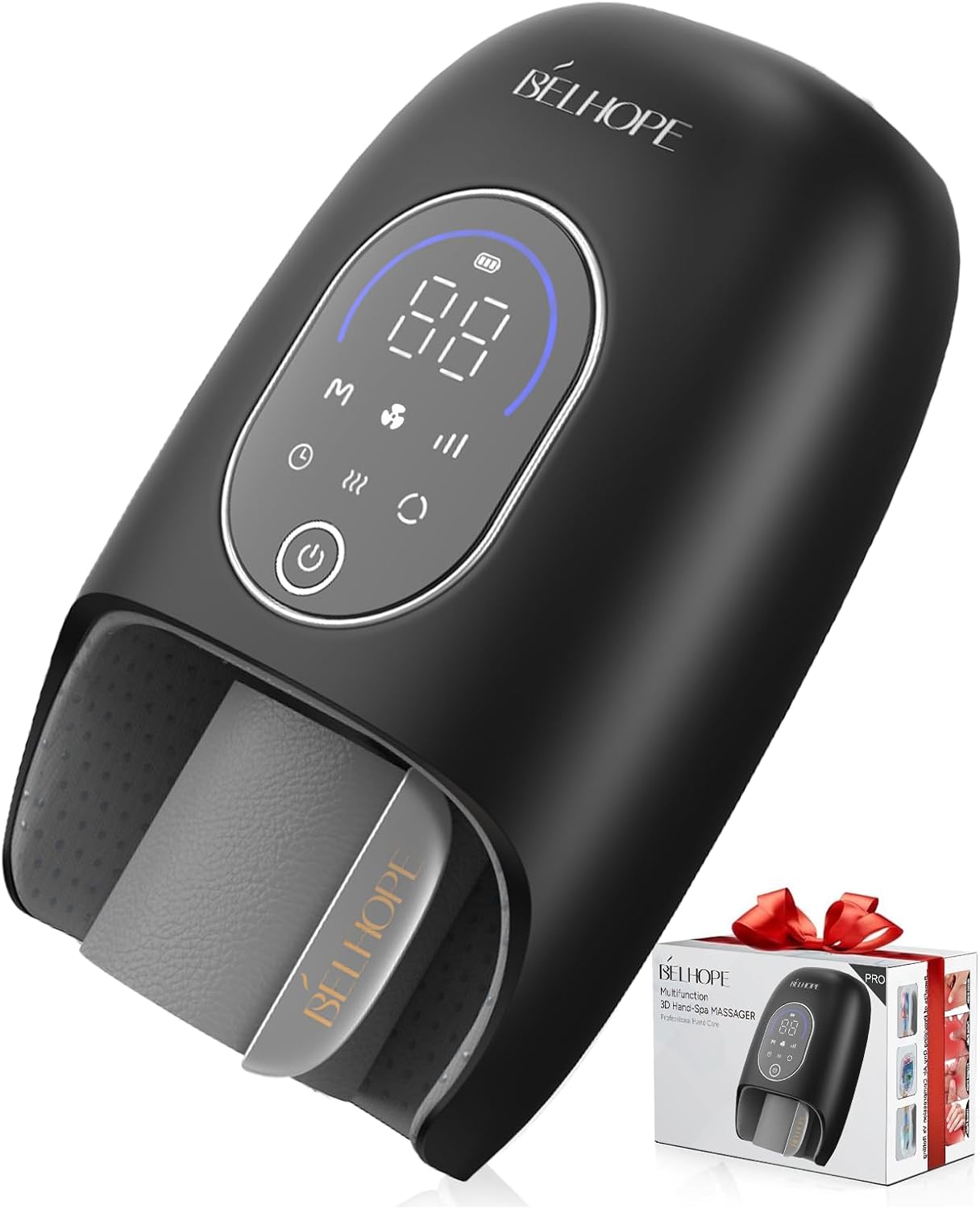
Figure 3.1: Front view of the belhope Hand Massager.
Key Features:
- 9 Massage Modes & 9 Intensity Levels: Offers a versatile massage experience for various needs.
- 4 Heating Options: Advanced graphene heating technology provides rapid 3-second heat-up time and four soothing heat therapy levels (100°F, 110°F, 120°F, 130°F).
- Innovative Cooling Fan: Helps maintain a comfortable temperature and prevents sweaty palms during use.
- Compression & Pressure Detection Sensor: Features independent airbag zones for targeted air compression to fingers, palms, and wrists. Automatically adjusts intensity to prevent excessive pressure.
- User-Friendly Timer: Customizable massage durations (10, 15, 20 minutes).
- Long-lasting Battery: Equipped with a 3000mAh battery for extended use.
- Skin-friendly Breathable Lining: Designed for comfort and effective massage.

Figure 3.2: Overview of the massager's multiple function modes and features.

Figure 3.3: Detailed view of 9 massage modes and 9 intensity levels.
4. Setup
4.1 Charging the Device
Before first use, fully charge the hand massager. Connect the provided USB-C cable to the device and a suitable power adapter. The battery indicator on the display will show charging status.

Figure 4.1: Battery charging and usage details.
4.2 Preparing for Use
- Ensure the device is fully charged.
- Locate the bottom safety air valve. Before use, ensure the release valve is in the "OFF" state. If left in "ON" state, compression massage will be ineffective.
- Insert your hand into the massager, ensuring your palm and fingers are comfortably positioned within the internal lining.
- Adjust the wrist strap for a snug but comfortable fit around your wrist.

Figure 4.2: Bottom safety air valve for air release.
5. Operating Instructions
Instructions on selecting appropriate massage modes, heat levels, and timer settings for different needs, as well as how to operate the cooling fan feature.
5.1 Control Panel Overview

Figure 5.1: User-friendly control panel with touch buttons.

Figure 5.2: Detailed view of the multi-functional control panel.
5.2 Power On/Off
- Press and hold the Power Button (⏻) for 3 seconds to turn the device ON or OFF.
5.3 Selecting Massage Modes and Intensity
- Press the 'M' button to cycle through the 9 available massage modes.
- Press the 'Intensity' button (|||) to adjust the massage intensity from level 1 to 9.
5.4 Heat and Cooling Functions
- Heat: Press the 'Heating' button (♨️) to activate and cycle through 4 heat levels.
- Cooling: Press the 'Cooling' button (❄️) to activate the cooling fan.
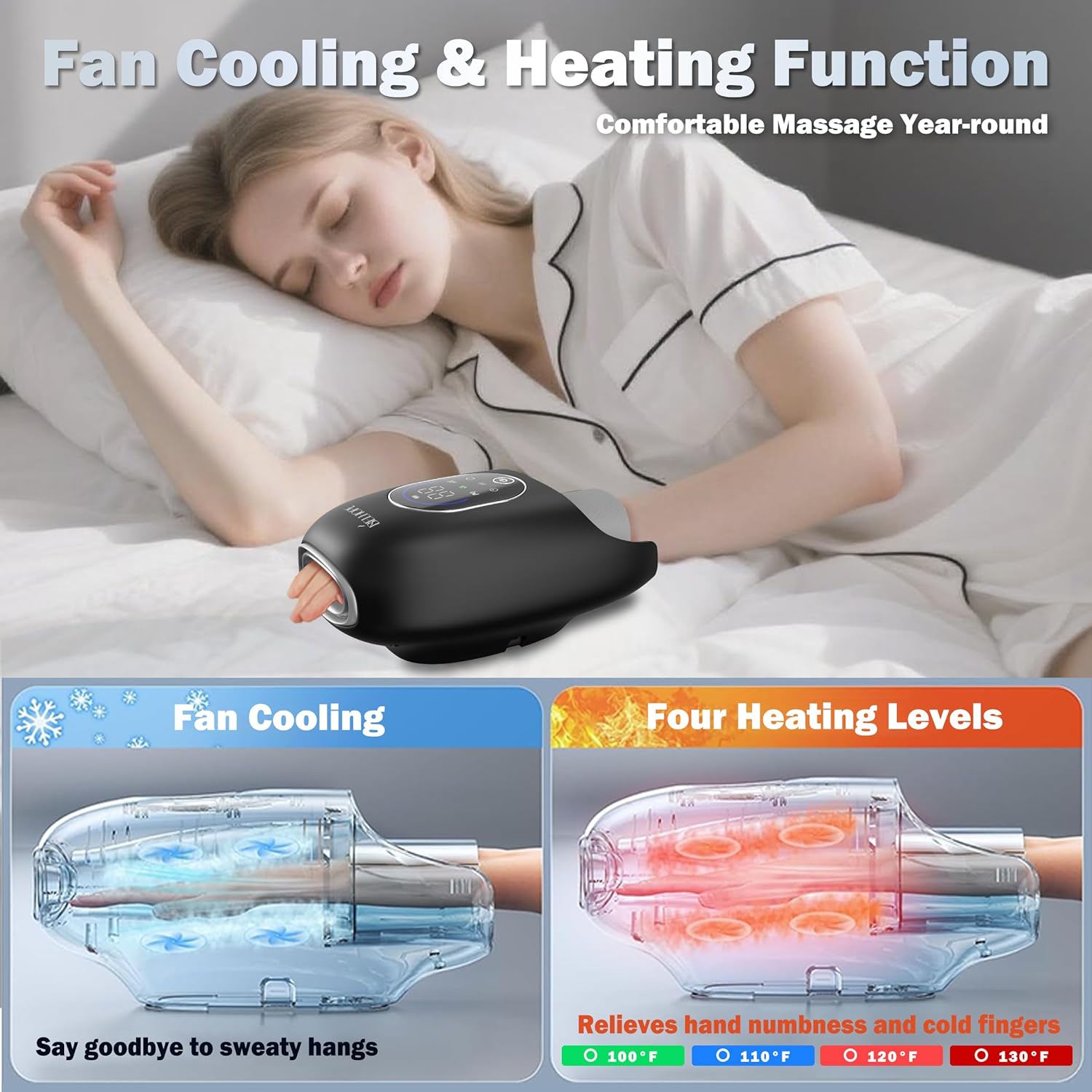
Figure 5.3: Fan cooling and heating level options.

Figure 5.4: Fast Rapid Cooling function.

Figure 5.5: Four customizable heating levels.
5.5 Setting the Timer
- Press the 'Timer' button (⏱️) to select a massage duration of 10, 15, or 20 minutes.

Figure 5.6: Pressure sensor and timer settings.
5.6 Pressure Sensor Technology
The device is enhanced with pressure-sensing technology that automatically modulates intensity when detecting excessive force during use. This ensures a comfortable and safe massage experience.

Figure 5.7: Pressure sensor for automatic intensity adjustment.
5.7 Wrist Compression Massage
The adjustable wrist strap and independent airbag zones deliver targeted air compression to the wrist, effectively relieving stiffness and discomfort.

Figure 5.8: Wrist compression massage feature.
5.8 Bi-directional Kneading & Finger Points Massage
The device rotates in both directions to mimic real hand kneading, providing deeper muscle relaxation and enhanced stress relief, along with targeted finger point massage.

Figure 5.9: Bi-directional kneading and finger points massage.
5.9 Usage Scenarios

Figure 5.10: Examples of how and where the hand massager can be used.

Figure 5.11: Target users and conditions addressed by the hand massager.
6. Maintenance
- Clean the device with a soft, damp cloth. Do not use abrasive cleaners or immerse the device in water.
- Ensure the device is completely dry before storing.
- Store in a cool, dry place away from direct sunlight.
- The internal lining is designed to be skin-friendly and breathable. Regular cleaning of the internal surfaces is recommended.

Figure 6.1: Skin-friendly breathable lining.
7. Troubleshooting
- Device not turning on: Ensure the device is fully charged. If the issue persists, contact customer support.
- No compression or weak massage: Check if the bottom safety air valve is in the "OFF" (sealed) position. Ensure your hand is properly inserted and the wrist strap is snug.
- Unusual noises: If the device makes loud or unusual noises, turn it off immediately and contact customer support.
- Overheating: If the device feels excessively hot, turn it off and allow it to cool down. If overheating continues, discontinue use and contact customer support.
8. Specifications
| Feature | Value |
|---|---|
| Product Dimensions | 10.75 x 6.69 x 5.08 inches |
| Item Model Number | FE-0163 |
| Item Weight | 15.52 ounces (0.44 Kilograms) |
| Manufacturer | belhope |
| Power Source | Battery Powered |
| Battery Capacity | 3000mAh |
| Use for | Hands |

Figure 8.1: Device dimensions and suitability for various hand sizes.
9. Warranty and Support
For warranty information or technical support, please contact belhope customer service through the retailer's platform or the official belhope website. Please have your model number (FE-0163) and purchase date available when contacting support.
10. Official Product Video
Video 10.1: An official product video demonstrating the features and benefits of the belhope Hand Massager, including its rapid heat relief capabilities.