
1. Product Overview
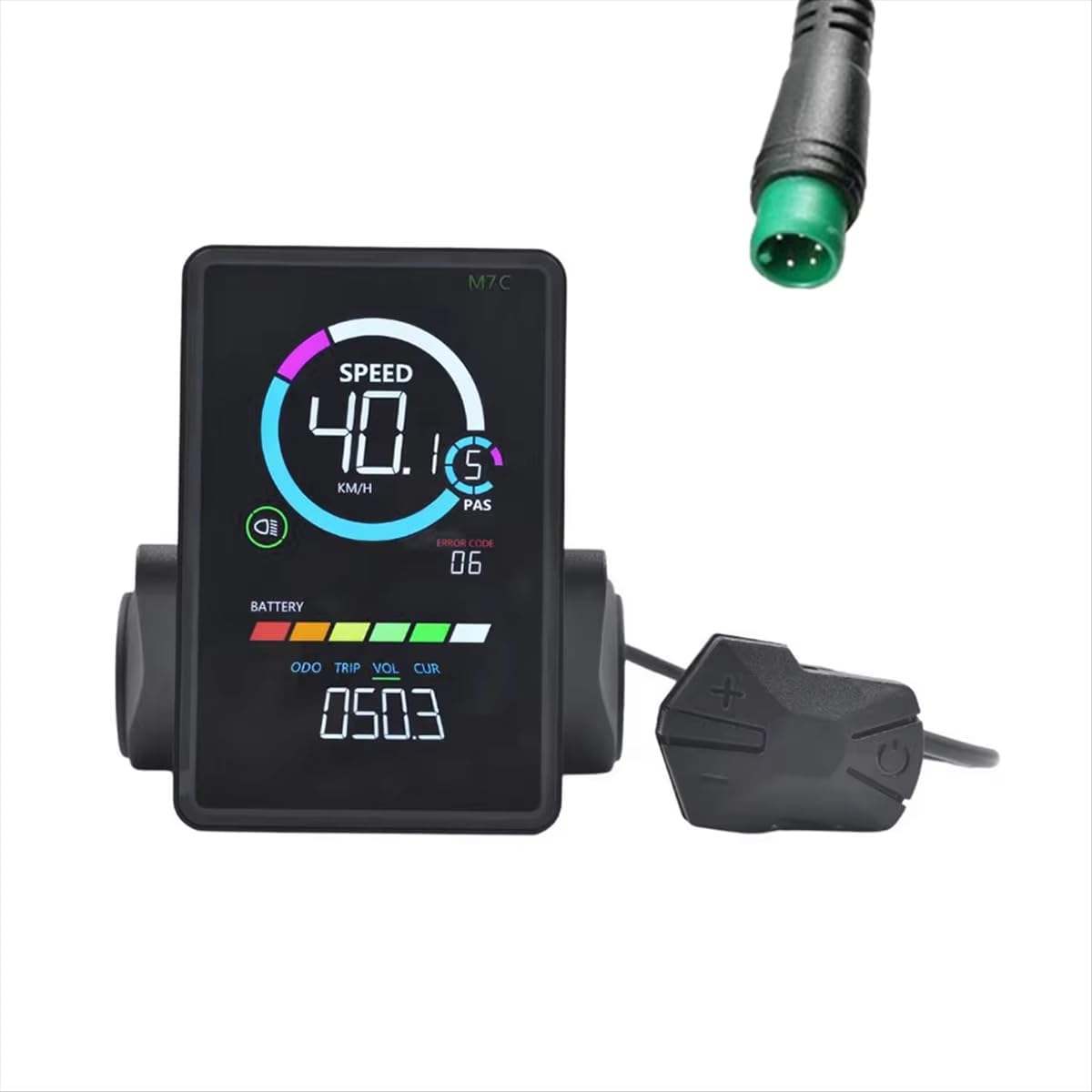
The mGYDY M7C-2 is a versatile LCD display meter designed for electric bikes and scooters. It provides essential riding data and features a USB charging port for convenience. This display is compatible with various voltage systems and handlebar sizes.
Key Features:
- Multifunctional Display: Shows speed, trip/total mileage, battery level, PAS level, and fault indicators.
- Wide Voltage Compatibility: Supports 24V, 36V, 48V, and 60V electric bike systems.
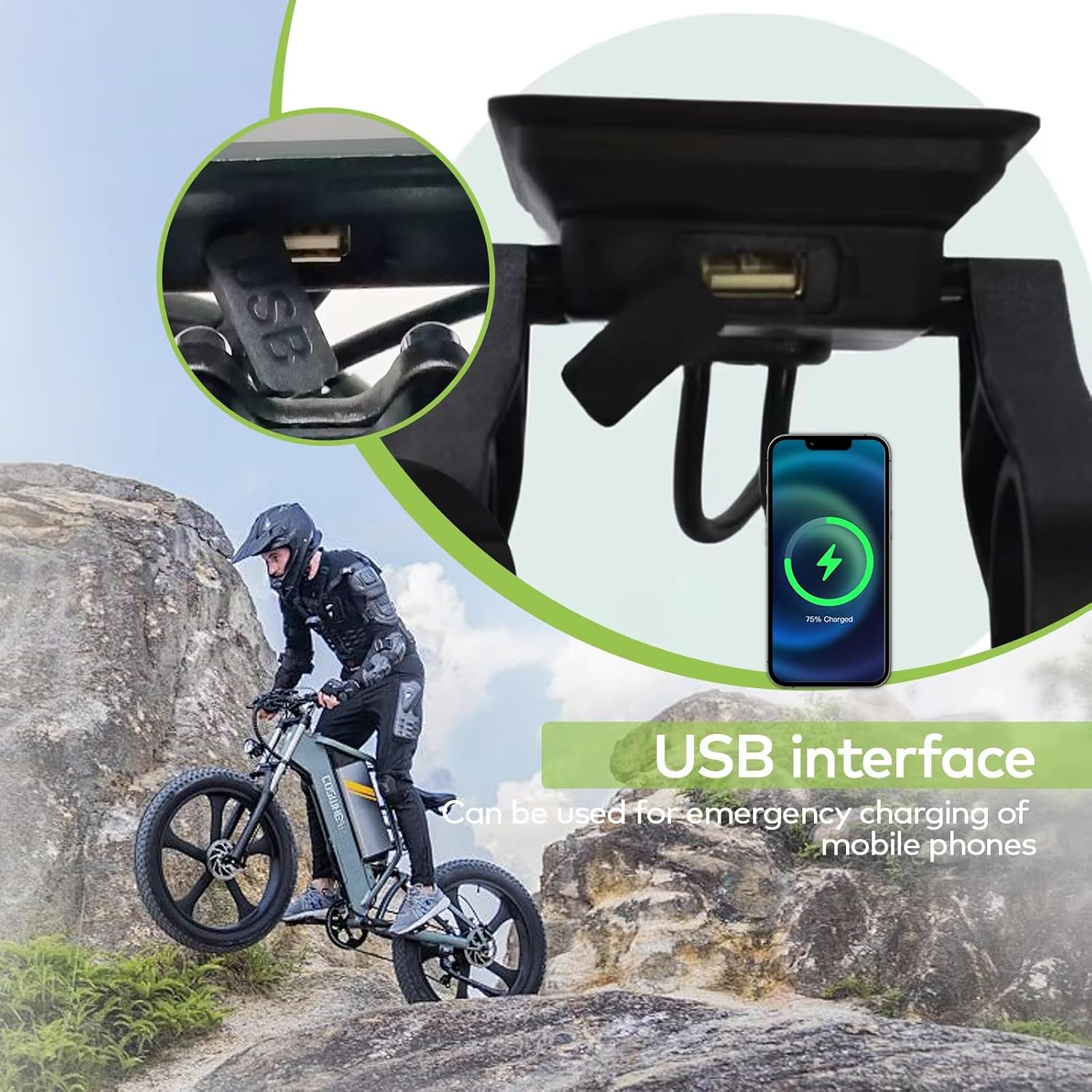
- USB Charging Port: Provides 5V/500mA output for charging mobile devices.
- Robust Design: IP67 waterproof rating ensures durability in various weather conditions.
- Easy Diagnostic Tool: Displays error codes (e.g., E10) for quick troubleshooting.
- Handlebar Compatibility: Fits handlebars with diameters of 22.2mm, 25.4mm, 28.6mm, and 31.8mm.

2. Installation Guide
2.1 Handlebar Mounting
- Select the appropriate holder size (22.2mm, 25.4mm, 28.6mm, or 31.8mm) for your handlebar.
- Position the display on your handlebar for optimal viewing and access to control buttons.
- Securely fasten the display holder to the handlebar using the provided screws. Ensure it is tight enough to prevent rotation but not overtightened to avoid damage.

2.2 Electrical Connection
The M7C-2 display uses a 5PIN waterproof round port for connection. It communicates via the UART No. 2 Protocol.
- Locate the corresponding 5PIN connector on your e-bike's controller or wiring harness.
- Align the pins carefully and firmly connect the display's cable to the e-bike's wiring. Ensure the connection is secure and fully seated to maintain its waterproof integrity.
- Verify that your e-bike system is compatible with the UART No. 2 Protocol before connecting. Incompatibility may lead to improper function or damage.

Important: Please confirm your e-bike's controller supports the UART No. 2 Protocol for proper functionality.
3. Operating Instructions
3.1 Power On/Off
To power on the display, press and hold the power button (usually located on the control pad) for a few seconds. To power off, press and hold the power button again until the display turns off.
3.2 Display Functions
The M7C-2 display provides the following information:
- Speed: Current riding speed (KM/H or MPH).
- PAS Level: Pedal Assist System level (0-9).
- Battery Indicator: Graphical representation of remaining battery charge.
- Trip/ODO: Displays current trip distance or total odometer reading.
- Trip Time: Duration of the current ride.
- Error Warning: Shows error codes if a system fault is detected.
- Headlight Indicator: Indicates if the e-bike's headlight is on.

3.3 USB Charging
The display features a USB charging port (5V/500mA) for convenient charging of external devices like smartphones.
- Locate the USB port on the side or bottom of the display unit.
- Connect your device's USB charging cable to the display's USB port.
- Ensure the e-bike is powered on for the USB port to provide power.
4. Maintenance
To ensure the longevity and optimal performance of your M7C-2 display, follow these maintenance guidelines:
- Cleaning: Wipe the display screen and body with a soft, damp cloth. Avoid using abrasive cleaners or solvents that could damage the screen or casing.
- Water Exposure: While the display is IP67 waterproof, avoid prolonged submersion or high-pressure water jets directly on the unit.
- Storage: When not in use for extended periods, store the e-bike and display in a dry, cool place away from direct sunlight and extreme temperatures.
- Cable Inspection: Periodically check the connection cable for any signs of wear, cuts, or damage. Ensure the 5PIN connector remains clean and free of debris.
5. Troubleshooting
The M7C-2 display is equipped with an error warning system to help diagnose potential issues. If an error code appears on the display, refer to your e-bike's controller manual for specific interpretations.
Common Issues and Solutions:
- Display Not Powering On:
- Check if the e-bike battery is charged and properly connected.
- Ensure the 5PIN cable connection to the controller is secure.
- No Speed Reading:
- Verify the speed sensor is correctly installed and functioning.
- Check the display cable connection.
- Error Code Displayed (e.g., E10):
- Note the error code and consult your e-bike's main manual for specific diagnostic steps.
- Often indicates a fault with the motor, controller, or sensors.
- USB Charging Not Working:
- Ensure the e-bike is powered on.
- Check the USB cable and the device being charged.
If issues persist after basic troubleshooting, it is recommended to contact a qualified e-bike technician or the manufacturer for assistance.
6. Specifications
| Feature | Specification |
|---|---|
| Model Name | M7C-2 |
| Brand | mGYDY |
| Display Type | LCD |
| Voltage Compatibility | 24V / 36V / 48V / 60V (Adjustable) |
| Communication Protocol | UART No. 2 Protocol |
| Interface | Waterproof cable round port 5PIN |
| USB Charging Output | 5V / 500mA |
| Waterproof Grade | IP67 |
| Handlebar Holder Sizes | 22.2mm / 25.4mm / 28.6mm / 31.8mm |
| Dimensions (L x W x D) | 100.0mm x 66.0mm x 24.6mm |
| Material | ABS Plastic |
| Color | Black |
| Sensor Type | Speed Sensor |
| Human Interface Input | Buttons |

7. Warranty and Support
7.1 Warranty Information
The mGYDY M7C-2 Electric Bike LCD Display Meter comes with a 1-Year Manufacturer's Warranty from the date of purchase. This warranty covers defects in materials and workmanship under normal use.
The warranty does not cover damage resulting from:
- Improper installation or use.
- Unauthorized repairs or modifications.
- Accidents, abuse, or neglect.
- Normal wear and tear.
7.2 Customer Support
For technical assistance, warranty claims, or any questions regarding your mGYDY M7C-2 display, please contact the retailer or the manufacturer directly. Please have your purchase receipt and product model information available when seeking support.


