
1. Introduction
This manual provides essential instructions for the safe and effective use, installation, charging, and maintenance of your Fieety V9/Ultra10 replacement battery. Please read this manual thoroughly before using the product and retain it for future reference.
2. Safety Instructions
Observe the following safety precautions to prevent damage to the battery or personal injury:
- Do not disassemble, modify, or attempt to repair the battery.
- Keep the battery away from water, heat sources, and direct sunlight.
- Use only the charger specified for your Fieety V9/Ultra10 vacuum cleaner.
- Do not short-circuit the battery terminals.
- Store the battery in a cool, dry place when not in use.
- Dispose of used batteries according to local regulations.
3. Battery Installation
Follow these steps to install the replacement battery into your Fieety V9 or Ultra10 vacuum cleaner:
- Ensure the vacuum cleaner is turned off and disconnected from any power source.
- Locate the existing battery compartment on your vacuum cleaner. This is typically on the main body of the handheld unit.
- Press any release buttons or slide latches to open the battery compartment or release the old battery.
- Carefully remove the old battery.
- Align the new Fieety replacement battery with the connectors in the compartment.
- Gently push the new battery into place until it clicks securely. Ensure it is firmly seated.
- Close the battery compartment cover if applicable.
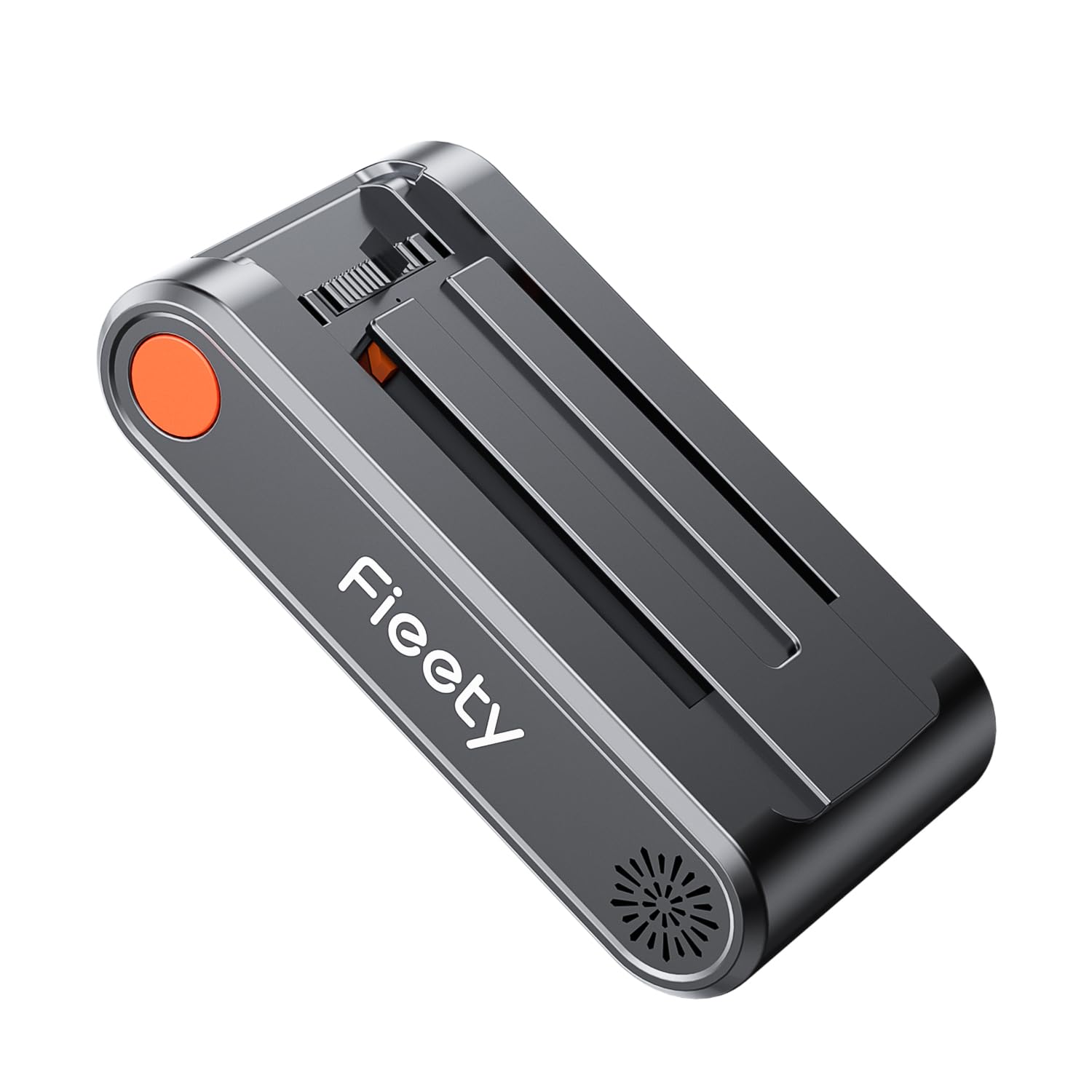
Image: The Fieety V9/Ultra10 replacement battery module.
4. Charging the Battery
To ensure optimal performance and longevity, charge the battery fully before first use and whenever the battery level is low.
- Connect the vacuum cleaner's charger to a power outlet.
- Plug the charger into the charging port on the vacuum cleaner.
- The battery indicator lights on the vacuum cleaner will typically show the charging status. Refer to your vacuum cleaner's main manual for specific indicator patterns.
- Charging usually takes several hours. Disconnect the charger once the battery is fully charged.
Note: The battery can often be charged independently of the vacuum cleaner if your model supports it, allowing for continuous use with a spare battery.
5. Operating with the New Battery
Once installed and charged, your Fieety V9/Ultra10 vacuum cleaner is ready for use with the new battery. The replacement battery is designed to provide consistent power for effective cleaning.
- Runtime: The battery is designed to provide an extended runtime, typically up to 65 minutes, depending on the power mode and attachments used.
- Power Modes: Utilize the different power modes of your vacuum cleaner as needed. Higher power modes will consume battery faster.
- Battery Indicator: Monitor the battery level indicator on your vacuum cleaner to know when recharging is necessary.

Image: A Fieety vacuum cleaner in operation, illustrating the potential 65-minute runtime.
6. Maintenance
Proper maintenance extends the life of your battery and ensures consistent performance.
- Cleaning Contacts: Periodically inspect and clean the battery contacts on both the battery and the vacuum cleaner with a dry cloth to ensure good electrical connection.
- Storage: If storing the battery for an extended period, charge it to approximately 50-60% and store it in a cool, dry place. Avoid storing fully charged or completely depleted batteries for long durations.
- Temperature: Avoid exposing the battery to extreme temperatures, both hot and cold, as this can degrade performance and lifespan.
7. Troubleshooting
If you encounter issues with your replacement battery, consider the following common solutions:
- Battery Not Charging:
- Ensure the charger is properly connected to both the power outlet and the vacuum cleaner.
- Check if the power outlet is functional.
- Verify that the battery is correctly installed and seated in the vacuum cleaner.
- Clean the battery contacts.
- Short Runtime:
- Ensure the battery is fully charged before use.
- Check for blockages in the vacuum cleaner's filters or brush roll, which can increase power consumption.
- Operating in high power modes will naturally reduce runtime.
- Vacuum Not Turning On:
- Confirm the battery is fully charged.
- Reinstall the battery to ensure a secure connection.
- Check the vacuum cleaner's main power switch.
If problems persist, contact customer support.
8. Specifications
| Feature | Detail |
|---|---|
| Brand | Fieety |
| Model Number | V9 |
| Package Dimensions | 17.4 x 10.2 x 5.8 cm |
| Item Weight | 590 g |
| ASIN | B0DT6L7KF4 |
| First Available Date | March 11, 2025 |
9. Warranty and Support
For warranty information and customer support, please refer to the documentation provided with your original Fieety vacuum cleaner or visit the official Fieety website. You may also contact the seller directly through your purchase platform for assistance.
Online Support: Visit the Fieety Store on Amazon


