
1. Introduction
This manual provides detailed instructions for the assembly, operation, and maintenance of your HOMMPA 18-inch Fluted Nightstand with Charging Station. Please read this manual thoroughly before assembly and use to ensure proper function and safety.
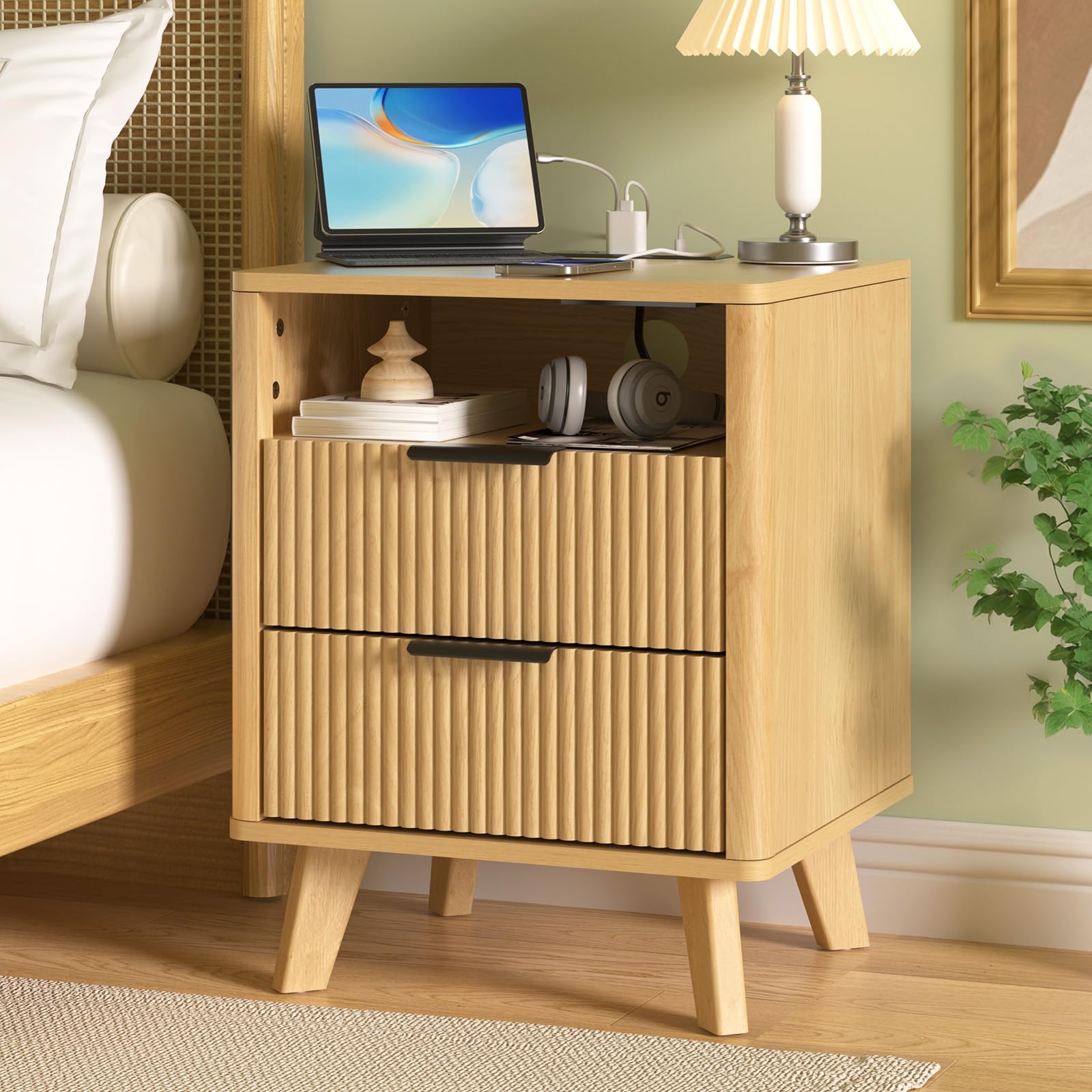
Image: The HOMMPA 18-inch Fluted Nightstand with Charging Station, showcasing its wood finish and fluted drawer design.
Video: A brief overview of the HOMMPA Fluted Nightstand with Charging Station, highlighting its features and design.
2. Safety Information
- Always follow assembly instructions carefully. Incorrect assembly can lead to instability and potential injury.
- Ensure all screws and fasteners are securely tightened before use. Periodically check and re-tighten as needed.
- Do not overload drawers or shelves. Distribute weight evenly to prevent tipping.
- Keep small parts and assembly hardware away from children and pets to prevent choking hazards.
- Use the charging station only with compatible devices and within specified electrical limits (120V/12A, 5V/2A USB).
- Avoid placing hot items directly on the surface. Use coasters or protective pads.
- This product is for indoor use only.
Assembly may require use of tools and following instructions to avoid injury.
3. Package Contents
Before beginning assembly, verify that all parts listed below are present and undamaged. If any parts are missing or damaged, please contact customer support for replacements.
- All wooden panels and components for the nightstand frame, drawers, and legs.
- Hardware kit (screws, dowels, cam locks, drawer slides, handles).
- Power strip with 2 AC outlets and 2 USB ports.
- Assembly instructions (this manual).
Refer to the assembly video in Section 4 for a visual overview of the package contents and individual components.
4. Assembly Instructions
Assembly is required for this nightstand. Please follow the steps carefully. A screwdriver is recommended for assembly.
Assembly Video Guide:
Video: Detailed step-by-step guide on how to install the HOMMPA Fluted Nightstand.
General Assembly Steps (Refer to video for visual guidance):
- Step 1: Prepare Drawer Fronts. Attach the necessary hardware (e.g., cam bolts) to the fluted drawer front panels.
- Step 2: Assemble Drawer Sides. Connect the side panels to the drawer fronts using cam locks and dowels.
- Step 3: Install Drawer Backs. Slide the thin back panel into the grooves of the assembled drawer frame.
- Step 4: Attach Drawer Glides. Secure the drawer glides to the sides of the assembled drawers using screws.
- Step 5: Assemble Main Frame Sides. Attach the side panels of the nightstand to the bottom panel.
- Step 6: Install Back Panel. Slide the main back panel into the grooves of the nightstand frame.
- Step 7: Attach Top Panel. Secure the top panel to the assembled frame.
- Step 8: Install Legs. Attach the four support legs to the bottom of the nightstand using screws and dowels.
- Step 9: Insert Charging Station. Place the power strip into the designated cutout on the top surface and secure it with screws.
- Step 10: Insert Drawers. Carefully slide the assembled drawers onto the glides within the nightstand frame.
5. Operating Instructions (Charging Station)
Your nightstand is equipped with a convenient built-in charging station.
- Power Connection: Plug the nightstand's power cord into a standard 120V AC wall outlet.
- AC Outlets: Use the two standard AC outlets (120V/12A) to power lamps, alarm clocks, or other small appliances.
- USB Ports: Use the two USB ports (5V/2A) to charge smartphones, tablets, smartwatches, and other USB-powered devices.
- Cable Management: Utilize the discreet cable management hole at the back of the open compartment to route charging cables, keeping your tabletop tidy.
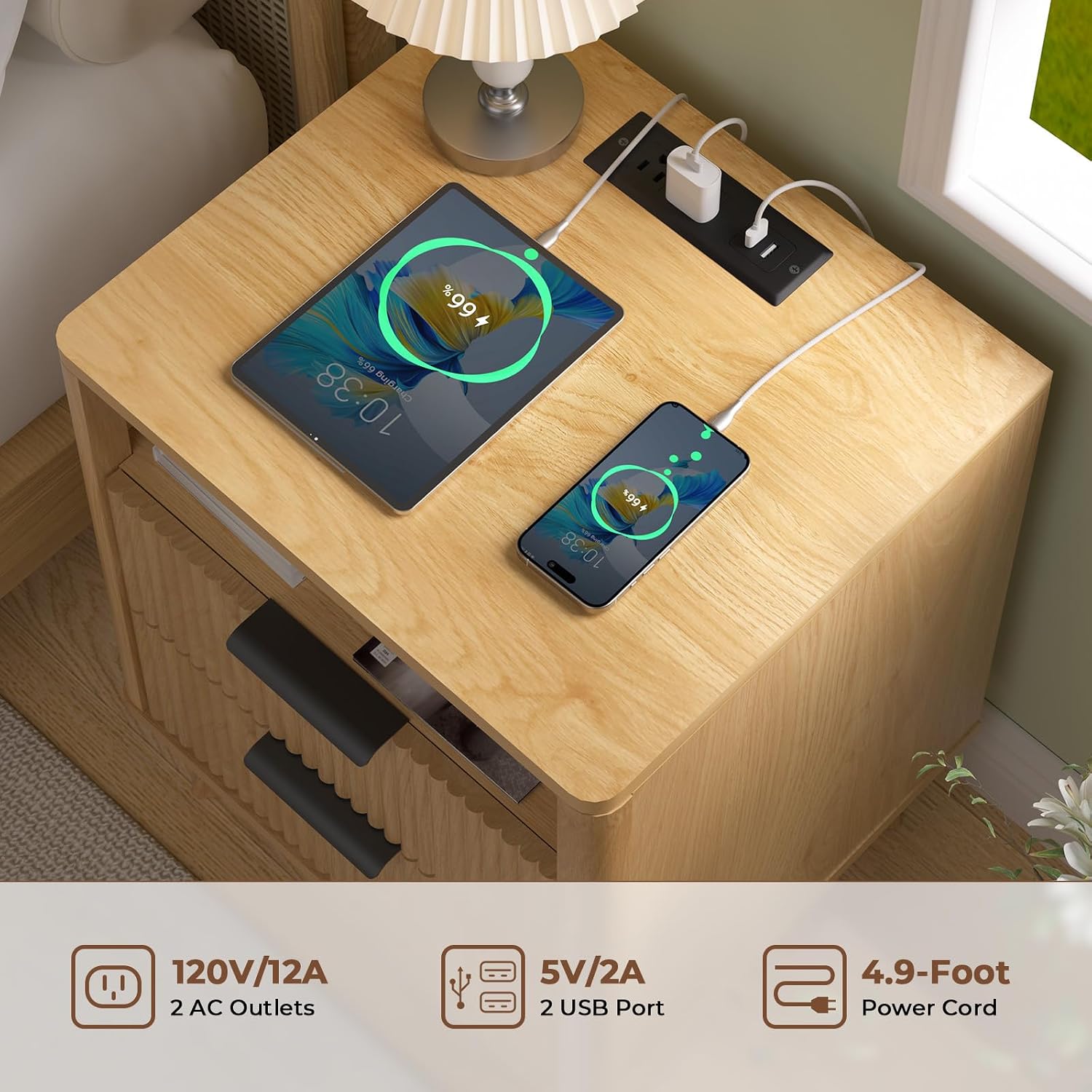
Image: The integrated charging station with two AC outlets and two USB ports, actively charging a tablet and a smartphone.
6. Maintenance
- Cleaning: Wipe the nightstand with a dry cloth to remove dust and debris. Avoid abrasive cleaners or harsh chemicals.
- Spills: Although the finish is waterproof, promptly wipe up any spills to prevent potential damage.
- Hardware: Periodically check all screws and fasteners to ensure they remain tight. Re-tighten if necessary.
- Drawer Slides: If drawers do not slide smoothly, a small amount of silicone-based lubricant can be applied to the drawer slides.
7. Troubleshooting
| Problem | Possible Cause | Solution |
|---|---|---|
| Nightstand is wobbly. | Loose fasteners or uneven floor. | Check and tighten all screws. Adjust leg levelers if applicable, or place shims under legs on uneven surfaces. |
| Drawers do not slide smoothly. | Misaligned drawer slides or debris in tracks. | Ensure drawer slides are correctly installed and aligned. Clear any obstructions from the tracks. Apply lubricant if needed. |
| Charging station not working. | Not plugged in, power outage, or faulty device. | Verify the nightstand's power cord is securely plugged into a live outlet. Check if the wall outlet is functioning. Test with a different device. |
8. Specifications
| Product Details | |
|---|---|
| Brand: | HOMMPA |
| Model: | B0DT61BFHM |
| Product Dimensions (D x W x H): | 17.72" x 15.75" x 23.62" |
| Frame Material: | Engineered Wood (Oak Wood finish) |
| Color: | Wood |
| Number of Drawers: | 2 |
| Charging Station: | 2 AC Outlets (120V/12A), 2 USB Ports (5V/2A) |
| Assembly Required: | Yes |
| Recommended Tools for Assembly: | Screwdriver |
| Product Care: | Wipe with Dry Cloth |
| Indoor/Outdoor Usage: | Indoor |
| Stain Resistant: | No |
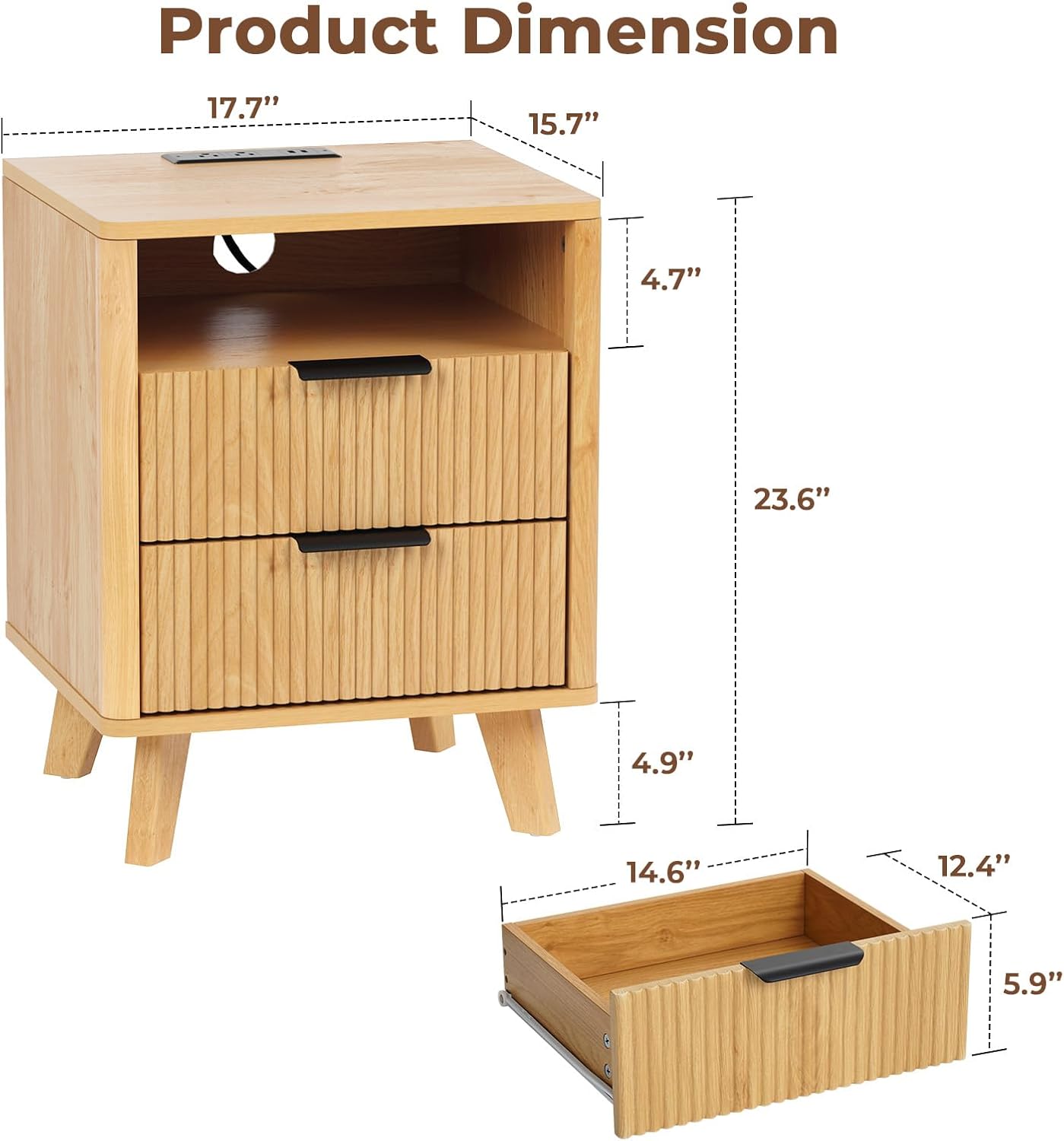
Image: Detailed product dimensions for the nightstand, including overall height, width, depth, and drawer measurements.
9. Warranty and Support
For any questions regarding assembly, missing parts, or product issues, please contact HOMMPA customer support. If any parts arrive damaged, replacements will be provided free of charge.
For further assistance, please visit the official HOMMPA store on Amazon: HOMMPA Store