
ECOWITT WH40BH
ECOWITT WH40BH Wireless Rain Gauge Outdoor Sensor User Manual
Model: WH40BH | Brand: ECOWITT
1. Introduction
The ECOWITT WH40BH is a wireless outdoor rain gauge sensor designed to provide accurate rainfall measurements. This sensor is an accessory and cannot be used as a standalone device; it must be paired with a compatible ECOWITT gateway or console (sold separately) to transmit data. The WH40BH features an enhanced self-emptying rainfall collector funnel and includes bird spikes to maintain accuracy by preventing obstructions.

Figure 1.1: ECOWITT WH40BH Wireless Rain Gauge Outdoor Sensor.
2. Key Features
- Enhanced Funnel Height: The rainfall collector funnel is heightened to 5cm/1.96in, improving rain collection efficiency and data accuracy compared to traditional models.
- Bird Spikes Included: Comes with 15 bird spikes to deter birds from nesting on the funnel, ensuring unobstructed operation.
- Wireless Transmission: Measures rainfall rate, daily, weekly, monthly, and yearly data with 0.1mm/0.01inch resolution, transmitting wirelessly up to 328ft/100m.
- Easy Installation: Provides two installation methods: U-bolts for pole mounting or screws for leveled surface installation.
- System Integration: Designed to pair with ECOWITT gateways/consoles for Wi-Fi configuration and data upload to the ECOWITT cloud system, accessible via app or other platforms.
- RF Frequency: Operates on 915 MHz for reliable wireless communication.

Figure 2.1: The WH40BH sensor in a garden environment, illustrating its function in measuring rainfall.
3. Product Components
Familiarize yourself with the main components of the WH40BH rain gauge sensor:
- Rain Collector Funnel (with 15 holes for bird spikes)
- Bird Spikes (15 pcs)
- Sensor Body (housing electronics and tipping bucket mechanism)
- Battery Compartment Cover
- Bubble Level (for accurate leveling during installation)
- Mounting Bracket
- U-Bolt Set (for pole mounting)
- Screw Holes (for flat surface mounting)

Figure 3.1: Labeled diagram of the WH40BH rain collector sensor components.
4. Setup and Installation
Proper installation is crucial for accurate rainfall measurement. Choose a location that is open to the sky, away from obstructions like trees, buildings, or fences that could block rain or cause splash-back.
4.1 Installing Bird Spikes
- Locate the 15 small holes around the rim of the rain collector funnel.
- Carefully insert each bird spike into a designated hole. Ensure they are firmly seated.
4.2 Mounting the Sensor
The WH40BH offers two primary mounting options:
Option A: Pole Mounting (using U-bolts)
- Select a sturdy pole (not included) in an open area.
- Attach the sensor's mounting bracket to the pole using the provided U-bolts, washers, and nuts.
- Tighten the nuts securely, ensuring the sensor is stable and does not wobble.
- Use the integrated bubble level to ensure the sensor is perfectly horizontal. Adjust the mounting as needed.
Option B: Flat Surface Mounting (using screws)
- Choose a flat, level surface in an open area.
- Position the sensor's mounting bracket on the surface and mark the screw hole locations.
- Drill pilot holes if necessary.
- Secure the sensor to the surface using appropriate screws (not included).
- Verify the sensor is perfectly horizontal using the bubble level.
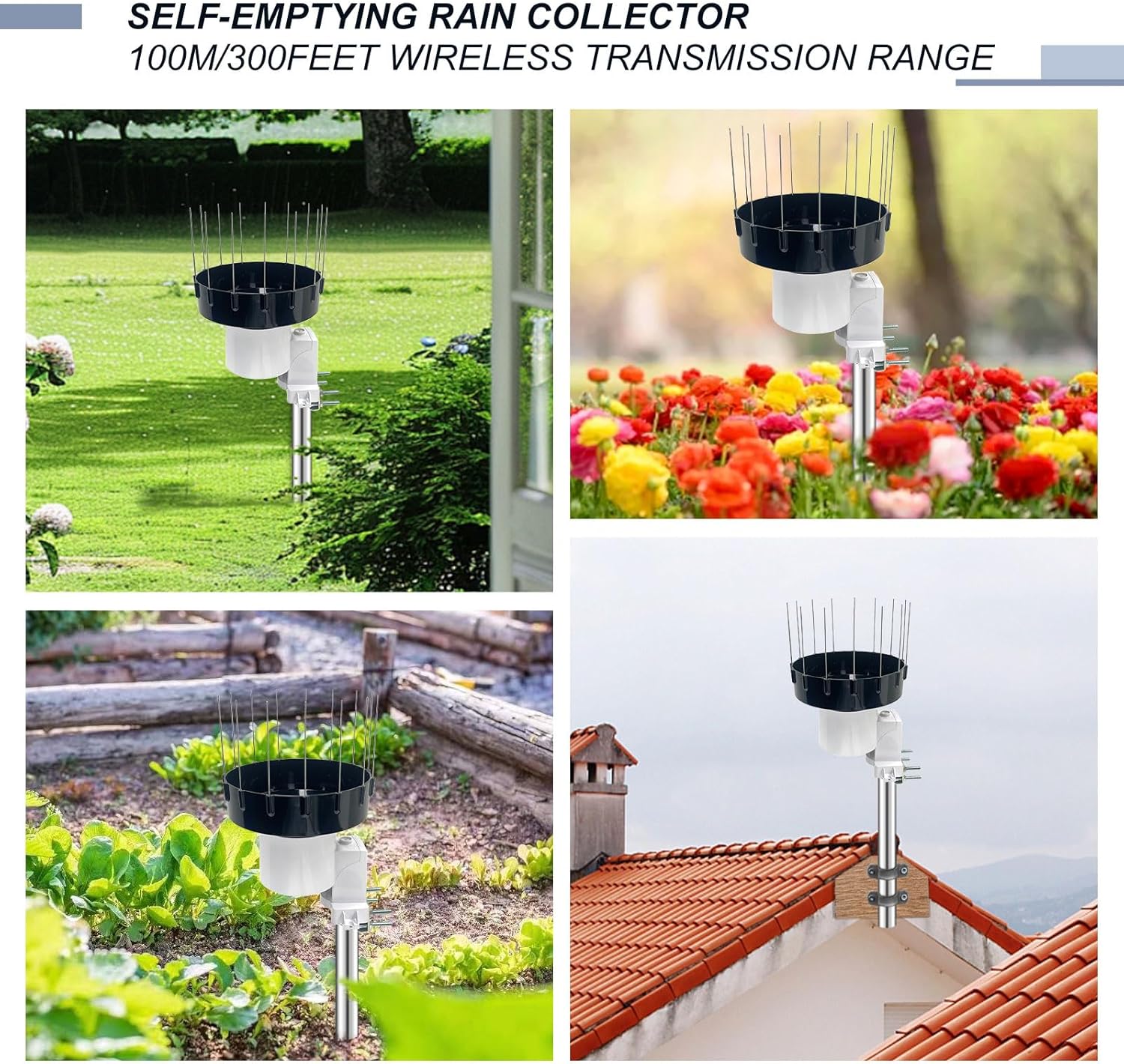
Figure 4.1: Examples of WH40BH installation in different outdoor settings.

Figure 4.2: Detailed dimensions of the WH40BH sensor for installation planning.
5. Operating Instructions
The WH40BH sensor operates by wirelessly transmitting rainfall data to a compatible ECOWITT gateway or console.
5.1 Pairing with a Gateway/Console
Before the sensor can transmit data, it must be paired with an ECOWITT gateway (e.g., GW1000, GW1100, GW1200, GW2000, GW3000) or a display console (e.g., HP2550, HP2560). Refer to the specific instructions for your gateway/console for detailed pairing procedures. Generally, this involves:
- Ensure your gateway/console is powered on and in pairing mode.
- Install batteries into the WH40BH sensor (typically 1x AA battery, check sensor compartment for specifics).
- The sensor will automatically attempt to connect to the nearest compatible gateway/console.
- Confirm successful pairing on your gateway's display or through the ECOWITT app.
5.2 Wi-Fi Configuration and Data Upload
Once paired with a Wi-Fi enabled gateway/console, you can configure the Wi-Fi settings to upload rainfall data to the ECOWITT cloud system. This allows you to view data remotely.
- Follow the instructions provided with your ECOWITT gateway/console to connect it to your home Wi-Fi network.
- Register your device on the ECOWITT.net website or through the ECOWITT app.
- Once configured, the rainfall data from your WH40BH sensor will be uploaded to the cloud.

Figure 5.1: Overview of the WH40BH sensor's connectivity to the ECOWITT cloud via a gateway/console.
5.3 Viewing Rainfall Data
You can access your rainfall data through various platforms:
- ECOWITT App: Download the official ECOWITT app on your smartphone or tablet to view real-time and historical rainfall data.
- ECOWITT.net Website: Log in to your account on the ECOWITT website to access your data from any web browser.
- Third-Party Platforms: Data can also be uploaded to other weather platforms such as Weather Underground (WU), WOW, or Weathercloud, depending on your gateway/console's capabilities.

Figure 5.2: A comprehensive system diagram illustrating the flow of data from the sensor to the user's device.
6. Maintenance
Regular maintenance ensures the longevity and accuracy of your WH40BH rain gauge sensor.
- Cleaning the Funnel: Although the sensor is self-emptying, debris such as leaves, twigs, or dirt can accumulate in the funnel. Periodically inspect and clean the funnel to ensure water flows freely into the tipping bucket mechanism.
- Bird Spikes: Ensure the bird spikes remain in place and are not damaged. Replace any missing or broken spikes.
- Battery Replacement: The sensor is powered by a battery (typically AA). Monitor the battery level via your gateway/console or app. Replace the battery when indicated to prevent data loss.
- Leveling: Periodically check the bubble level to ensure the sensor remains perfectly horizontal. Strong winds or ground shifts can sometimes alter its position, affecting accuracy.
7. Troubleshooting
If you encounter issues with your WH40BH rain gauge sensor, consider the following common troubleshooting steps:
- No Rainfall Data:
- Check if the sensor is properly paired with your gateway/console. Refer to Section 5.1.
- Verify the battery in the sensor is fresh and correctly installed.
- Ensure there are no obstructions in the rain collector funnel. Clean if necessary.
- Check the wireless transmission range. The sensor should be within 328ft/100m of the gateway/console, with minimal interference.
- Inaccurate Rainfall Data:
- Confirm the sensor is perfectly level using the bubble level.
- Ensure the bird spikes are installed and effective in deterring birds.
- Check for any physical damage to the tipping bucket mechanism inside the sensor.
- Sensor Offline:
- Replace the sensor battery.
- Bring the sensor closer to the gateway/console to rule out range issues.
- Restart your gateway/console.
For persistent issues, consult the user manual of your specific ECOWITT gateway/console or contact ECOWITT customer support.
8. Specifications
| Feature | Specification |
|---|---|
| Product Dimensions | 7.44 x 7.44 x 7.64 inches |
| Item Weight | 1.83 pounds |
| Rainfall Collector Funnel Height | 5cm / 1.96in |
| Rainfall Resolution | 0.1mm / 0.01inch |
| Wireless Transmission Range | 328ft / 100m (in open air) |
| RF Frequency | 915 MHz |
| Power Source | Battery (type typically AA, check compartment) |
| Country of Origin | China |
9. Warranty and Support
Specific warranty details for the ECOWITT WH40BH Wireless Rain Gauge Outdoor Sensor are not provided in this manual. For information regarding warranty coverage, terms, and conditions, please refer to the documentation included with your purchase or visit the official ECOWITT website.
For technical support, troubleshooting assistance beyond this manual, or inquiries about replacement parts, please contact ECOWITT customer service through their official website or the contact information provided with your product.
Ask a question about this manual
Ask about setup, troubleshooting, compatibility, parts, safety, or missing instructions. Manuals+ will review the question and use this page’s manual context to help answer it.