
Introduction
This manual provides comprehensive instructions for the installation, operation, and maintenance of your PYKFVTGL Jc-230 Pressure Switch Controller. Please read this manual thoroughly before using the device to ensure safe and efficient operation. Keep this manual for future reference.
Product Overview
Key Features
- Functionality: Operates as an air pressure regulator, converting the elastic energy of compressed air into kinetic energy through gas pressure or expansion.
- Durability: Features an ABS housing designed to be dust and water resistant, enhancing product longevity.
- Versatility: Compatible with various systems including well water pumps, submersible pumps, and air compressors.
- Protection: Provides high and low voltage protection for connected equipment.
- Design: Simple, lightweight structure for ease of installation and maintenance.
Components
The PYKFVTGL Jc-230 Pressure Switch Controller consists of a main control unit with an integrated pressure sensor and electrical connections. It includes an ABS protective housing and a brass pressure fitting.
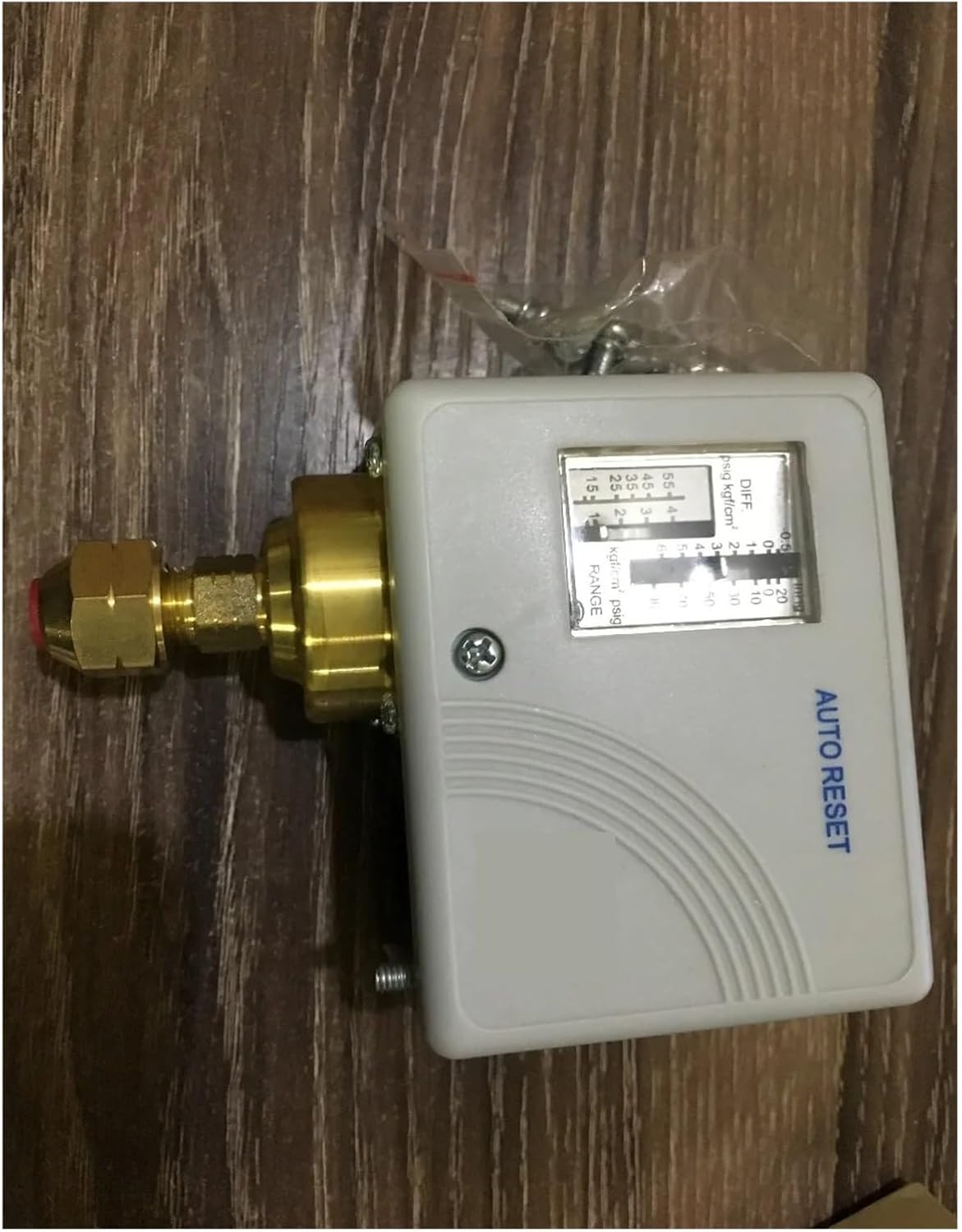
Figure 1: Front view of the PYKFVTGL Jc-230 Pressure Switch Controller, showing the control panel with pressure settings and "AUTO RESET" label, and the brass pressure fitting.

Figure 2: Bottom view of the PYKFVTGL Jc-230 Pressure Switch Controller, revealing the metal casing and mounting holes, with the brass pressure fitting visible.
Safety Information
Always observe the following safety precautions to prevent injury or damage to the device:
- Electrical Safety: Ensure the power supply is disconnected before installation, maintenance, or any wiring adjustments. All electrical connections must be performed by a qualified electrician and comply with local electrical codes.
- Pressure Safety: Verify that the system pressure is relieved before connecting or disconnecting the pressure switch. Do not exceed the maximum operating pressure specified for the device.
- Environmental Conditions: Install the device in an environment suitable for its IP rating. Avoid exposure to extreme temperatures or corrosive substances.
- Proper Use: Use the pressure switch only for its intended purpose as described in this manual. Unauthorized modifications can lead to malfunction and void the warranty.
Setup and Installation
- Mounting: Select a suitable location for mounting the pressure switch. The location should be stable, easily accessible for adjustments, and protected from excessive vibration. Use appropriate fasteners to secure the mounting bracket.
- Pressure Connection: Connect the brass pressure fitting of the switch to the pressure line of your system (e.g., air compressor tank, water pump discharge). Ensure a tight, leak-free connection using appropriate thread sealant if necessary.
- Electrical Wiring:
- Ensure the main power supply is OFF.
- Open the electrical cover of the pressure switch.
- Connect the power input wires and the load wires (to the pump/compressor motor) to the designated terminals inside the switch. Refer to the wiring diagram provided on the device or in supplementary documentation for specific connections.
- Ensure all connections are secure and insulated.
- Close the electrical cover securely to maintain dust and water resistance.
- Initial Power-Up: After all connections are made and checked, restore power to the system.
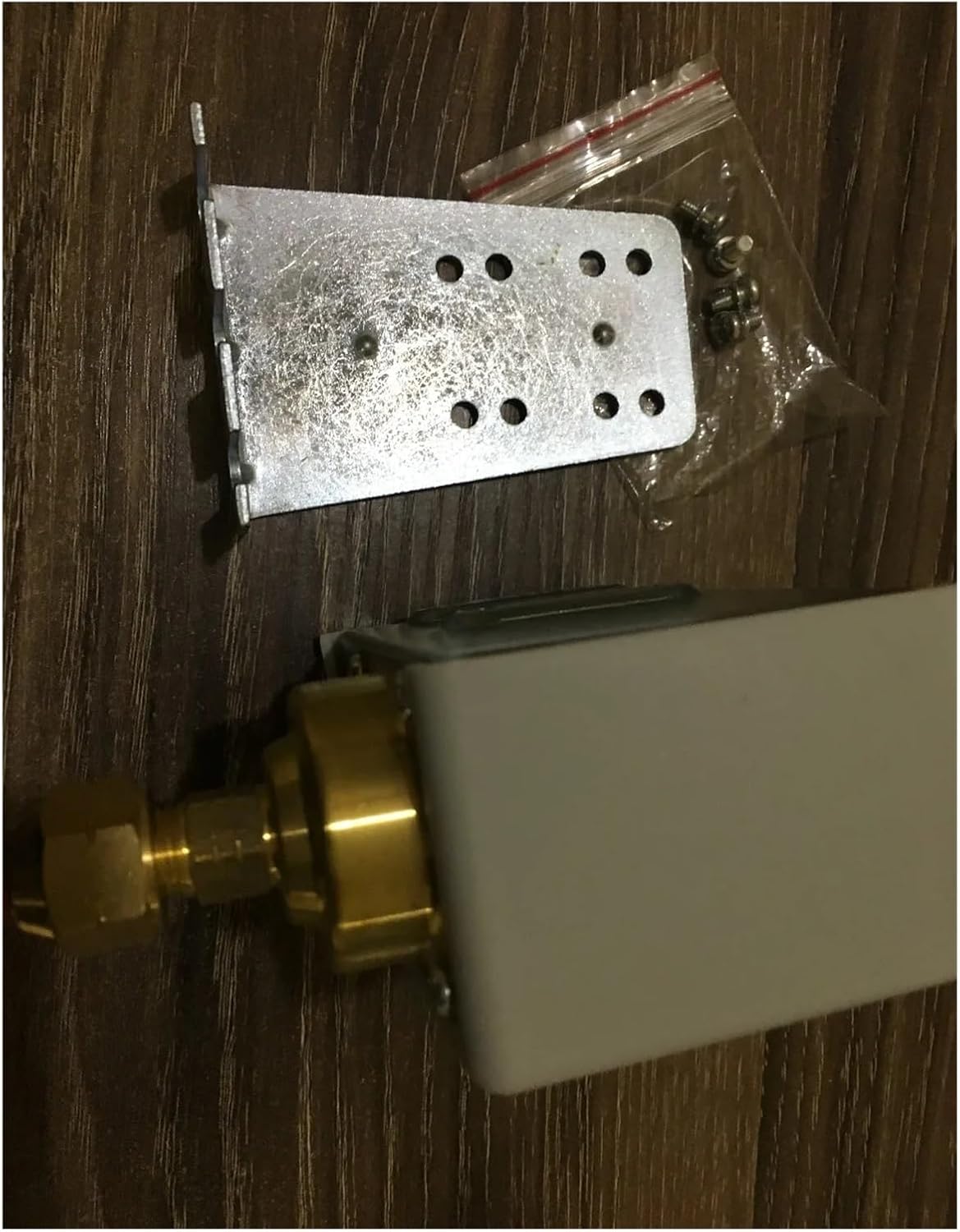
Figure 3: The PYKFVTGL Jc-230 Pressure Switch Controller shown with its metal mounting bracket and screws, ready for installation.
Operating Instructions
The Jc-230 Pressure Switch Controller is designed for automatic operation based on set pressure ranges. The device features "AUTO RESET" functionality, meaning it will automatically reset and resume operation once conditions return to normal after a protective shutdown.
Setting Pressure Range (if adjustable)
The control panel on the front of the switch (refer to Figure 1) may include dials or indicators for adjusting the cut-in (start) and cut-out (stop) pressure settings, often labeled as "RANGE" and "DIFF" (differential). Consult the markings on your specific unit for adjustment procedures. Typically:
- RANGE: Adjusts the main operating pressure point (e.g., the cut-out pressure).
- DIFF (Differential): Adjusts the difference between the cut-in and cut-out pressures.
Always make adjustments with the power off and follow safety guidelines. Test the system after any adjustments to ensure proper operation.
High and Low Voltage Protection
The Jc-230 is equipped with internal circuitry to protect connected equipment from damage due to abnormal voltage fluctuations. If the voltage goes outside safe operating parameters, the switch will temporarily shut down the connected device (pump/compressor) and automatically reset once stable voltage is restored.
Maintenance
Regular maintenance ensures the longevity and reliable operation of your pressure switch.
- Periodic Inspection: Annually inspect the pressure switch for any signs of physical damage, corrosion, or loose connections.
- Cleaning: Keep the exterior of the switch clean and free from dust and debris. Use a soft, dry cloth. Do not use harsh chemicals or abrasive cleaners.
- Pressure Connection Check: Periodically check the pressure connection for leaks. Tighten if necessary.
- Electrical Connections: With power disconnected, verify that all electrical connections remain tight and free from corrosion.
If any issues are detected, address them promptly or consult a qualified technician.
Troubleshooting
| Problem | Possible Cause | Solution |
|---|---|---|
| Device does not turn on/off at set pressures. | Incorrect pressure settings; Clogged pressure port; Faulty switch. | Verify and adjust pressure settings. Check pressure line for obstructions. Inspect switch for damage; replace if necessary. |
| Pump/Compressor does not start. | No power to the switch; Loose electrical connections; Low voltage protection activated. | Check power supply. Secure all wiring connections. Verify stable voltage supply. |
| Pump/Compressor runs continuously. | Pressure leak in the system; Switch not reaching cut-out pressure; Faulty switch. | Inspect system for leaks. Check cut-out pressure setting. Replace switch if faulty. |
| Frequent cycling (on/off). | Small pressure tank; Incorrect differential setting; Minor system leak. | Consider a larger pressure tank. Adjust differential setting. Check for small leaks. |
If troubleshooting steps do not resolve the issue, contact customer support or a qualified technician.
Specifications
| Brand | PYKFVTGL |
| Model Number | Jc-230 |
| ASIN | B0DT5N5YPC |
| Item Weight | 3.53 ounces |
| Package Dimensions | 1.18 x 0.79 x 0.39 inches |
| Item Package Quantity | 1 |
| Color | One Color |
| Manufacturer | PYKFVTGL |
| Date First Available | January 16, 2025 |
Warranty and Support
Specific warranty information for the PYKFVTGL Jc-230 Pressure Switch Controller is not provided in this manual. Please refer to the product packaging or contact the retailer for warranty details.
For technical support or inquiries, please contact PYKFVTGL customer service through their official channels or the retailer from whom the product was purchased.