1. Introduction
This manual provides detailed instructions for the proper installation and care of your replacement TV base stand legs for the Hisense 55R6095G5 Roku TV. Please read these instructions carefully before proceeding with installation to ensure correct assembly and safe operation.
2. Package Contents
Verify that all components are present in your package:
- One (1) Left TV Stand Leg
- One (1) Right TV Stand Leg
- Set of necessary mounting screws
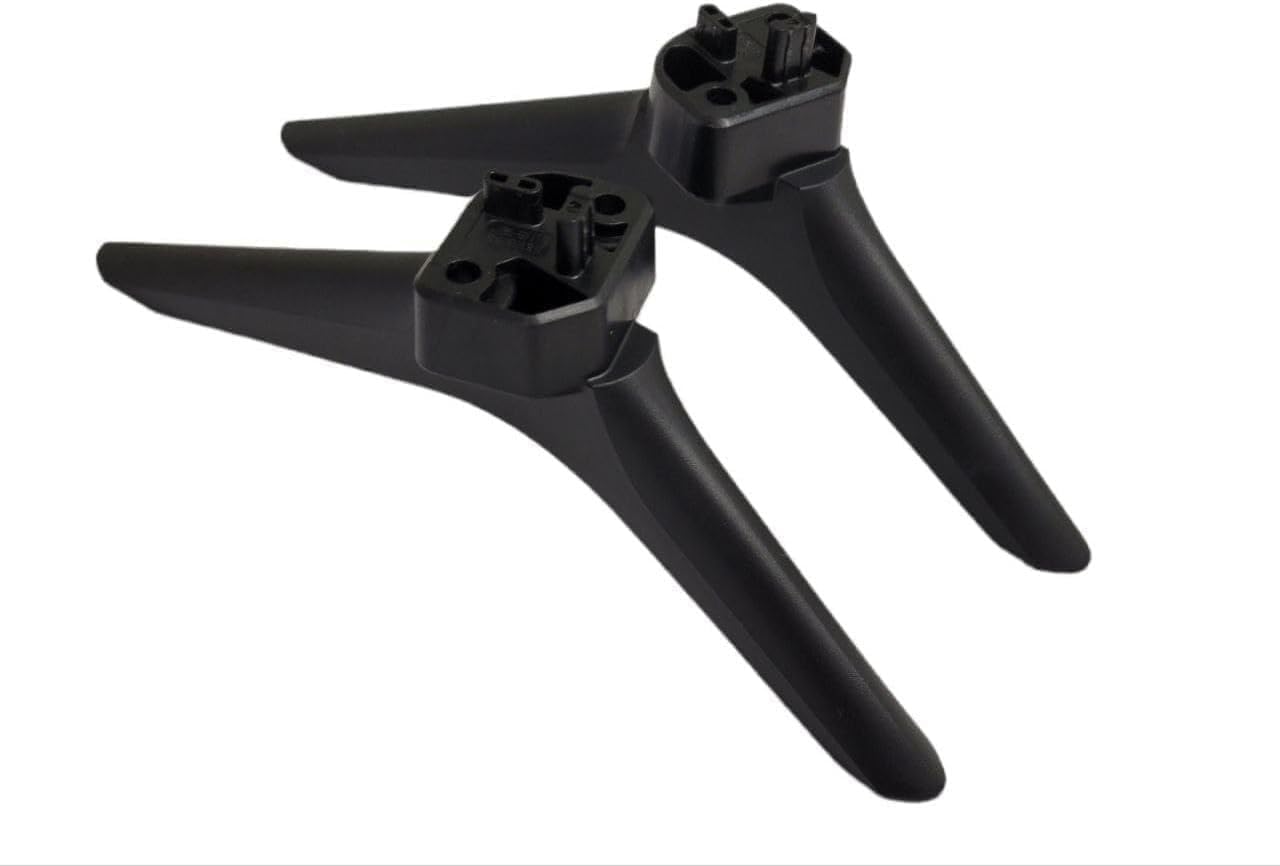
Image 2.1: Contents of the package, showing both left and right stand legs along with the included screws.
3. Compatibility Verification
These TV stand legs are specifically designed for the Hisense 55R6095G5 Roku TV model. To ensure compatibility, please verify your TV's model number:
- Locate the sticker on the back panel of your television. The model number is typically printed there.
- Alternatively, access your TV's settings menu, navigate to the "About TV" section, and locate the model information.
Important: Using these legs with an incompatible TV model may result in instability or damage.
4. Tools Required
Only one tool is required for installation:
- One (1) Phillips Head Screwdriver
5. Setup and Installation
Follow these steps to safely install the TV stand legs:
- Prepare the TV: Carefully place your TV screen-down on a soft, clean, and flat surface (e.g., a blanket or towel on a table) to prevent scratches. Ensure the TV is unplugged from all power sources.
- Identify Leg Orientation: The legs are typically marked "L" for Left and "R" for Right. Ensure you match the correct leg to the corresponding slot on the TV. The connection points on the legs are designed to fit into specific openings on the TV's bottom frame.
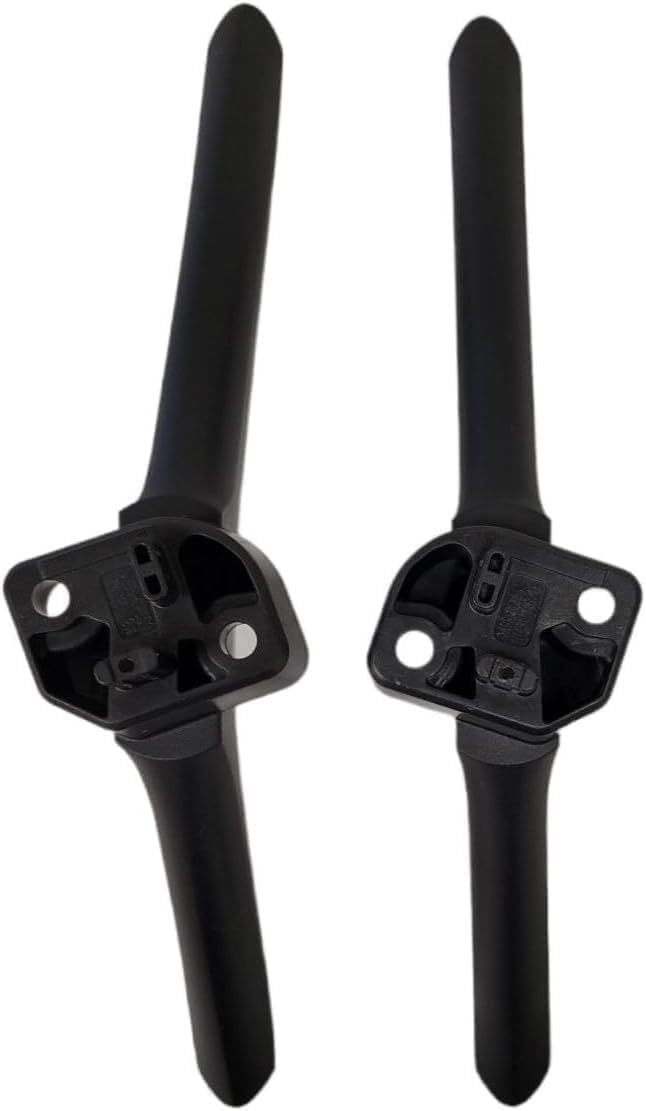
Image 5.1: Underside view of the stand legs, highlighting the screw attachment points and alignment features.
- Attach the Left Leg: Align the left stand leg with the designated slot on the left side of the TV's bottom. Gently push the leg into place until it sits flush.

Image 5.2: Detail of the leg's connection point, illustrating how it interfaces with the TV.
- Secure the Left Leg: Using the Phillips head screwdriver, insert and tighten the provided screws into the designated holes to firmly secure the left leg to the TV. Do not overtighten.
- Attach and Secure the Right Leg: Repeat steps 3 and 4 for the right stand leg on the right side of the TV.
- Final Check: Once both legs are securely attached, carefully lift the TV and place it upright on a stable, flat surface. Gently push on the TV to ensure it is stable and does not wobble.
6. Operating Instructions
These TV stand legs are passive components designed to provide stable support for your television. They do not require any operational input. Once installed, ensure the TV is placed on a flat, level, and sturdy surface to maintain stability.
7. Maintenance
To maintain the appearance and integrity of your TV stand legs:
- Cleaning: Wipe the legs with a soft, dry cloth. For stubborn marks, a slightly damp cloth with mild soap can be used, followed by drying thoroughly. Avoid abrasive cleaners or solvents.
- Inspection: Periodically check the screws to ensure they remain tight. Do not overtighten.
- Environment: Avoid exposing the legs to extreme temperatures or direct sunlight for prolonged periods, as this may affect the material.
8. Troubleshooting
| Problem | Possible Cause | Solution |
|---|---|---|
| Legs do not fit into TV slots. | Incorrect leg orientation (Left/Right) or incompatible TV model. | Ensure "L" leg is on the left and "R" leg is on the right. Double-check your TV model number against the compatibility section. |
| TV wobbles after installation. | Screws are not fully tightened, or TV is on an uneven surface. | Ensure all screws are securely tightened (do not overtighten). Verify the surface where the TV is placed is flat and stable. |
| Missing screws or damaged parts. | Packaging error or shipping damage. | Contact customer support for assistance. |
9. Specifications
- Model Compatibility: Hisense 55R6095G5 Roku TV
- Material: Acrylonitrile Butadiene Styrene (ABS)
- Color: Black
- Mounting Type: Tabletop Mount
- Movement Type: Fixed
- Item Weight: Approximately 1 pound (total for both legs)
- Product Dimensions (each leg): Approximately 12 x 6 x 2 inches
10. Warranty and Support
For any questions, concerns, or assistance with your TV stand legs, please contact the seller or manufacturer directly. Specific warranty information is not provided in this manual. Please refer to your purchase documentation or contact the point of sale for warranty details.
If your TV model is not listed in the compatibility section and you require assistance finding the correct part, please reach out to customer support.
