
EONON GMSX7
Eonon 10.1 Inch Car Stereo GMSX7 User Manual
For Chevrolet Silverado / GMC Sierra (2014-2018)
1. Introduction
This manual provides detailed instructions for the installation, operation, and maintenance of your Eonon 10.1 Inch Car Stereo, model GMSX7 (also applicable to GMSX6 units with identical functionality). This head unit is designed to enhance your driving experience with advanced features such as Wireless CarPlay, Android Auto, and an Android 14 operating system. Please read this manual thoroughly before installation and use to ensure proper functionality and safety.

Image 1.1: Eonon GMSX7 Car Stereo with CarPlay interface.
2. Compatibility and Package Contents
2.1 Applicable Vehicle Models
This Eonon car stereo is specifically designed for:
- Chevrolet Silverado (2014-2018)
- GMC Sierra (2014-2018)
Important Note: This car stereo is compatible with vehicles equipped with manual AC. It is not compatible with vehicles equipped with a Bose audio system unless an additional A505 decoder is purchased separately. Without the decoder, there will be no sound.

Image 2.1: Vehicle compatibility chart and Bose system warning.
2.2 What's in the Box
Verify that all components are present in your package:

Image 2.2: Package contents diagram.
- Audio Video Adapter Cable x1
- Audio Adapter Cable x1
- CarPlay & Android Auto USB Adapter Cable x1
- USB Adapter Cable x1
- Backup Camera Video Input Cable x1
- Radio Antenna Adapter Cable x1
- Power Cable for OEM 7-inch Screen x1 (7-1)
- Power Cable for OEM 4.2-inch and 8-inch Screens x1 (7-2)
- GPS Antenna x1
- External Microphone x1
- USB Adapter Cable x1
- Steering Wheel Control Cable x1
- Reverse Adapter Cable x1
- Original Car Radio Jumper Wire x1
- Speaker x1
- CAN Bus x1
- Adhesive Pad x1
- Spare Fuse x1
- User Manual x1
3. Setup and Installation
3.1 Wiring Diagram
Refer to the following diagram for proper connection of all cables and accessories. Ensure all connections are secure before powering on the unit.

Image 3.1: Comprehensive wiring diagram for the GMSX7 head unit.
- Speaker
- Power Cable
- Power Cable
- Power Cable
- AUX-DET
- Video Input
- Audio Output FL
- Audio Output FR
- AUX L IN (Connect to No. 22)
- AUX R IN (Connect to No. 28)
- RX/TX (Connect to No. 29)
- BREAK (Connect to No. 32)
- Power Cable
- CAN Bus Decoder
- Steering Wheel Control
- Steering Wheel Control
- AMP
- External Microphone
- Subwoofer Output
- Front Camera Input
- Video Input
- AUX Audio In L
- AUX Audio In R
- Front Audio Out L
- Front Audio Out R
- Rear Audio Out L
- Rear Audio Out R
- RX/TX Input
- USB Port for CarPlay
- USB Port
- Backup Camera Input
- Brake Shift Control
- +12V for Backup Camera
- GND Wire
- WiFi Antenna
- Bluetooth Antenna
- GPS Antenna
- Radio Antenna Input
3.2 Retaining OEM Features
The plug-and-play design of the GMSX7 allows for retention of several factory features, including:
- Steering Wheel Controls (SWC)
- Original Rear Camera Compatibility (adapter cable included)
- Door Status Display
- Driving Data Display
- AC Information Display
- Parking Sensor Reversing Guideline
- OnStar functionality

Image 3.2: Retained OEM features.
4. Operating Instructions
4.1 Power On and User Interface
The unit features a 10.1-inch IPS HD touchscreen with 1280x720 resolution, offering vibrant colors and sharp details. It runs on Android 14, providing a smooth and responsive user experience. The system supports a 1-second fast boot time.

Image 4.1: Android 14 interface on the Eonon GMSX7.
You can customize the user interface with 3 available UI themes, boot logos, button colors, and wallpapers to match your vehicle's interior or personal preference.
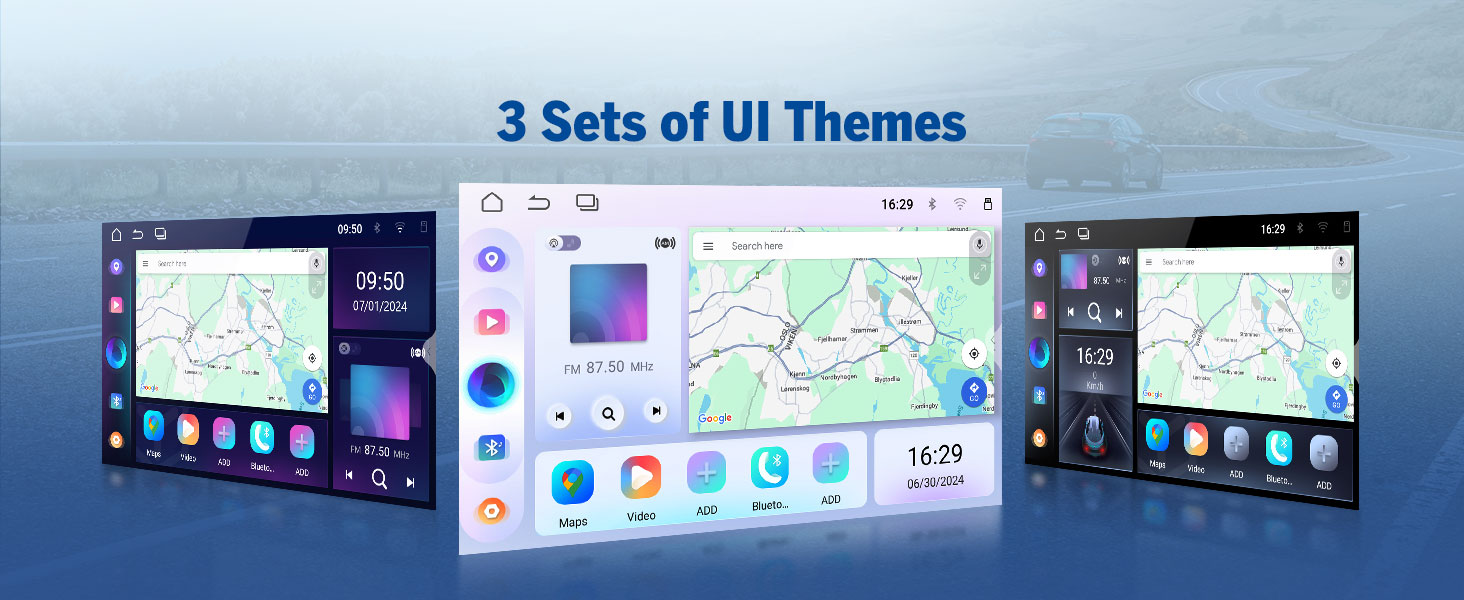
Image 4.2: Customizable UI themes.

Image 4.3: Customization options for the head unit.
4.2 Wireless CarPlay & Android Auto
The GMSX7 supports both wireless and wired Apple CarPlay and Android Auto for seamless smartphone integration.

Image 4.4: Wireless CarPlay and Android Auto in use.
4.2.1 Wireless Apple CarPlay Connection
- Click the Zlink5 app on the car stereo.
- Turn on Wi-Fi and Bluetooth on your iPhone.
- Find 'EONON' in your phone's Bluetooth device list and pair it. Once connected, tap 'Use CarPlay'.
- Wait a few seconds to complete the connection.

Image 4.5: Wireless Apple CarPlay connection guide.
4.2.2 Wireless Android Auto Connection
- Click the Zlink5 app on the car stereo.
- Turn on Wi-Fi and Bluetooth on your Android phone.
- Find 'EONON' in your phone's Bluetooth device list and pair it.
- Wait a few seconds to complete the connection.

Image 4.6: Wireless Android Auto connection guide.
4.3 Screen Mirroring
The screen mirroring function allows you to project content from your smartphone onto the car stereo display.
4.3.1 Screen Mirroring for iOS
- Click the Zlink5 app on the car stereo, then set the car stereo to iPhone wireless screen mirroring mode.
- Turn on the iPhone hotspot and connect to the car stereo.
- Turn on the iPhone screen mirroring function and select "zj-airplay".

Image 4.7: iOS Screen Mirroring guide.
4.3.2 Screen Mirroring for Android
- Click the Zlink5 app on the car stereo, then set the car stereo to Android wireless screen mirroring mode.
- Turn on the phone's hotspot and connect to the car stereo.
- Install the Zplus app on your phone. Turn on the app and select "wireless connection".

Image 4.8: Android Screen Mirroring guide.
4.4 Bluetooth Functionality
The upgraded built-in Bluetooth 5.4 module supports hands-free calling and music playback. An external microphone is included for clear and stable call quality.

Image 4.9: Bluetooth 5.4 module features.
4.5 Audio Features
Customize your audio experience with the integrated sound controls:
- Equalizer: 36-band graphic equalizer with 6 EQ modes.
- Amplifier: ST TDA7388 amplifier with 4x45W max output power.
- DSP: Professional 32-bit DSP with FFT Acceleration for precise sound.
- Soundstage: 48-Band EQ with 3D Surround & Virtual Bass, 0-4ms 6CH Time Alignment, Hi/Lo-Pass Filtering.
- Output: RCA audio output for external amplifiers.

Image 4.10: Audio customization features.

Image 4.11: Digital Sound Processor (DSP) capabilities.
4.6 Navigation and Connectivity
- GPS: Supports online and offline navigation.
- Wi-Fi: Built-in Wi-Fi 5GHz for internet connectivity.
- USB Ports: Multiple USB ports for data transfer and charging.
- Radio: High-quality FM/AM radio with RDS support.

Image 4.12: Key connectivity and performance features.
4.7 Optional Accessories
The GMSX7 supports integration with several optional Eonon accessories (not included):
- Eonon Dashcam (A100): For recording driving footage.
- DAB+ (V0056): For digital audio broadcasting.
- OBD2 (V0056): For vehicle fault diagnosis and real-time status monitoring.

Image 4.13: Backup Camera features (A0125 included).

Image 4.14: Optional Dash Cam (A100) features.

Image 4.15: Optional OBD2 (V0056) functionality.
5. Maintenance
5.1 Software Updates (OTA)
The Eonon GMSX7 supports Over-The-Air (OTA) firmware updates. These updates are designed to fix software issues and enhance security, ensuring your head unit remains up-to-date. Please note that these updates are for the firmware and do not upgrade the Android operating system version.
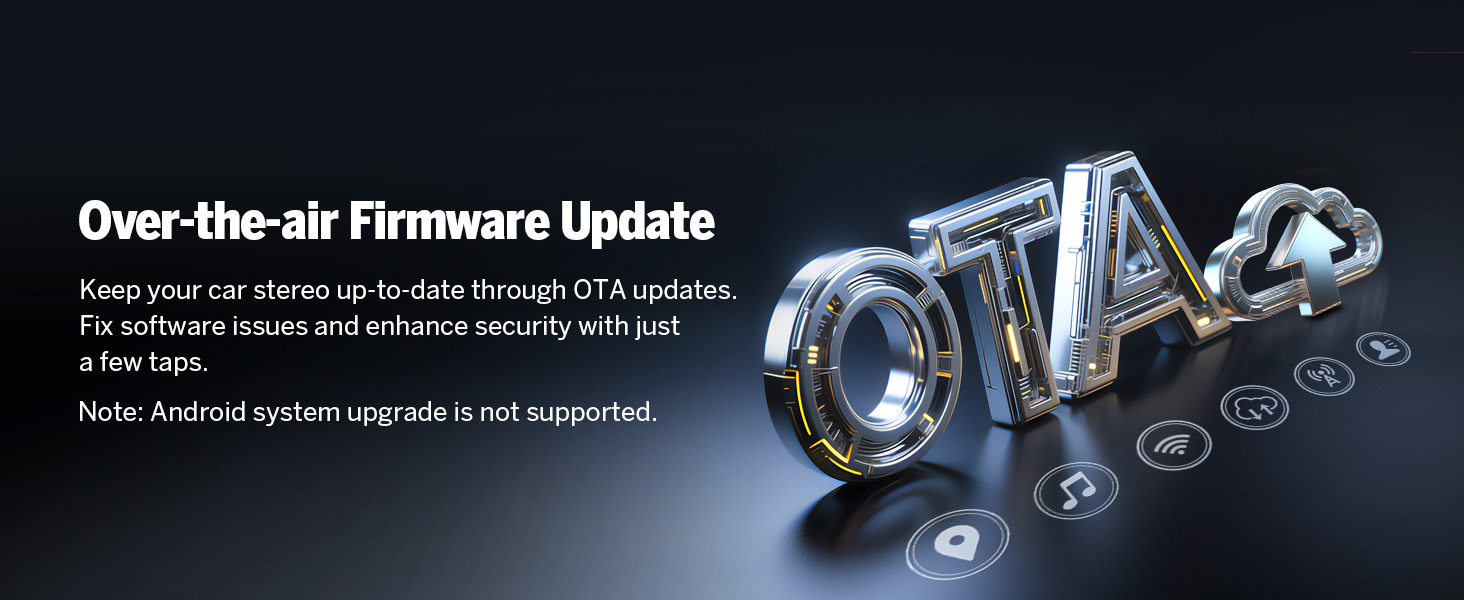
Image 5.1: Over-the-air (OTA) firmware update process.
5.2 General Care
- Clean the touchscreen with a soft, lint-free cloth. Avoid abrasive cleaners.
- Keep the unit free from dust and moisture.
- Ensure proper ventilation around the unit.
6. Troubleshooting
If you encounter issues with your Eonon GMSX7 car stereo, refer to the following common problems and solutions:
- No Sound:
- Check all wiring connections, especially speaker cables.
- If your vehicle has a Bose audio system, ensure the A505 decoder is correctly installed.
- Verify volume settings on the unit and your connected device.
- Bluetooth Connectivity Issues:
- Ensure Bluetooth is enabled on both the stereo and your phone.
- Delete previous pairings and attempt to re-pair the devices.
- Restart both the car stereo and your phone.
- Unit Freezes or is Unresponsive:
- Perform a soft reset by pressing the reset button (if available) or by turning off the vehicle ignition and restarting.
- If the issue persists, contact Eonon customer support.
- Poor Call Quality:
- Ensure the external microphone is properly connected and positioned.
- Check for any obstructions near the microphone.
7. Specifications
The Eonon GMSX7 (GMSX6) car stereo features advanced components for optimal performance.

Image 7.1: Internal components overview.

Image 7.2: Rockchip RK3562 processor performance.

Image 7.3: Key module specifications.
| Feature | Specification |
|---|---|
| Model Number | GMSX7 (also GMSX6) |
| Operating System | Android 14 |
| Display Size | 10.1 Inches |
| Display Resolution | 1280x720 IPS HD |
| Processor | Rockchip (High performance, low power consumption) |
| RAM | 3GB |
| ROM (Internal Storage) | 32GB |
| Bluetooth Version | 5.4 |
| Wi-Fi | Wi-Fi 6 (2.4Gbps) |
| Amplifier | ST TDA7388, 4x45W Max Output |
| Radio Module | Silicon Labs Si4755 (FM/AM/RDS) |
| DSP | Professional 32-bit DSP |
| Connectivity | Bluetooth, USB, Wi-Fi |
| Included Components | Backup Camera (A0125) |
| Item Weight | 6.13 pounds |
| Package Dimensions | 14.38 x 13.4 x 5.52 inches |
8. Warranty Information
The Eonon GMSX7 car stereo comes with a 2-Year Manufacturer Warranty. Please retain your proof of purchase for warranty claims. For specific terms and conditions, refer to the warranty documentation included with your product or contact Eonon customer support.
9. Support
For technical assistance, troubleshooting beyond this manual, or warranty inquiries, please contact Eonon customer support through their official website or the contact information provided with your purchase. Ensure you have your model number (GMSX7 or GMSX6) and purchase details ready when contacting support.
Related documentsGMSX7


Ask a question about this manual
Ask about setup, troubleshooting, compatibility, parts, safety, or missing instructions. Manuals+ will review the question and use this page’s manual context to help answer it.