
EONON HAC2X7
Eonon Car Stereo User Manual
Model: HAC2X7
For Honda Accord 2008-2012
1. Introduction
This manual provides comprehensive instructions for the installation, operation, and maintenance of your Eonon Car Stereo (Model HAC2X7). Please read this manual thoroughly before using the product to ensure proper functionality and safety.
1.1 Applicable Car Models
This car stereo is custom-designed for Honda Accord models manufactured between 2008 and 2012. It is engineered to perfectly match your dashboard without requiring additional frame modifications. Before purchase and installation, ensure your vehicle's model year and dashboard dimensions are compatible.

Image: Visual guide showing suitable and unsuitable Honda Accord dashboards for installation.
1.2 Key Features
- Android 14 System: Powered by an RK3562 Quad-core ARM Cortex-A53 CPU (2.0GHz) with 3GB RAM and 32GB ROM for smooth performance.
- Wireless CarPlay & Android Auto: Seamless integration with your smartphone for navigation, music, calls, and messages via voice commands or touchscreen.
- 10.1-inch IPS HD Display: Capacitive touchscreen with 1280x720 resolution and 178° viewing angle for clear visuals.
- Advanced Audio: Built-in 48-band EQ and 4x45W surround sound amplifier for customizable audio experiences.
- Expandability: Supports backup camera input, steering wheel controls, dual-band Wi-Fi (2.4G/5G), Bluetooth 5.4, and additional Eonon accessories (sold separately).
- Over-the-Air (OTA) Updates: Convenient online firmware updates to fix software issues and enhance security.
2. What's in the Box
Upon unpacking, please verify that all the following components are included:
- Eonon Car Stereo Head Unit
- Power Cable
- GPS Antenna
- Audio Adapter Cables (various)
- CarPlay & Android Auto USB Adapter Cable
- USB Adapter Cables (multiple)
- Backup Camera Video Input Cable
- Factory LCD Screen Adapter Cable
- External Microphone
- Glove Compartment (x3)
- Bracket (x4)
- Screws (x20)
- Spare Fuse
- User Manual (this document)
- Backup Camera (A0125)

Image: Detailed view of all components included in the product packaging.
3. Setup and Installation
Installation of the Eonon Car Stereo requires careful attention to detail. It is recommended that installation be performed by a qualified professional. Always disconnect the vehicle's battery before beginning any electrical work.
3.1 Disassembly of Existing Components
Carefully remove the existing car stereo and dashboard components. Use appropriate tools to avoid damaging the vehicle's interior. Refer to your vehicle's specific service manual for detailed disassembly instructions.
3.2 Wiring Diagram
Connect the provided cables according to the wiring diagram below. Ensure all connections are secure and properly insulated.

Image: Comprehensive wiring diagram illustrating all connections for the head unit.
3.3 Assembly and Testing
Once all connections are made, carefully reassemble the dashboard components. Before fully securing, connect the vehicle's battery and perform initial tests to ensure all functions (power, audio, display, controls) are working correctly.
Video: A step-by-step guide demonstrating the installation process of the Eonon car stereo in a Honda Accord, including disassembly, wiring, and reassembly.
4. Operating Instructions
4.1 Display and Audio Excellence
The 10.1-inch IPS HD capacitive touchscreen provides vibrant colors and sharp details with a wide 178° viewing angle. Navigate menus and control functions with intuitive touch gestures.

Image: Close-up of the 10.1-inch IPS display highlighting its resolution and viewing angle.
Customize your audio experience using the built-in 48-band EQ and 4x45W surround sound amplifier. The system supports various media formats including 1080P video, MP3, FLAC, and APE.

Image: Screenshot of the 36-band graphic equalizer interface for fine-tuning audio output.
4.2 Wireless CarPlay & Android Auto
Experience effortless connectivity with Wireless CarPlay and Android Auto. Access navigation, music, calls, and messages seamlessly using voice commands or the intuitive touchscreen. Wireless functionality provides a clean and hassle-free setup, while wired options are also available for flexibility.
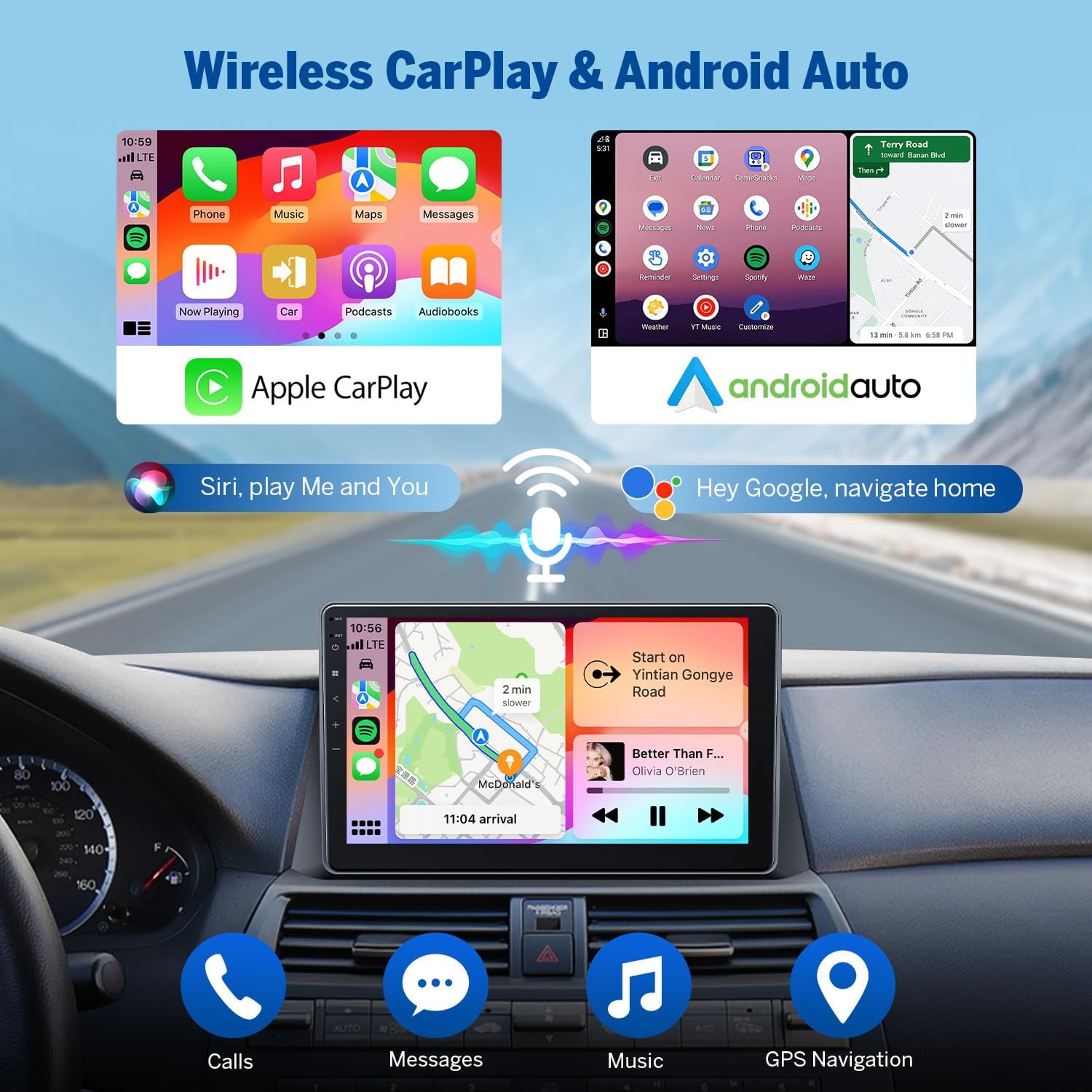
Image: Depiction of the Wireless CarPlay and Android Auto interfaces, showing navigation and media playback.
4.2.1 Wireless Apple CarPlay Connection
To connect your iPhone wirelessly to CarPlay:
- Click the Zlink5 app on the car stereo.
- Turn on Wi-Fi and Bluetooth on your iPhone.
- Find 'EONON' in your phone's Bluetooth device list and pair it.
- Once connected, tap 'Use CarPlay' and wait a few seconds to complete the connection.
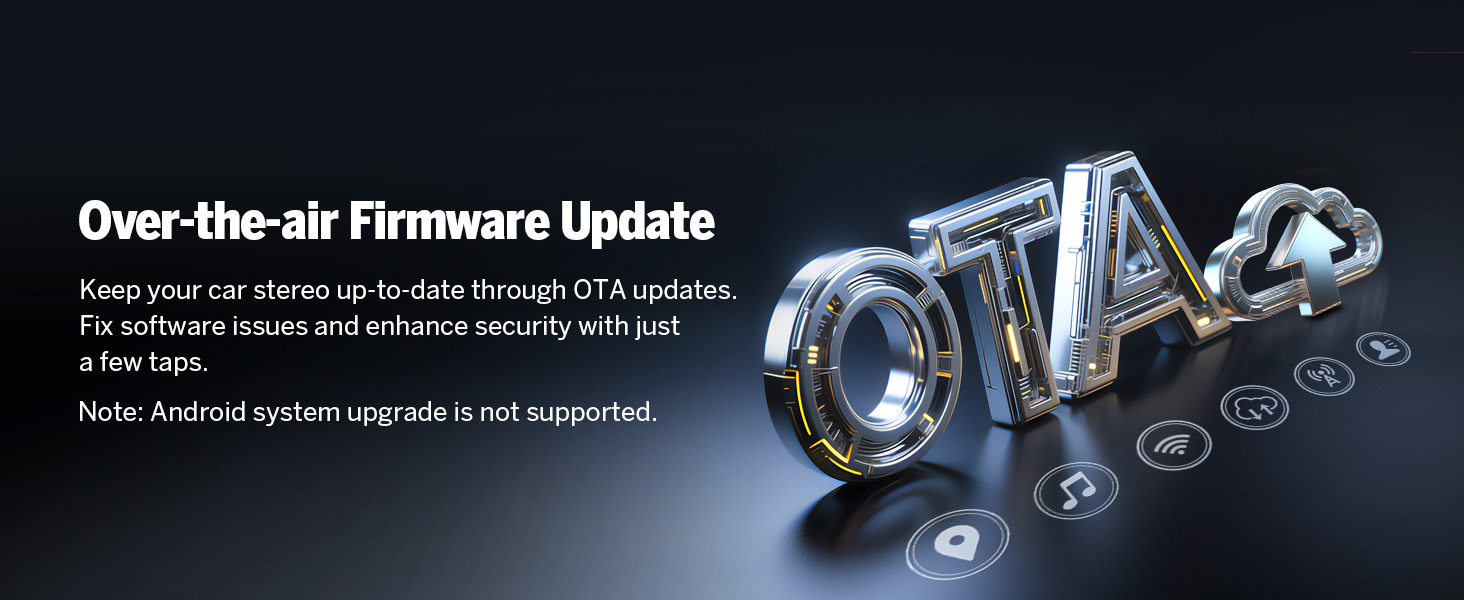
Image: Visual steps for connecting an iPhone to Wireless Apple CarPlay.
4.2.2 Wireless Android Auto Connection
To connect your Android phone wirelessly to Android Auto:
- Click the Zlink5 app on the car stereo.
- Turn on Wi-Fi and Bluetooth on your Android phone.
- Find 'EONON' in your phone's Bluetooth device list and pair it.
- Wait a few seconds to complete the connection.

Image: Visual steps for connecting an Android phone to Wireless Android Auto.
4.3 Bluetooth Functionality
The unit features Bluetooth 5.4 for quick and stable connections, noise reduction, crystal-clear call quality, and high-quality music streaming. Easily search phonebooks and manage calls hands-free.

Image: Diagram illustrating the independent Bluetooth module and external antenna for improved signal.
4.4 Steering Wheel Controls
The unit supports your vehicle's existing steering wheel controls, allowing you to manage audio and calls without taking your hands off the wheel. This feature enhances driving safety and convenience.
Video: Demonstration of the steering wheel controls functionality with the Eonon car stereo.
4.5 Backup Camera
The system includes support for a backup camera input, providing a clear view of the area behind your vehicle when reversing. The included A0125 backup camera offers 720P AHD resolution, a 140° rear viewing angle, and IP68 waterproof rating.

Image: Illustration of the backup camera view on the stereo screen, complete with reversing guidelines.
Video: Live demonstration of the backup camera functionality, showing the clear rear view on the stereo display.
4.6 Screen Mirroring
Mirror your smartphone's screen directly onto the car stereo display for enhanced content viewing and app access.
4.6.1 Screen Mirroring for iOS
To mirror your iOS device:
- Click the Zlink5 app on the car stereo and set it to iPhone wireless screen mirroring mode.
- Turn on the iPhone hotspot and connect to the car stereo.
- Turn on the iPhone screen mirroring function and select "zj-airplay".

Image: Visual guide for setting up screen mirroring from an iOS device.
4.6.2 Screen Mirroring for Android
To mirror your Android device:
- Click the Zlink5 app on the car stereo and set it to Android wireless screen mirroring mode.
- Turn on your phone's hotspot and connect to the car stereo.
- Install the Zplus app on your phone. Turn on the app and select "wireless connection".

Image: Visual guide for setting up screen mirroring from an Android device.
4.7 Customization Options
Personalize your car stereo experience with various customization options, including different UI themes, boot logos, button colors, and wallpapers.

Image: Examples of customizable elements like boot logo, button color, and wallpaper.
5. Maintenance
5.1 Firmware Updates
The Eonon car stereo supports Over-the-Air (OTA) firmware updates. These updates are crucial for fixing software issues, enhancing security, and improving overall device performance. You can update your device with just a few taps, without the need for a USB stick. Please note that these updates are for the software and do not upgrade the Android system version.

Image: Illustration of the OTA firmware update process, showing cloud synchronization.
6. Troubleshooting
If you encounter any issues with your Eonon car stereo, please refer to the following general troubleshooting advice. For more specific problems or advanced diagnostics, visit the official Eonon support website or contact customer service.
6.1 Performance Verification
To verify the authenticity and specifications of your device, you can use third-party applications like 'Fake Device Test'. This can help confirm the Android version, processor, memory (RAM), and storage (ROM) of your head unit.
Image: Screenshot of a 'Fake Device Test' application, used to verify the internal specifications of the head unit.
6.2 Common Issues
- No Power: Check all power connections and the vehicle's fuse box. Ensure the unit is properly grounded.
- No Sound: Verify speaker connections and audio output settings. Check the volume level and mute status.
- Touchscreen Unresponsive: Try restarting the unit. If the issue persists, a factory reset might be necessary (refer to settings menu).
- Bluetooth/Wi-Fi Connectivity Issues: Ensure Bluetooth/Wi-Fi is enabled on both the stereo and your device. Try re-pairing or restarting both devices.
- GPS Signal Loss: Ensure the GPS antenna is properly installed and has a clear line of sight to the sky.
7. Specifications
| Feature | Specification |
|---|---|
| Item Weight | 6.49 pounds |
| Package Dimensions | 13 x 9.5 x 8 inches |
| Item Model Number | HAC2X6 |
| Display Size | 10.1 Inches |
| Screen Resolution | 1280x720 |
| Operating System | Android 14 |
| CPU | RK3562 Quad-core ARM Cortex-A53 (2.0GHz) |
| RAM | 3GB |
| ROM | 32GB |
| Bluetooth Version | 5.4 |
| Wi-Fi | Dual-band (2.4G/5G) |
| Audio Output Power | 4x45W |
| Included Components | Backup Camera |

Image: Diagram showing the internal components and robust 4-layer automotive PCB design.

Image: Details on the Professional 32-bit DSP and 48-Band EQ for optimized audio.
8. Warranty and Support
8.1 Warranty Information
The Eonon Car Stereo (Model HAC2X7) comes with a 2-Year Manufacturer Warranty. This warranty covers defects in materials and workmanship under normal use. Please retain your proof of purchase for warranty claims.
8.2 Customer Support
For technical assistance, troubleshooting, or warranty inquiries, please visit the official Eonon website or contact their customer support team. You can find contact information and frequently asked questions on their support page.
Related documentsHAC2X7


Ask a question about this manual
Ask about setup, troubleshooting, compatibility, parts, safety, or missing instructions. Manuals+ will review the question and use this page’s manual context to help answer it.