
Introduction
Thank you for choosing Amagic Flameless LED Tea Lights. These battery-operated candles provide a warm, flickering glow without the hazards of real flames, making them ideal for various indoor decorative purposes. This manual provides essential information for the safe and efficient use of your tea lights.
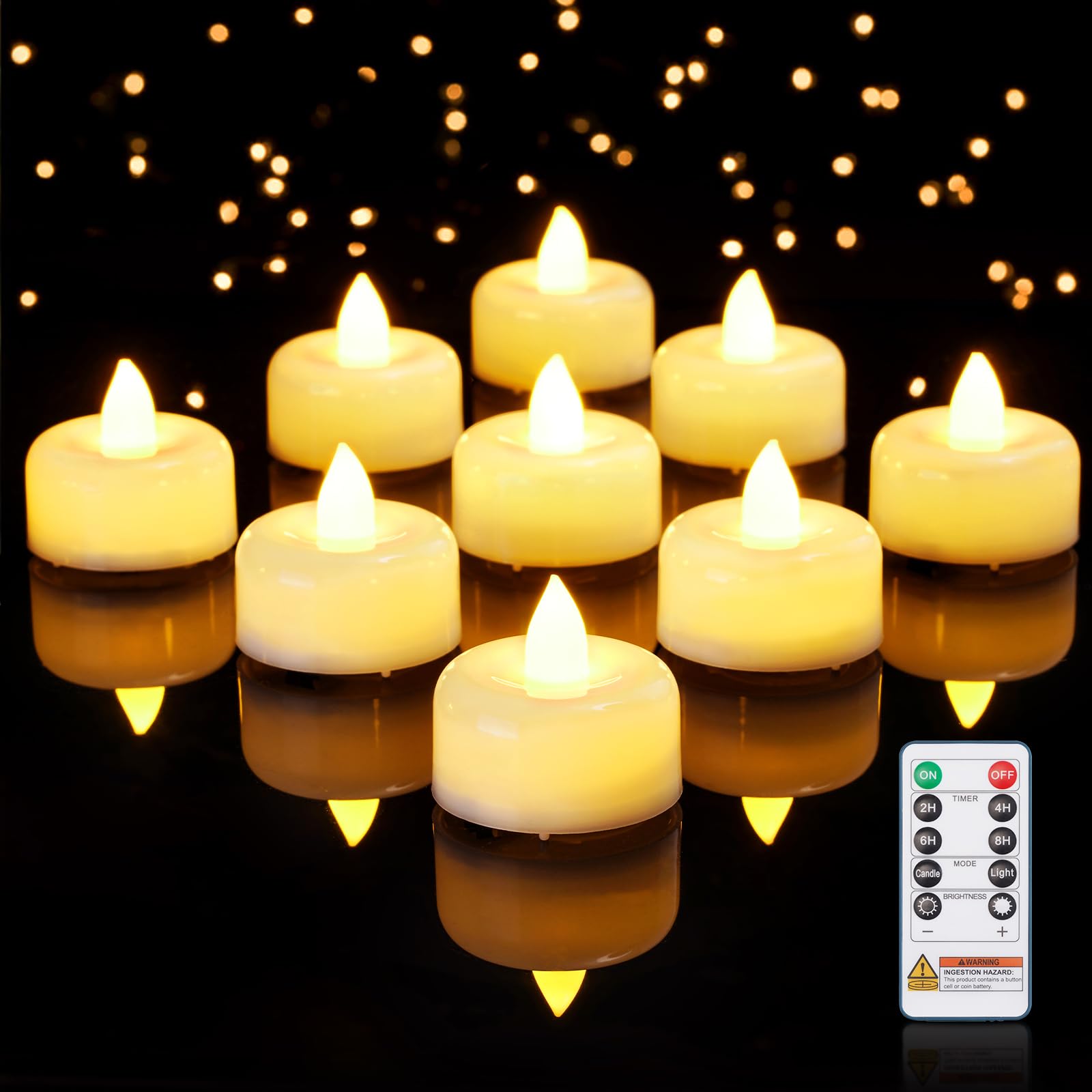
Image: A set of Amagic flameless LED tea lights, showcasing their compact design and warm glow.
Safety Information
These flameless tea lights are designed to be safe for use in homes with children and pets, eliminating fire hazards. However, please observe the following precautions:
- Indoor Use Only: These candles are designed for indoor use.
- Battery Safety: Button cell batteries are included. Keep batteries and small parts away from children under three years of age. Swallowing button cell batteries can cause serious injury or death. Seek immediate medical attention if you suspect a battery has been swallowed or placed inside any part of the body.
- Proper Battery Disposal: Dispose of used batteries according to local regulations.

Image: A battery warning label emphasizing keeping button cell batteries out of reach of children due to choking and ingestion hazards.
Package Contents
- 12 x Amagic Flameless LED Tea Lights
- 1 x Remote Control
- Batteries (pre-installed in tea lights and remote)
Setup
1. Battery Installation and Activation
The tea lights come with CR2450 coin batteries pre-installed. To activate them for the first time, ensure the small plastic insulation sheet is removed from the battery compartment of each tea light and the remote control.
- Locate the ON/OFF switch on the bottom of each tea light.
- Slide the switch to the "ON" position to activate the tea light.
- For the remote control, pull out the clear plastic tab from the battery compartment before first use.

Image: Close-up view of a tea light, showing its dimensions (1.5"D x 1.3"H), warm white light, childproof battery design, and indicating battery inclusion.

Image: Illustrates the CR2450 battery type and the timer feature options (2H, 4H, 6H, 8H) for automatic daily cycling.
Operating Instructions
Your Amagic tea lights can be controlled using the included remote control or the manual switch on the bottom of each candle.
Using the Remote Control
Ensure all tea lights are switched to the "ON" position on their base for remote functionality.

Image: Diagram of the remote control, detailing buttons for On/Off, Timer (2H, 4H, 6H, 8H), Light Mode (Candle/Light), and Brightness Adjustment.
- ON/OFF: Press the ON button to turn on all tea lights. Press the OFF button to turn them off.
- Timer Function: Select 2H, 4H, 6H, or 8H to set the timer. Once set, the tea lights will automatically turn on for the selected duration each day and then turn off, repeating the cycle every 24 hours. To deactivate the timer, press the ON/OFF button.
- Light Mode:
- Press Candle for a realistic flickering flame effect.
- Press Light for a steady, non-flickering glow.
- Brightness Adjustment: Use the + and - buttons to increase or decrease the brightness of the tea lights.
Manual On/Off Switch
Each tea light has a physical ON/OFF switch on its base. This switch can be used to turn individual candles on or off, or to completely power down the candle for extended storage to conserve battery life.
Maintenance
Battery Replacement
Each tea light uses one CR2450 coin battery, providing over 400 hours of operation. When the light dims significantly or stops working, it's time to replace the battery.
- Ensure the tea light is switched to the "OFF" position.
- Using a 1/4 inch flat head screwdriver or similar tool, locate the groove on the battery cover at the bottom of the tea light.
- Press down firmly and rotate the cover 90 degrees counter-clockwise to open. You may need to apply steady inward pressure and rotate simultaneously to prevent separation from the cover.
- Remove the drained battery and insert a new CR2450 battery with the labeled side facing up.
- Align the battery cover with the tool and rotate it 90 degrees clockwise until it clicks, indicating it is securely tightened.
- Important: Keep small parts and batteries away from children under three years of age.
Storage
If the tea lights will not be used for an extended period, switch them to the "OFF" position on their base to prevent battery drain. Store them in a cool, dry place.
Troubleshooting
| Problem | Possible Cause | Solution |
|---|---|---|
| Tea light does not turn on. | Battery is dead or incorrectly installed. Insulation tab not removed. | Check battery orientation. Replace battery if necessary. Ensure insulation tab is removed. Verify the ON/OFF switch is in the "ON" position. |
| Remote control is not working. | Remote battery is dead or insulation tab not removed. Tea lights are too far or not in "ON" position. | Ensure the remote's insulation tab is removed. Replace the remote battery. Move closer to the tea lights. Ensure tea lights are switched "ON" manually. |
| Light is dim or inconsistent. | Low battery. | Replace the battery in the affected tea light. |
If you experience persistent issues or receive defective candles, please contact customer support for assistance.
Specifications
| Feature | Detail |
|---|---|
| Model Number | AYKODSLA12NB |
| Product Dimensions | 1.5"D x 1.5"W x 1.3"H |
| Item Weight | 0.45 Pounds (for the pack) |
| Light Source Type | LED |
| Power Source | Battery Powered |
| Battery Type | CR2450 Coin Battery (per tea light) |
| Battery Life | Over 400 hours |
| Control Method | Remote Control, Push Button (manual switch) |
| Timer Options | 2H, 4H, 6H, 8H (24-hour cycle) |
| Light Modes | Flickering (Candle), Steady (Light) |
| Color | Ivory |
| Material Type | Plastic |
| Indoor/Outdoor Usage | Indoor |
Warranty and Support
Amagic is committed to providing quality products. If you encounter any issues with your tea lights, such as defective units or operational problems, please contact us directly for assistance.
To contact support:
- Locate your order details.
- Click the "Contact Seller" option for immediate assistance.
We will assist with compensation or replacements as needed.