Introduction
This manual provides essential information for the safe and efficient operation of your DORTALA 4-in-1 Evaporative Air Cooler and Heater Combo. This versatile appliance functions as a fan, humidifier, air cooler, and heater, designed to provide year-round comfort in your home or office. Please read this manual thoroughly before use and retain it for future reference.
Important Safety Instructions
To reduce the risk of fire, electric shock, or injury, always follow these basic safety precautions:
- Read all instructions before using this appliance.
- Ensure the power supply voltage matches the rating label on the appliance.
- Do not operate the appliance with a damaged cord or plug. If the cord or plug is damaged, contact customer support.
- Do not block air inlets or outlets. Maintain at least 20 cm (8 inches) clearance from walls and other objects.
- Do not immerse the appliance, cord, or plug in water or other liquids.
- Always unplug the appliance before cleaning, maintenance, or when not in use.
- Do not allow children to operate or play with the appliance. Close supervision is necessary when the appliance is used near children.
- Use the appliance only on a stable, flat, and dry surface.
- Do not use the appliance outdoors or in wet environments.
- Only use clean tap water in the water tanks. Do not add any chemicals or other liquids.
- When using the heating function, ensure the appliance is placed on a heat-resistant surface and away from flammable materials.
Package Contents
Please check the package contents upon opening to ensure all items are present and undamaged:
- 1 x DORTALA Evaporative Air Cooler and Heater Combo
- 1 x Remote Control
- 2 x Ice Packs
- 1 x Instruction Manual (this document)
Product Overview
Familiarize yourself with the main components of your DORTALA 4-in-1 Evaporative Air Cooler and Heater Combo.
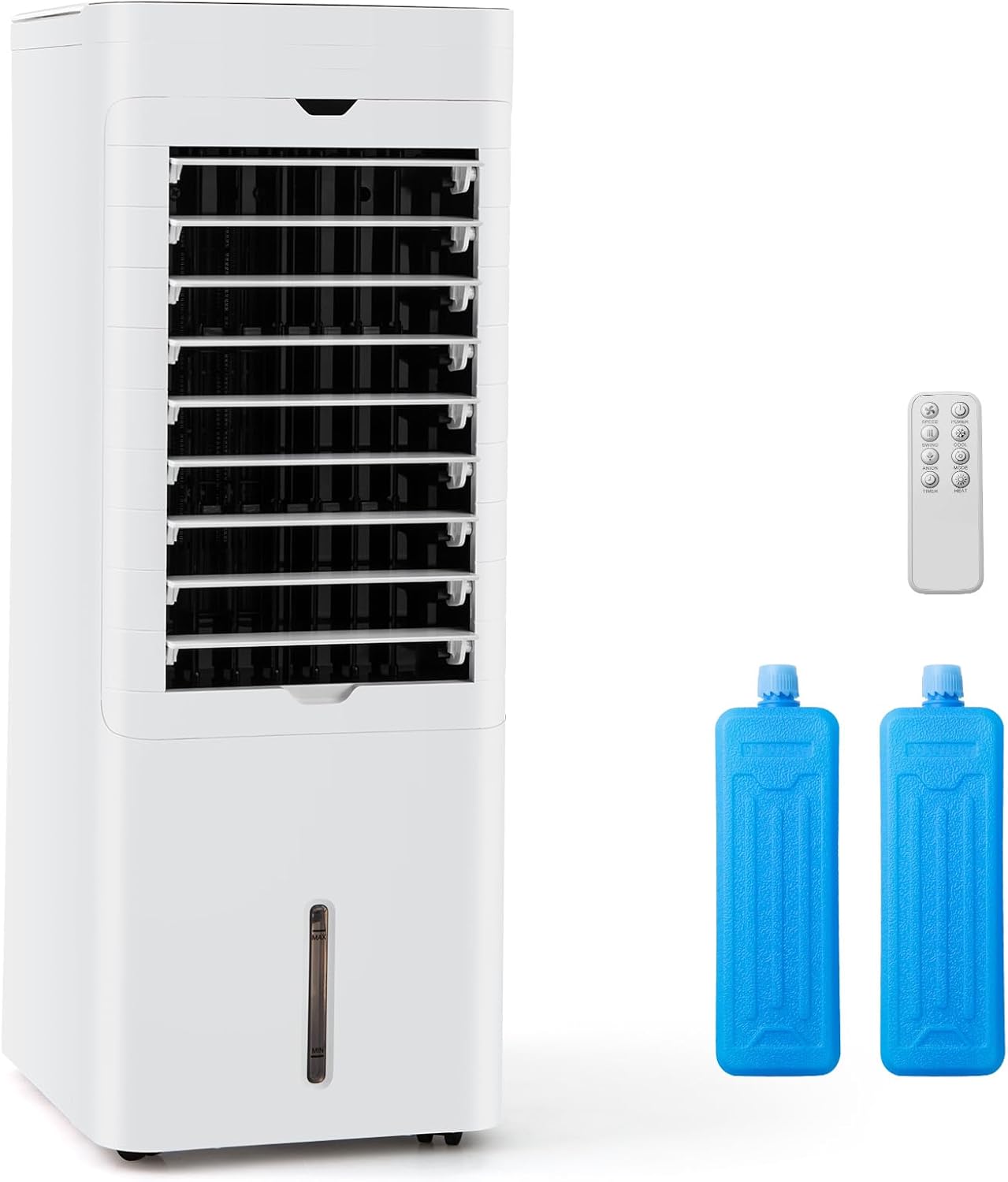
Image: The main unit of the DORTALA 4-in-1 Evaporative Air Cooler and Heater, shown alongside its remote control and two blue ice packs. The unit is white with a visible water level indicator on the front.
- Control Panel: Located on the top of the unit for manual operation.
- Air Outlet: Front grille where air is expelled.
- Air Inlet/Filter: Rear section for air intake and filter access.
- Top Water Tank: For convenient water refilling.
- Bottom Water Tank: Large capacity tank for extended use, detachable for cleaning.
- Water Level Indicator: Transparent window on the front to monitor water level.
- Universal Wheels: For easy portability.
- Remote Control: For convenient operation from a distance.
- Ice Packs: Two reusable ice packs for enhanced cooling.
Initial Setup
Unpacking and Placement
- Remove the appliance and all accessories from the packaging.
- Place the appliance on a firm, level, and dry surface. Ensure there is adequate space around the unit for proper airflow (at least 20 cm / 8 inches from walls and furniture).
- Ensure the power cord is not pinched or damaged.
Water Tank Filling
For cooling and humidifying functions, water must be added to the tanks. The appliance features dual water tanks for convenience.
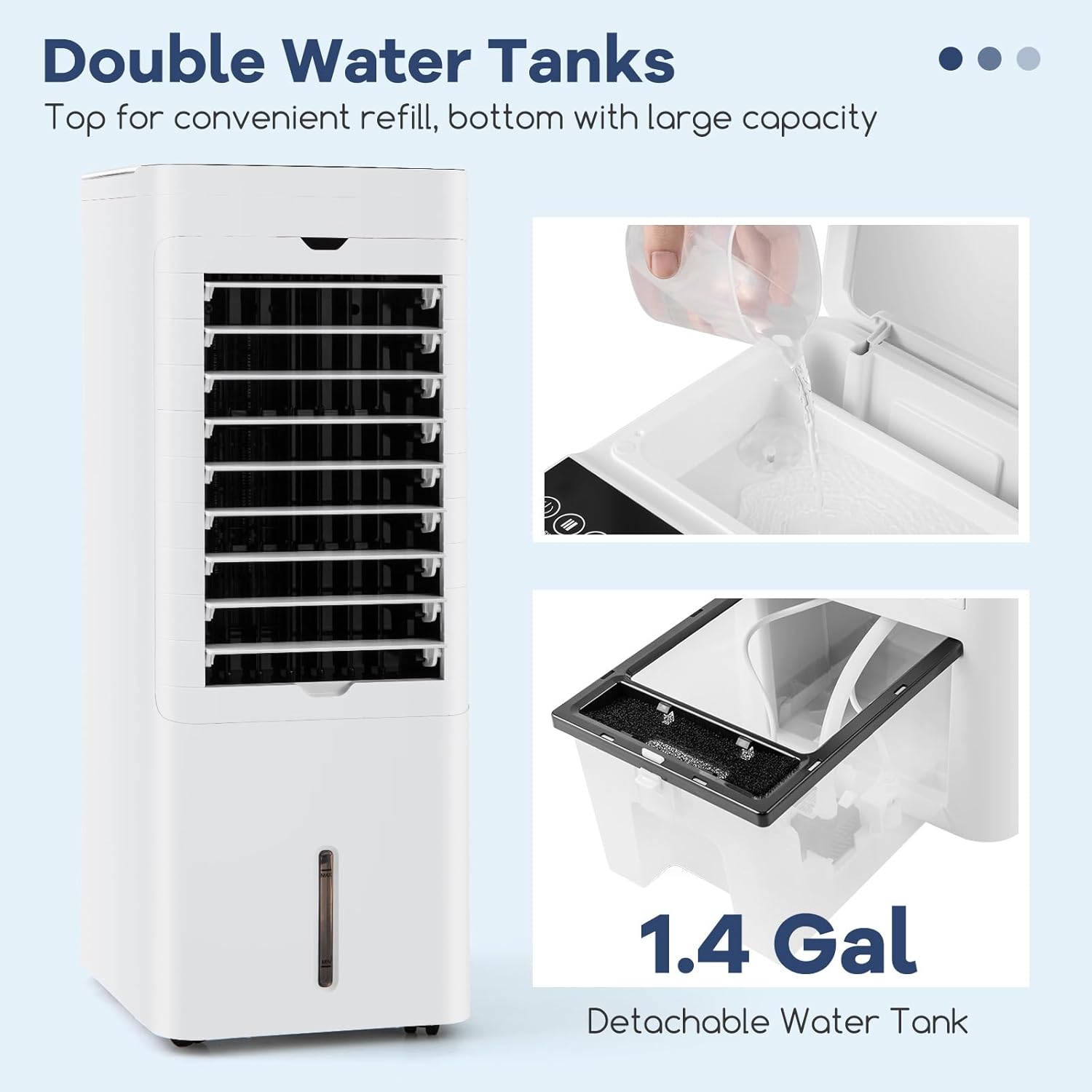
Image: A close-up view illustrating the process of refilling the top water tank and highlighting the detachable bottom water tank with its 1.4-gallon capacity.
- Ensure the appliance is unplugged before filling the water tanks.
- Top Water Tank: Open the lid on the top of the unit and pour clean tap water directly into the tank.
- Bottom Water Tank: The bottom tank can be detached for refilling or emptying. Pull out the bottom tank carefully. Fill with clean tap water.
- Observe the water level indicator on the front of the unit. Do not exceed the "MAX" line.
- Once filled, securely close the top lid or reinsert the bottom tank.
Ice Pack Usage (for enhanced cooling)
The included ice packs can be used to provide an even cooler breeze.
- Place the ice packs in a freezer for several hours until completely frozen.
- Once frozen, place the ice packs into the top water tank or directly into the bottom water tank if accessible.
- The ice packs will gradually melt, cooling the water and enhancing the evaporative cooling effect.
Operating Instructions
Control Panel and Remote Control
The appliance can be operated using the touch control panel on the top of the unit or the included remote control.
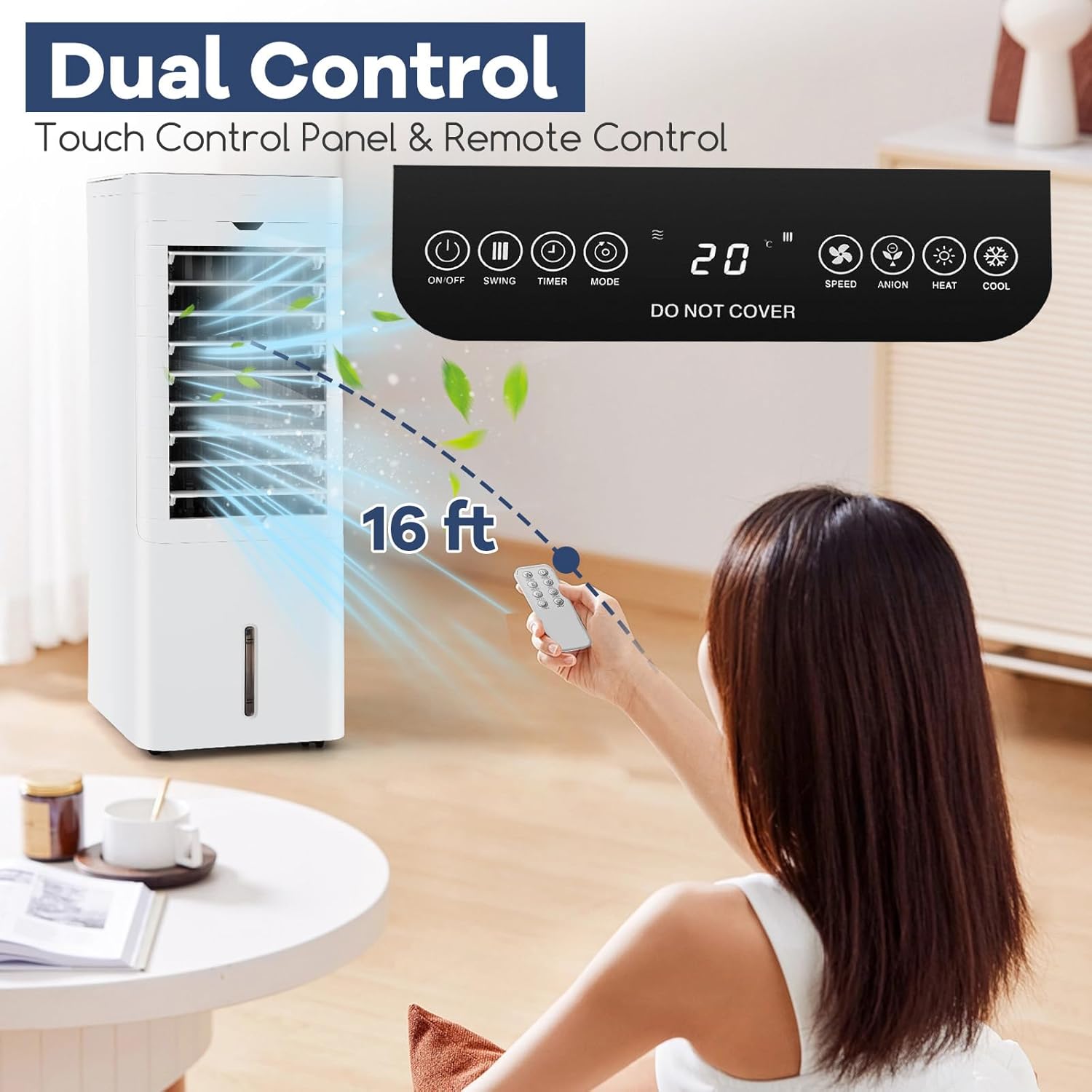
Image: An illustration of the DORTALA air cooler's control panel and remote control, demonstrating how a user can operate the unit from a distance using the remote.
- Power Button: Turns the unit On/Off.
- Swing Button: Activates/deactivates automatic oscillation.
- Timer Button: Sets the operating timer.
- Mode Button: Cycles through Normal, Natural, and Sleep modes.
- Speed Button: Adjusts wind speed (Low, Mid, High).
- Anion Button: Activates/deactivates the anion function (if available).
- Heat Button: Activates the heating function.
- Cool Button: Activates the cooling/humidifying function.
Power On/Off
Plug the power cord into a standard electrical outlet. Press the Power button on the control panel or remote control to turn the unit on or off.
Mode Selection (4-in-1 Functionality)
This appliance offers four distinct functions:
- Fan Mode: Operates as a standard fan without water. Press the Cool button to deactivate cooling/humidifying if water is present.
- Humidifier Mode: Adds moisture to the air. Ensure water is in the tank and press the Cool button.
- Cooling Mode (Evaporative Cooler): Provides a cooling effect through water evaporation. Ensure water is in the tank and press the Cool button. For enhanced cooling, use ice packs.
- Heating Mode: Provides warmth. Press the Heat button. The unit provides 1500W efficient heating. There is a manual switch to switch between cool and heat mode.
Wind Speed Adjustment
Press the Speed button repeatedly to cycle through the available wind speeds: Low, Mid, and High.
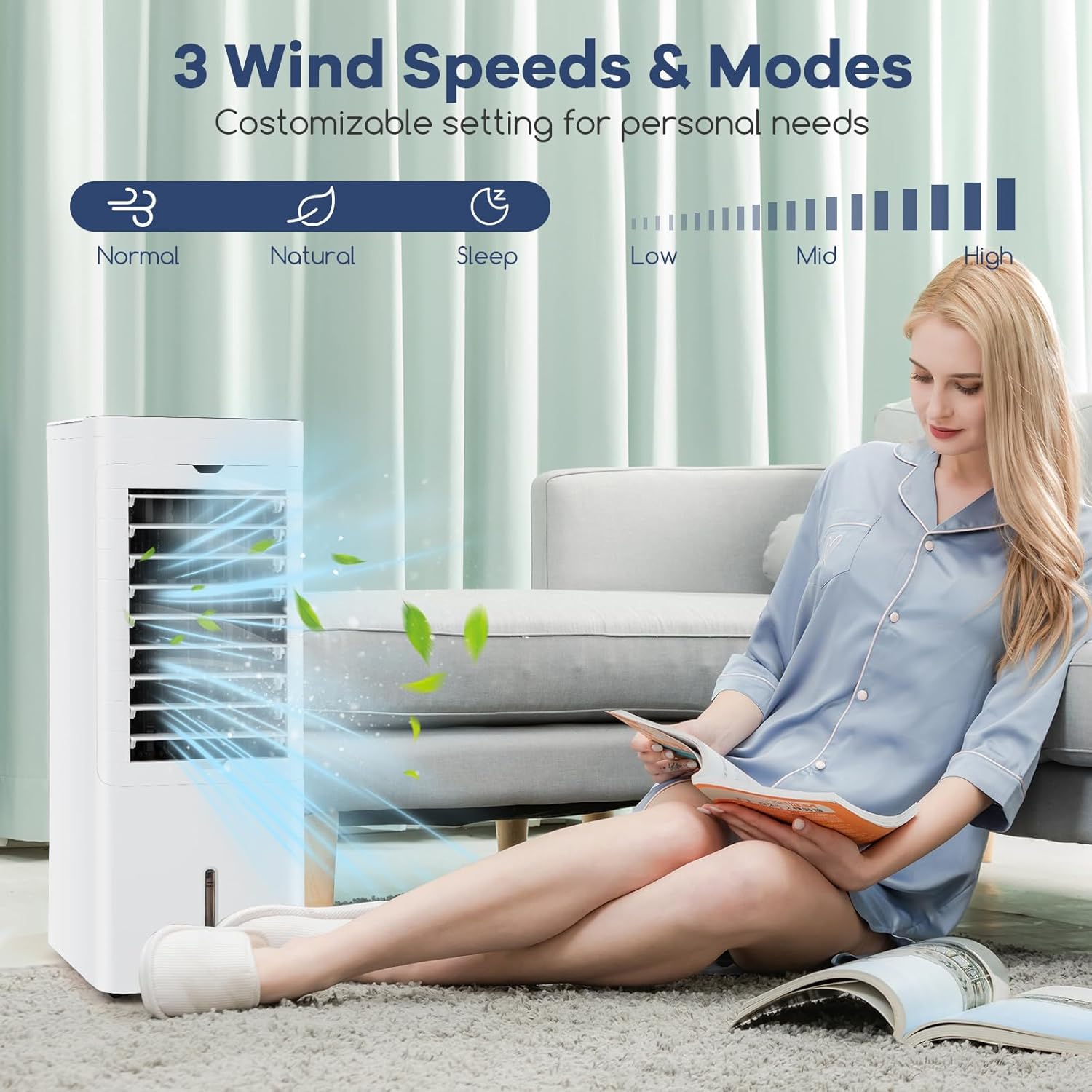
Image: A visual representation of the DORTALA air cooler's customizable settings, highlighting the three distinct wind speeds (Low, Mid, High) and three wind modes (Normal, Natural, Sleep).
Wind Mode Selection
Press the Mode button repeatedly to select your desired wind mode:
- Normal Mode: Provides a constant airflow at the selected speed.
- Natural Mode: Simulates natural wind by varying the fan speed.
- Sleep Mode: Gradually decreases fan speed and operates quietly for undisturbed sleep.
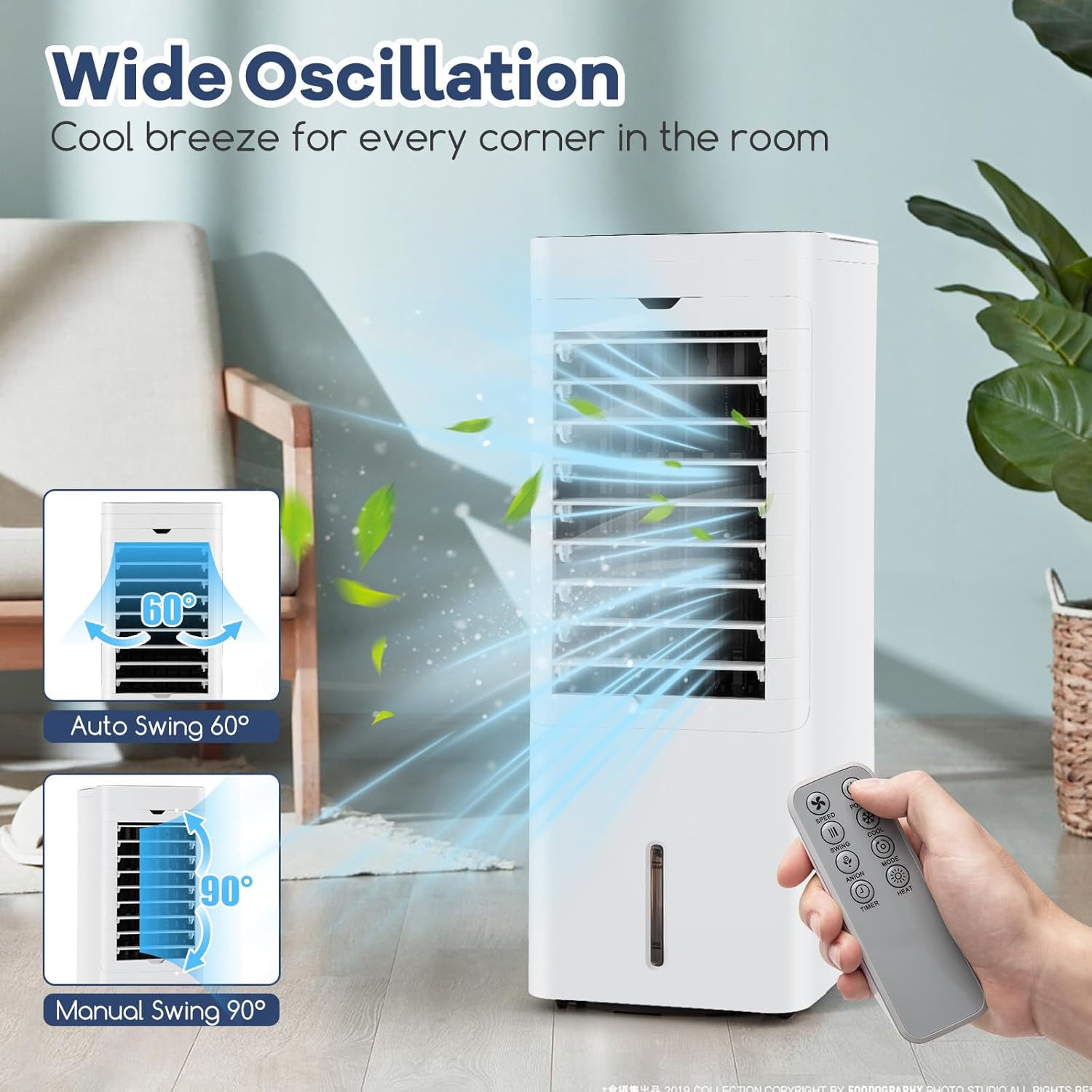
Image: The DORTALA air cooler depicted in a bedroom setting, emphasizing its quiet operation in Sleep Wind Mode and the 12-hour timer function, designed for peaceful sleep.
Timer Function
Press the Timer button to set the operating time. Each press increases the timer setting. The unit will automatically turn off after the set time has elapsed (up to 12 hours).
Oscillation
Press the Swing button to activate the automatic 60° oscillation, distributing air across a wider area. The manual swing allows for 90° adjustment.
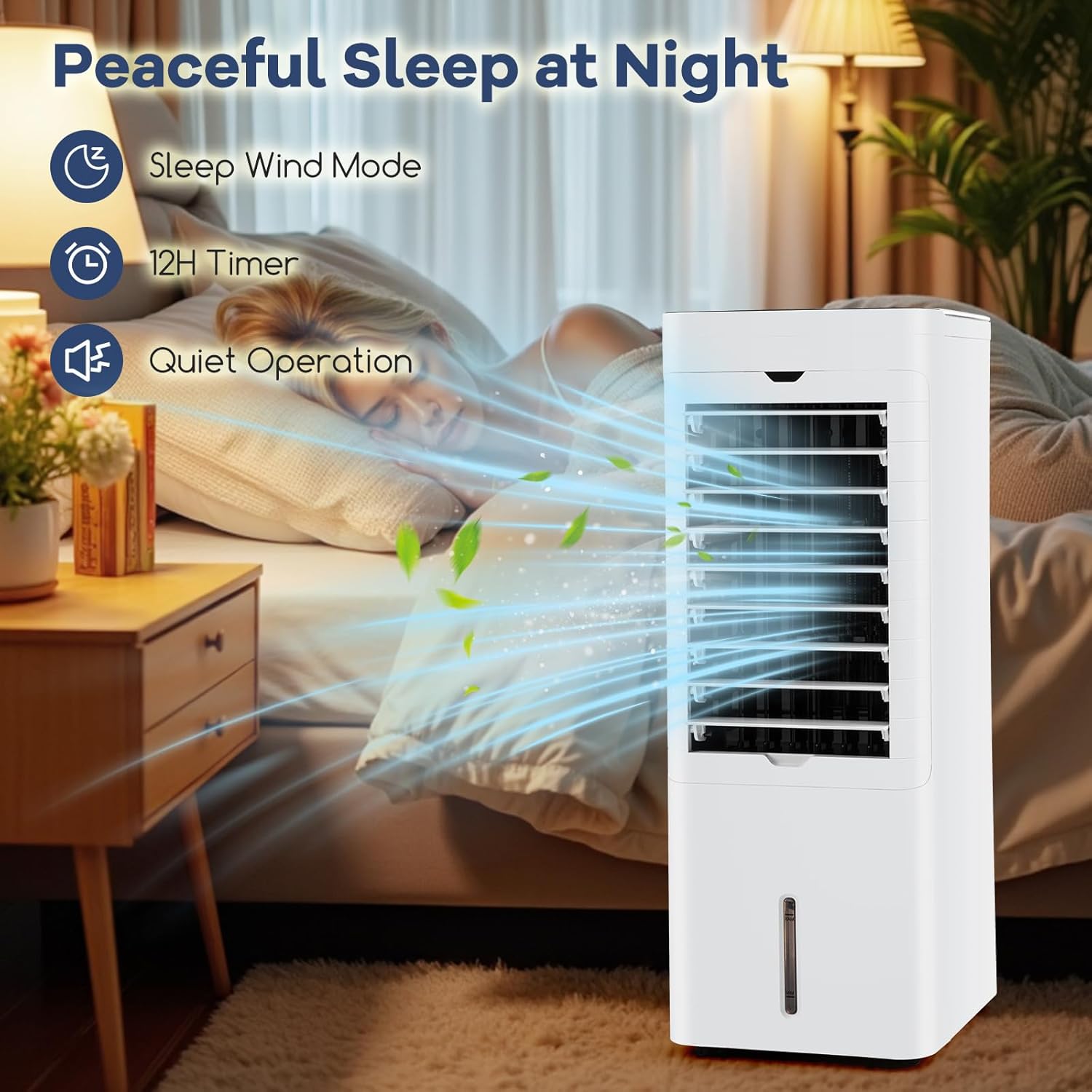
Image: A visual demonstration of the DORTALA air cooler's wide oscillation capability, showing both the 60-degree auto swing and the 90-degree manual swing for comprehensive air distribution.
Care and Maintenance
Regular cleaning and maintenance will ensure the longevity and optimal performance of your appliance.
Cleaning the Water Tanks
- Unplug the appliance from the power outlet.
- Remove any remaining water from both the top and bottom water tanks. The bottom tank is detachable for easier cleaning.
- Clean the tanks with a soft cloth and mild detergent. Rinse thoroughly with clean water.
- Allow the tanks to air dry completely before reassembling or refilling.
- Clean the water tanks regularly, especially if using the humidifying or cooling functions frequently, to prevent mold or mildew buildup.
Cleaning the Filter
The appliance is equipped with a detachable and washable filter for easy maintenance.
- Unplug the appliance.
- Locate the filter at the rear of the unit. Gently pull it out.
- Rinse the filter under running water to remove dust and debris. A soft brush can be used for stubborn dirt.
- Allow the filter to air dry completely before reinserting it into the unit. Do not use a dryer or direct heat.
- Clean the filter regularly (e.g., every 2-4 weeks, depending on usage and air quality) to ensure efficient operation and clean air output.
General Cleaning and Storage
- Wipe the exterior of the unit with a soft, damp cloth. Do not use abrasive cleaners or solvents.
- For long-term storage, ensure the unit is clean and dry. Empty all water from the tanks.
- Store the appliance in a cool, dry place, away from direct sunlight and extreme temperatures.
Troubleshooting Guide
Before contacting customer support, please refer to the following table for common issues and their solutions.
| Problem | Possible Cause | Solution |
|---|---|---|
| Unit does not turn on. | No power supply. Power cord not properly connected. | Check if the power outlet is working. Ensure the power cord is securely plugged into the unit and the outlet. |
| No cooling/humidifying effect. | Water tank is empty. Cooling/Humidifying function not activated. | Fill the water tank with clean water. Press the "Cool" button to activate the function. |
| Weak airflow. | Air filter is dirty. Air inlets/outlets are blocked. | Clean the air filter as per maintenance instructions. Ensure no obstructions are blocking the air inlets or outlets. |
| Unusual noise. | Unit is not on a level surface. Internal components may be loose. | Place the unit on a flat, stable surface. If noise persists, unplug and contact customer support. |
| Heating function not working. | Heating mode not selected. Manual switch for heat mode not engaged. | Press the "Heat" button. Ensure the manual switch (if present) is set to heat mode. |
Technical Specifications
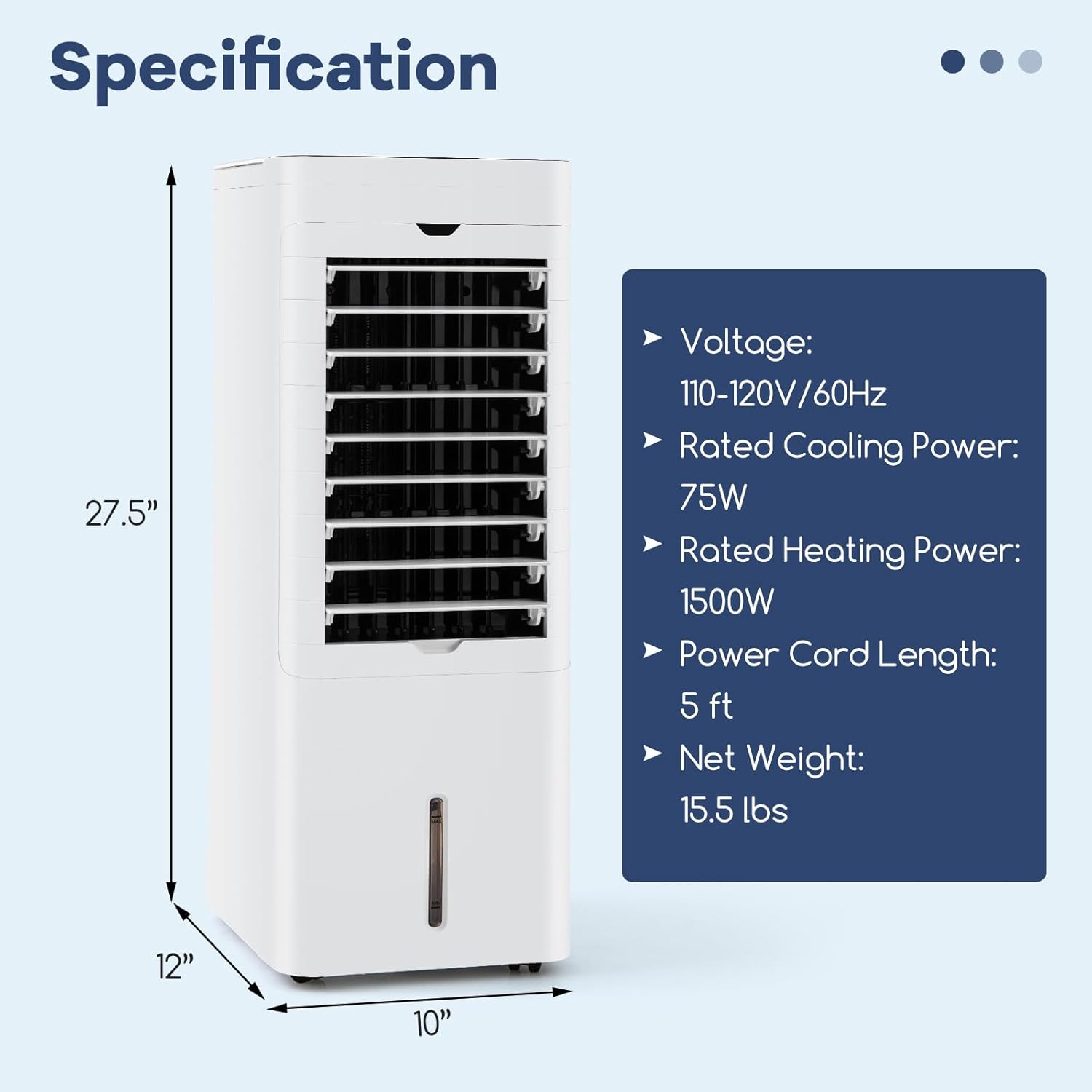
Image: A detailed diagram illustrating the physical dimensions of the DORTALA air cooler (12" x 10" x 27.5") and listing its key electrical and physical specifications.
| Feature | Specification |
|---|---|
| Model Number | DOUS-ES10412US-WH |
| Product Dimensions (L x W x H) | 12" x 10" x 27.5" (30 x 26 x 69.5 cm) |
| Net Weight | 15.5 lbs (7 kg) |
| Voltage | 110-120V/60Hz |
| Cooling Mode Power | 75W |
| Heating Mode Power | 1500W |
| Water Tank Capacity | 1.4 Gal (5.4 L) |
| Power Cord Length | 5 ft (1.5 m) |
| Material | ABS + PP |
| Special Features | Adjustable Speed, Removable Washable Filter, Oscillating Fan, Timer, Built-In Wheel |
Warranty and Customer Support
This DORTALA product comes with a 1-year warranty against manufacturer defects from the date of purchase. This warranty covers defects in materials and workmanship under normal use.
The warranty does not cover damage resulting from:
- Accident, misuse, abuse, or alteration.
- Unauthorized repair or modification.
- Failure to follow operating instructions.
- Normal wear and tear.
For warranty claims, technical assistance, or any questions regarding your product, please contact DORTALA Customer Support. Please have your model number and purchase information ready when contacting support.
Contact Information:
- Refer to your purchase platform or the DORTALA official website for the most current contact details.


