
1. Introduction
The Little Tikes Story Dream Machine PAW Patrol Special Edition Collection offers an interactive storytelling experience. This device projects stories onto a wall, accompanied by audio narration, colorful lights, and sound effects. It is designed to combine imaginative play with early literacy development, building confidence and excitement for reading. The machine also functions as a white noise nightlight.
2. What's in the Box
Your Little Tikes Story Dream Machine PAW Patrol Special Edition Collection includes:
- 1x Little Tikes Story Dream Machine Projector
- 1x Pair of Kid-Friendly Headphones
- 6x PAW Patrol Story Cartridges (All Star Pups, Save the School Bus, Puppy Dance Party, Rubble to the Rescue, Save the Dinosaurs, Mission Paw)
- 2x Character Figurines (Chase and Rubble)
- 4x AA Alkaline Batteries (included for initial use; install fresh batteries after purchase)
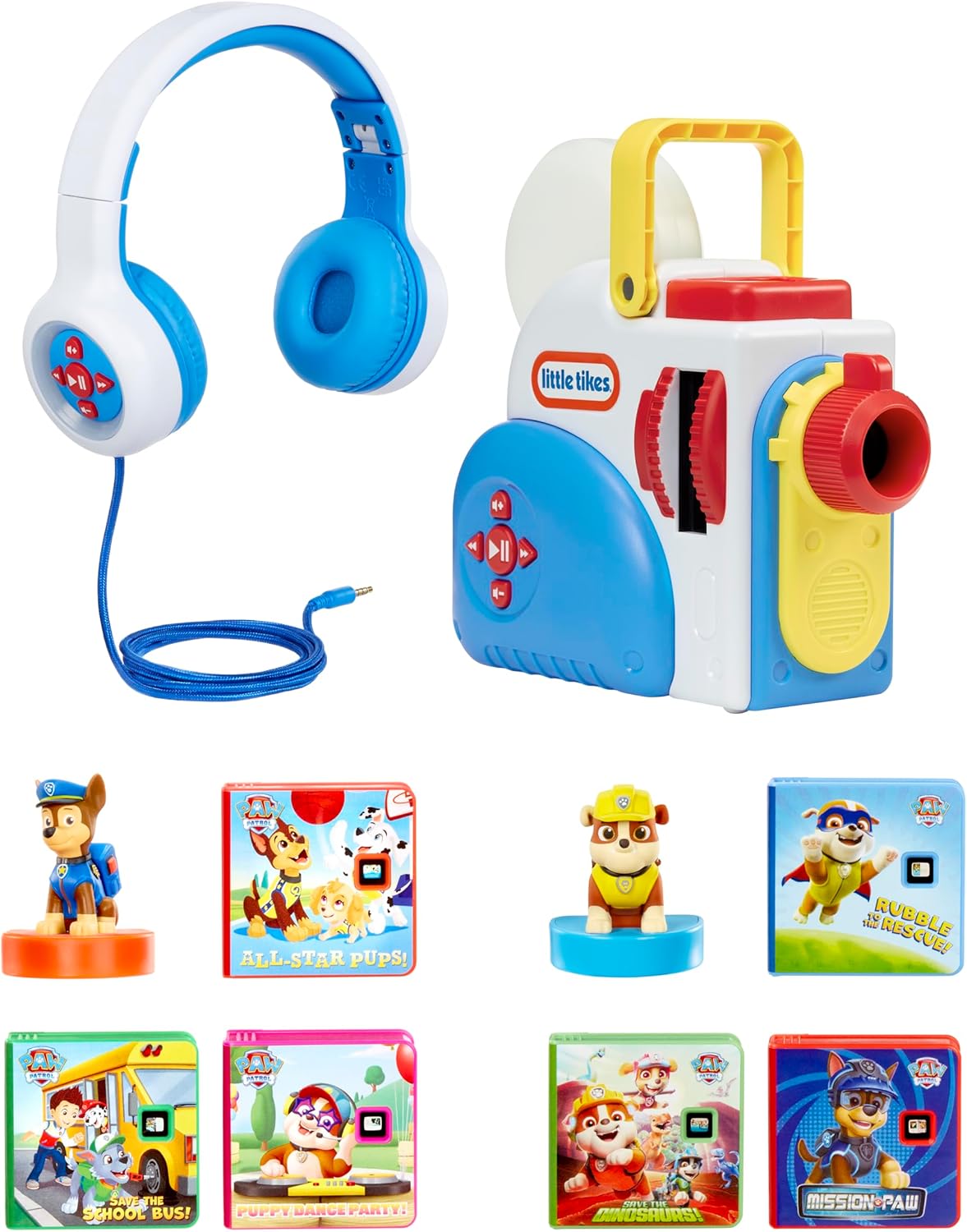
Figure 2.1: Contents of the Little Tikes Story Dream Machine & Headphones Paw Patrol set.
3. Setup
- Battery Installation: The Story Dream Machine requires 4 “AA” alkaline batteries. Locate the battery compartment on the bottom of the unit. Use a screwdriver to open the compartment, insert the batteries according to the polarity markings, and securely close the compartment.
- Power On/Off: Locate the power switch on the unit to turn the machine on or off.
- Insert Story Cartridge: Select a desired PAW Patrol story cartridge. Insert the cartridge into the designated slot on the side of the projector until it clicks into place.
- Place Character Figurine: Place one of the character figurines (Chase or Rubble) onto the top of the projector. This will activate specific light effects in nightlight mode.
- Projection Surface: Position the projector 2 to 6 feet away from a flat, light-colored surface (wall or ceiling) for optimal image clarity.
- Adjust Focus: Rotate the focus ring on the front of the projector to clarify the projected image.
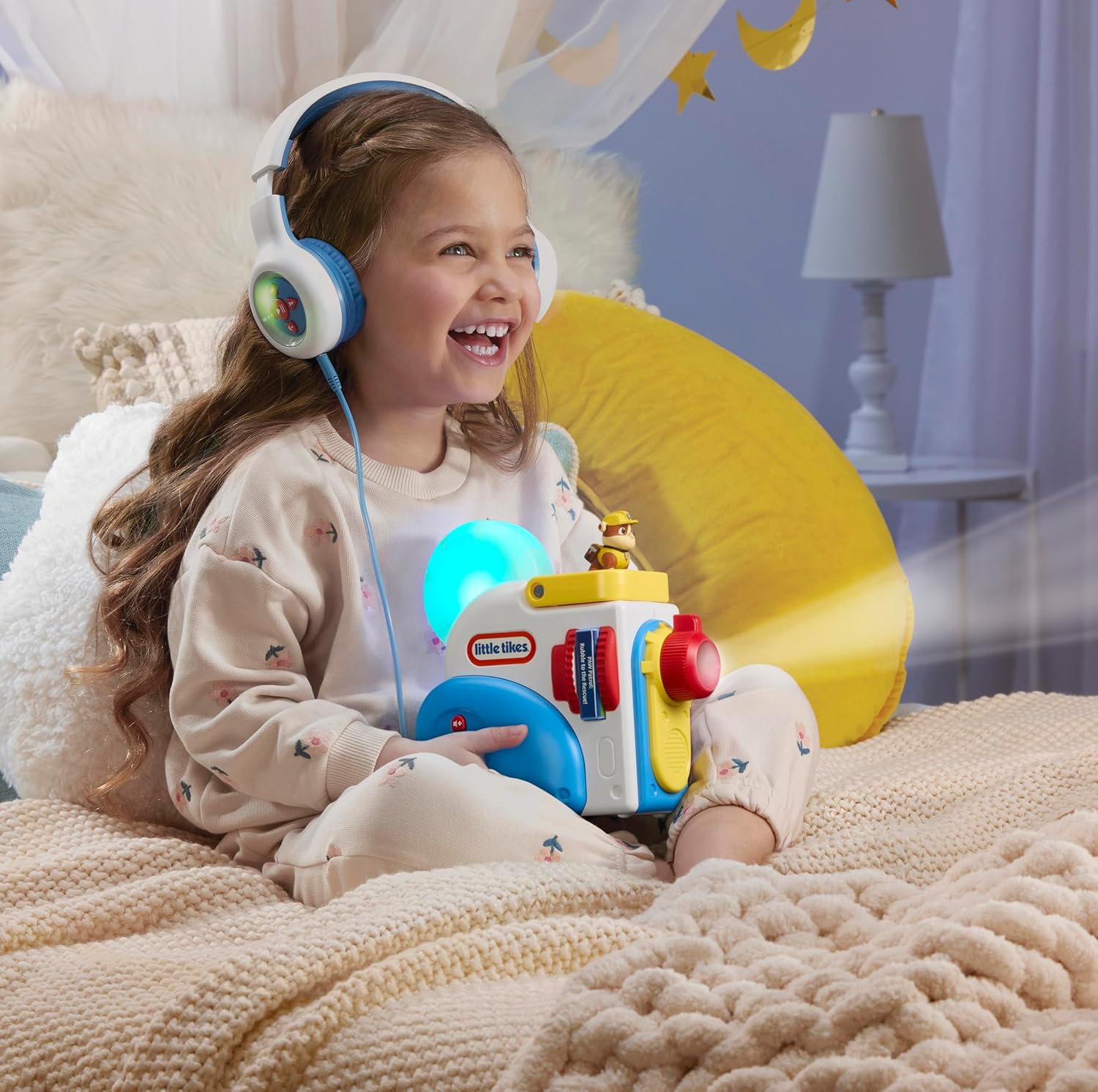
Figure 3.1: Front view of the Story Dream Machine, highlighting the projection lens and control panel.

Figure 3.2: Back view of the Story Dream Machine, indicating the battery compartment location.
4. Operating Instructions
- Start Story: Once a cartridge is inserted and the machine is powered on, press the Play/Pause button to begin the story. The story will be projected onto your chosen surface, and a narrator will read the story aloud.
- Volume Control: Use the Volume Up (+) and Volume Down (-) buttons to adjust the audio level.
- Navigation: Use the Fast Forward (>>) and Rewind (<<) buttons to move between story pages or sections.
- Headphone Use: For private listening or on-the-go storytelling, plug the included kid-friendly headphones into the headphone jack located on the side of the machine.
- Nightlight Mode: The machine doubles as a white noise nightlight. Choose from 5 different sound settings to help soothe children to sleep. The character figurines placed on top will activate fun light effects in this mode.

Figure 4.1: A child enjoying a story with the Story Dream Machine and headphones.
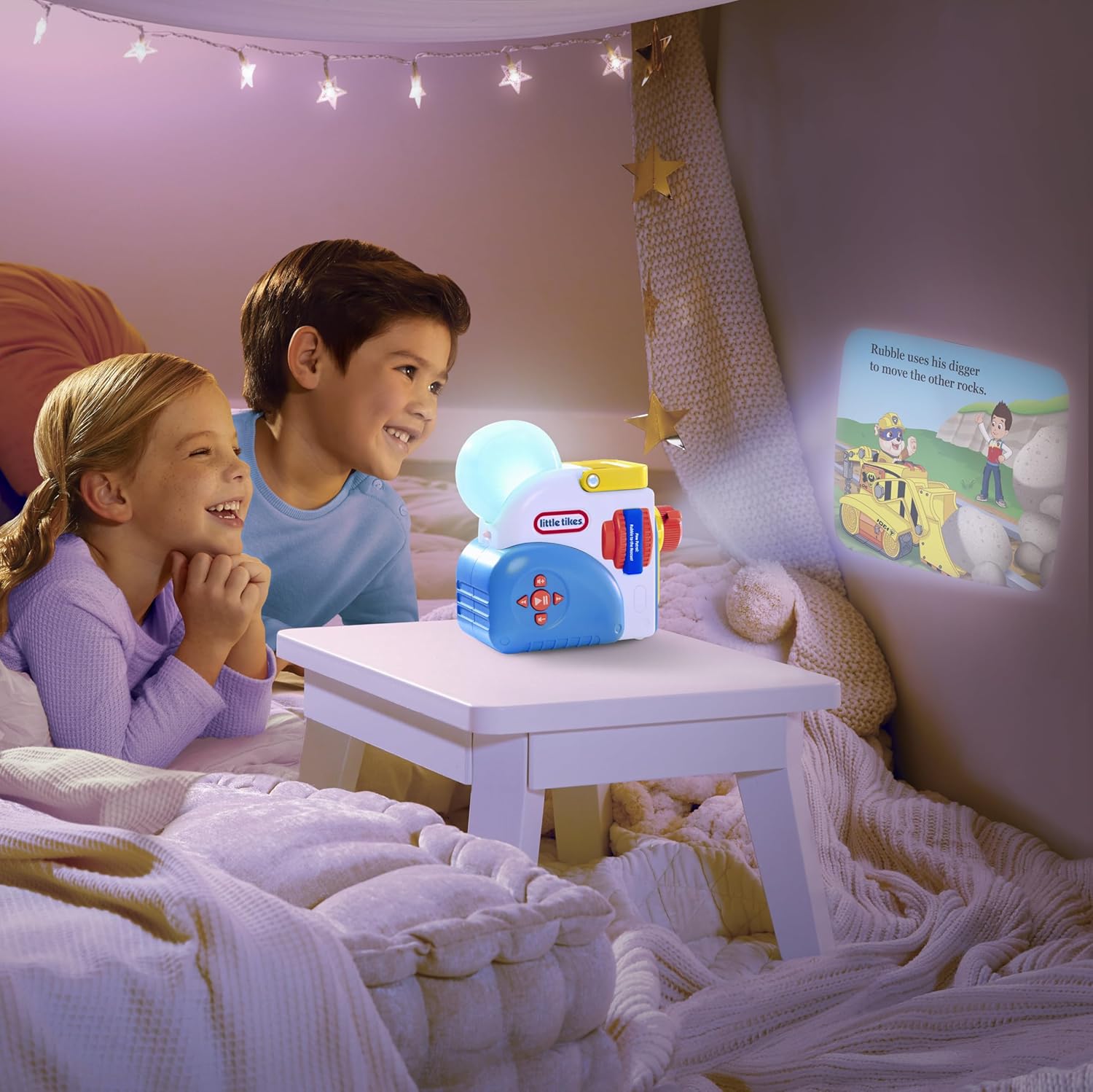
Figure 4.2: Children engaged in story time with the projected images from the machine.
5. Features
- Screen-Free Projection: Projects stories onto any flat surface, offering an alternative to screen time.
- Interactive Storytelling: Combines visual projection with audio narration, colorful lights, and sound effects.
- Educational Benefits: Helps develop word recognition and beginning reading skills as children follow along with the narrated text.
- PAW Patrol Collection: Includes 6 unique PAW Patrol stories and 2 character figurines (Chase and Rubble).
- Headphones Included: Comes with comfortable, kid-friendly headphones for individual listening.
- Easy Controls: Simple, intuitive buttons for volume adjustment, fast forward, and rewind.
- Integrated Storage: Slots on the side of the projector allow for easy storage of story cartridges.
- White Noise Nightlight: Functions as a nightlight with 5 different soothing sound settings.
- Expandable Library: Additional story cartridges and characters are available separately to grow your collection.
6. Maintenance
- Cleaning: Wipe the exterior of the Story Dream Machine with a soft, dry cloth. Do not use abrasive cleaners or immerse the unit in water.
- Battery Care: Replace batteries when the unit's performance diminishes. Remove batteries if the unit will not be used for an extended period.
- Storage: Store story cartridges in the designated slots on the machine or in a safe, dry place when not in use.
7. Troubleshooting
- Image is Blurry: Adjust the focus ring on the front of the projector. Ensure the projection distance is between 2 to 6 feet from the surface.
- No Sound/Low Volume: Check the volume settings using the Volume Up (+) button. Ensure headphones are properly plugged in if being used, or unplug them to use the external speaker.
- Machine Not Turning On: Verify that fresh batteries are correctly installed in the battery compartment. Check the power switch is in the 'On' position.
- Story Not Playing: Ensure the story cartridge is fully inserted into the slot until it clicks. Press the Play/Pause button.
8. Specifications
| Feature | Detail |
|---|---|
| Product Dimensions | 16 x 4.38 x 8 inches |
| Item Weight | 2.53 pounds |
| Item Model Number | 489136 |
| Manufacturer Recommended Age | 3 years and up |
| Batteries | 4 AA batteries required (included for initial use) |
| Manufacturer | MGA Entertainment |
| Projection Distance | 2 to 6 feet (recommended) |
9. Official Product Videos
Little Tikes Story Dream Machine Instructional Video
This video provides a comprehensive guide on how to set up and operate the Little Tikes Story Dream Machine, demonstrating key features and functions.
Little Tikes Story Dream Machine PAW Patrol Special Edition Collection Overview
An overview video showcasing the Little Tikes Story Dream Machine PAW Patrol Special Edition Collection, highlighting its components and how they work together to create an engaging story time experience.
10. Warranty & Support
For warranty information or product support, please refer to the documentation included with your purchase or contact Little Tikes customer service. Little Tikes is a brand of MGA Entertainment.


