
1. Introduction
Thank you for choosing the Lavazza A MODO MIO JOLIE EVO LM860 Espresso Capsule Machine. This manual provides essential information for the safe and efficient use of your new coffee machine. Please read these instructions carefully before first use and keep them for future reference.
2. Important Safety Instructions
- Read all instructions before using the appliance.
- Do not touch hot surfaces. Use handles or knobs.
- To protect against fire, electric shock, and injury to persons, do not immerse cord, plugs, or appliance in water or other liquid.
- Close supervision is necessary when any appliance is used by or near children.
- Unplug from outlet when not in use and before cleaning. Allow to cool before putting on or taking off parts, and before cleaning the appliance.
- Do not operate any appliance with a damaged cord or plug or after the appliance malfunctions, or has been damaged in any manner.
- The use of accessory attachments not recommended by the appliance manufacturer may result in fire, electric shock, or injury to persons.
- Do not use outdoors.
- Do not let cord hang over edge of table or counter, or touch hot surfaces.
- Do not place on or near a hot gas or electric burner, or in a heated oven.
- Always attach plug to appliance first, then plug cord into the wall outlet. To disconnect, turn any control to 'off', then remove plug from wall outlet.
- Do not use appliance for other than intended use.
3. Product Overview
Familiarize yourself with the components of your Lavazza A MODO MIO JOLIE EVO LM860 machine.
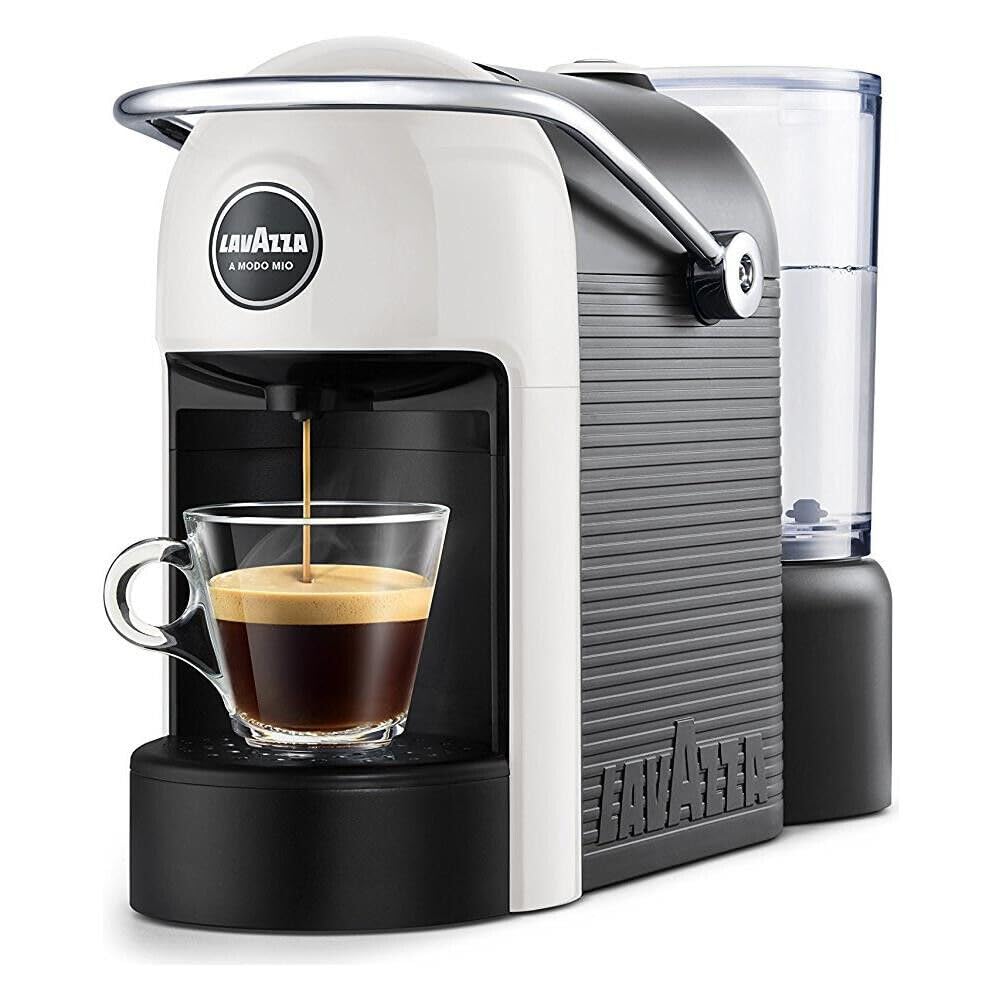
Image of the Lavazza A Modo Mio Jolie EVO LM860 espresso capsule machine, white color, showing its compact design.
4. Setup
4.1 Unpacking
- Carefully remove the machine from its packaging.
- Remove all packaging materials, including any protective films or stickers.
- Place the machine on a stable, flat, and dry surface.
4.2 First Use / Initial Setup
- Fill the water tank with fresh, potable water up to the MAX level.
- Place a container under the coffee dispenser.
- Plug the machine into a suitable power outlet. The Stop&Go button will illuminate.
- Press the Stop&Go button to start the rinsing cycle. The machine will dispense water.
- Repeat the rinsing cycle 2-3 times to ensure the internal circuits are clean.
- The machine is now ready for use.
5. Operating Instructions
5.1 Filling the Water Tank
- Lift the water tank from the back of the machine.
- Fill the tank with fresh, cold water up to the MAX indicator.
- Place the water tank back into its position, ensuring it is properly seated.
5.2 Inserting a Capsule
- Lift the capsule loading lever.
- Insert a Lavazza A Modo Mio capsule into the designated slot.
- Lower the capsule loading lever firmly until it clicks into place.
5.3 Brewing Coffee
- Ensure the machine is plugged in and the water tank is filled.
- Place your cup on the cup support.
- Press the illuminated Stop&Go button. The machine will start brewing.
- To stop the brewing at your desired coffee quantity, press the Stop&Go button again.
- After brewing, lift the capsule loading lever to eject the used capsule into the collection container.
5.4 Adjusting Cup Support
- The cup support grid is removable.
- For espresso cups, keep the grid in place.
- For taller mugs or long coffee cups, remove the grid to create more space.
6. Maintenance and Cleaning
6.1 Daily Cleaning
- Drip Tray: Empty and rinse the drip tray daily.
- Used Capsule Container: Empty the container after each use or when full. Rinse with water.
- Water Tank: Rinse the water tank regularly and refill with fresh water.
- Machine Exterior: Wipe the exterior of the machine with a soft, damp cloth. Do not use abrasive cleaners.
- All removable parts are dishwasher safe for convenient cleaning.
6.2 Descaling
Over time, mineral deposits can build up in your machine, affecting performance. Descale your machine regularly according to the hardness of your water and frequency of use.
- Use a descaling solution specifically designed for coffee machines.
- Follow the instructions provided with the descaling product.
- After descaling, perform several rinsing cycles with fresh water to remove any descaling solution residue.
7. Troubleshooting
Refer to the table below for common issues and their solutions.
| Problem | Possible Cause | Solution |
|---|---|---|
| Machine does not turn on | No power supply | Check if the power cord is properly plugged into the outlet and the machine. |
| No coffee dispensed | Water tank empty | Fill the water tank with fresh water. |
| No coffee dispensed | Capsule not inserted correctly | Ensure the capsule is properly seated and the lever is fully closed. |
| Coffee is cold | Machine not preheated | Allow the machine to preheat for a few moments after turning it on. Perform a rinsing cycle without a capsule. |
| Water leaks from machine | Water tank not properly seated | Remove and re-seat the water tank firmly. |
| Slow coffee flow | Machine needs descaling | Perform a descaling cycle as per section 6.2. |
8. Technical Specifications
| Feature | Value |
|---|---|
| Brand | Lavazza |
| Model Number | LM860 |
| Dimensions (L x W x H) | 20 x 33 x 12 cm |
| Weight | 3.9 Kilograms |
| Voltage | 230 Volts (AC) |
| Power | 1250 W |
| Pressure | 10 bars |
| Water Tank Capacity | 0.6 L |
| Capsule Type | Lavazza A Modo Mio |
| Operation Mode | Fully Automatic |
| Energy Saving | Automatic standby after 2 minutes of inactivity |
9. Warranty and Support
This product is covered by a manufacturer's warranty. Please refer to the warranty card included with your purchase for specific terms and conditions. For technical support, spare parts, or any questions not covered in this manual, please contact Lavazza customer service or visit their official website.
Note: Information regarding spare parts availability is not provided in the product details.


