
MADE 4 PETS MADZ-001 Pro
Made4Pets Self-Cleaning Litter Box MADZ-001 Pro User Manual
Model: MADZ-001 Pro | Brand: MADE 4 PETS
Introduction
Welcome to the user manual for your Made4Pets Self-Cleaning Litter Box. This guide provides essential information for safe operation, setup, maintenance, and troubleshooting to ensure optimal performance and a clean environment for your feline companions.

Image: The Made4Pets Fully Automatic Cat Litter Box in a home setting, emphasizing its convenience and hands-free operation.
Important Safety Instructions
- Read all instructions before using the appliance.
- Do not immerse the base unit in water. Wipe clean only.
- Ensure the litter box is placed on a stable, level surface.
- Keep children and pets away from moving parts during operation.
- Use only the provided power adapter.
- Do not use crystal litter; it is not compatible with this device.
- Ensure the lid and waste drawer are properly installed before operation to prevent system pauses.
- The system includes PIR motion sensors, weight sensors, and overload protection to pause operation if a cat is detected during a cycle.

Image: An exploded diagram illustrating the internal components and safety mechanisms, including the anti-pinch design, PIR motion detection, and weight sensors.

Image: A visual representation of the PIR motion sensor's detection range, indicating that the system stops immediately upon detecting feline movement.

Image: An illustration highlighting the four weight sensors located on the base of the litter box, designed to accurately sense your cat's weight.
Package Contents
- Self-Cleaning Litter Box Unit
- Power Adapter
- Waste Bags (20 count)
- Deodorizer (2 units)
- User Manual & Quick Guide
- Litter Mat
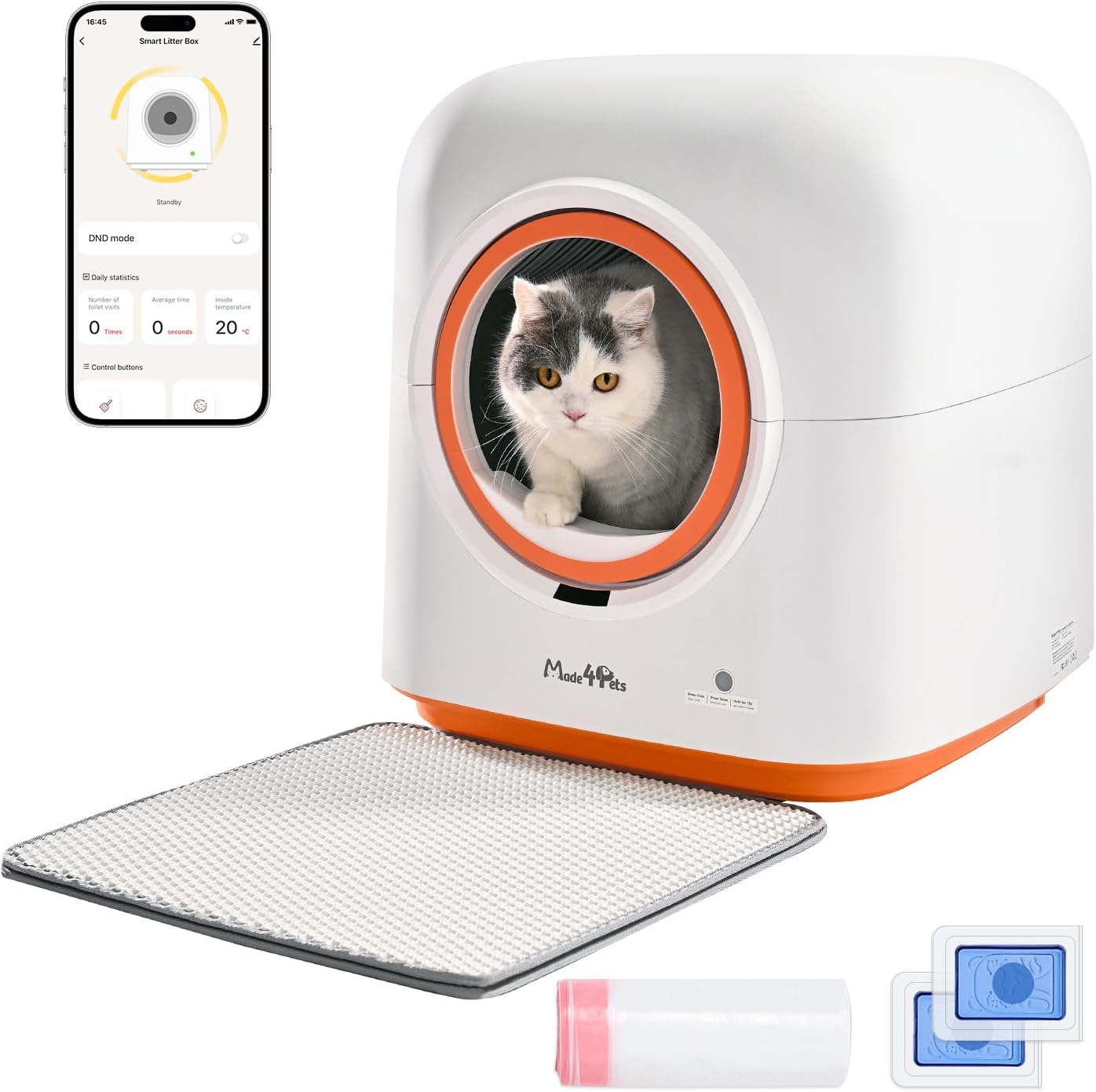
Image: The main unit of the Made4Pets Self-Cleaning Litter Box, shown with its accompanying accessories: a smartphone displaying the control app, a litter mat, a roll of waste bags, and two deodorizer packets.
Product Overview
Familiarize yourself with the main parts and indicator lights of your Made4Pets Self-Cleaning Litter Box.

Image: A visual guide to the indicator lights on the litter box, explaining the meaning of Solid Green (standby), Solid Purple (UV sterilization), Solid Blue (cat entry/weight change/adding litter), Solid Red (lid/drawer issue), Flashing Green (Wi-Fi setup), and Flashing Red (motor blockage.
Setup Guide
1. Unpacking and Placement
Carefully remove all components from the packaging. Place the litter box on a firm, level surface near a power outlet. Ensure sufficient space around the unit, especially at the back and sides, for waste drawer removal.
2. Adding Litter
Open the top cover of the litter box. Fill the internal drum with clumping cat litter up to the marked fill line. This device is compatible with bentonite, tofu, mixed, and other clumping litters. Do not use crystal cat litter.

Image: An illustration detailing the types of clumping cat litter compatible with the device, including plant-based, bentonite, mixed, and other varieties. A clear warning indicates that crystal cat litter is not suitable.
3. Installing Waste Bag and Deodorizer
Pull out the waste drawer located at the back of the unit. Line the drawer with one of the provided waste bags. Insert a deodorizer gel into its designated slot within the waste drawer. Push the drawer back into place until it clicks securely.

Image: A close-up image showing a hand inserting a blue deodorizer gel into the designated compartment of the litter box, highlighting the odor removal feature.

Image: Two images demonstrating the waste disposal process: first, opening the cover of the waste drawer, and second, lifting out the full waste bag for easy disposal.
4. Power Connection
Connect the power adapter to the litter box and plug it into a wall outlet. The unit will power on, and the indicator light will show its initial status.
5. App Download and Wi-Fi Connection
For smart features and remote control, download the "Tuya Smart" app from your device's app store or scan the QR code provided in the quick guide.
- Register and log in to the app.
- Plug in the litter box and press and hold the control button for 10 seconds to enter pairing mode (indicator flashes green).
- On your phone, enable Wi-Fi, Bluetooth, and location services.
- In the app, click "Add Device" and enter your 2.4GHz Wi-Fi password. (Note: Only 2.4GHz Wi-Fi is supported).
- Wait for the connection to complete. You can now operate the litter box via the app.

Image: A four-step visual guide on how to connect the litter box to the Tuya Smart app, including registering, entering pairing mode, enabling phone settings, and adding the device.
Operation
Automatic Cleaning Cycle
The litter box automatically detects when your cat has used it and initiates a cleaning cycle after a preset delay (customizable via app). The internal drum rotates to sift clean litter and deposit waste into the sealed waste drawer.
Manual Cleaning and Emptying
You can manually initiate a cleaning cycle or empty all litter using the control button on the unit or through the app.
- Press once: Initiates a standard cleaning cycle to clear waste.
- Press twice: Initiates a full litter emptying cycle, useful for changing all litter.

Image: A diagram showing the two functions of the control button: pressing once to clear litter (clean cat poop only) and pressing twice to empty all litter (clearance all cat litter).
App Control and Health Tracking
The Tuya Smart app provides comprehensive control and monitoring features:
- Remote Control: Start/stop cleaning cycles, sterilize, and manage settings from anywhere.
- Health Tracking: Monitors cat weight, litter box visits, and activity trends. Provides real-time alerts for potential health issues.
- Multi-Cat Recognition: Identifies individual cats based on weight and tracks their habits separately.
- UV Sterilization: Activates the UV sterilization system (can be controlled via app).

Image: A visual representation of the Tuya Smart app interface, demonstrating features like remote cleaning, deodorizing, clearance, sterilization, device information, and daily statistics including number of visits, average time, and inside temperature.

Image: An image depicting a woman interacting with the Made4Pets app on her phone, showcasing its capabilities for automatic cleaning, task creation, and real-time health tracking for her cat, with the litter box visible in the background.
Indicator Status
The LED indicator light on the front of the unit provides status updates:
- Solid Green: Standby mode.
- Solid Purple: UV sterilization in progress.
- Solid Blue: Cat entry/weight change detected or adding cat litter.
- Solid Red: Lid or waste drawer not properly installed, or scooping/litter changing paused.
- Flashing Green: Wi-Fi setup in progress.
- Flashing Red: Motor blockage.
- Off: Unplugged/sleep mode.
Maintenance
Regular Waste Disposal
Empty the waste drawer regularly. For one cat, the 6L waste bin can hold up to 15 days of waste. For multiple cats, more frequent emptying is required. Always replace the waste bag after emptying.
Deep Cleaning
The internal drum and top cover are detachable and washable.
- Unplug the unit.
- Remove the top cover.
- Lift out the internal drum.
- Rinse the drum and top cover with water.
- Do not rinse or immerse the base unit in water. Wipe the base unit clean with a damp cloth.
- Ensure all parts are completely dry before reassembling.

Image: A four-step visual guide showing how to detach the top cover and internal drum for washing. It also illustrates wiping the base unit and rinsing the removable parts with water.

Image: An image emphasizing the ease of cleaning, showing the detachable top cover and internal drum being rinsed under running water.
Deodorizer Replacement
Replace the deodorizer gel as needed to maintain optimal odor control.
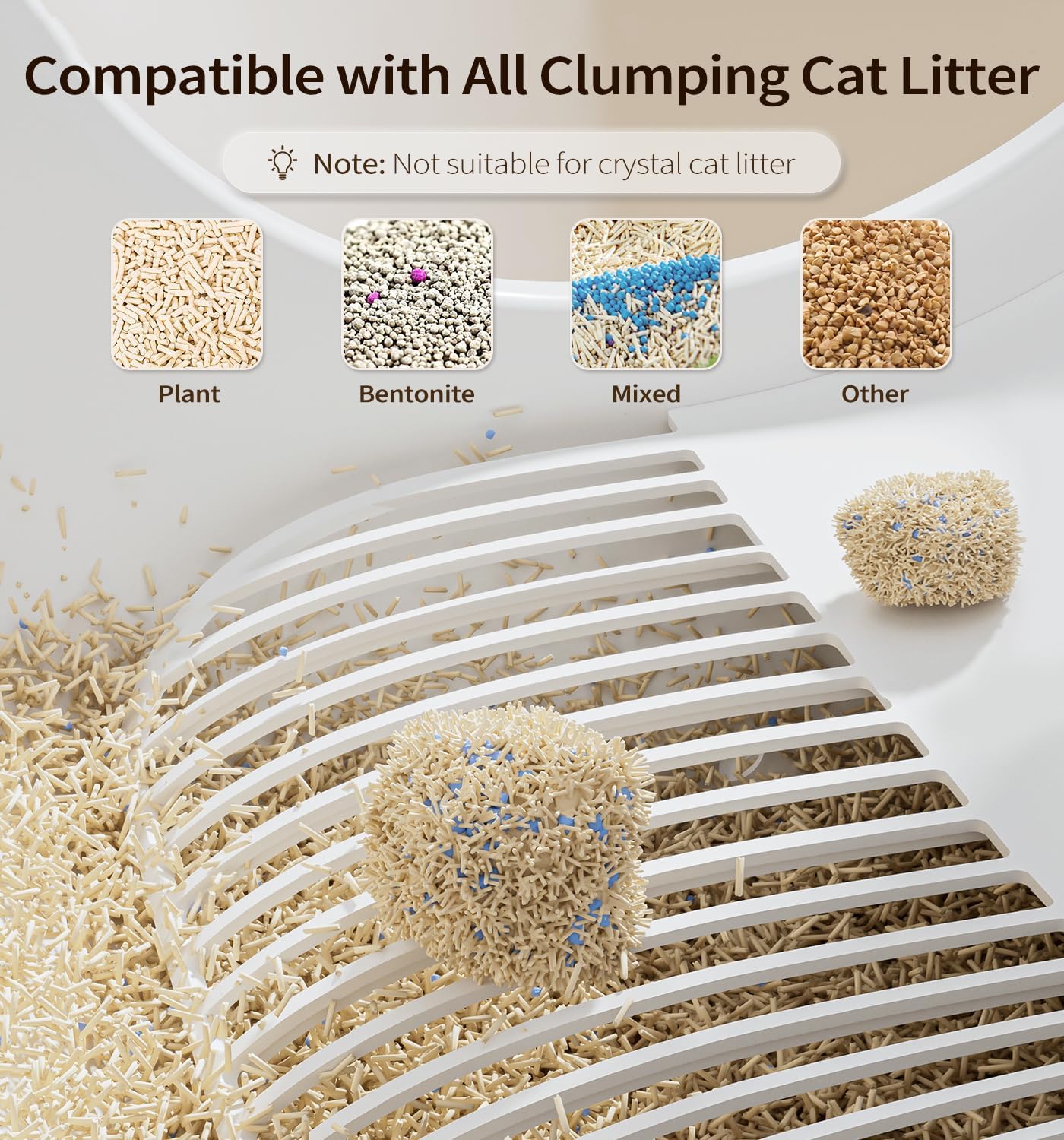
Image: The litter box with visual cues for odor removal, including a deodorizer and UV purification system. Note: UV light can only be turned on via the App.
Troubleshooting
Refer to the table below for common issues and their solutions.
| Problem | Indicator Light | Possible Cause | Solution |
|---|---|---|---|
| Unit not powering on | Off | Not plugged in; power outage | Check power connection; ensure outlet is functional. |
| Cleaning cycle pauses | Solid Red | Lid or waste drawer not installed correctly; cat detected | Reinstall lid/drawer; ensure no cat is near the entrance. |
| Motor blockage | Flashing Red | Obstruction in the drum mechanism | Unplug unit, remove obstruction, then restart. |
| Odor persists | N/A | Deodorizer needs replacement; waste drawer full; unit needs deep cleaning | Replace deodorizer; empty waste drawer; perform deep cleaning. |
| Wi-Fi connection fails | Flashing Green (then off) | Incorrect Wi-Fi password; 5GHz Wi-Fi network; poor signal | Ensure 2.4GHz Wi-Fi; re-enter password; move unit closer to router. |
| Litter not clumping/cleaning effectively | N/A | Incompatible litter type; insufficient litter | Use recommended clumping litter; ensure litter is at fill line. |
Product Specifications
- Model: MADZ-001 Pro
- Brand: MADE 4 PETS
- Dimensions (LxWxH): 19.69" x 19.69" x 21.65" (50cm x 50cm x 55cm)
- Item Weight: 32.41 lbs (14.7 kg)
- Drum Capacity: 60 Liters
- Waste Bin Capacity: 6 Liters (up to 15 days for one cat)
- Material: Acrylonitrile Butadiene Styrene (ABS)
- Connectivity: 2.4GHz Wi-Fi
- Safety Features: PIR motion sensors, weight sensors, overload protection, anti-pinch design.
- Noise Level: <36dB
- Litter Compatibility: Clumping litters (bentonite, tofu, mixed, etc.). Not compatible with crystal litter.
- Minimum Cat Weight: 2.5 lbs (1 kg)

Image: A diagram illustrating the dimensions of the litter box, showing a width and depth of 19.7 inches (50cm) and a height of 21.7 inches (55cm), along with a 60L drum space and 15-day waste capacity.

Image: The litter box shown in a bedroom, emphasizing its quiet operation at under 36dB for undisturbed peace.
Warranty and Support
The Made4Pets Self-Cleaning Litter Box (Model MADZ-001 Pro) comes with a 1-year warranty from the date of purchase. This warranty covers manufacturing defects and malfunctions under normal use.
For warranty claims, technical support, or any inquiries, please contact Made4Pets customer service through their official website or the contact information provided in your purchase documentation. Please have your model number (MADZ-001 Pro) and proof of purchase ready.
Ask a question about this manual
Ask about setup, troubleshooting, compatibility, parts, safety, or missing instructions. Manuals+ will review the question and use this page’s manual context to help answer it.