
Baiston BAISTON-BBW122B
Baiston Solar Street Lights Outdoor Instruction Manual
Model: BAISTON-BBW122B
Introduction
This manual provides detailed instructions for the installation, operation, and maintenance of your Baiston Solar Street Lights Outdoor. These lights are designed for commercial and outdoor use, featuring dusk-to-dawn operation, motion sensing capabilities, and a durable, waterproof design. Please read this manual thoroughly before installation and use to ensure optimal performance and longevity of your product.
Product Features
- IP67 Waterproof and Durable: Constructed from high-quality materials, resistant to lightning, rain, oxidation, and exposure. Operates reliably in temperatures from -22℉ to 140℉ (-30℃ to 60℃).
- Energy Efficient: Powered by solar energy, eliminating electricity costs. Features a 32000mAh battery with over 22 hours of working time after 6-8 hours of daytime charging. Solar panels offer a 25% conversion rate.
- Easy Installation: Supports both pole mount and wall mount installations. Wireless design simplifies setup, requiring no complex wiring or external batteries.
- Multiple Lighting Modes:
- Motion Sensor Mode: Maintains 30% brightness, automatically increasing to 100% upon motion detection. Returns to 30% brightness 20 seconds after motion ceases.
- Dusk to Dawn Mode: Automatically turns on at dusk and off at dawn.
- Always Lighting Mode: Stays at 100% brightness. Brightness can be adjusted across 10 different levels.
- Wide-Angle Illumination: Features a 220-degree wide-angle lighting design, providing a broader and brighter illumination area of up to 3000 sq.ft.
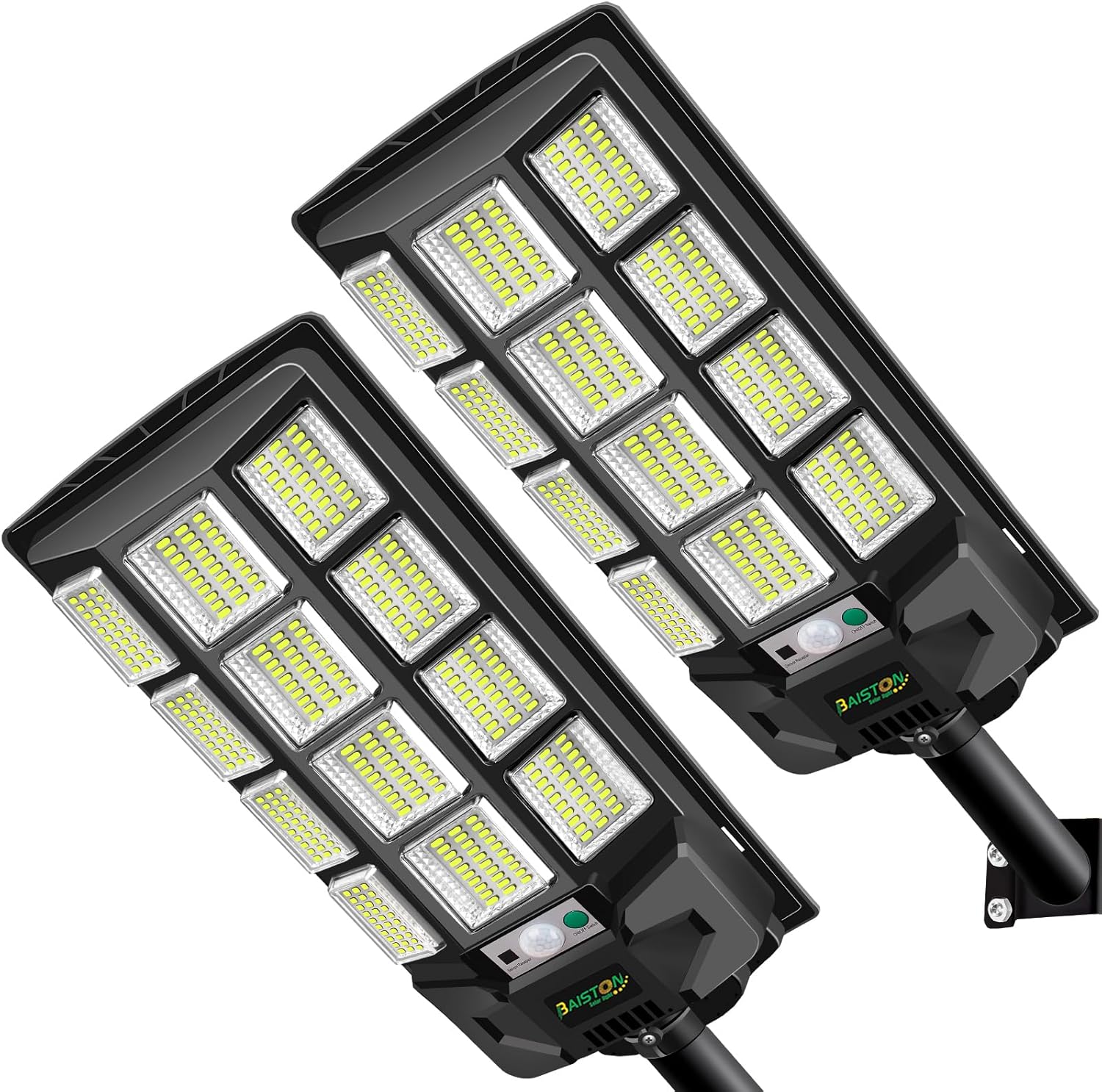
Figure 1: Two Baiston Solar Street Lights, showcasing their design.

Figure 2: Overview of key product features including solar charging, energy saving, motion sensing, dusk to dawn operation, super bright LEDs, IP66 waterproofing, and easy installation.
Setup and Installation
Your Baiston Solar Street Light is designed for straightforward installation. It can be mounted on a pole or directly on a wall.
What's in the Box:
- Solar Street Light Unit
- Remote Control
- Mounting Hardware (screws, anchors)
- Mounting Arm/Bracket
- Batteries for Remote Control (included)

Figure 3: Included components for the solar street light, showing the main unit, solar panel, remote, and mounting accessories.
Installation Steps:
- Choose Location: Select a location that receives direct sunlight for at least 6-8 hours daily to ensure optimal charging. The suggested installation height is 16-26 feet (approximately 5-8 meters) above the ground for maximum illumination area.
- Mounting Method:
- Pole Mount: Secure the mounting arm to a suitable pole using the provided hardware. Ensure the pole is sturdy enough to support the light's weight.
- Wall Mount: Attach the mounting bracket to a solid wall surface using the provided screws and anchors.
- Attach Light Unit: Securely attach the solar street light unit to the mounted arm or bracket. Ensure it is firmly fastened to prevent movement.
- Solar Panel Orientation: Ensure the solar panel is oriented to face the sun for maximum exposure throughout the day.
- Initial Charge: Allow the light to charge for a full day (6-8 hours) in direct sunlight before its first use to ensure the battery is fully charged.

Figure 4: Illustration of wall mount installation and product dimensions.
Operating Modes
The Baiston Solar Street Light offers three distinct operating modes, controllable via the included wireless remote.
- 1. Motion Sensor Mode:
In this mode, the light maintains a low brightness level (30% power) to conserve energy. When motion is detected within its radar sensing range (32-39 feet), the light automatically brightens to 100% illumination. After approximately 20 seconds of no detected motion, the light returns to its 30% power brightness.

Figure 5: Motion Sensor Mode in operation, demonstrating brightness change upon detection.
- 2. Dusk to Dawn Mode:
This mode utilizes the integrated light sensor. The street lamp will automatically turn on when dusk approaches and ambient light levels drop, and automatically turn off at dawn when sufficient natural light is available.

Figure 6: Intelligent Light Sensor Chip enabling automatic day/night operation.
- 3. Always Lighting Mode:
In this mode, the street light remains at 100% brightness continuously throughout its operating period. The remote control allows for adjustment of brightness across 10 different levels to suit specific needs.
Use the remote control to switch between these modes and adjust settings as desired.
Specifications
| Attribute | Value |
|---|---|
| Model Number | BAISTON-BBW122B |
| Brand | Baiston |
| Color | Black |
| Material | Plastic |
| Light Source Type | LED |
| Item Weight | 5 Pounds |
| Voltage | 12 Volts (DC) |
| Battery Type | Lithium Ion (1 included) |
| Battery Cell Type | Lithium-Phosphate |
| Product Dimensions | 7.7 x 3.15 x 21.06 inches |
| Illumination Area | Up to 3000 sq.ft |
| Lighting Angle | 220 degrees |
| Working Temperature | -22℉ to 140℉ (-30℃ to 60℃) |
| Waterproof Rating | IP67 |
Maintenance
To ensure the long-term performance and efficiency of your solar street light, follow these maintenance guidelines:
- Clean Solar Panel: Regularly wipe the surface of the solar panel with a soft, damp cloth to remove dust, dirt, leaves, or snow. A clean panel ensures maximum sunlight absorption and charging efficiency.
- Inspect Mounting: Periodically check the mounting hardware to ensure it remains secure and the light unit is stable. Tighten any loose screws if necessary.
- Clear Obstructions: Ensure no new obstructions (e.g., growing tree branches, new buildings) block direct sunlight from reaching the solar panel.
- Battery Lifespan: The internal battery has a lifespan of more than 6 years. If you notice a significant decrease in operating time after several years, the battery may be nearing the end of its life.
Troubleshooting
If you encounter issues with your Baiston Solar Street Light, refer to the following common troubleshooting steps:
| Problem | Possible Cause | Solution |
|---|---|---|
| Light does not turn on at night. | Insufficient solar charge. Solar panel is dirty or obstructed. Light sensor is covered or faulty. Battery is depleted or faulty. | Ensure the solar panel receives 6-8 hours of direct sunlight daily. Clean the solar panel surface. Remove any obstructions from the light sensor. Allow several days of full charge. If problem persists, contact customer support. |
| Light stays dim or turns off quickly. | Insufficient solar charge. Battery capacity reduced. Operating mode setting. | Ensure optimal solar charging. The battery may be aging; consider replacement if outside warranty. Check remote control settings to ensure desired brightness and mode. |
| Motion sensor not working. | Sensor obstructed. Not in motion sensor mode. Sensor range issues. | Ensure the sensor lens is clean and unobstructed. Verify the light is set to Motion Sensor Mode via remote. Ensure motion occurs within the 32-39ft radar sensing range. |
| Remote control not responding. | Remote batteries dead. Obstruction between remote and light. | Replace batteries in the remote control. Ensure a clear line of sight to the light's receiver. |
Warranty and Support
Baiston offers a 2-year product support for this solar street light. If you encounter any issues or have questions about your product, please do not hesitate to contact our customer service team. We are committed to providing replacements for broken items and assisting with any concerns you may have.
For support, please refer to the contact information provided with your purchase or visit the official Baiston store on Amazon: Baiston Store.
Ask a question about this manual
Ask about setup, troubleshooting, compatibility, parts, safety, or missing instructions. Manuals+ will review the question and use this page’s manual context to help answer it.