
Introduction
This manual provides essential information for the safe and efficient operation of your Xelletye 120W LED Moving Head DJ Light. Please read these instructions carefully before installation and use to ensure optimal performance and longevity of the product.
Safety Information
Important Safety Precautions:
- Always connect the unit to a grounded power outlet.
- Ensure proper ventilation to prevent overheating. Do not block ventilation openings.
- Avoid direct eye exposure to the light source.
- Do not operate the unit in wet or damp conditions.
- Disconnect from power before cleaning or servicing.
- Only qualified personnel should perform repairs.
What's in the Box
Upon unpacking, please verify that all components are present:
- Xelletye 120W LED Moving Head DJ Light (Machine x1)
- Power Cord x1
- Signal Cable x1
- Hook Bracket x1
- Instruction Manual x1
Setup
- Unpacking: Carefully remove the light fixture and all accessories from the packaging. Inspect for any shipping damage.
- Mounting: Securely attach the provided hook bracket to the bottom of the fixture using the designated screws. Ensure the mounting surface or truss can support the weight of the fixture.
- Power Connection: Connect the power cord to the power input on the rear of the unit and then to a suitable grounded power outlet.
- DMX Connection (Optional): For DMX control, connect a DMX signal cable from your DMX controller to the 'DMX IN' port on the fixture. If linking multiple units, connect from 'DMX OUT' of the first unit to 'DMX IN' of the next.
- Initial Power-On: Flip the power switch to the 'ON' position. The 4-digit LED display on the base will illuminate, indicating the unit is ready for operation.

Front view of the Xelletye 120W LED Moving Head DJ Light, showcasing its compact design and the multi-color LED array.
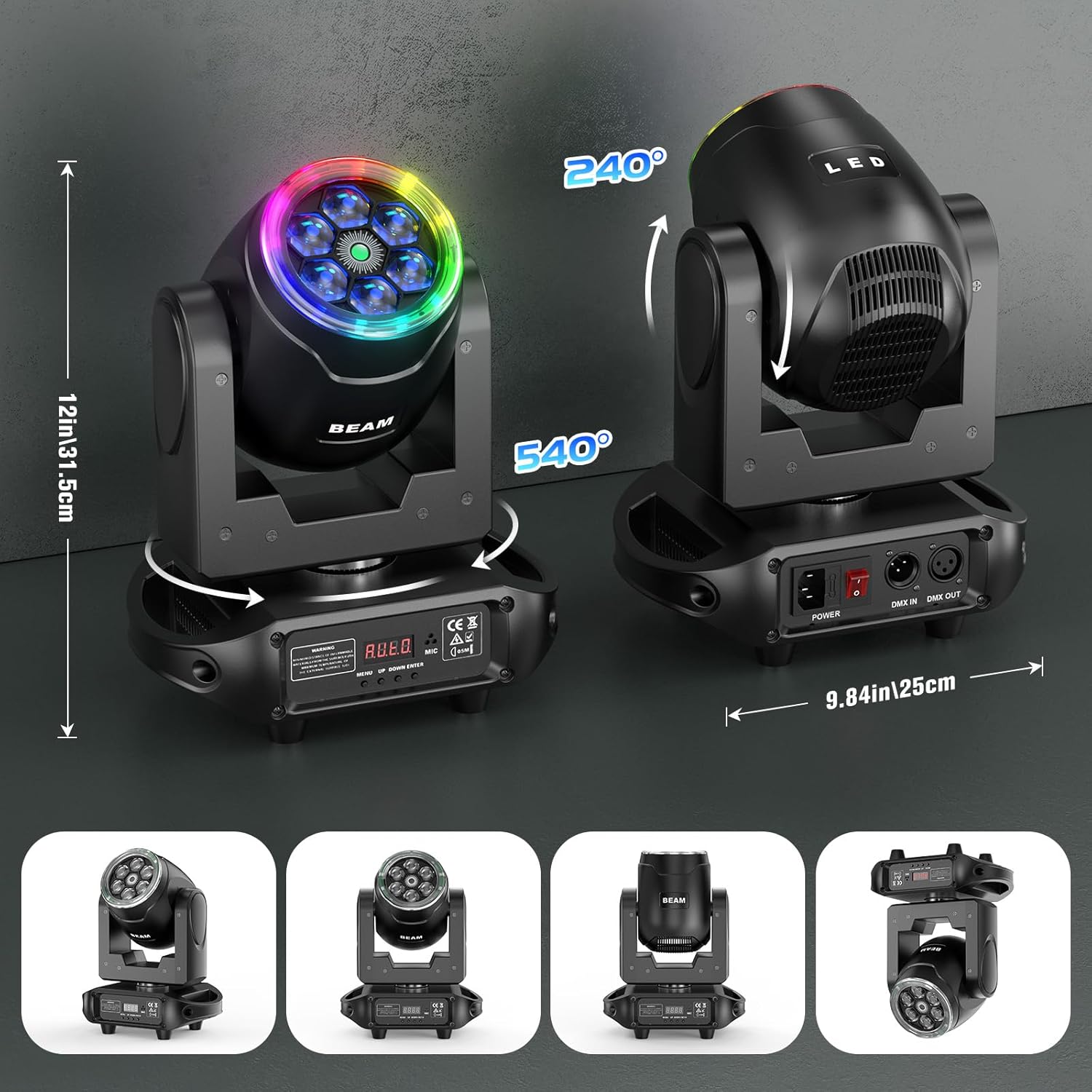
An illustration showing the dimensions of the light (6.5"L x 12.6"W x 9.6"H) and its pan (540°) and tilt (240°) movement capabilities.
Operating Modes
The Xelletye 120W LED Moving Head DJ Light offers several control modes, selectable via the 4-digit LED display and control buttons (MENU, UP, DOWN, ENTER) on the base of the unit.
- Auto Mode: The fixture runs through pre-programmed light shows automatically. Use the control panel to select different auto programs.
- Sound-Active Mode: The light reacts to ambient sound or music, changing patterns and colors in sync with the beat. Adjust sensitivity via the control panel.
- Master/Slave Mode: Connect multiple units using DMX cables. Set one unit as 'Master' and others as 'Slave' to synchronize their movements and effects without a DMX controller.
- DMX-512 Control: For professional control, connect to a DMX controller. The fixture utilizes 17 DMX channels, allowing precise control over pan, tilt, color, strobe, dimming, and other effects. Refer to the DMX channel chart (not provided in this general manual) for detailed channel assignments.
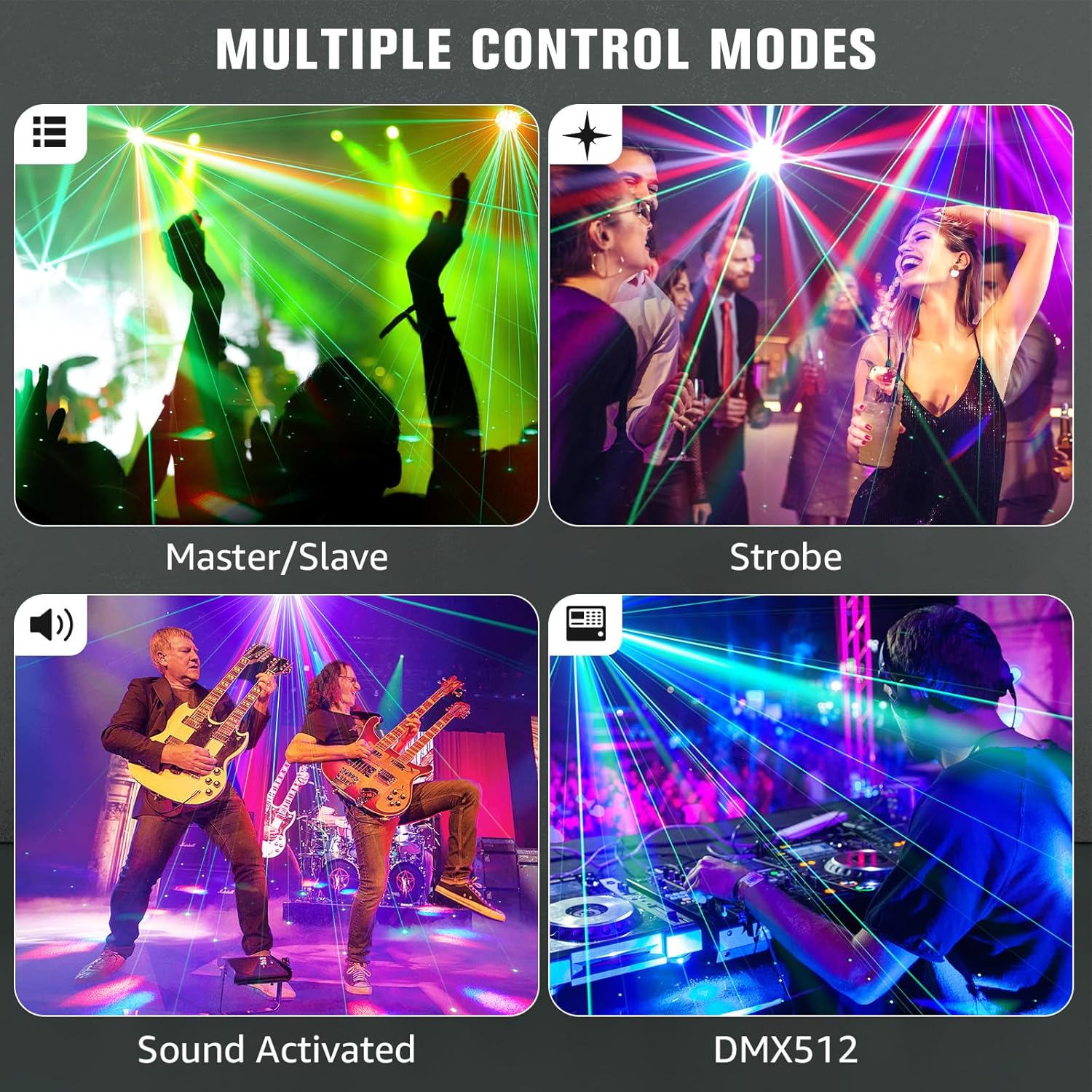
Four panels depicting different control modes: Master/Slave, Strobe, Sound Activated, and DMX512, showing various lighting effects in action.

A collage of images demonstrating the various beam and laser patterns achievable with the light's 360-degree rotation and bee-eye effect.

Two Xelletye moving head lights side-by-side, highlighting the outer ring of 12x0.2W RGB 3-in-1 LEDs which can be controlled individually.
Official product video demonstrating the Xelletye 120W LED Moving Head DJ Light's various lighting effects, including its halo feature, pan and tilt movements, and different color combinations.
Maintenance
Regular maintenance ensures the longevity and optimal performance of your light fixture.
- Cleaning: Periodically clean the lenses and exterior casing with a soft, lint-free cloth. For stubborn dirt, use a mild glass cleaner. Ensure the unit is powered off and disconnected before cleaning.
- Ventilation: Regularly check that all ventilation openings are clear of dust and debris to maintain proper airflow and prevent overheating.
- Inspection: Periodically inspect power cables, DMX cables, and mounting hardware for any signs of wear or damage. Replace damaged components immediately.
- Storage: When not in use, store the fixture in a dry, dust-free environment, preferably in its original packaging or a protective case.

Diagram illustrating key features: RGBW color, green laser light, heat dissipation, automatic protection, multi-angle rotation, and light pattern cycle.
Troubleshooting
If you encounter issues, refer to the following common problems and solutions:
- No Power:
- Check if the power cord is securely connected to both the fixture and the power outlet.
- Verify the power switch is in the 'ON' position.
- Test the power outlet with another device.
- No Light Output:
- Ensure the unit is powered on and not in a 'Blackout' or 'Standby' mode.
- If using DMX, check DMX signal and channel settings.
- No DMX Control:
- Verify DMX cables are correctly connected (DMX IN/OUT).
- Check DMX address settings on the fixture and controller.
- Ensure the DMX controller is functioning correctly.
- Erratic Movement/Behavior:
- Check for proper DMX signal termination if using a long DMX chain.
- Ensure the unit is not in a confined space causing overheating.
- Reset the unit by powering it off and on.
Specifications
| Feature | Detail |
|---|---|
| Brand | Xelletye |
| Model Number | ZQ02365 |
| Wattage | 100 watts |
| Light Source Type | Light Emitting Diode (LED) |
| LED Configuration | 6x15W RGBW LEDs + 12x0.2W SMD LEDs |
| Beam Angle | 2° |
| Brightness | 124,200 Lux at 10M |
| Pan Movement | 540° |
| Tilt Movement | 240° |
| Strobe Effect | 0-20Hz |
| Control Modes | Auto, Sound-Active, Master/Slave, DMX-512 (17 channels) |
| Display | 4-digit LED display |
| Material | Metal-plastic hybrid housing |
| Lifespan | 50,000 hours (LEDs) |
| Color Temperature | 9000 Kelvin |
| Color Rendering Index | 90 |
| Product Dimensions | 6.5"L x 12.6"W x 9.6"H |
| Power Source | Corded Electric |

A collage of images showing the Xelletye moving head lights used in various event settings, including parties, concerts, and weddings.
Warranty and Support
Xelletye products are designed for reliability and performance. For warranty information, technical support, or service inquiries, please refer to the contact details provided with your purchase documentation or visit the official Xelletye website. Please have your model number (ZQ02365) and purchase date available when contacting support.