
1. Introduction
Thank you for choosing the Gpxhbcb WiFi Smart Water Quality Meter Monitor. This device is an advanced 8-in-1 water quality detector designed for real-time monitoring of various parameters in aquariums, pools, hydroponic systems, and other water environments. It provides accurate measurements for pH, EC, TDS, Salt, S.G, CF, ORP, and Temperature, with convenient WiFi connectivity for app-based data monitoring and alerts.
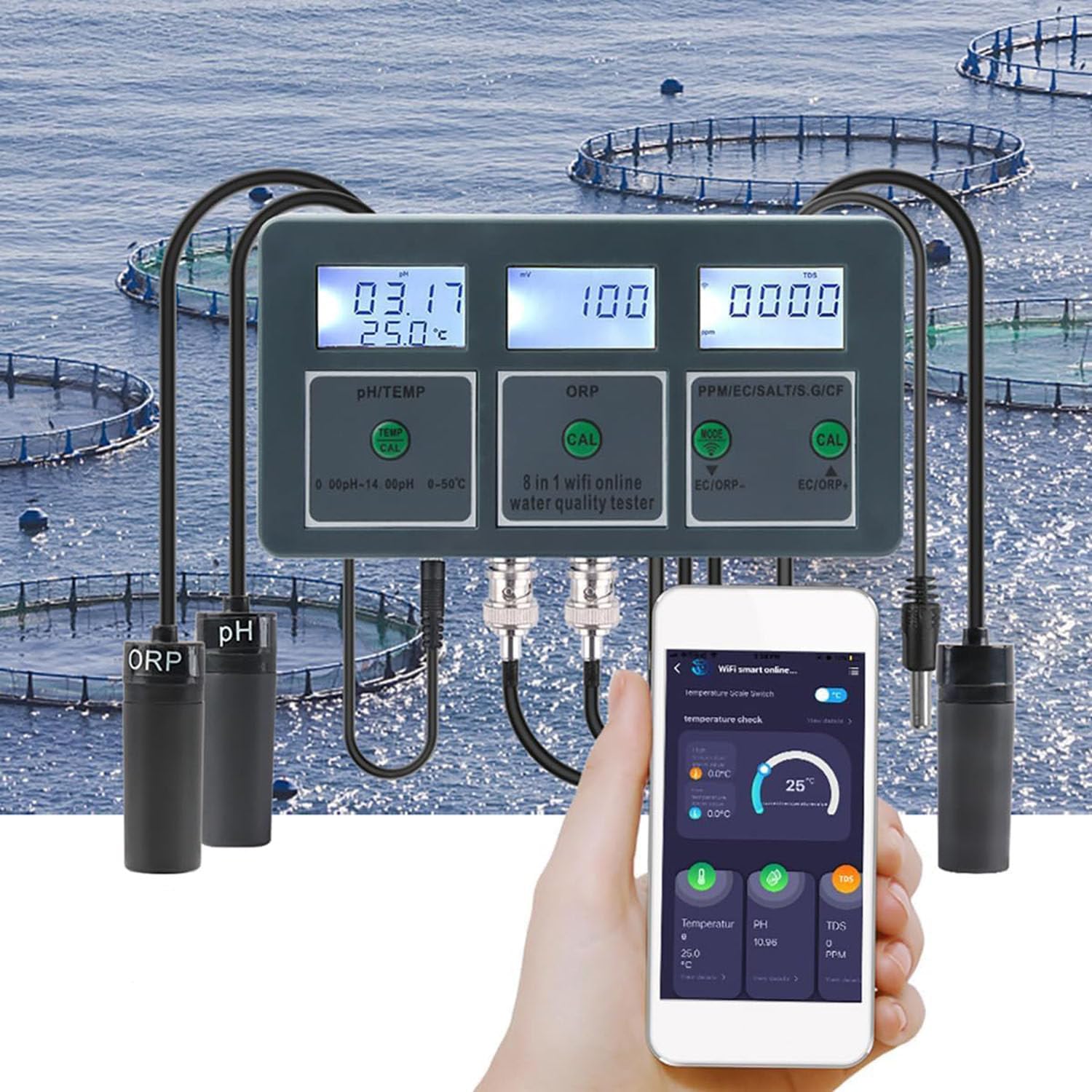
Image 1.1: The Gpxhbcb WiFi Smart Water Quality Meter Monitor displaying various parameters with its probes and a smartphone showing the companion app.
2. Product Overview and Components
The Gpxhbcb WiFi Smart Water Quality Meter Monitor consists of a main display unit and multiple probes for different measurements. Familiarize yourself with the components before setup.

Image 2.1: Detailed diagram of the water quality monitor with all components and buttons labeled for easy identification.
- Power Adapter: Connects the device to a power source.
- PH/TEMP Display: Shows pH and temperature readings.
- ORP Display: Shows ORP readings.
- PPM/EC/SALT/S.G/CF Display: Shows readings for these parameters.
- PH/TEMP Calibration Key (CAL): Used for pH and temperature calibration.
- ORP Calibration Key (CAL): Used for ORP calibration.
- PPM/EC/SALT/S.G/CF Switch Key (MODE): Toggles between different measurement units.
- EC/ORP+ Calibration Key (CAL): Used for EC and ORP+ calibration.
- °C/°F Switch Key: Toggles between Celsius and Fahrenheit temperature units.
- TEMP Connection Probe: Connects the temperature sensor.
- PH Connection Probe: Connects the pH sensor.
- ORP Connection Probe: Connects the ORP sensor.
- PPM/EC/SALT/S.G/CF Connection Probe: Connects the multi-parameter sensor.
3. Setup Instructions
3.1 Unpacking and Initial Inspection
- Carefully remove all components from the packaging.
- Verify that all items listed in the product description are present: 1 x water quality tester, 1 x pH probe, 1 x ORP probe, 1 x PPM/EC/Salt/SG/CF probe, 1 x temperature probe, 1 x charger.
- Inspect the device and probes for any visible damage.
3.2 Power Connection
- Connect the power adapter to the main unit's power input port.
- Plug the power adapter into a standard electrical outlet. The device will power on automatically.
3.3 Probe Connection
- Carefully connect each probe (pH, ORP, PPM/EC/Salt/SG/CF, Temperature) to its corresponding BNC or designated port on the main unit, as indicated in Image 2.1. Ensure connections are secure.
3.4 Device Placement
The device features a wall-mounted design for convenient installation. Use the provided suction cups and bracket to secure the main unit near your water source (e.g., aquarium, pool).

Image 3.1: The water quality monitor installed on a wall, with probes submerged in an aquarium, demonstrating typical setup.
Important Note: This tester is not waterproof. Do not let the tester get water or damp during use. Otherwise, the tester may not work normally.
3.5 App Download and WiFi Connection
- Download the Tuya Smart app from your smartphone's app store (iOS or Android).
- Register or log in to your Tuya Smart account.
- Follow the in-app instructions to add a new device. Select the water quality monitor from the list of available devices.
- Ensure your device is connected to a 2.4GHz WiFi network during the pairing process.
- Once connected, the device will upload data in real-time to the app.
4. Operating Instructions
4.1 Basic Operation and Display
- After connecting to power, the device will automatically turn on and begin displaying readings.
- The LCD backlight display provides clear readings, supporting night monitoring.
- Use the °C/°F Switch Key to toggle between Celsius and Fahrenheit for temperature readings.
4.2 Measurement Readings
The device simultaneously displays multiple parameters. The PPM/EC/SALT/S.G/CF Switch Key (MODE) allows you to cycle through the different measurements on the rightmost display.
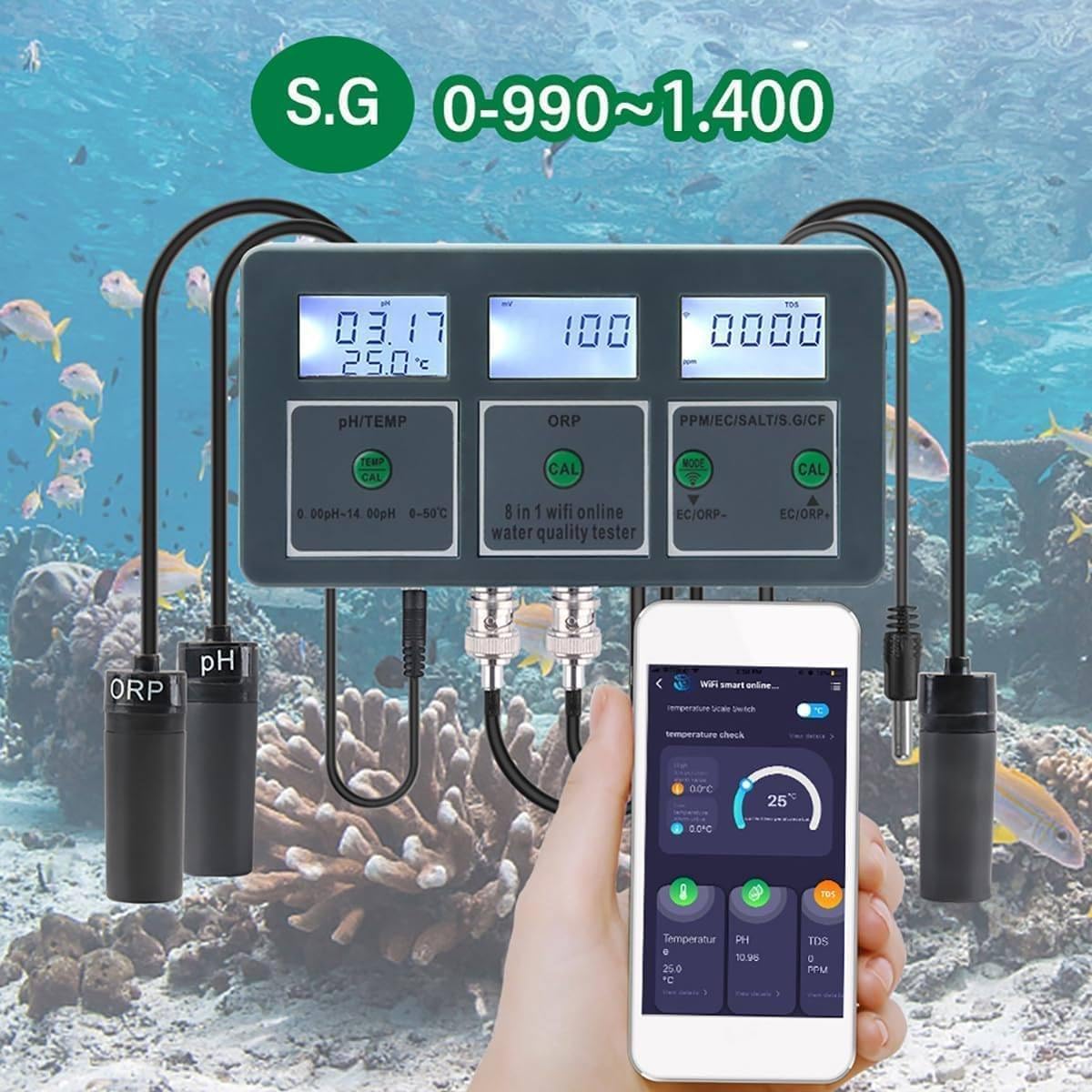
Image 4.1: The water quality monitor showing an S.G. (Specific Gravity) reading of 0.990-1.400, relevant for marine environments.

Image 4.2: The water quality monitor displaying a CF (Conductivity Factor) reading, indicating its use in hydroponic systems for nutrient solution monitoring.
4.3 Calibration
Regular calibration ensures accurate readings. Refer to the specific calibration solutions and procedures for pH, ORP, and EC/TDS/Salt/CF measurements. Use the dedicated CAL keys for each parameter.
- pH Calibration: Use standard pH buffer solutions (e.g., pH 4.00, 6.86, 9.18). Follow the instructions in the app or a detailed calibration guide for your specific buffer solutions.
- ORP Calibration: Use a standard ORP calibration solution.
- EC/TDS/Salt/CF Calibration: Use a standard conductivity solution.
4.4 App Data Monitoring and Features
The Tuya Smart app provides comprehensive data monitoring and control features:
- Real-time Data: View current water quality parameters directly on your mobile phone. Data is transmitted every 15 seconds.
- Historical Data: Access daily, weekly, and monthly data curves to understand trends and water quality conditions over time.
- Alarm Settings: Set safety parameter ranges for each measurement. If parameters exceed the set values, you will receive message reminders and alarms on your phone.
- Scene Automation: Configure smart scenes based on water quality parameters (e.g., turn on a pump if pH is too high).
- Data Export: Export historical data to an Excel file or send it via email for further analysis or record-keeping.
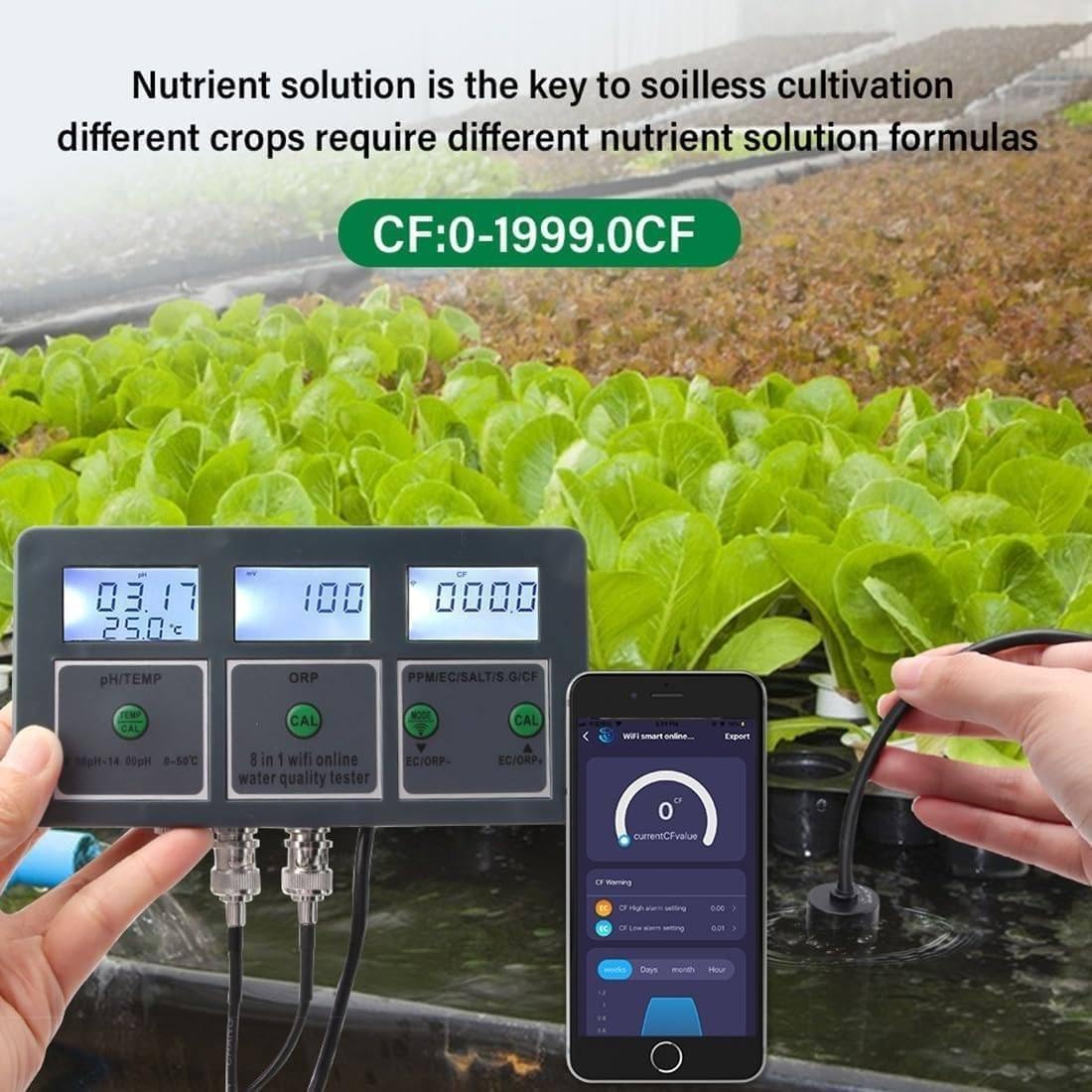
Image 4.3: The mobile application displaying real-time pH data and options to export data to Excel or email for detailed analysis.

Image 4.4: The mobile application interface demonstrating real-time pH data detection, showing the current pH value and a visual pH scale from acidic to alkaline.
5. Maintenance
5.1 Probe Cleaning
- Regularly clean the probes to ensure accurate readings.
- Rinse probes with distilled or deionized water after each use or before calibration.
- For stubborn deposits, gently clean with a soft brush and a mild cleaning solution specifically designed for water quality probes. Avoid abrasive materials.
5.2 Storage
- When not in use for extended periods, ensure probes are stored correctly. pH and ORP probes typically require storage in a specific solution (e.g., KCL solution) to prevent drying out. Refer to individual probe instructions for best practices.
- Store the main unit in a dry, cool place, away from direct sunlight and moisture.
6. Troubleshooting
6.1 Inaccurate Readings
- Solution: Perform calibration for the affected parameter. Ensure probes are clean and free from deposits. Check if probes are properly submerged and not damaged.
6.2 No Display/Power Issues
- Solution: Verify that the power adapter is securely connected to both the device and a working power outlet. Check the power adapter for any damage.
6.3 WiFi Connectivity Problems
- Solution: Ensure your router is broadcasting a 2.4GHz WiFi signal. Move the device closer to the router. Restart the device and your router. Re-attempt the pairing process in the Tuya Smart app.
6.4 App Not Receiving Data
- Solution: Check your internet connection. Ensure the device is still connected to WiFi (check the WiFi indicator on the device). Close and reopen the Tuya Smart app. If the issue persists, try re-pairing the device with the app.
7. Specifications
Detailed technical specifications for the Gpxhbcb WiFi Smart Water Quality Meter Monitor.

Image 7.1: A comprehensive table outlining the measurement ranges, resolutions, and accuracies for all parameters of the water quality monitor.
| Parameter | Range | Resolution | Accuracy |
|---|---|---|---|
| pH | 0.00-14.00pH | 0.01pH | ±0.03pH |
| ORP | -2000 to 2000mv | 1mV | ±5mV |
| EC | 0-19000us/cm, 0-199.0mS/cm | 0.1mS/cm | ±2%FS |
| CF | 0-1999.0CF | 1CF | ±2%FS |
| TDS | 0-19990ppm, 0-199.0ppt | 1ppm (<1999), 10ppm (>1999) | ±2%FS |
| Salt | 0-199.9ppt, 0%-20% | 0.1ppt | ±2%FS |
| S.G | 0.990-1.400 | 0.001 | ±0.001 |
| Temperature | 0-50°C (32-122°F) | 0.1°C (0.2°F) | ±1.0°C (±2°F) |
- Operating Temperature: 0°C ~ 50°C
- Temperature Compensation: 0°C ~ 50°C
- Power Supply: DC6V
- Dimensions: 152 mm x 80 mm x 26 mm
- Weight: 245g