
1. Introduction
Welcome to your VEHOP OpenGo OWS U10 Open Ear Earbuds. This manual provides detailed instructions for setup, operation, and maintenance to ensure optimal performance and longevity of your device. Please read this manual thoroughly before use.
Safety Information
- Do not expose the earbuds or charging case to extreme temperatures or direct sunlight for extended periods.
- Avoid dropping or applying excessive force to the device.
- Keep the device away from water and moisture. While rated IPX5, it is not designed for submersion.
- Use only the provided charging cable or a certified equivalent.
- Listening at high volumes for prolonged periods may cause hearing damage.
2. Package Contents
Verify that all items are present in your package:
- VEHOP OpenGo OWS U10 Open Ear Earbuds (Left and Right)
- Charging Case
- USB Charging Cable
- User Manual

Image: The VEHOP OpenGo OWS U10 Open Ear Earbuds, showing both the left and right earbuds alongside their open charging case. The earbuds are white and feature an open-ear design with an ear hook. The charging case is also white with a translucent lid, displaying the earbuds and a digital battery indicator.
3. Product Overview
Earbud Components
- Open-Ear Hook Design: For a secure and comfortable fit without entering the ear canal.
- Touch Control Area: For managing playback, calls, and voice assistant.
- Microphone: Integrated for calls and voice commands.
- Charging Contacts: Located on the earbuds for charging within the case.
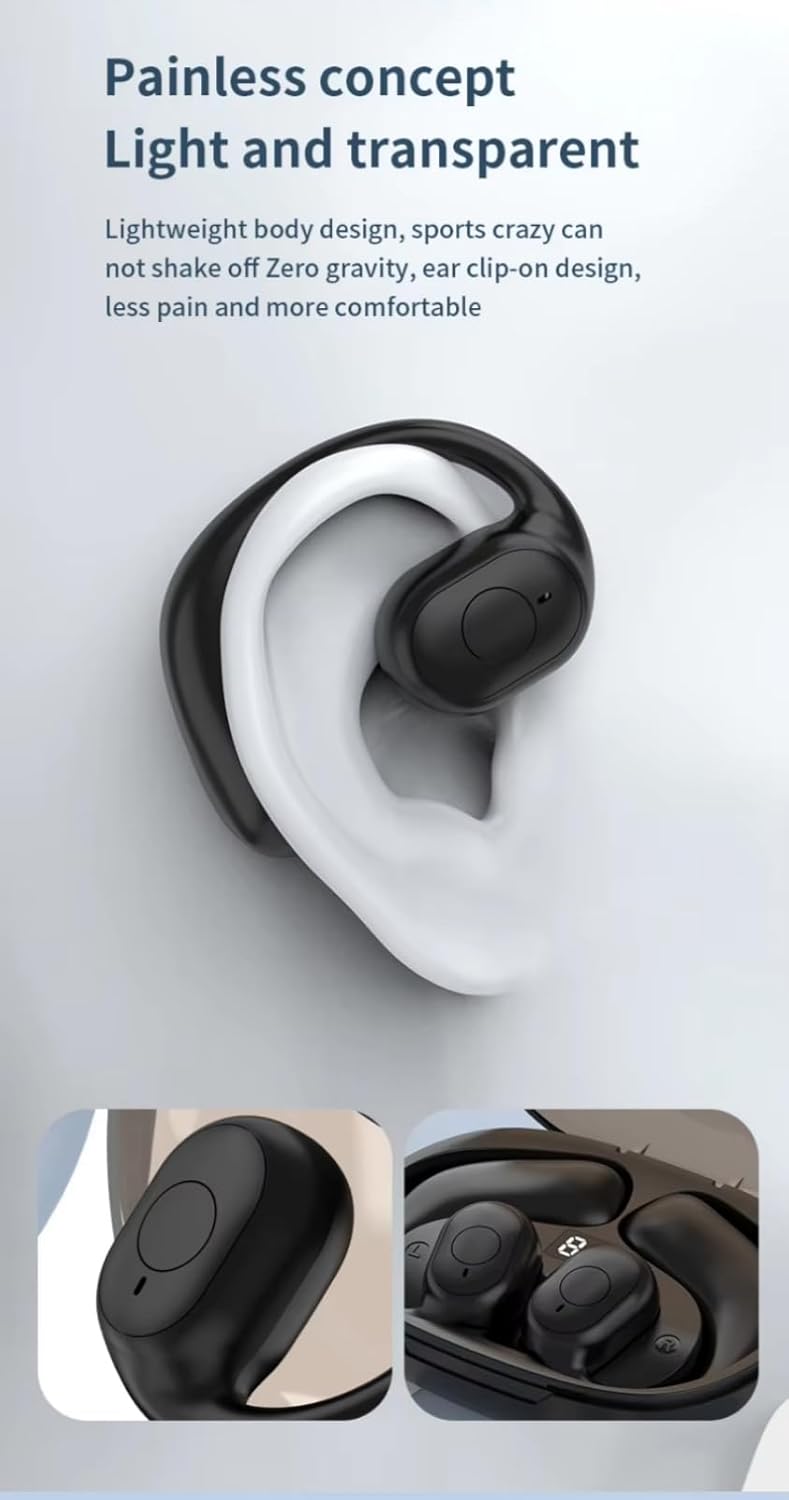
Image: A close-up view of a VEHOP OpenGo OWS U10 earbud worn on a person's ear. The earbud's open-ear hook design is visible, demonstrating how it rests comfortably without inserting into the ear canal.
Charging Case Components
- Earbud Slots: Securely hold and charge the earbuds.
- Digital LED Display: Shows the battery level of the charging case and individual earbuds.
- USB-C Charging Port: For connecting the charging cable.
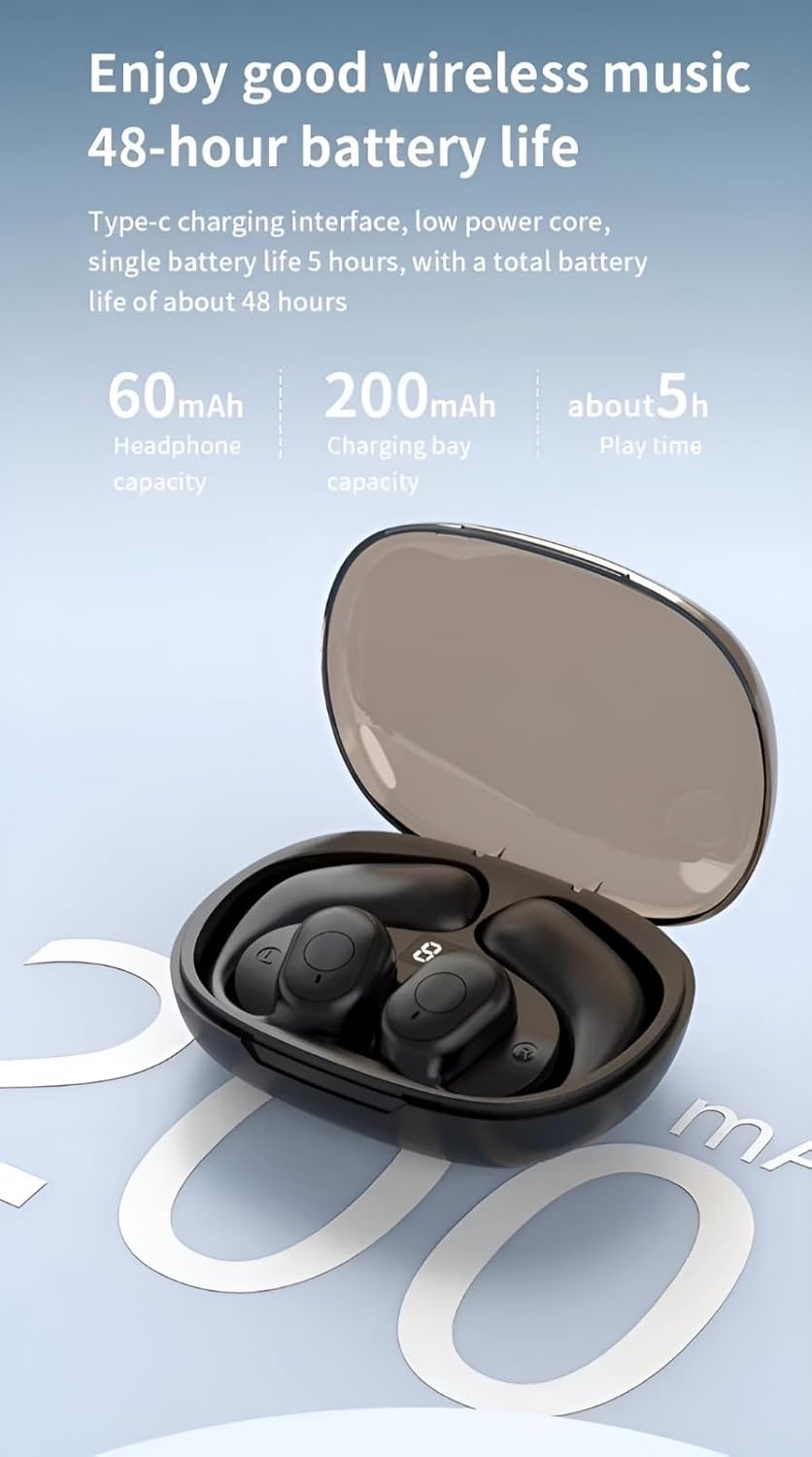
Image: A detailed view of the VEHOP OpenGo OWS U10 charging case, highlighting the digital LED display. The display shows battery percentages for both the case and the individual earbuds, indicating their charge status.
4. Setup
Charging the Earbuds and Case
- Place the earbuds into the charging case. Ensure the charging contacts align.
- Connect the USB charging cable to the USB-C port on the charging case and to a power source (e.g., computer, USB wall adapter).
- The LED display on the charging case will show the charging status. A full charge is indicated when the display shows 100% for the case and the earbuds.
- A full charge for the earbuds typically takes approximately 2 hours.
Bluetooth Pairing
- Ensure the earbuds are charged.
- Open the charging case. The earbuds will automatically enter pairing mode.
- On your device (smartphone, tablet, laptop), enable Bluetooth.
- Search for available Bluetooth devices and select "VEHOP OpenGo OWS U10" (or similar name).
- Once connected, a voice prompt will confirm successful pairing.
- The earbuds will automatically reconnect to the last paired device when removed from the case, if Bluetooth is enabled on the device.
5. Operating Instructions
The VEHOP OpenGo OWS U10 earbuds feature intuitive touch controls.

Image: A visual guide illustrating the touch control functions of the VEHOP OpenGo OWS U10 earbuds. It shows icons and descriptions for actions like power on/off, answer/hang up calls, voice assistant, switch songs, and play/pause.
Basic Functions
| Function | Action |
|---|---|
| Power On | Open the charging case and remove the earbuds. |
| Power Off | Place the earbuds into the charging case. Alternatively, press and hold the touch button for 3 seconds. |
| Play/Pause | Click the touch button once. |
| Next Track | Hold down the touch button on the right earbud for 2 seconds. |
| Previous Track | Hold down the touch button on the left earbud for 2 seconds. |
| Answer/End Call | Click the touch button once during an incoming call or active call. |
| Reject Call | Press and hold the touch button for 1-2 seconds during an incoming call. |
| Voice Assistant | Triple click the touch button. |
6. Maintenance
Cleaning
Regularly clean your earbuds and charging case to maintain optimal performance and hygiene.
- Use a soft, dry, lint-free cloth to wipe the earbuds and charging case.
- For stubborn dirt, slightly dampen the cloth with water. Avoid using harsh chemicals or abrasive materials.
- Gently clean the charging contacts on both the earbuds and the case with a dry cotton swab to ensure proper connection.
Storage
- When not in use, store the earbuds in their charging case to protect them from dust and damage.
- Store the device in a cool, dry place, away from direct sunlight and extreme temperatures.
7. Troubleshooting
If you encounter issues with your VEHOP OpenGo OWS U10 earbuds, refer to the following common solutions:
- Earbuds not pairing:
- Ensure both earbuds are fully charged.
- Turn off Bluetooth on your device and turn it back on.
- Forget "VEHOP OpenGo OWS U10" from your device's Bluetooth list and attempt to pair again.
- Place both earbuds back into the charging case, close the lid, wait a few seconds, then open the lid to re-initiate pairing mode.
- Only one earbud working:
- Ensure both earbuds are charged.
- Place both earbuds back into the charging case, close the lid, then open it again. This often resets the connection between the two earbuds.
- Try re-pairing the earbuds with your device.
- Low volume or poor sound quality:
- Adjust the volume on both your connected device and the earbuds.
- Ensure the earbuds are clean and free from debris.
- Move closer to your connected device to avoid interference.
- Charging issues:
- Check if the charging cable is securely connected to both the case and the power source.
- Ensure the charging contacts on the earbuds and inside the case are clean.
- Try using a different USB-C charging cable and power adapter.
8. Specifications
| Feature | Detail |
|---|---|
| Model | U10 |
| Bluetooth Version | 5.3 |
| Bluetooth Range | 15 Metres |
| Battery Life (Earbuds) | Approximately 5 hours (single charge) |
| Total Playtime (with Case) | Up to 48 hours |
| Charging Time | Approximately 2 hours |
| Water Resistance | IPX5 |
| Noise Control | Sound Isolation (AI-ENC Mic for calls) |
| Control Type | Touch Control |
| Earbud Weight | 10g (single earbud) |
| Product Dimensions | 9 x 4 x 2 cm (Charging Case) |
| Material | Acrylonitrile Butadiene Styrene (ABS) |
9. Warranty and Support
For warranty information and customer support, please refer to the documentation included with your purchase or contact VEHOP customer service.
Manufacturer Contact: 1413, VEHOP, Kalyan Shil Road, Dombivli East 421203, contact.vehop@gmail.com