
1. Introduction
This manual provides essential information for the safe and effective use of your Peakbatt Li-026418 Lithium-Ion replacement battery, model CS-MVS500VX. This battery is specifically designed as a replacement for the myVacBot SN500 robotic vacuum cleaner. Please read this manual thoroughly before installation and use to ensure optimal performance and safety.
2. Safety Information
Your safety is paramount. Please adhere to the following safety guidelines when handling and using the battery:
- CAUTION: WARRANTY VOID IF LABEL IS REMOVED.
- DO NOT ATTEMPT TO DISASSEMBLE, OPEN, OR SERVICE THE BATTERY PACK.
- REPLACE ONLY WITH THE BATTERY PACK DESIGNATED FOR THIS PRODUCT.
- DO NOT CRUSH, PUNCTURE, SHORT EXTERNAL CONTACTS, OR DISPOSE OF IN FIRE OR WATER.
- DO NOT STORE ABOVE 60°C (140°F).
- This battery is certified with ISO9001, RoHS, CE, UN38.3, and MSDS for safety and quality assurance.
- Keep the battery away from children and pets.
3. Setup and Installation
Before installing the new battery, ensure your myVacBot SN500 is powered off and disconnected from any charging source.
- Confirm Compatibility: Verify that the part number Li-026418 and model CS-MVS500VX match your device's requirements.
- Locate Battery Compartment: Refer to your myVacBot SN500's original user manual to locate and open the battery compartment. This is typically on the underside of the robot.
- Remove Old Battery: Carefully disconnect the old battery's connector and remove it from the compartment.
- Install New Battery: Connect the new Peakbatt Li-026418 battery's connector firmly into the device's port. Ensure the connector is fully seated.
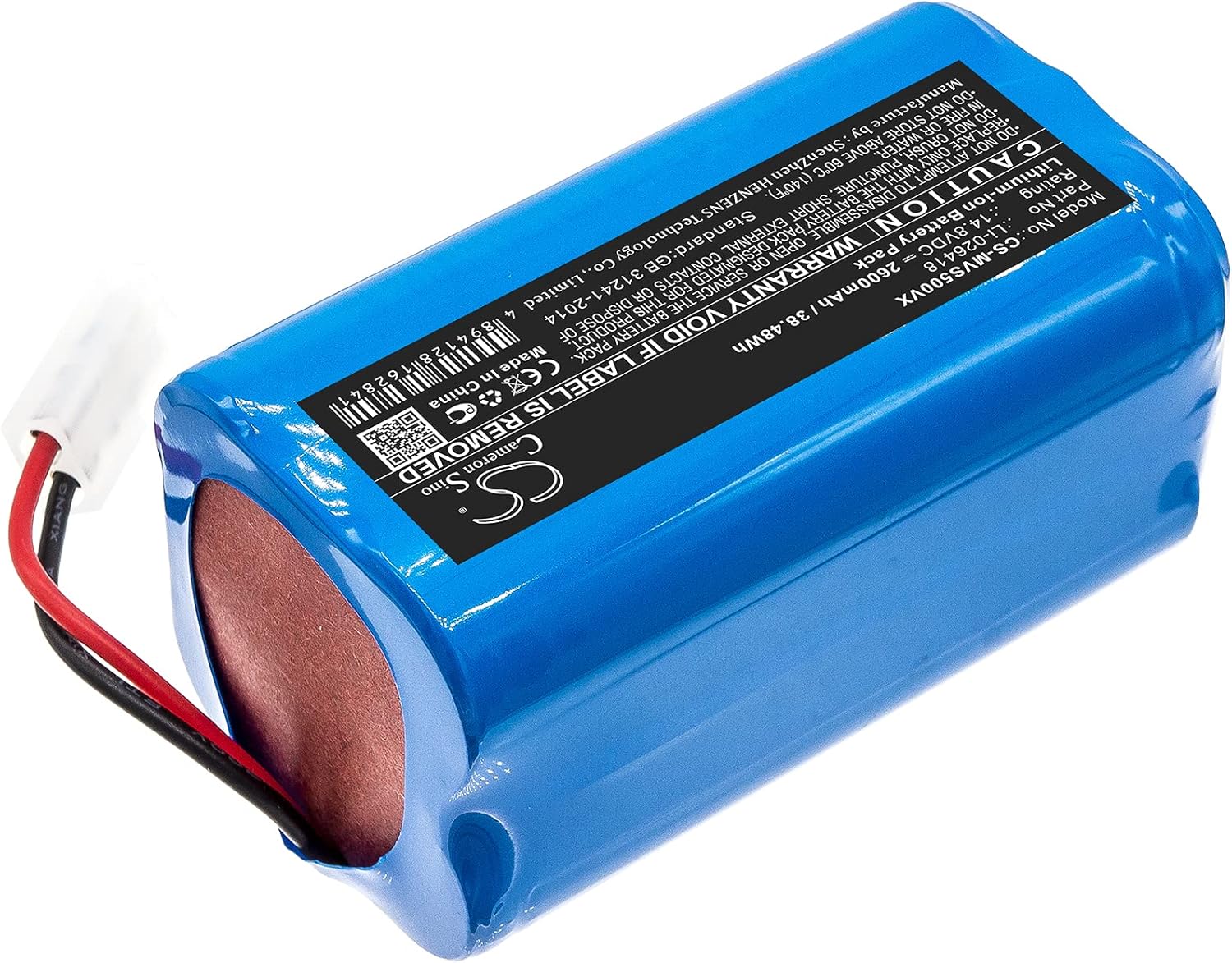
Figure 3.1: Peakbatt Li-026418 2600mAh Lithium-Ion Battery
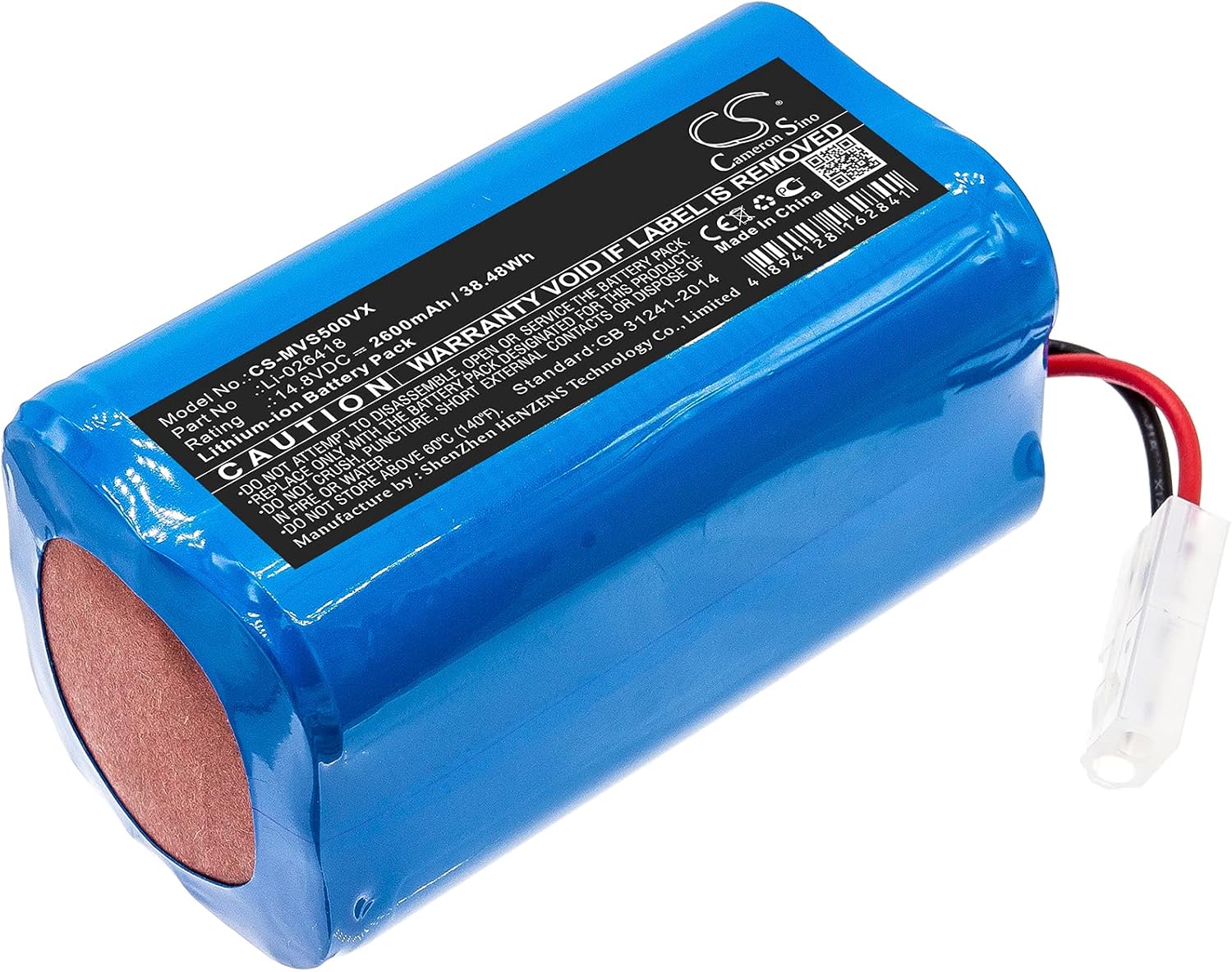
Figure 3.2: Battery with detailed label (Model No.: CS-MVS500VX, Part No.: Li-026418)

Figure 3.3: Peakbatt Li-026418 battery shown with a myVacBot SN500 robot vacuum

Figure 3.4: Close-up view of the battery's connector
- Close Compartment: Securely close the battery compartment.
- Initial Charge: Place your myVacBot SN500 on its charging base or connect it to its charger to fully charge the new battery before its first use.
4. Operating the Battery
Once installed and fully charged, the Peakbatt Li-026418 battery operates as the power source for your myVacBot SN500. The robot's charging and discharging cycles will be managed by the device's internal system. For optimal battery life, it is recommended to allow the robot to complete its cleaning cycles and return to its charging base as designed.
5. Maintenance
Proper maintenance can extend the life of your battery:
- Regular Use: Use your robotic vacuum regularly to keep the battery active.
- Storage: If storing the battery or device for an extended period, ensure the battery is charged to approximately 50-70% and stored in a cool, dry place. Avoid extreme temperatures.
- Cleaning: Keep the battery contacts and compartment clean and free of dust or debris. Use a dry, soft cloth for cleaning.
- Disposal: Dispose of old or damaged batteries responsibly according to local regulations. Do not dispose of batteries in household waste.
6. Troubleshooting
If you encounter issues with your battery, consider the following:
- Robot Not Powering On: Ensure the battery is correctly installed and fully charged. Check the device's power button and charging base connection.
- Short Run Time: The battery may not be fully charged, or it might be reaching the end of its lifespan. Ensure proper charging cycles.
- Charging Issues: Verify that the charging base or adapter is functioning correctly. Clean the charging contacts on both the robot and the base.
- Error Codes: If your myVacBot SN500 displays an error code, consult its original user manual for specific troubleshooting steps related to battery or power issues.
If problems persist after following these steps, please contact Peakbatt customer service or refer to the myVacBot SN500's manufacturer for further assistance.
7. Specifications
| Parameter | Value |
| Model No. | CS-MVS500VX |
| Part No. | Li-026418 |
| Battery Type | Lithium-Ion (Li-ion) |
| Voltage | 14.8V |
| Capacity | 2600mAh |
| Energy Rate | 38.48Wh |
| Dimensions (L x W x H) | 69.40 x 37.30 x 37.30 mm (2.73 x 1.47 x 1.47 inches) |
| Weight | 260g (9.2 ounces) |
| Manufacturer | Peakbatt |
8. Warranty and Support
Peakbatt stands behind the quality of its products:
- Warranty: This battery comes with a 12-month warranty.
- Money Back Guarantee: A 30-day money back guarantee is provided from the date of purchase.
- Customer Service: For any inquiries or support, please contact Peakbatt customer service. We offer 7*24 hours customer service.
- For additional information regarding battery specifications and manufacturing, you may visit www.cameronsino.com.