1. Introduction

Figure 1.1: ROUTEY Mini Hi-Fi Power Amplifier
This image shows the compact black design of the amplifier with its front panel controls.
This user manual provides detailed instructions for the operation and maintenance of your ROUTEY Mini Hi-Fi Power Amplifier. This compact, dual-channel amplifier features Bluetooth 5.0 connectivity, dedicated bass and treble controls, and a remote control for an enhanced audio experience. Please read this manual thoroughly before use to ensure proper setup and optimal performance.
2. Product Features

Figure 2.1: High Fidelity Sound Quality
This image illustrates the amplifier integrated into a home environment, highlighting its capability to deliver high-fidelity audio.
- BLUETOOTH CONNECTIVITY: Advanced Bluetooth 5.0 technology enables seamless wireless streaming from your devices for a clutter-free audio setup.
- DUAL-CHANNEL DESIGN: Features separate left and right channel outputs to deliver authentic stereo sound reproduction for immersive listening.
- SOUND CUSTOMIZATION: Dedicated bass and treble controls allow precise audio adjustments to match your preferences and room acoustics.
- REMOTE OPERATION: Included remote control provides convenient access to volume and sound settings from anywhere in your listening space.
- COMPACT BUILD: Space-saving 12V mini amplifier design fits easily on shelves or desks while delivering powerful audio performance.
3. What's in the Box
Upon unpacking, please ensure all items are present and in good condition:
- ROUTEY Mini Hi-Fi Power Amplifier
- Remote Control
- User Manual (this document)
- Note: Power adapter and audio cables are typically sold separately.
4. Product Overview
Familiarize yourself with the amplifier's components:

Figure 4.1: Front and Rear Panel Layout
This image displays the front panel with Power switch, Bass knob, Volume knob, and Treble knob. The rear panel shows Audio Input (RCA L/R), Passive Speaker terminals (BTL), and DC 12V Power input.
Front Panel Controls:
- POWER Switch: Toggles the amplifier on/off.
- BASS Knob: Adjusts the low-frequency output.
- VOLUME Knob: Controls the overall audio output level.
- TREBLE Knob: Adjusts the high-frequency output.
Rear Panel Connections:
- AUDIO INPUT (RCA L/R): Connect audio sources such as CD players, DVD players, or other devices.
- PASSIVE SPEAKER TERMINALS (BTL): Connect your passive speakers (4-16Ω impedance recommended). Ensure correct polarity (+ to + and - to -).
- DC 12V POWER INPUT: Connect a 12V DC power adapter (2A-5A recommended, not included).
5. Setup Instructions
- Connect Speakers: Connect your passive speakers to the "PASSIVE SPEAKER TERMINALS" on the rear panel. Ensure the positive (+) terminal of the amplifier connects to the positive terminal of the speaker, and the negative (-) terminal connects to the negative terminal.
- Connect Audio Source: Connect your audio source (e.g., smartphone, tablet, CD player, TV) to the "AUDIO INPUT (RCA L/R)" using appropriate RCA cables.
- Connect Power: Connect a 12V DC power adapter (not included) to the "DC 12V POWER INPUT" port. Plug the power adapter into a wall outlet.
- Power On: Turn the "POWER" switch on the front panel to the "ON" position. The power indicator light should illuminate.
6. Operating Instructions
6.1. Bluetooth Connection
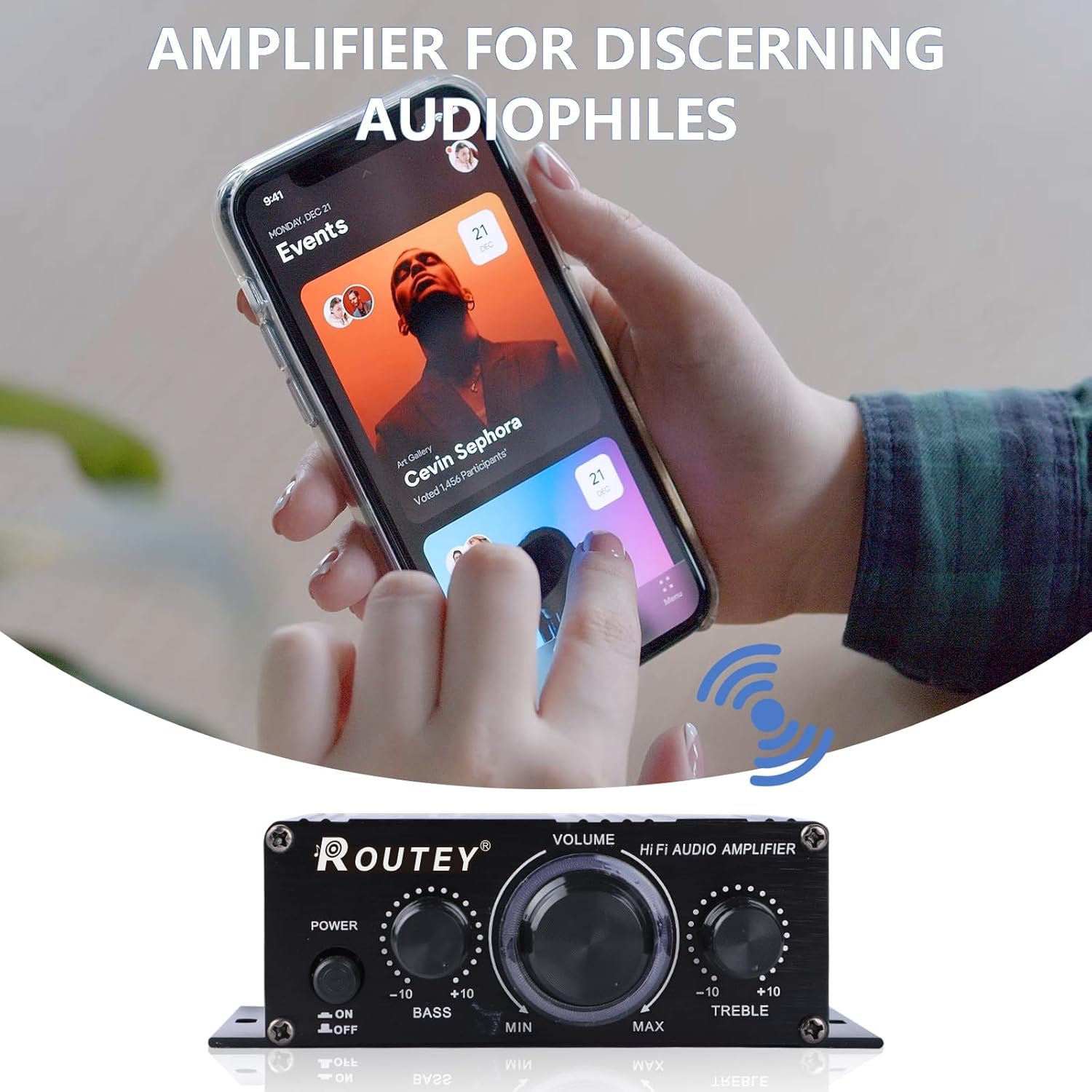
Figure 6.1: Bluetooth Streaming Example
This image illustrates a smartphone wirelessly connected to the amplifier via Bluetooth, ready for audio playback.
- Ensure the amplifier is powered on.
- On your Bluetooth-enabled device (e.g., smartphone, tablet), go to the Bluetooth settings.
- Search for available devices. The amplifier should appear as "ROUTEY Amplifier" or similar.
- Select the amplifier to pair. Once paired, you will hear a confirmation tone, and your device will show it as connected.
- You can now play audio from your device, and it will be amplified through your speakers.
6.2. Using Analog Input
If you are using an audio source connected via RCA cables:
- Ensure your audio source is connected to the "AUDIO INPUT (RCA L/R)" ports.
- Play audio from your connected source. The amplifier will automatically output the sound.
6.3. Adjusting Sound
- VOLUME: Rotate the "VOLUME" knob clockwise to increase volume and counter-clockwise to decrease.
- BASS: Rotate the "BASS" knob to adjust the level of low frequencies.
- TREBLE: Rotate the "TREBLE" knob to adjust the level of high frequencies.
- Remote Control: Use the included remote control to adjust volume and other settings from a distance.
7. Maintenance
- Keep the amplifier in a dry, well-ventilated area, away from direct sunlight, heat sources, and moisture.
- Clean the exterior with a soft, dry cloth. Do not use liquid cleaners or abrasive chemicals.
- Ensure proper ventilation around the unit to prevent overheating.
- Unplug the power adapter when the amplifier is not in use for extended periods.
8. Troubleshooting
| Problem | Possible Cause | Solution |
|---|---|---|
| No power | Power adapter not connected or faulty. | Check power connections. Ensure the power switch is ON. Try a different 12V DC power adapter if available. |
| No sound | Incorrect audio input connection; Volume too low; Speakers not connected or faulty; Bluetooth not paired. | Verify audio input cables are securely connected. Increase volume. Check speaker wire connections and polarity. Re-pair Bluetooth device. |
| Distorted sound | Volume too high; Input source volume too high; Speaker impedance mismatch. | Reduce amplifier volume. Reduce volume on the audio source. Ensure speakers are 4-16Ω. |
| Bluetooth connection unstable | Device too far; Interference; Low battery on source device. | Move device closer to the amplifier. Avoid obstacles. Charge source device. Disconnect and re-pair. |
9. Specifications
| Feature | Detail |
|---|---|
| Model Number | RO-298A |
| Product Dimensions (L x W x H) | 4.92 x 2.76 x 1.57 inches (125 x 70 x 50 mm) |
| Item Weight | 7.41 ounces |
| Voltage | 12 Volts DC (Min. 12V, Max. 12V) |
| Bluetooth Version | 5.0 |
| Channels | 2.0 (Dual Channel) |
| Manufacturer | ROUTEY |
| ASIN | B0DSTPQP8N |

Figure 9.1: Product Dimensions
This image provides a visual representation of the amplifier's physical dimensions, indicating its compact size.
10. Warranty and Support
For warranty information or technical support, please contact ROUTEY customer service through the retailer where the product was purchased or visit the official ROUTEY website. Please have your model number (RO-298A) and ASIN (B0DSTPQP8N) ready when contacting support.