
1. Introduction
This manual provides essential information for the safe and efficient use of the CungSu SGDV-R90A21B Servo Drive. It covers installation, operation, maintenance, and troubleshooting procedures. Please read this manual thoroughly before installing or operating the device to ensure proper function and to prevent damage or injury.
2. Safety Information
Observe all safety precautions to prevent electric shock, fire, or mechanical injury. Only qualified personnel should perform installation, wiring, and maintenance.
- Electrical Safety: Ensure power is disconnected before performing any wiring or maintenance.
- Grounding: Properly ground the servo drive to prevent electrical hazards.
- Environment: Install the device in an environment free from excessive dust, moisture, corrosive gases, and vibrations.
- Handling: Handle the unit with care to avoid physical damage.
3. Setup and Installation
Follow these general steps for installing the CungSu SGDV-R90A21B Servo Drive:
- Unpacking: Carefully remove the servo drive from its packaging. Inspect for any visible damage.
- Mounting: Mount the servo drive securely in a suitable enclosure, ensuring adequate ventilation for heat dissipation.
- Wiring: Connect power, motor, encoder, and control signals according to the wiring diagrams provided in the full technical documentation (not included in this manual). Ensure all connections are secure and correct.
- Initial Power-Up: Apply power and observe for any abnormal indications.
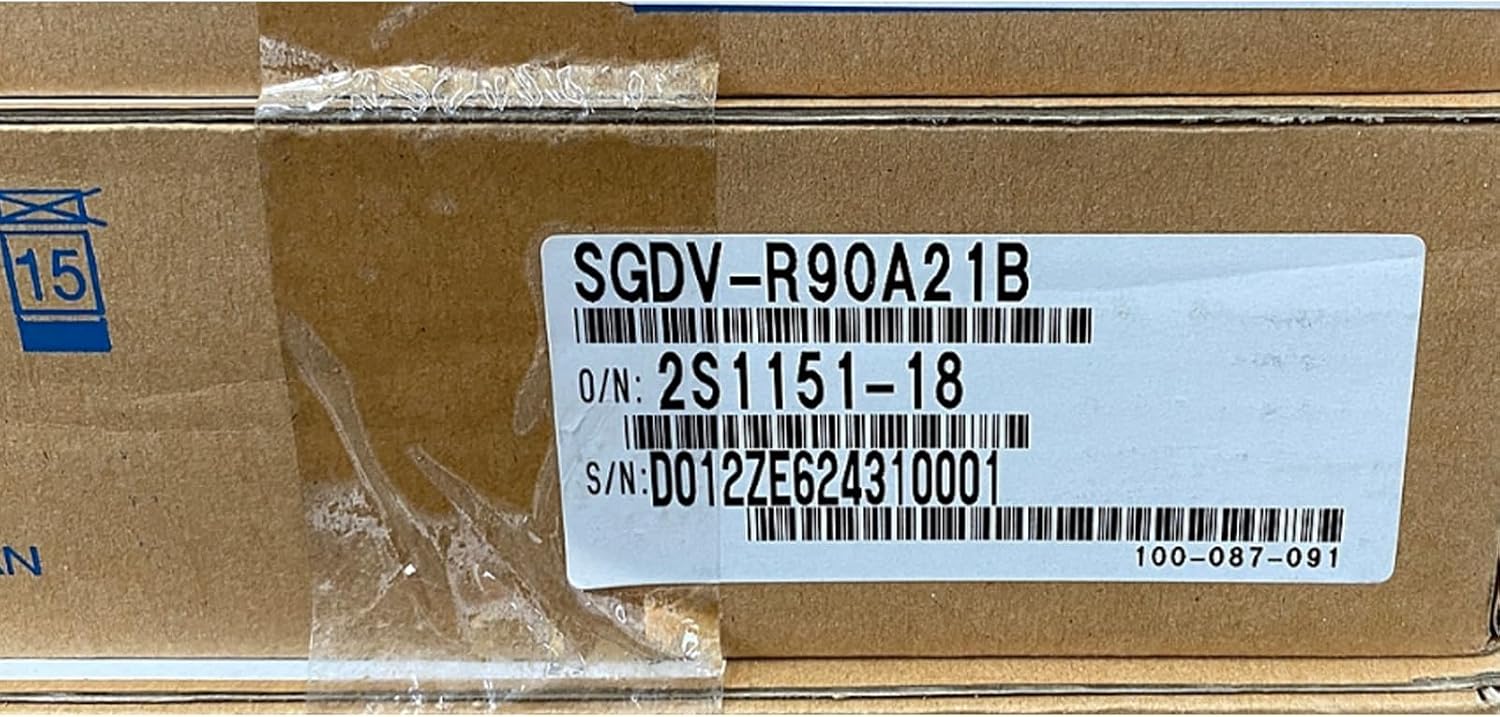
This image displays the product label on the packaging of the CungSu SGDV-R90A21B servo drive. The label clearly shows the model number SGDV-R90A21B, order number 2S1151-18, and serial number D012ZE624310001. A '15' symbol, likely indicating handling instructions, is also visible.
4. Operating Instructions
Once installed and wired, the servo drive can be operated. Specific operational parameters and control methods depend on the application and the connected control system. Refer to your system's integration guide for detailed programming and control instructions.
- Power On: Apply main power to the servo drive.
- Status Indicators: Monitor the status indicators (LEDs) on the drive for normal operation or fault conditions.
- Control Input: Provide control signals from your motion controller to initiate motor movement.
- Emergency Stop: Ensure the emergency stop circuit is functional and accessible.
5. Maintenance
Regular maintenance helps ensure the longevity and reliable operation of the servo drive.
- Cleaning: Periodically clean the exterior of the drive and ventilation openings to prevent dust accumulation. Use a soft, dry cloth.
- Inspection: Regularly inspect wiring connections for looseness or damage. Check for any signs of overheating or unusual noise.
- Environmental Check: Verify that the operating environment remains within specified conditions.
6. Troubleshooting
This section provides general guidance for common issues. For detailed diagnostics, consult the full technical manual or contact support.
| Symptom | Possible Cause | Action |
|---|---|---|
| Drive not powering on | No input power, faulty wiring | Check power supply and wiring connections. |
| Motor not moving | Incorrect control signals, motor wiring issue, fault condition | Verify control signals, check motor and encoder wiring, clear any fault codes. |
| Overheat warning | Insufficient ventilation, excessive load | Ensure proper airflow, reduce load if possible, check ambient temperature. |
7. Specifications
Key specifications for the CungSu SGDV-R90A21B Servo Drive:
- Product Number: SGDV-R90A21B
- Model: SGDV-R90A21B
- Order Number (O/N): 2S1151-18
- Serial Number (S/N): D012ZE624310001
- Manufacturer: CungSu
- ASIN: B0DSTN652L
- Product Status: New with Factory Seal.
- Date First Available: January 12, 2025
8. Warranty and Support
CungSu is committed to providing quality products and customer service. For any issues regarding the product or for technical assistance, please contact the seller or manufacturer directly.
Customer Service: We are devoted to providing excellent customer service.
About the Company: Realing is a company focused on factory automation business with a team of passionate engineers. If you have any issue regarding the product, you are most welcome to send us message.