
Introduction
This manual provides comprehensive instructions for the safe and efficient operation of your Generic Automatic Self-Cleaning Cat Litter Box, Model MSP-UKDZ-04, Type B. Please read this manual thoroughly before initial use and retain it for future reference. Proper installation, operation, and maintenance will ensure optimal performance and longevity of the device.
Safety Information
- Always place the litter box on a flat, stable surface.
- Do not immerse the unit in water or expose it to excessive moisture.
- Keep out of reach of small children and pets not intended to use the device.
- Use only the power adapter supplied with the unit.
- Unplug the device before cleaning or performing any maintenance.
- Ensure the litter box is suitable for your cat's weight (1 kg to 8 kg) and age (older than 6 months).
- Do not attempt to repair or modify the device yourself. Contact customer support for assistance.
Product Overview
The Generic Automatic Self-Cleaning Cat Litter Box is designed to simplify cat waste management with its automated features and smart controls.
Key Features:
- Automatic Self-Cleaning: Automatically removes waste, operable via touch screen or mobile application.
- Extra Large Capacity: 65-liter internal capacity with a 9-liter waste collection bin, suitable for cats weighing 1 kg to 8 kg and over 6 months old.
- App Control: Connects via 2.4 GHz Wi-Fi for remote operation and monitoring.
- Odor Removal System: Utilizes negative pressure and ion technology to eliminate odors and bacteria without consumables.
- Smart Litter Mat: Includes a lightweight, durable EVA rubber mat with a double-layer honeycomb design for efficient litter collection.
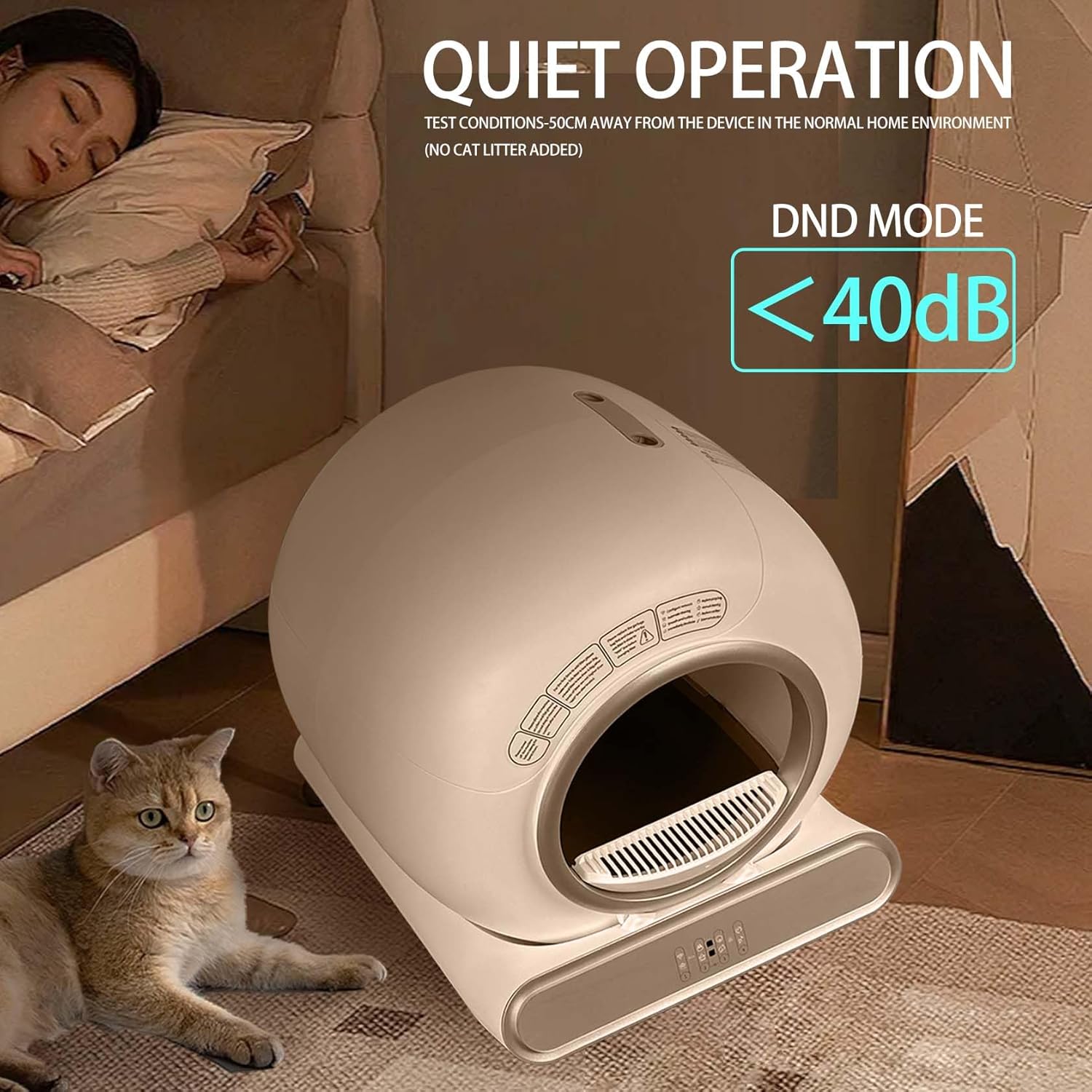
- Quiet Operation: Designed for minimal noise, operating below 40dB in DND (Do Not Disturb) mode.
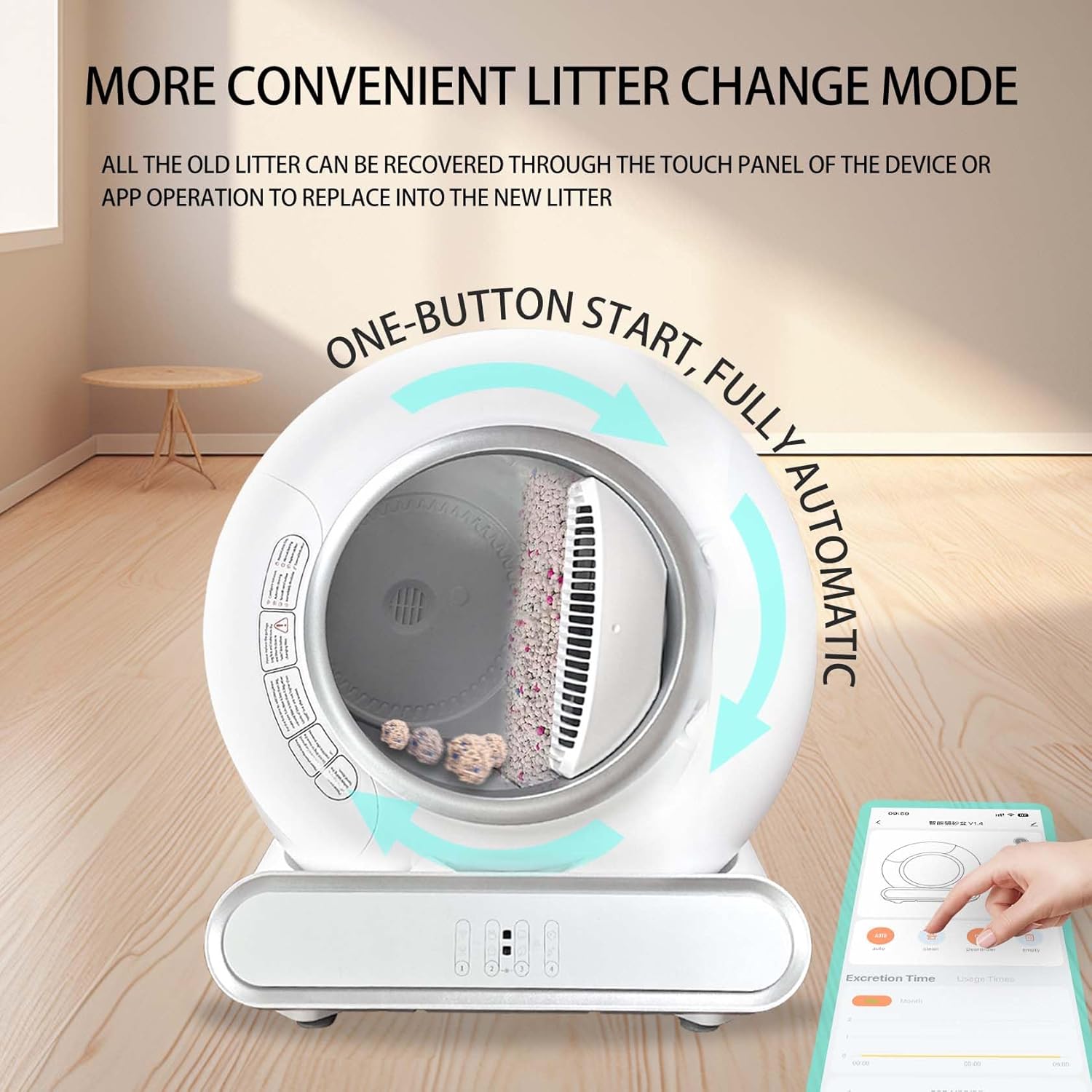
- Convenient Litter Change Mode: Allows for easy recovery of old litter via touch panel or app for replacement.
Setup
- Unpacking: Carefully remove all components from the packaging. Verify that all parts are present.
- Placement: Position the litter box on a level, stable surface in a well-ventilated area. Ensure there is sufficient space around the unit for access and air circulation.
- Litter Filling: Open the top cover or access panel (refer to diagram in the manual if available) and fill the litter compartment with a suitable type of cat litter (e.g., Tofu Sand, Mixed Sand, Bentonite Sand, Mineral Sand, Millet Sand). Do not overfill.
- Power Connection: Connect the power adapter to the litter box and then plug it into a standard electrical outlet.
- Initial Calibration: Upon first power-on, the device may perform an initial calibration cycle. Allow it to complete.
- App Installation (Optional): Download the companion app (search for "Smart Cat Litter Box" or refer to QR code on packaging/device) from your device's app store. Follow in-app instructions to connect the litter box to your 2.4 GHz Wi-Fi network.

Operating Instructions
Automatic Cleaning Cycle:
The litter box is designed to automatically detect when your cat has used it and initiate a cleaning cycle after a set delay. Waste is sifted and deposited into the internal waste bin.
Manual Cleaning:
- Via Touch Panel: Press the designated "Clean" button on the device's control panel to initiate a cleaning cycle manually.
- Via App: Open the companion app on your smartphone. Navigate to the device control screen and select the "Clean" option.
App Control and Monitoring:
The mobile application provides advanced control and monitoring features:
- Remote Cleaning: Initiate cleaning cycles from anywhere.
- Usage Tracking: Monitor toilet times and cat weight (if sensor equipped).
- Odor Control: Activate or adjust odor removal settings.
- Empty Waste Bin: Remotely trigger the waste bin emptying process.
- Scheduling: Set custom cleaning schedules.
- Notifications: Receive alerts for waste bin full, maintenance reminders, or unusual activity.

Odor Removal System:
The integrated odor removal system uses negative pressure and ion technology to neutralize odors and bacteria. This system operates automatically and does not require additional consumables.

Quiet Operation (DND Mode):
The device is designed to operate quietly, especially in DND (Do Not Disturb) mode, with noise levels below 40dB. This ensures minimal disruption in your home environment.
Maintenance
- Waste Bin Emptying: Regularly check and empty the 9-liter waste collection bin. The app may provide notifications when the bin is full.
- Litter Replacement: Periodically replace all cat litter. Use the "Litter Change Mode" via the touch panel or app to facilitate this process.
- Cleaning the Unit:
- Unplug the device before cleaning.
- Wipe the exterior surfaces with a damp cloth and mild detergent. Avoid abrasive cleaners.
- Clean the interior drum and sifting mechanism as needed. Ensure all parts are dry before reassembling and powering on.
- Litter Mat Cleaning: The included EVA rubber litter mat can be easily cleaned by shaking out collected litter and rinsing with water.

Troubleshooting
| Problem | Possible Cause | Solution |
|---|---|---|
| Device not powering on. | Power cable disconnected; no power from outlet. | Check power cable connection. Ensure outlet is functional. |
| Cleaning cycle not starting. | Waste bin full; sensor obstruction; manual mode not activated. | Empty waste bin. Clear any obstructions. Initiate cleaning manually via app or panel. |
| Odor persists. | Waste bin not emptied; odor system malfunction. | Empty waste bin. Ensure odor system vents are clear. If problem persists, contact support. |
| App not connecting to device. | Incorrect Wi-Fi password; device out of range; 5GHz Wi-Fi network. | Ensure correct 2.4 GHz Wi-Fi network is selected. Move device closer to router. Re-pair device in app. |
Specifications
- Brand: Generic
- Model Number: MSP-UKDZ-04
- Product Dimensions: 48 x 52 x 50.5 cm (Width x Depth x Height)
- Item Weight: 7.3 kg
- Material: Polypropylene (PP), Acrylonitrile Butadiene Styrene (ABS)
- Litter Box Capacity: 65 Liters
- Waste Bin Capacity: 9 Liters
- Target Species: Cat (1 kg to 8 kg, over 6 months old)
- Connectivity: 2.4 GHz Wi-Fi
- Odor Removal: Negative pressure, Ion technology
- Noise Level (DND Mode): < 40dB
Warranty and Support
For warranty information or technical support, please refer to the contact details provided with your purchase documentation or visit the manufacturer's official website. Please have your model number (MSP-UKDZ-04) and purchase date available when contacting support.