Introduction
Welcome to the user manual for your new AI Translation Wireless Earbuds, Model M97. These earbuds are designed to provide a premium audio experience with advanced features such as AI real-time translation, a clear LED battery indicator, and an ergonomic clip-on design for comfortable wear. This manual will guide you through the setup, operation, and maintenance of your earbuds to ensure optimal performance and longevity.
Key features include: AI Real-Time Translation with support for 134 languages (requires long-term subscription), a Digital LED Display on the charging case for battery monitoring, an Ergonomic Clip-on Design for secure and comfortable fit, a Sleek Metallic Purple Charging Case for protection and power, Seamless Bluetooth 5.4 Connectivity, and a Portable, Lightweight Design perfect for everyday use and travel.
What's in the Box
Please check the contents of your package to ensure all items are present:
- AI Translation Wireless Earbuds (M97)
- Charging Case
- User Manual (this document)
- Ear Cushions
Product Overview
Familiarize yourself with the components of your AI Translation Wireless Earbuds and their charging case.

Image: The AI Translation Wireless Earbuds (M97) resting in their metallic purple charging case. The case features a prominent LED digital display on the front, showing "100" indicating a full charge. The earbuds themselves are a matching metallic purple, designed with a clip-on style.

Image: A visual representation highlighting the "Wireless TWS Open Music" features of the earbuds. Key benefits shown are Spatial sound effects, Wireless 5.4 connectivity, and Comfortable wearing. Insets detail "SSOVP Extreme" for enhanced sound and "Polumer diaphragm" for high fidelity audio.

Image: A person wearing one of the purple earbuds, demonstrating the speech noise reduction capability. Text indicates "Speech noise reduction, The voice is clearer," and highlights "DENOISE Digital denoising" to significantly improve voice clarity during calls.

Image: Illustrates the "Open ear Comfortable listening" design. The text emphasizes that the earbuds are "Lightweight, not tiring to wear for a long time" and offer "Better protection of ear canal health." An accompanying graphic shows an ear with the earbud, noting it's "Unable to shake off wildly."

Image: A close-up graphic of an ear with the earbud, demonstrating "Accurate in ear insertion, Strict and leak free sound." It highlights "The eighth generation directional transmission technology" and how "Reverse sound wave reduces sound leakage," with a "DIRECTIN TONE Directional transmission" logo.

Image: A stylized image of the two earbuds floating in a bubble-like environment, conveying a "Cloud feeling wearing, Light to imperceptible" experience. The description states, "Optimize the weight and size of the earphones, Bring a comfortable zero pressure experience."
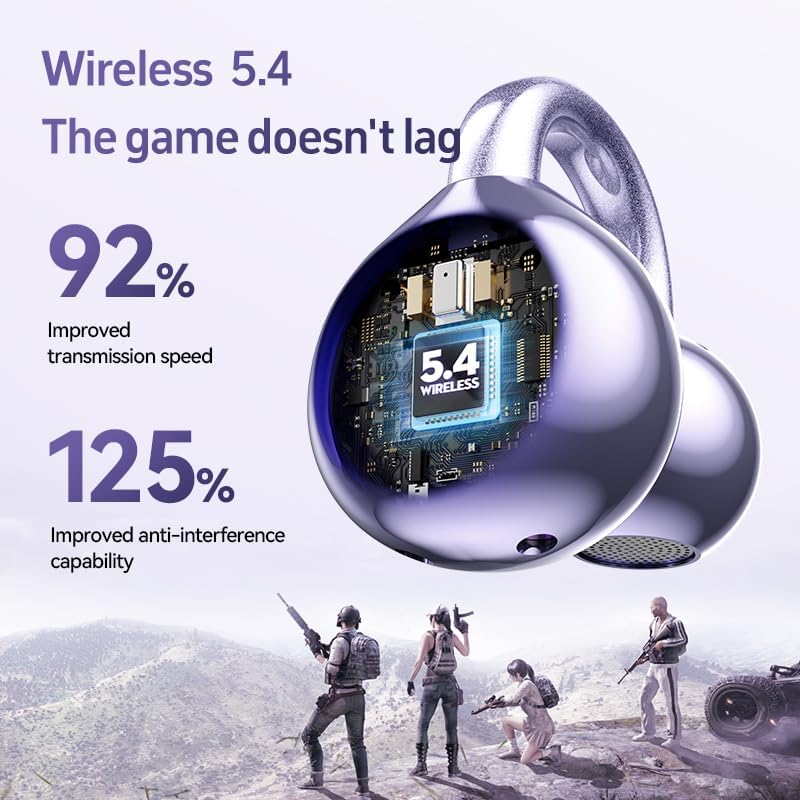
Image: A detailed close-up of the earbud's internal speaker component, illustrating "Listen to new voices, Dolby Atmos Space Sound Effects." It mentions a "Newly developed three-layer composite horn, Bringing an enhanced spatial sound experience."

Image: A graphic showcasing the "Wireless 5.4" technology, emphasizing "The game doesn't lag." It highlights a "92% Improved transmission speed" and "125% Improved anti-interference capability," with a background depicting gamers.
Setup
1. Charging the Earbuds and Case
Before first use, fully charge the earbuds and the charging case. The charging case features an LED digital display that shows the remaining battery percentage.
- Place the earbuds into the charging case. Ensure they are correctly seated to make contact with the charging pins.
- Connect the charging case to a USB power source using a compatible charging cable (not included).
- The LED display on the case will show the charging progress. A full charge for the case takes approximately 1 hour, and for the earbuds, it also takes about 1 hour.
- Once fully charged, the display will show "100" or indicate a full charge, and the charging indicator may turn off.
2. Pairing with Your Device
The earbuds use Bluetooth 5.4 for seamless wireless connectivity.
- Ensure the earbuds are charged and inside the charging case.
- Open the charging case. The earbuds will automatically enter pairing mode, indicated by a flashing light on the earbuds (if applicable, refer to visual cues on earbuds).
- On your smartphone, tablet, or laptop, go to the Bluetooth settings.
- Turn on Bluetooth and search for available devices.
- Select "M97" or the corresponding device name from the list.
- Once connected, you will hear a confirmation tone, and the earbud indicator lights will stop flashing.
- The earbuds will automatically reconnect to the last paired device when taken out of the case, if Bluetooth is enabled on the device.
Operating Instructions
Wearing the Earbuds
The M97 earbuds feature an ergonomic clip-on design for a secure and comfortable fit. Gently place the earbud over your ear, ensuring the clip-on part rests comfortably and securely. Adjust for optimal sound and comfort.
Power On/Off
- Power On: The earbuds automatically power on when removed from the charging case.
- Power Off: Place the earbuds back into the charging case to automatically power them off and begin charging.
AI Translation Feature
These earbuds support AI real-time translation for 134 languages. To utilize this feature, you will need a long-term subscription to the associated AI Translator service. Please refer to the specific instructions provided with your subscription or the dedicated translation application for detailed usage of the AI translation function.
Touch Controls
The M97 earbuds feature precise touch controls for easy operation. The touch sensitive area is located on the outer surface of each earbud.

Image: A diagram illustrating the touch control functions on the earbuds. It shows the touch sensitive area and lists various gestures and their corresponding actions.
| Gesture | Function |
|---|---|
| Long press (Left/Right Earbud) | Up/Down Song (Next/Previous Track) |
| Double click (Left/Right Earbud) | Pause/Play Music |
| Long press (Left/Right Earbud during call) | Reject Incoming Calls |
| Double click (Left/Right Earbud during call) | Answer/Hang Up Call |
| Double click (Left/Right Earbud) | +/- Volume (Volume Up/Down) |
| Three strikes (Triple tap) (Left/Right Earbud) | Activate Voice Assistant |
Maintenance
Proper maintenance will extend the lifespan of your earbuds.
- Cleaning: Regularly clean the earbuds and charging case with a soft, dry, lint-free cloth. Do not use abrasive cleaners or solvents. Gently clean the charging contacts on both the earbuds and the case to ensure proper charging.
- Water Resistance: The earbuds are rated as Water Resistant. This means they can withstand splashes of water, sweat, and light rain. They are not designed for submersion in water or for use during swimming or showering. Avoid exposing them to high-pressure water or extreme humidity.
- Storage: When not in use, always store the earbuds in their charging case to protect them from dust, dirt, and physical damage. Store in a cool, dry place away from direct sunlight and extreme temperatures.
- Battery Care: To preserve battery life, avoid fully draining the battery frequently. Charge the earbuds and case regularly, even if not in constant use.
Troubleshooting
If you encounter any issues with your earbuds, try the following solutions:
No Sound or Intermittent Connection
- Ensure the earbuds are fully charged.
- Check that Bluetooth is enabled on your device and the earbuds are connected.
- Move the earbuds closer to your device to ensure they are within the 10-meter Bluetooth range.
- Try disconnecting and re-pairing the earbuds with your device.
- Restart your audio source device (smartphone, tablet, etc.).
Earbuds Not Charging
- Ensure the charging cable is securely connected to both the case and the power source.
- Verify that the power source is active.
- Clean the charging contacts on both the earbuds and inside the charging case with a dry cotton swab.
- Ensure the earbuds are correctly seated in the charging case.
Touch Controls Not Responding
- Ensure your fingers are clean and dry when using the touch controls.
- Try restarting the earbuds by placing them back in the case and then taking them out again.
AI Translation Not Working
- Confirm you have an active subscription to the AI Translator service.
- Ensure your device has an active internet connection.
- Check the settings within the dedicated translation application.
Specifications
Detailed technical specifications for the AI Translation Wireless Earbuds M97:
| Feature | Detail |
|---|---|
| Model Name | AI clip-on earbuds (M97) |
| Brand | Generic |
| Connectivity Technology | Wireless, Bluetooth |
| Wireless Communication Technology | Bluetooth 5.4 |
| Bluetooth Range | 10 Meters |
| Ear Placement | Open Ear |
| Earpiece Shape | Clip-on type |
| Noise Control | Active Noise Cancellation |
| Sensitivity | 98 dB |
| Frequency Range | 20Hz - 20,000Hz |
| Impedance | 16 Ohm |
| Audio Driver Type | Dynamic Driver |
| Audio Driver Size | 14.2 Millimeters |
| Audio Latency | 50 Milliseconds |
| Control Type | Touch Control |
| Charging Time (Earbuds) | 1 Hour |
| Carrying Case Battery Average Life | 3 Hours |
| Carrying Case Battery Charging Time | 1 Hour |
| Carrying Case Dimensions | 64mm (L) x 49mm (W) x 30mm (H) |
| Carrying Case Weight | 37 Grams |
| Item Weight (Earbuds) | 0.2 Ounces (approx. 5.67 grams) |
| Material | Silicone, Plastic |
| Color | Purple |
| Water Resistance Level | Water Resistant |
| Manufacturer | Shenzhen Haima Technology Co., Ltd |
| Compatible Devices | Smartphones, Tablets, Laptops |
| Recommended Uses | Music, AI translation, Calling, Gaming |
Warranty and Support
For warranty information and customer support, please refer to the documentation provided at the time of purchase or contact the retailer where you purchased the product. You may also visit the manufacturer's official website for the latest support resources and contact details.
Please retain your proof of purchase for any warranty claims.


