
Introduction
This manual provides essential information for the proper installation, operation, and maintenance of the CungSu IC693DSM314 Servo Controller. Please read this manual thoroughly before using the product to ensure safe and efficient operation. The IC693DSM314 is designed for industrial automation applications, functioning as a critical component in control systems.
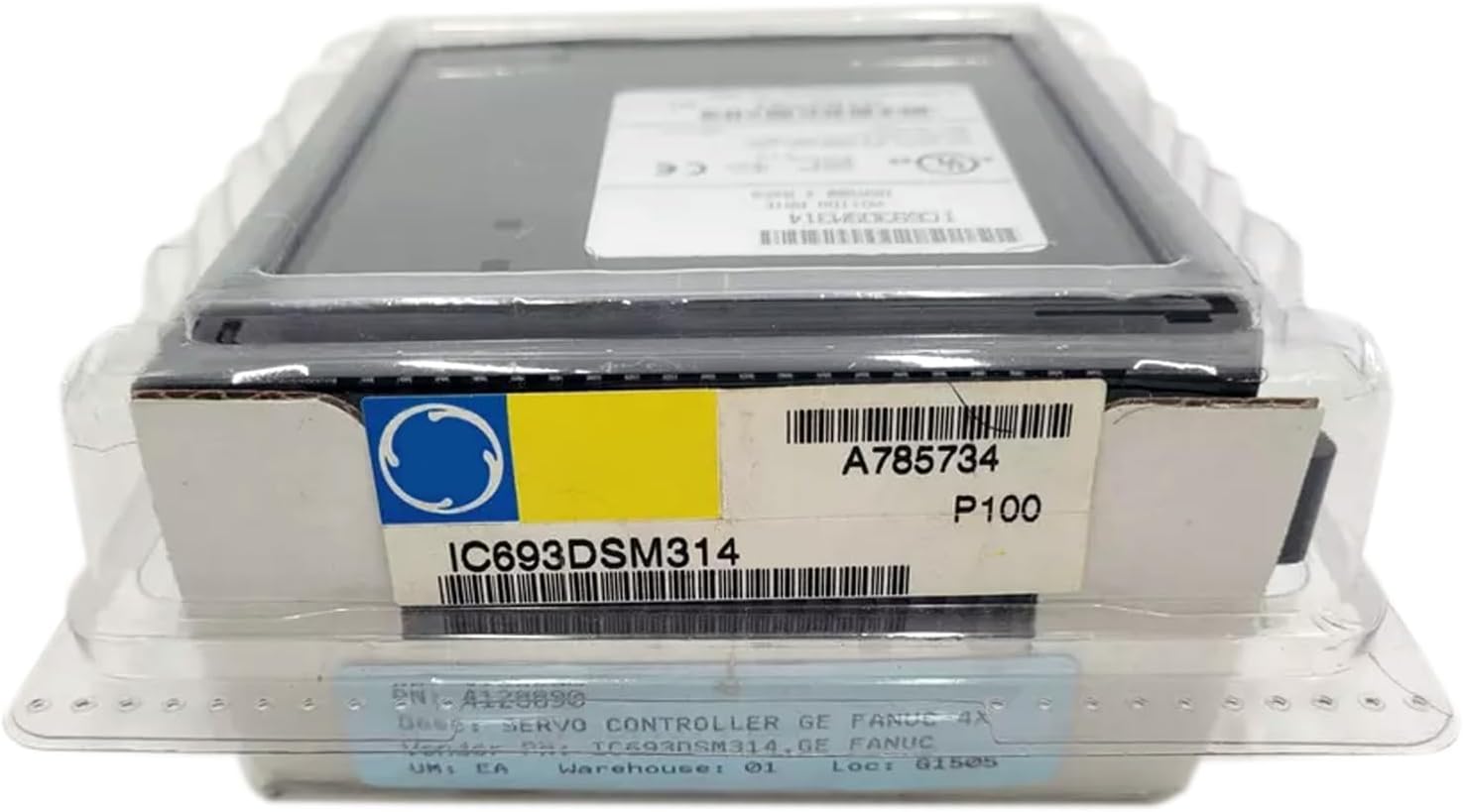
Figure 1: The CungSu IC693DSM314 Servo Controller, new and sealed in its original packaging. The packaging includes a label with the model number 'IC693DSM314' and other identification details.
Setup
1. Unpacking and Inspection
Carefully remove the IC693DSM314 from its packaging. Inspect the unit for any signs of physical damage that may have occurred during transit. Verify that the part number IC693DSM314 matches your order. If any damage or discrepancies are found, contact your supplier immediately.
2. Environmental Considerations
Install the servo controller in an environment that meets the specified operating conditions. Ensure adequate ventilation to prevent overheating. Avoid locations with excessive dust, moisture, corrosive gases, or vibrations.
3. Mounting
Mount the IC693DSM314 securely within the control panel or enclosure using appropriate fasteners. Refer to the system's overall design for specific mounting orientations and spacing requirements to ensure proper heat dissipation and accessibility.
4. Electrical Connections
All electrical connections must be performed by qualified personnel in accordance with local and national electrical codes. Ensure power is disconnected before making any connections. Connect power supply, input/output signals, and communication cables as per the system's wiring diagrams. Double-check all connections for correct polarity and secure fastening.
Operating
1. Power-Up Sequence
After all connections are verified, apply power to the system. Observe any indicator lights on the IC693DSM314 for normal operation status. Refer to the system's programming manual for initial configuration and parameter settings.
2. Functional Overview
The IC693DSM314 functions as a servo controller, managing the precise movement and positioning of servo motors within an automated system. Its operation is typically controlled by a Programmable Logic Controller (PLC) or other host control system via communication interfaces.
3. Monitoring
Regularly monitor the status of the servo controller and associated components during operation. Pay attention to any error indicators or unusual behavior. System diagnostics can often provide valuable information regarding operational status.
Maintenance
1. Routine Inspection
Periodically inspect the IC693DSM314 and its connections for signs of wear, corrosion, or loose wiring. Ensure that the mounting remains secure. The frequency of inspection should be determined by the operating environment and application demands.
2. Cleaning
Keep the unit clean and free from dust and debris. Use a soft, dry cloth for cleaning. Do not use harsh chemicals or abrasive materials. Ensure power is disconnected before cleaning.
3. Firmware Updates
If firmware updates are available, follow the manufacturer's instructions carefully. Incorrect firmware updates can lead to operational issues or damage to the unit.
Troubleshooting
This section provides general guidance for common issues. For detailed troubleshooting, refer to the specific system documentation or contact technical support.
- No Power: Check power supply connections, circuit breakers, and fuses. Verify input voltage.
- Error Indicators: Consult the system's diagnostic manual for the meaning of specific error codes or indicator light patterns.
- Communication Issues: Verify communication cable integrity and proper configuration settings (e.g., baud rate, protocol).
- Unexpected Behavior: Review system programming and parameter settings. Ensure all components are compatible and correctly configured.
If issues persist after basic troubleshooting, contact CungSu customer service for assistance.
Specifications
| Feature | Detail |
|---|---|
| Part Number | IC693DSM314 |
| Product Status | New with Factory Seal |
| Manufacturer | CungSu |
| ASIN | B0DST41GLF |
| Date First Available | January 11, 2025 |
Warranty Information
The CungSu IC693DSM314 Servo Controller is provided with a warranty. For specific terms and conditions of the warranty, please refer to the documentation included with your purchase or contact CungSu customer service. The warranty typically covers defects in materials and workmanship under normal use.
Support
CungSu is committed to providing excellent customer service. If you have any questions, require technical assistance, or encounter any issues with your IC693DSM314 Servo Controller, please do not hesitate to contact us. Our team of engineers is available to assist you.
For support, please refer to the contact information provided with your product or visit the official CungSu website.