
AIYAPLAY 370-375V90BU
AIYAPLAY 12V Electric Quad for Kids - Model 370-375V90BU
Instruction Manual
1. Introduction
Thank you for choosing the AIYAPLAY 12V Electric Quad. This manual contains important information regarding the safe assembly, operation, and maintenance of your product. Please read it thoroughly before use and retain it for future reference. This electric quad is designed to provide a fun and engaging experience for children aged 3 to 5 years, offering a maximum speed of 5 km/h and a realistic driving feel.
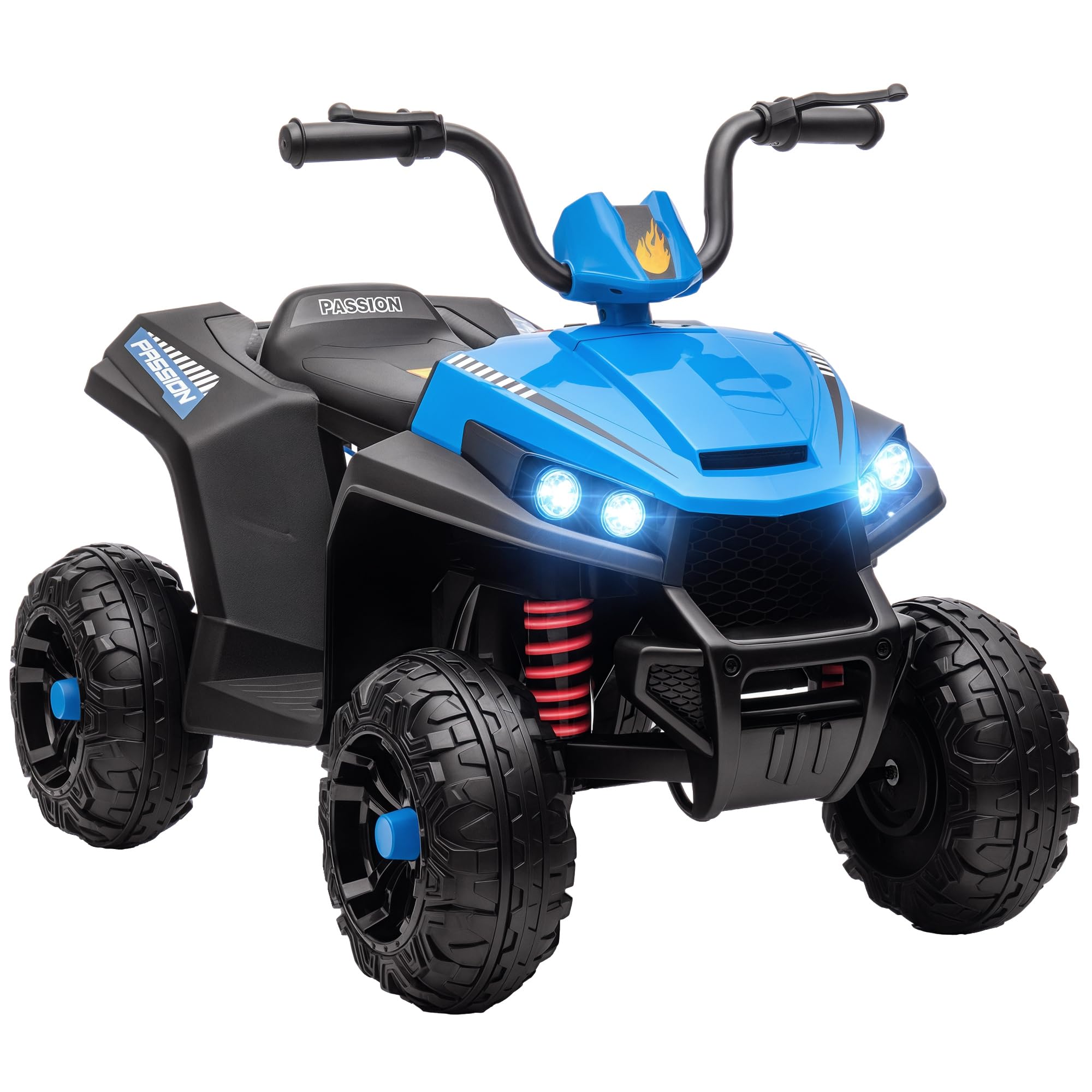
The AIYAPLAY 12V Electric Quad in blue, featuring a child enjoying a ride outdoors.
Safety Warnings
- Always use under direct adult supervision.
- Ensure the child wears appropriate safety gear, including a helmet.
- Do not use on public roads, near motor vehicles, or on steep inclines.
- Keep hands, hair, and clothing away from moving parts.
- Maximum weight capacity is 30 kg. Do not exceed this limit.
- Recommended age for use is 37-60 months.
2. Setup and Assembly
The AIYAPLAY Electric Quad requires assembly. Please follow the instructions carefully. All necessary components are included in the package.
Components Included:
- Seat
- Handlebars
- Lights
- Motor
- Wheels
- Charger
- Assembly Hardware
Assembly Steps:
- Unpack all components and verify against the included parts list.
- Attach the wheels to the quad body, ensuring they are securely fastened.
- Install the handlebars, making sure they are aligned and tightened.
- Connect any necessary wiring for lights and motor as per the detailed diagram in the separate assembly guide.
- Secure the seat in place.
- Perform an initial charge of the battery before first use.

An illustration detailing the overall dimensions of the quad: 85 cm length, 55.5 cm width, and 62 cm height.
3. Operating Instructions
This section details how to operate your AIYAPLAY Electric Quad safely and effectively.
Starting the Quad:
- Ensure the battery is fully charged.
- Turn the power switch to the 'ON' position.
- Select the desired direction (Forward or Reverse) using the switch on the dashboard.
- Press the foot pedal to accelerate. Release the pedal to brake.

The quad's control panel, including the forward/reverse switch, LED light controls, and integrated MP3 player for entertainment.
Features:
- Speed: The quad operates at a maximum speed of 5 km/h.
- Forward and Reverse: A switch on the dashboard allows for easy selection between forward and reverse gears.
- LED Headlights: Two functional LED headlights provide a realistic driving experience and improved visibility.
- MP3 Function: An integrated MP3 player with two light music options provides entertainment during rides.
- Battery Indicator: A battery indicator on the dashboard shows the current charge level.
- All-Wheel Spring Suspension: Ensures a smooth and comfortable ride on various outdoor surfaces.

Detailed view of the quad's front, showcasing bright LED headlights and the robust spring suspension system for a smooth ride.

The durable wheels of the quad are designed for excellent traction on multiple surfaces, including cement, brick paths, gravel, and asphalt.

The dashboard features a clear battery level indicator and an MP3 function with built-in music options for extended playtime.
Official Product Videos:
This video demonstrates the AIYAPLAY Electric Quad in action, showcasing its features and a child enjoying the ride. It highlights the ease of use and the fun experience it provides.
An official AIYAPLAY video showing the electric quad's design and functionality, emphasizing its suitability for children and outdoor play.
4. Maintenance
Regular maintenance ensures the longevity and safe operation of your electric quad.
- Cleaning: Wipe the quad with a damp cloth. Do not use harsh chemicals or abrasive cleaners. Avoid spraying water directly onto electrical components.
- Battery Care: Charge the battery fully after each use. If storing for an extended period, charge the battery every 3 months to maintain its health.
- Tire Inspection: Regularly check the tires for wear and tear. Ensure they are free from debris that could affect performance.
- General Inspection: Periodically check all screws, nuts, and bolts to ensure they are tight. Inspect for any damaged or worn parts and replace them as necessary.
5. Troubleshooting
If you encounter any issues with your AIYAPLAY Electric Quad, refer to the following common problems and solutions.
| Problem | Possible Cause | Solution |
|---|---|---|
| Quad does not move | Low battery; Loose connection; Power switch off | Charge battery; Check all connections; Turn power switch on |
| Slow movement | Low battery; Overload; Rough terrain | Charge battery; Reduce load; Move to smoother surface |
| Lights not working | Loose wiring; Damaged bulb | Check wiring connections; Replace bulb if necessary |
| MP3 not playing | Volume too low; Incorrect mode selected | Adjust volume; Cycle through MP3 modes |
If the problem persists after attempting these solutions, please contact customer support.
6. Specifications
Detailed technical specifications for the AIYAPLAY 12V Electric Quad.
| Feature | Detail |
|---|---|
| Model Number | 370-375V90BU |
| Dimensions (LxWxH) | 85 x 55.5 x 62 cm |
| Product Weight | 9.5 kg |
| Maximum Supported Weight | 30 kg |
| Recommended Age | 37-60 months (3-5 years) |
| Speed | 5 km/h |
| Battery | 12V (included) |
| Material | Metal, Plastic |
| Assembly Required | Yes |
| Certifications | EN71-1-2-3, EN62115 |
7. Warranty and Support
Your AIYAPLAY Electric Quad comes with a manufacturer's warranty to ensure your peace of mind.
Warranty Information:
This product is covered by a 3-year manufacturer's warranty from the date of purchase. The warranty covers defects in materials and workmanship under normal use. It does not cover damage caused by misuse, accidents, unauthorized modifications, or normal wear and tear.
Customer Support:
For any questions, technical assistance, or warranty claims, please contact AIYAPLAY customer support through your retailer or the official AIYAPLAY website. Please have your model number (370-375V90BU) and proof of purchase ready when contacting support.
Ask a question about this manual
Ask about setup, troubleshooting, compatibility, parts, safety, or missing instructions. Manuals+ will review the question and use this page’s manual context to help answer it.