
1. Introduction
This manual provides essential information for the proper setup, operation, and maintenance of your TERENCE Portable 88-Key Semi-Weighted Foldable Digital Piano Keyboard V20. This instrument features 88 semi-weighted keys, a foldable design for portability, dual 5W high-fidelity speakers, Bluetooth and MIDI connectivity, and a comprehensive sound library. Please read this manual thoroughly before using the product to ensure optimal performance and longevity.
2. Setup
2.1 Unpacking and Inspection
Carefully remove all components from the packaging. Verify that all items listed below are present and undamaged:
- TERENCE V20 Digital Piano
- Sustain Pedal
- Music Stand
- Power Adapter
- USB Charging Cable
- User Manual

Included accessories: sustain pedal, music stand, power adapter, and charging cable.
2.2 Assembling the Piano
The TERENCE V20 features a foldable design. To set up the piano:
- Place the folded piano on a flat, stable surface.
- Gently unfold the two halves of the keyboard until they lock securely into place. Ensure the mechanical buckle anti-pinch design is engaged to prevent accidental folding during use.
- Attach the included music stand into the designated slot on the top panel of the piano.

The 180-degree folding design allows for compact storage and portability.
2.3 Power Connection and Charging
Connect the power adapter to the DC IN port on the piano and plug it into a standard electrical outlet. The internal lithium polymer battery will begin charging. A full charge provides approximately 5 hours of playing time. The piano can be operated while charging.
2.4 Sustain Pedal Connection
Insert the sustain pedal cable into the 'SUS' port located on the rear panel of the piano. The sustain pedal allows for expressive performances by extending the decay of notes.
3. Operating Instructions
3.1 Power On/Off and Volume Control
- To power on, press and hold the Power button until the indicator light illuminates.
- To power off, press and hold the Power button until the indicator light turns off.
- Adjust the master volume using the 'Vol' buttons (+/-) on the control panel.
3.2 Voice and Rhythm Selection
The TERENCE V20 offers 27 premium voices and 128 rhythmic accompaniments.
- Use the 'Tone' button to cycle through available instrument voices.
- Use the 'Rhythm' button to select from various rhythmic accompaniments.
3.3 Metronome and Recording Functions
- Activate the metronome function by pressing the dedicated Metronome button. Adjust tempo as needed.
- To record your performance, press the Record button. Press it again to stop recording. Playback can be initiated via the Play button.
3.4 Bluetooth and MIDI Connectivity
The piano supports Bluetooth for wireless connection to mobile devices and MIDI for connection to other musical equipment or software.
- Bluetooth: Activate Bluetooth on the piano and your mobile device. Select 'TERENCE V20' from your device's Bluetooth settings to pair. This enables connectivity with free mobile apps for learning and expanded functionality.
- MIDI: Connect the piano to a computer or MIDI-enabled device using a USB cable. This allows the piano to function as a MIDI controller, expanding your sonic palette and creative options.

Bluetooth and MIDI functions allow connection to various music applications for expanded creativity.
3.5 Headphone and External Speaker Use
For private practice, connect standard headphones to the headphone jack. For amplified sound, connect external speakers to the appropriate output port. The piano features an enhanced 5W dual-speaker sound system for clear audio output.
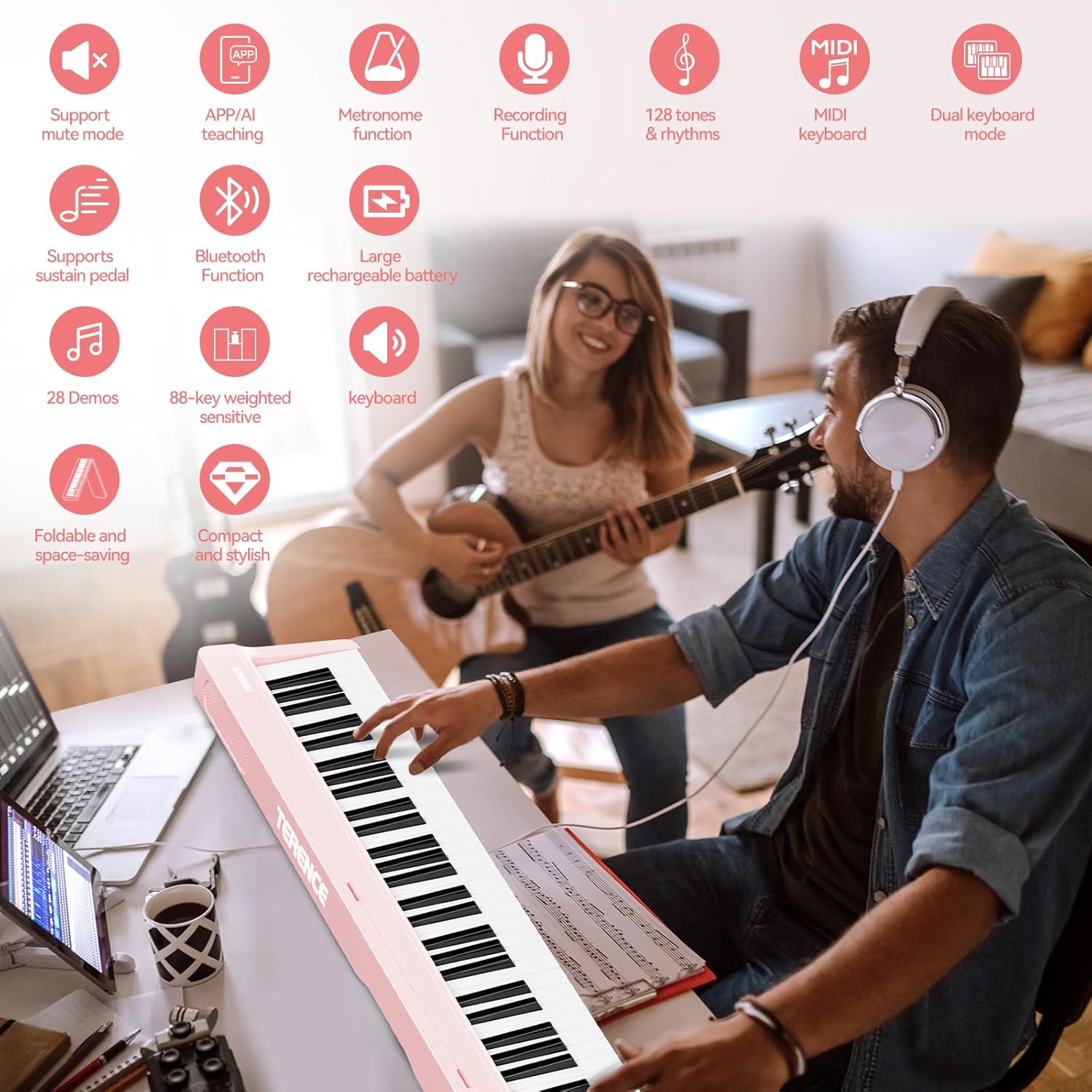
Connecting headphones for private practice or external speakers for amplified sound.
Demonstration of the TERENCE V20's features, including folding, weighted keys, and connectivity.
4. Maintenance
4.1 Cleaning
To clean the piano, use a soft, dry cloth. For stubborn dirt, slightly dampen the cloth with water and a mild soap solution, then wipe dry immediately. Avoid using abrasive cleaners, solvents, or waxes, as these can damage the finish.
4.2 Battery Care
To prolong battery life, avoid fully discharging the battery frequently. If storing the piano for an extended period, ensure the battery is charged to approximately 50-70% and recharge it every few months.
4.3 Storage
Store the piano in a cool, dry place away from direct sunlight, extreme temperatures, and high humidity. When not in use, it is recommended to fold the piano and store it in its carrying case to protect it from dust and physical damage.
5. Troubleshooting
5.1 No Sound Output
- Check if the piano is powered on.
- Ensure the volume is turned up.
- If headphones are connected, disconnect them to check if sound plays through the internal speakers.
- If external speakers are used, verify their power and connections.
5.2 Bluetooth Connectivity Issues
- Ensure Bluetooth is enabled on both the piano and your mobile device.
- Make sure the piano is not already paired with another device.
- Try restarting both the piano and your mobile device.
- Move closer to the piano to ensure a strong signal.
5.3 Keys Not Responding
- Ensure the piano is powered on and not in a 'mute' mode.
- If only certain keys are affected, contact customer support.
6. Specifications
| Model Name | V20 |
| Brand | TERENCE |
| Instrument Type | Digital Piano |
| Number of Keys | 88 |
| Key Type | Semi-Weighted, Hammer-Action with Wood-Grain Texture |
| Connectivity Technology | Bluetooth, USB, MIDI |
| Voices | 27 Premium Voices |
| Rhythms | 128 Rhythmic Accompaniments |
| Speakers | Dual 5W High-Fidelity Speakers |
| Battery | 1 Lithium Polymer (5-hour rechargeable) |
| Item Weight | 14.97 pounds |
| Package Dimensions | 31.5 x 11.5 x 8 inches |
| Special Features | Built-In Speaker, Headphone Jack, Portable, Rechargeable, Foldable Design |
7. Warranty and Support
For information regarding the product warranty, including coverage details and duration, please refer to the warranty card included in your product packaging or contact TERENCE customer support directly. Keep your purchase receipt as proof of purchase for any warranty claims.
For technical assistance or further inquiries, please visit the official TERENCE website or contact their customer service department through the contact information provided with your product.