
1. Introduction
Thank you for choosing the CungSu FR-F820-0.75K-1 industrial component. This manual provides essential information for the safe and efficient installation, operation, and maintenance of your new device. Please read this manual thoroughly before using the product and keep it for future reference.
The FR-F820-0.75K-1 is designed for integration into factory automation systems, offering reliable performance as an internal component. Its robust design ensures durability in demanding industrial environments.
2. Safety Information
WARNING: Improper installation or operation can lead to serious injury or equipment damage. Always follow these safety guidelines:
- Ensure all power is disconnected before installation, wiring, or maintenance.
- Only qualified personnel should install, operate, or service this equipment.
- Verify that the power supply voltage matches the product's specifications.
- Protect the unit from moisture, dust, and extreme temperatures.
- Do not operate the unit if it appears damaged.
- Proper grounding is essential to prevent electrical shock.
3. Package Contents
Upon opening the package, please verify that all items are present and in good condition. The standard package for the FR-F820-0.75K-1 includes:
- 1 x CungSu FR-F820-0.75K-1 Industrial Component (New with Factory Seal)
- 1 x Instruction Manual (this document)
If any items are missing or damaged, please contact your supplier immediately.
4. Setup
The FR-F820-0.75K-1 is designed for integration into existing industrial control panels or systems. Follow these general steps for setup:
- Mounting: Securely mount the FR-F820-0.75K-1 within the designated enclosure or panel using appropriate fasteners. Ensure adequate ventilation space around the unit.
- Wiring: Connect the power supply and control signals according to the wiring diagram provided with your system documentation. Pay close attention to polarity and terminal designations. Ensure all connections are tight and secure.
- Grounding: Connect the unit to a reliable earth ground using the designated grounding terminal. This is critical for safety and proper operation.
- Initial Inspection: Before applying power, visually inspect all connections to ensure they are correct and free from shorts or loose wires.
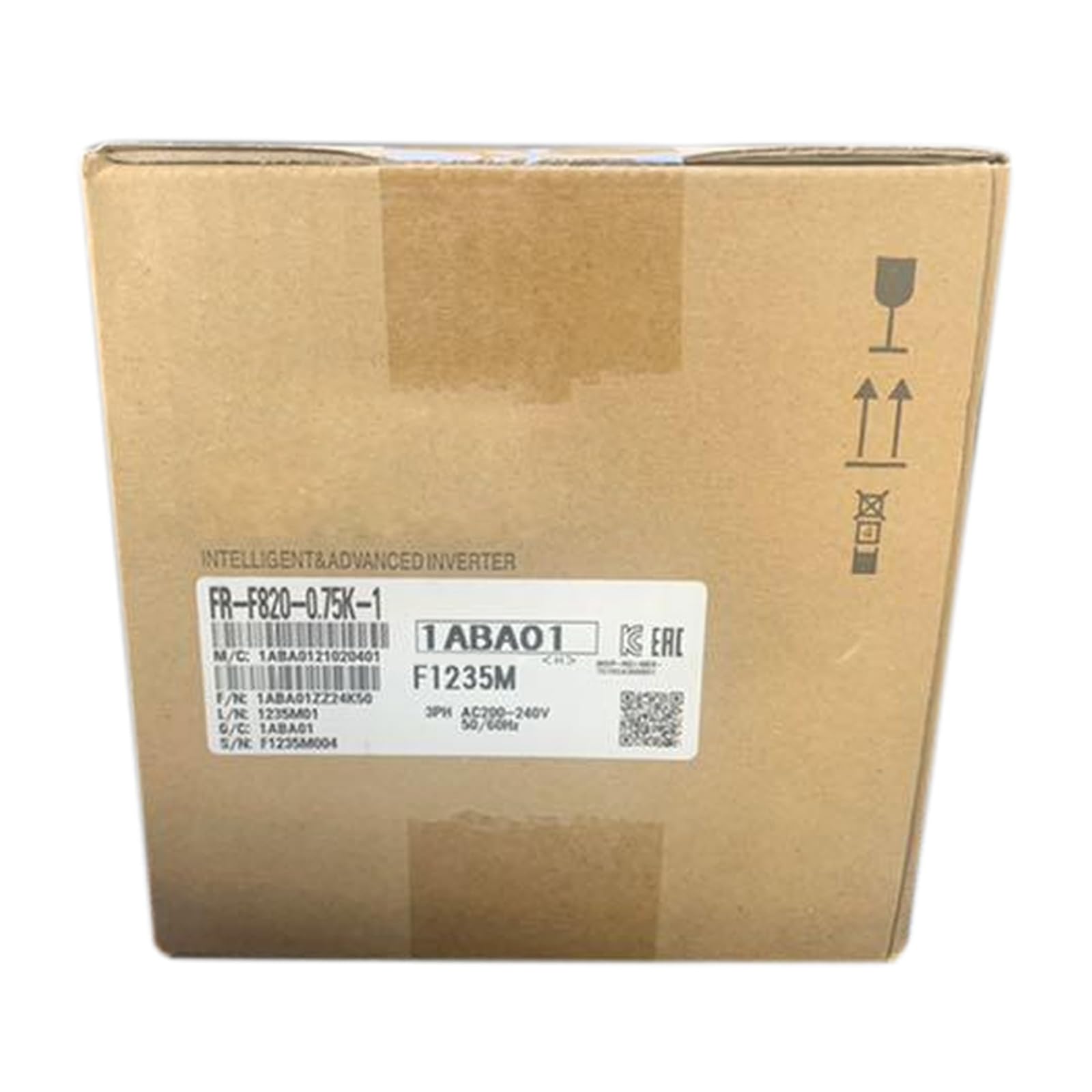
Figure 1: CungSu FR-F820-0.75K-1 industrial component. This image shows the general appearance of the unit, highlighting its compact design for integration into automation systems.
5. Operating Instructions
Once the FR-F820-0.75K-1 is properly installed and wired, it is ready for operation within your automation system. Specific operational parameters will depend on your system's configuration and the application requirements.
- Power On: Apply power to the system. Observe any indicator lights on the FR-F820-0.75K-1 to confirm it is receiving power and initializing correctly.
- System Integration: The unit typically communicates with a central controller (e.g., PLC) or other components in the automation chain. Refer to your system's programming and integration guides for specific commands and data exchange protocols.
- Monitoring: Monitor the system's performance and the status of the FR-F820-0.75K-1 through your control interface. Ensure it is operating within expected parameters.
- Power Off: To power down, follow your system's shutdown procedure. Disconnect power only after the system has safely shut down.
6. Maintenance
Regular maintenance helps ensure the longevity and reliable operation of your FR-F820-0.75K-1. Always disconnect power before performing any maintenance.
- Cleaning: Periodically clean the exterior of the unit with a soft, dry cloth. Do not use liquid cleaners or solvents. Ensure ventilation openings are free from dust and debris.
- Connection Checks: Annually, or as part of your system's maintenance schedule, inspect all wiring connections for tightness and signs of wear or corrosion. Re-tighten if necessary.
- Environmental Control: Ensure the operating environment remains within the specified temperature and humidity ranges to prevent premature component failure.
7. Troubleshooting
If you encounter issues with your FR-F820-0.75K-1, refer to the following basic troubleshooting steps. For complex problems, contact technical support.
| Problem | Possible Cause | Solution |
|---|---|---|
| Unit does not power on | No power supply; Loose wiring; Blown fuse (external) | Check power source; Verify all wiring connections; Inspect external fuses. |
| Incorrect operation/No response | Incorrect wiring; Configuration error; Communication issue | Review wiring diagram; Check system configuration; Verify communication settings with controller. |
| Overheating | Insufficient ventilation; High ambient temperature; Overload | Ensure proper airflow; Reduce ambient temperature; Check load on the unit. |
8. Specifications
Key specifications for the CungSu FR-F820-0.75K-1 are as follows:
- Product Number: FR-F820-0.75K-1
- Product Status: New with Factory Seal
- Manufacturer: CungSu
- ASIN: B0DSS2W69K
- Date First Available: January 11, 2025
- Further technical specifications (e.g., voltage, current, power rating, dimensions) should be referenced from the product's technical datasheet or system documentation.
9. Warranty and Support
The CungSu FR-F820-0.75K-1 is supplied new with a factory seal, ensuring its quality and authenticity. For any issues regarding the product or for technical assistance, please contact your supplier or Realing US, the company focused on factory automation business with a team of passionate engineers.
We are devoted to providing excellent customer service. Please retain your purchase receipt for warranty claims. Specific warranty terms and conditions may vary by region and supplier.