
1. Introduction
Thank you for choosing the IDMarket Urbana 2-in-1 Folding Coffee Table. This versatile piece of furniture is designed to adapt to your needs, functioning as both a stylish coffee table and a practical desk. Its innovative lifting mechanism allows for easy height adjustment, and integrated wheels with brakes provide mobility and stability. Please read this manual carefully before assembly and use to ensure proper operation and longevity of your product.

Image: The IDMarket Urbana table in its coffee table configuration, suitable for a living room.
2. Safety Information
Please observe the following safety precautions to prevent injury or damage to the product:
- Ensure all parts are securely fastened before use.
- Do not exceed the maximum weight capacity of 50 kg (110 lbs).
- Keep hands and fingers clear of the lifting mechanism during height adjustment to avoid pinching.
- Always engage the wheel brakes when the table is in a desired position to prevent accidental movement.
- Do not stand or sit on the table.
- Keep small parts away from children during assembly.
3. Package Contents
Please check that all components are present before beginning assembly:
- Tabletop (1)
- Leg Assembly with Lifting Mechanism and Wheels (1)
- Assembly Hardware (Screws, bolts, Allen key, etc.)
- Instruction Manual (1)
4. Setup & Assembly
Assembly is required. Please follow these steps carefully:
- Unpack all components and lay them out on a clean, soft surface to prevent scratches.
- Attach the tabletop to the leg assembly using the provided screws and tools. Ensure the lifting mechanism lever is accessible.
- Tighten all screws firmly, but do not overtighten.
- Once assembled, carefully place the table upright.
- Test the lifting mechanism and wheel brakes to ensure they function correctly.
5. Operating Instructions
5.1 Adjusting Table Height
The Urbana table features an adjustable height mechanism, allowing it to transition between a coffee table and a desk.
- To Raise the Table: Locate the lever on the side of the tabletop (see image below). Pull the lever upwards while gently lifting the tabletop. The hydraulic system will assist in raising the table. Release the lever once the desired height is reached.
- To Lower the Table: Pull the lever upwards and apply gentle downward pressure on the tabletop. The table will slowly descend. Release the lever once the desired height is reached.

Image: Detail of the height adjustment lever located under the tabletop.

Image: Visual representation of the table's height adjustment range, from 28 cm to 75 cm.
5.2 Using the Wheels and Brakes
The table is equipped with wheels for easy mobility and brakes for stability.
- To Move the Table: Ensure the wheel brakes are disengaged. Gently push or pull the table to its desired location.
- To Secure the Table: Once the table is in position, press down on the levers located on each wheel to engage the brakes. This will prevent the table from moving.
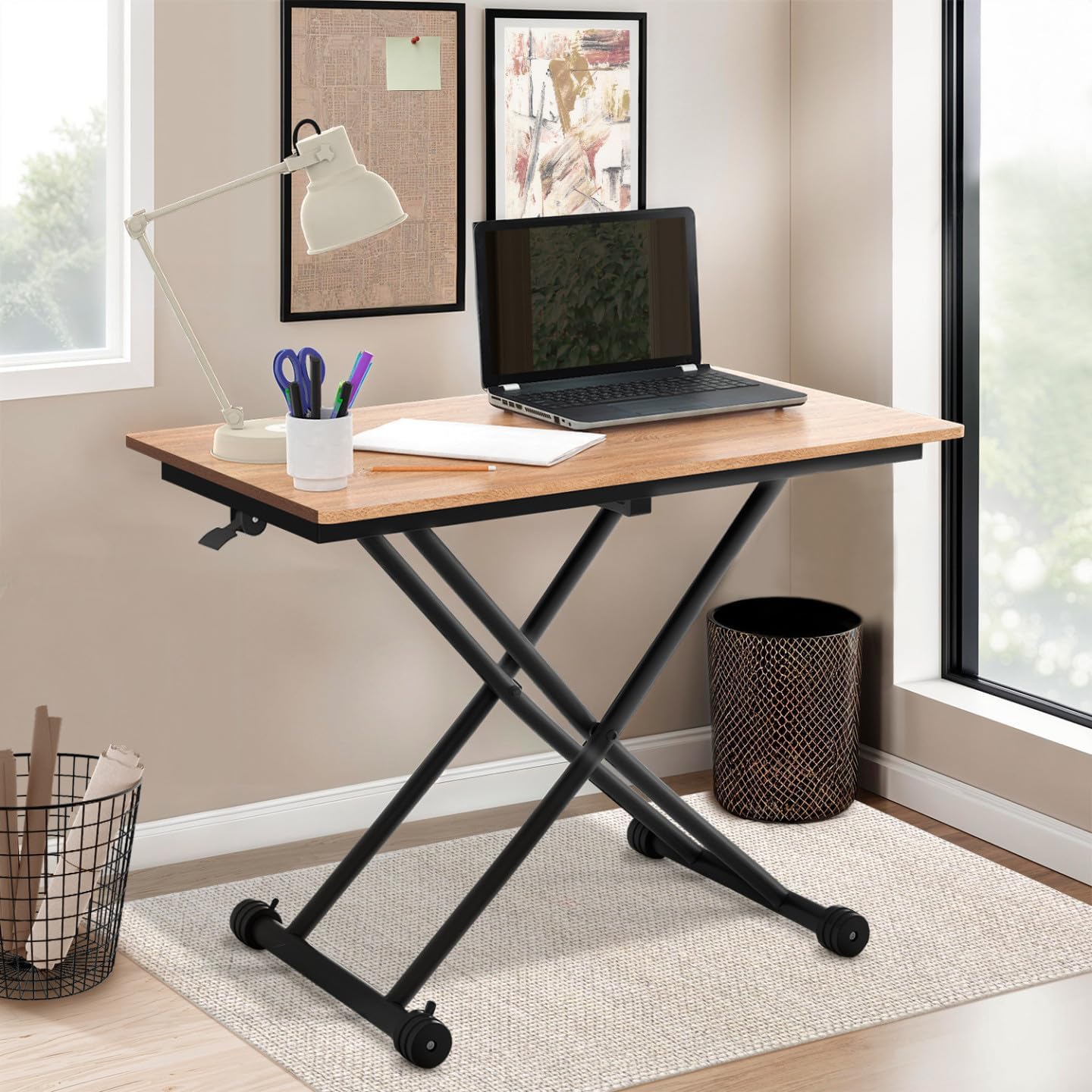
Image: The IDMarket Urbana table configured as a desk, demonstrating its versatility.
6. Maintenance
6.1 Cleaning
- Wipe the tabletop and metal frame with a soft, damp cloth.
- Avoid using harsh chemicals, abrasive cleaners, or polishes, as these may damage the finish.
- Promptly clean up spills to prevent staining. The table is designed to be stain-resistant.
6.2 General Care
- Periodically check all screws and bolts to ensure they remain tight. Retighten if necessary.
- Keep the lifting mechanism free of dust and debris.
- Avoid placing extremely hot items directly on the tabletop without a protective coaster.
7. Troubleshooting
| Problem | Possible Cause | Solution |
|---|---|---|
| Table does not raise or lower smoothly. | Mechanism obstructed or damaged. | Check for obstructions. Ensure the lever is fully engaged. If issues persist, contact customer support. |
| Table is wobbly. | Loose screws or uneven surface. | Tighten all assembly screws. Ensure the table is on a flat, level surface. |
| Wheels do not lock. | Brake mechanism not fully engaged or damaged. | Ensure the brake levers are fully pressed down. Check for any debris obstructing the brake mechanism. |
8. Specifications
| Feature | Detail |
|---|---|
| Model Number | 11042 |
| Brand | IDMarket |
| Overall Dimensions (L x W) | 100 cm x 57 cm (39.4 in x 22.4 in) |
| Adjustable Height Range | 28 cm - 75 cm (11 in - 29.5 in) |
| Material | MDF (Tabletop), Metal (Legs) |
| Color | Brown (Tabletop), Black (Legs) |
| Item Weight | 17.7 kg (39 lbs) |
| Maximum Weight Recommendation | 50 kg (110 lbs) |
| Assembly Required | Yes |
| Stain Resistant | Yes |
| Resizable | Yes (Height) |
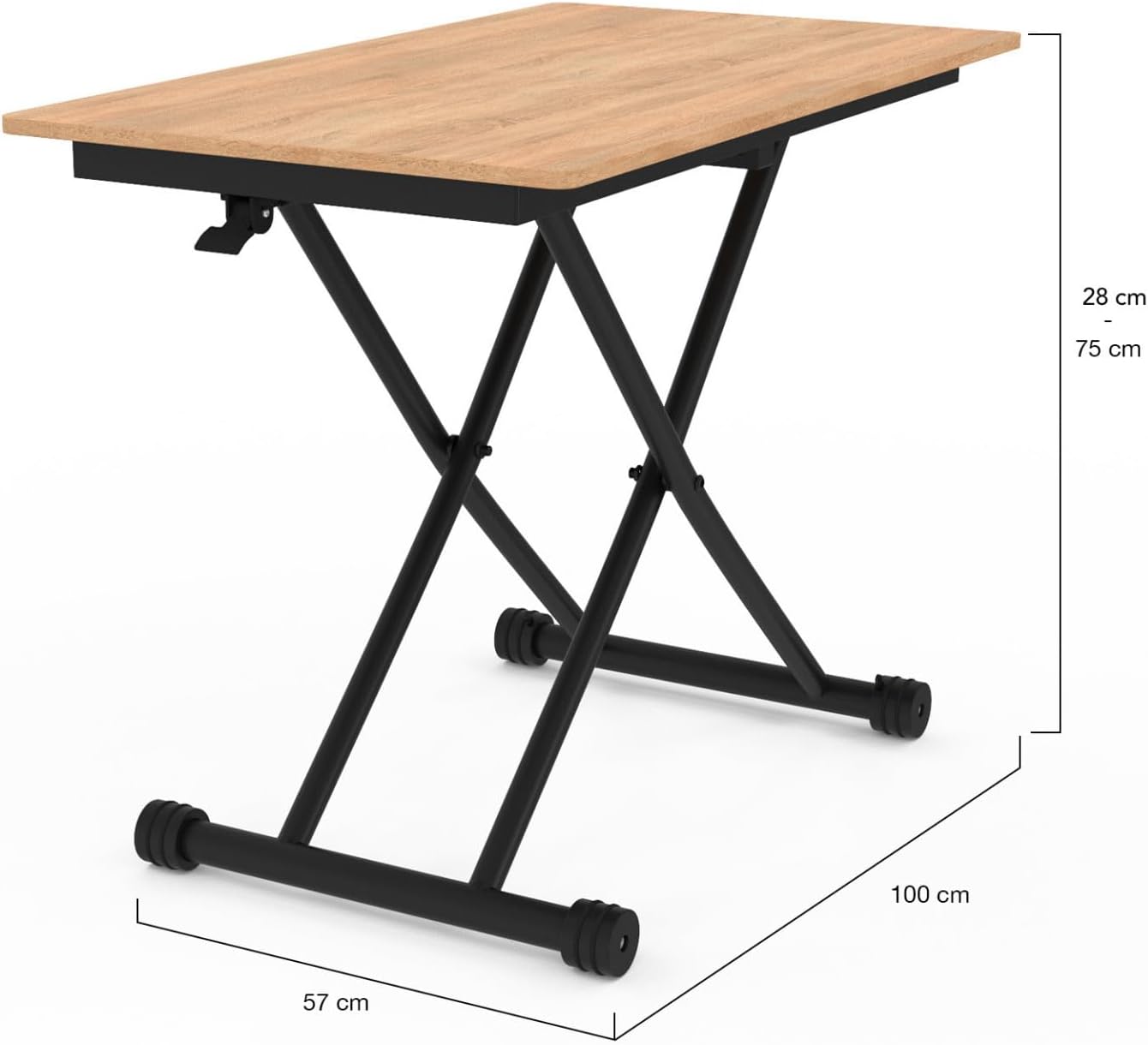
Image: Detailed dimensions of the IDMarket Urbana table in both coffee table and desk configurations.
9. Warranty & Support
For warranty information or technical support, please refer to the purchase documentation or contact IDMarket customer service directly. Keep your proof of purchase for any warranty claims.