
WORX WG084E.9
WORX WG084E.9 Cordless 40V Brushless Grass Trimmer User Manual
Model: WG084E.9
Product Overview
The WORX WG084E.9 Cordless 40V Brushless Grass Trimmer is designed for efficient and comfortable gardening. It features a powerful brushless motor, offering extended life and high efficiency. This versatile tool can be used as a grass trimmer or a brushcutter, adapting to various cutting tasks with ease. Its lightweight and ergonomic design ensures comfortable operation even during prolonged use.

Image: Full view of the WORX WG084E.9 Cordless 40V Brushless Grass Trimmer, showcasing its long shaft, cutting head, and handle, along with included accessories like the harness and cutting line.
Safety Information
Always prioritize safety when operating the WORX WG084E.9 Grass Trimmer. Adhere to the following guidelines to prevent injury and ensure safe operation:
- Wear Protective Gear: Always use appropriate personal protective equipment, including safety gloves and eye protection (goggles), when operating the trimmer.
- Maintain Safe Distance: Keep the trimmer at a safe distance from your body and ensure that other individuals, especially children and pets, are not in the immediate vicinity of the operating area.
- Avoid Contact with Blade: Never touch the metal blade or cutting line while the trimmer is running or immediately after it has stopped, as it may still be rotating or hot.
- Inspect Before Use: Before each use, inspect the trimmer for any damage, loose parts, or worn components. Do not operate if any issues are found.
- Proper Handling: Hold the trimmer firmly with both hands using the bicycle handle to maintain control and balance during operation.
Setup
The WORX WG084E.9 Grass Trimmer is designed for easy assembly. Follow these steps to set up your device:
- Unpack Components: Carefully remove all parts from the packaging. Verify that all components listed in the packing list are present.
- Assemble Shaft: Connect the two sections of the detachable shaft. Ensure they click securely into place. Refer to the diagram in the manual for correct alignment.
- Attach Handle: Secure the bicycle handle to the main shaft. Adjust its position for comfortable and balanced operation. Tighten all fasteners firmly.
- Install Cutting Head: Depending on your task, attach either the line trimmer head or the metal blade. Ensure it is properly seated and secured according to the instructions provided with the cutting accessories.
- Insert Battery: The WG084E.9 operates on a 40V battery (not included). Insert a fully charged WORX PowerShare 40V battery into the battery compartment until it locks into place.

Image: Illustration of the WORX PowerShare battery system, showing compatibility with 20V, 40V, and 80V tools, highlighting the versatility of the battery platform.

Image: A visual representation of various WORX tools, including drills, trimmers, and lawnmowers, demonstrating the shared compatibility with the PowerShare 20V, 40V, and 80V battery system.
Operating Instructions
Once assembled and the battery is charged, you can begin operating your WORX WG084E.9 Grass Trimmer:
- Starting the Trimmer: Ensure you are wearing safety gear. Hold the trimmer firmly with both hands. Press the safety lock-off button and then squeeze the trigger to start the motor.
- Cutting Technique (Line Trimmer): For grass trimming, hold the head parallel to the ground. Use a sweeping motion, moving from side to side. The cutting diameter is 38 cm.
- Cutting Technique (Brushcutter): When using the metal blade for thicker vegetation, hold the trimmer at a slight angle. Use a controlled, deliberate motion to cut through dense brush. The blade diameter is 25.5 cm.
- Line Extension (Bump Feed): To extend the cutting line, simply tap the trimmer head gently on the ground while the motor is running. The dual-line bump feed system will automatically advance the line.
- Stopping the Trimmer: Release the trigger to stop the motor. Always wait for the cutting head to come to a complete stop before setting the trimmer down or performing any adjustments.

Image: A person wearing protective gear, including a harness, operating the WORX WG084E.9 grass trimmer in a dense, overgrown area, demonstrating its use for intensive brush clearing.
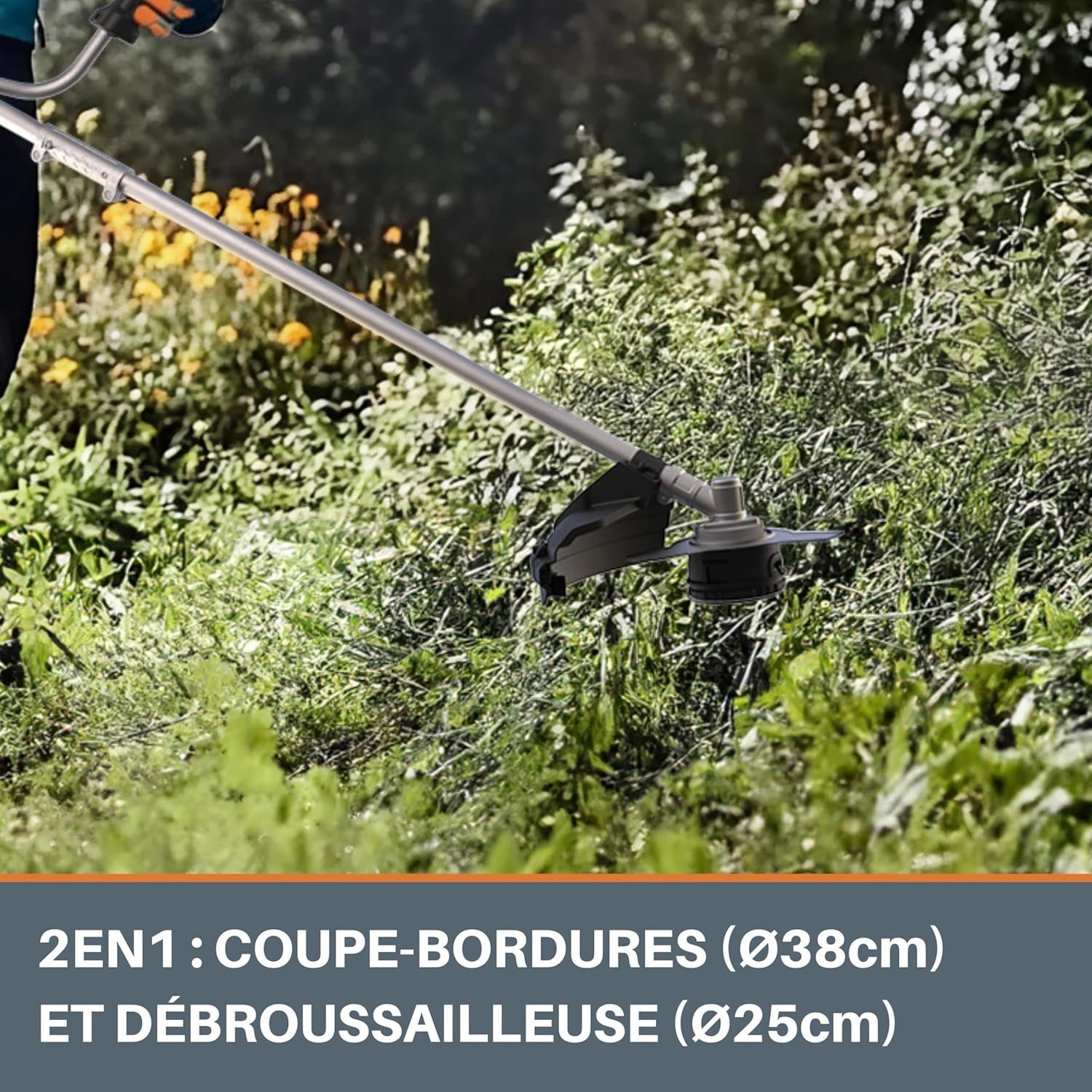
Image: A close-up view of the WORX WG084E.9 cutting head in operation, showing its 2-in-1 capability as an edger (38cm diameter) and brushcutter (25.5cm diameter) for versatile trimming tasks.

Image: A detailed view of the ergonomic bicycle handle on the WORX WG084E.9, designed for enhanced control and balanced weight distribution during operation.
Maintenance
Regular maintenance ensures the longevity and optimal performance of your WORX WG084E.9 Grass Trimmer:
- Cleaning: After each use, disconnect the battery and clean the trimmer head and shaft. Remove any grass clippings, dirt, or debris. Use a damp cloth; avoid using harsh chemicals.
- Line/Blade Inspection: Regularly inspect the cutting line for wear and replace it as needed. If using the metal blade, check for sharpness and damage. Sharpen or replace dull/damaged blades.
- Brushless Motor Care: The brushless motor requires minimal maintenance. Keep the motor housing clean and free from obstructions to ensure proper ventilation. The brushless design offers longer life and higher efficiency.
- Storage: Store the trimmer in a dry, secure location, away from direct sunlight and extreme temperatures. The detachable shaft allows for space-saving storage.
- Battery Care: Store batteries in a cool, dry place. Do not store fully discharged batteries for extended periods. Refer to your battery charger manual for specific charging and storage instructions.

Image: Diagram illustrating the internal components of a brushless motor and highlighting its benefits: 50% more runtime, 25% more power, and 10 times longer lifespan compared to traditional brushed motors.
Troubleshooting
If you encounter issues with your WORX WG084E.9 Grass Trimmer, refer to the following common problems and solutions:
| Problem | Possible Cause | Solution |
|---|---|---|
| Trimmer does not start. | Battery not charged or improperly inserted. Safety button not pressed. | Ensure battery is fully charged and correctly inserted. Press the safety lock-off button before squeezing the trigger. |
| Cutting line does not extend. | Line is tangled or too short. Bump feed mechanism jammed. | Tap the trimmer head firmly on the ground while running. If still stuck, remove battery and manually untangle/replace line. |
| Reduced cutting performance. | Dull blade or worn line. Excessive debris in cutting head. | Replace cutting line or sharpen/replace metal blade. Clean the cutting head thoroughly. |
| Excessive vibration. | Unbalanced cutting head or damaged blade. Loose components. | Inspect cutting head and blade for damage; replace if necessary. Check all fasteners for tightness. |
If the problem persists after trying these solutions, please contact WORX customer support.
Specifications
| Feature | Detail |
|---|---|
| Model Number | WG084E.9 |
| Brand | WORX |
| Power Source | Battery Powered (40V) |
| Motor Type | Brushless |
| Cutting Width (Line) | 38 cm |
| Blade Diameter (Metal Blade) | 25.5 cm |
| Speed | 6000 RPM |
| Item Weight | 4.33 kg |
| Product Dimensions (L x W x H) | 190 x 62 x 12.7 cm |
| Assembly Required | No (minimal assembly for initial setup) |
| Color | Black |
Warranty and Support
For warranty information and customer support, please refer to the documentation included with your product or visit the official WORX website. Keep your purchase receipt as proof of purchase.
WORX is a brand of the Positec Group, committed to providing innovative and high-quality solutions for professionals, DIY enthusiasts, and gardeners worldwide.
For further assistance, you may contact WORX customer service through their official channels.
Ask a question about this manual
Ask about setup, troubleshooting, compatibility, parts, safety, or missing instructions. Manuals+ will review the question and use this page’s manual context to help answer it.