
Introduction
This instruction manual provides detailed information for the assembly, operation, and maintenance of your new Giantex Computer Desk with Charging Station. Please read this manual thoroughly before beginning assembly or use to ensure proper setup and safe operation. Retain this manual for future reference.

Image: The Giantex Computer Desk in Walnut, showcasing its integrated charging station and ample workspace for a computer, tablet, and other office essentials.
Safety Guidelines
WARNING: Tip-Over Hazard
Always secure the desk to the wall when using it with heavy items or in homes with children or pets to prevent tip-over hazards. Use appropriate wall anchors and fasteners for your wall type. Failure to do so can result in serious injury or death.
- Do not overload the desk. Refer to the "Specifications" section for weight capacities.
- Ensure all screws and fasteners are securely tightened before use. Periodically check and re-tighten as necessary.
- Keep small parts and packaging materials away from children and pets during assembly.
- Assemble the desk on a soft, clean surface to prevent scratches.
- Do not stand or sit on the desk.
- Use only the provided components and hardware. Do not substitute parts.
Package Contents
Before beginning assembly, verify that all components listed below are present and undamaged. If any parts are missing or damaged, please contact customer support.
- 1 x Computer Desk with Charging Station (Main Desk Frame, Desktop, Drawer Panels, Side Panels, Back Panels, Drawer Slides, etc.)
- 1 x Instruction Manual
- Hardware Pack (Screws, dowels, cam locks, cam bolts, handles, foot pads, power cord, etc.)
Note: Specific quantities of each hardware item will be detailed in the assembly diagrams within the included instruction manual.
Assembly Instructions
Assembly typically requires two adults. Please follow the steps carefully. A Phillips head screwdriver and a hammer (not included) may be required.
- Unpack and Identify Parts: Carefully unpack all components and hardware. Lay them out on a clean, soft surface to prevent scratching. Refer to the parts list in the included paper manual to identify each piece.
- Assemble the Side Panels: Attach the drawer slides to the designated side panels using the provided screws. Ensure they are oriented correctly.
- Construct the Drawer Boxes: Assemble the drawer panels to form the drawer boxes. Secure with screws and dowels. Attach the remaining drawer slides to the drawer boxes.
- Attach the Desktop: Secure the desktop to the assembled side and back panels using cam locks and cam bolts. Ensure a snug fit.
- Install the Drawers: Carefully slide the assembled drawers into their respective compartments, aligning the drawer slides.
- Attach Handles and Foot Pads: Secure the drawer handles to the drawer fronts. Attach the non-slip foot pads to the bottom of the desk legs to protect your floor.
- Connect Charging Station: Ensure the integrated charging station is securely fitted into its designated slot on the desktop. The power cord should extend from the back of the desk.
- Final Check: Verify that all connections are secure and the desk is stable.

Image: Detailed dimensions of the desk, including the overall size (43"L x 19.5"W x 29.5"H), leg room (28.5"L x 29"W), and drawer interior (9.5"L x 15"W x 6"H), useful for assembly and placement.
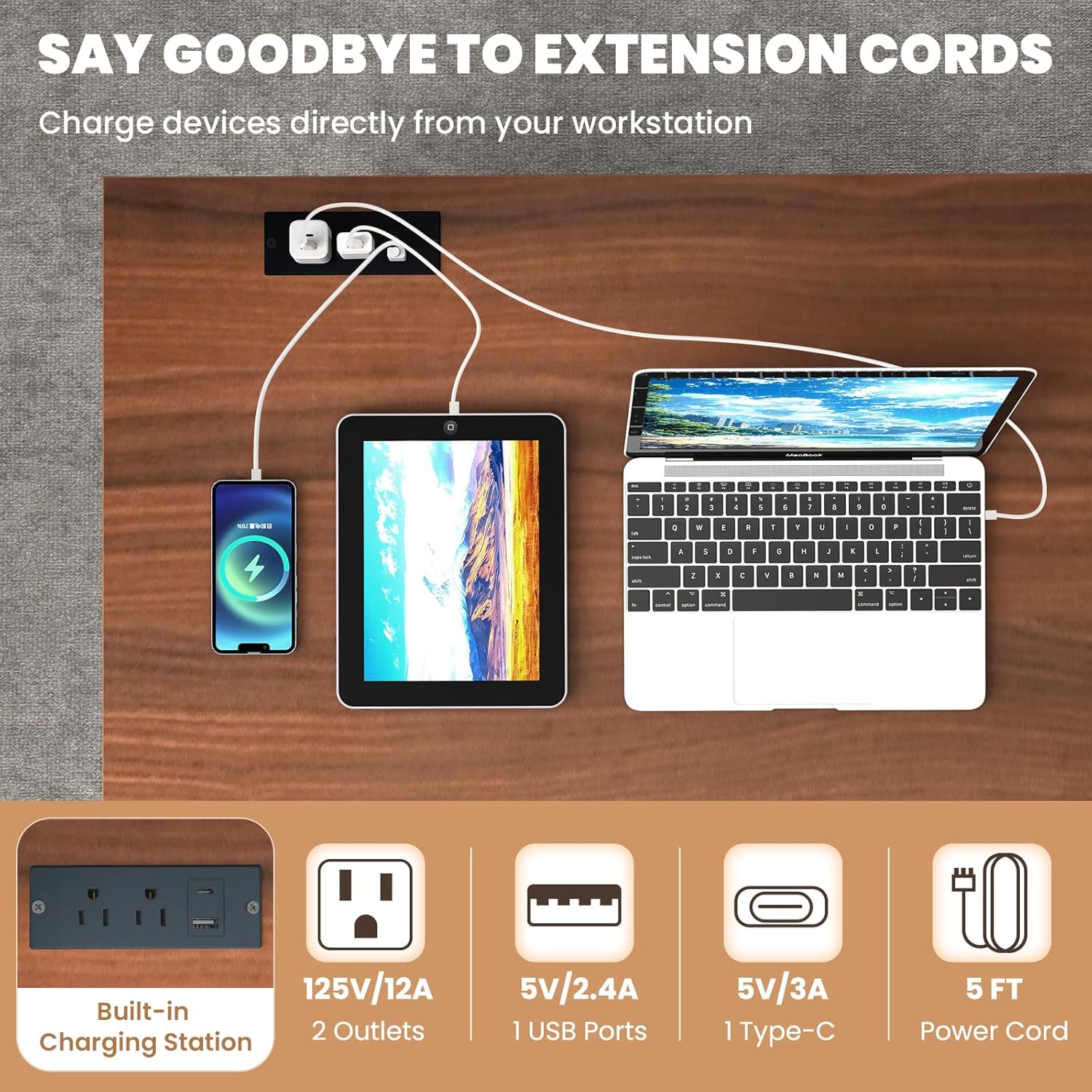
Image: Close-up views of key structural and functional details, including the drawer knobs, smooth metal drawer slides, the stable arched base design, and the protective non-slip foot pads.
Operating the Charging Station
The Giantex Computer Desk is equipped with a convenient integrated charging station to power your electronic devices directly from your workspace.
- Power Connection: Plug the desk's power cord into a standard 125V/12A wall outlet.
- Using AC Outlets: The charging station includes two standard AC outlets. Plug your devices (e.g., laptop chargers, lamps) directly into these outlets.
- Using USB Ports: One USB-A port (5V/2.4A) and one USB-C port (5V/3A) are available for charging compatible devices like smartphones, tablets, and other USB-powered accessories.
- Cable Management: Utilize the cable management hole located on the desktop to route and organize power cords, reducing clutter and maintaining a tidy workspace.

Image: Visual representation of the charging station's components: 2 AC outlets (125V/12A), 1 USB-A port (5V/2.4A), 1 Type-C port (5V/3A), and the 5-foot power cord.

Image: A close-up view of the integrated cable management hole, designed to help keep power and data cables organized and out of sight, contributing to a cleaner workspace.
Product Features Overview
The Giantex Computer Desk is designed with functionality and aesthetics in mind, offering ample storage and a versatile workspace.

Image: The desk's spacious desktop and two large pull-out drawers provide ample storage for a laptop, books, potted plants, lamps, cups, and decorative ornaments, helping to maintain an organized environment.

Image: The desk integrated into a home office environment, demonstrating its suitability as a functional computer workstation, complete with a monitor, keyboard, and desk lamp.

Image: The versatility of the desk is highlighted by its use as a vanity table in a bedroom, accommodating makeup, beauty accessories, and a mirror, demonstrating its adaptability beyond a typical office setup.
Care and Maintenance
- Cleaning: Wipe the desk surfaces with a soft, damp cloth. Avoid using harsh chemicals or abrasive cleaners, as they may damage the finish.
- Spills: Clean up spills immediately to prevent staining or damage to the wood finish.
- Heat and Moisture: Avoid placing hot items directly on the desk surface. Use coasters for drinks to prevent water rings.
- Sunlight Exposure: Prolonged exposure to direct sunlight may cause fading or discoloration.
- Hardware Check: Periodically check all screws and fasteners to ensure they remain tight. Re-tighten as needed to maintain stability.
Troubleshooting
| Problem | Possible Cause | Solution |
|---|---|---|
| Desk is wobbly/unstable. | Screws are loose; uneven floor. | Tighten all assembly screws. Adjust foot pads if applicable, or place shims under legs on uneven surfaces. Ensure desk is secured to the wall. |
| Drawers do not slide smoothly. | Drawer slides misaligned; debris in slides. | Check alignment of drawer slides during assembly. Clear any debris from the slide tracks. Ensure drawers are not overloaded. |
| Charging station not working. | Not plugged in; power outage; faulty device. | Ensure the desk's power cord is securely plugged into a working wall outlet. Check if the wall outlet has power. Test with a different device. If issues persist, contact customer support. |
| Missing parts or damaged components. | Shipping damage; packaging error. | Do not proceed with assembly. Contact Giantex customer support immediately with your purchase details. |
Product Specifications
| Brand | Giantex |
| Model Number | GT10784US-WH-BC |
| Color | Walnut |
| Material | Engineered Wood, MDF |
| Overall Dimensions (L x W x H) | 43" x 19.5" x 29.5" |
| Interior Size of Drawer (L x W x H) | 9.5" x 15" x 6" |
| Dimension of Leg Room (L x W) | 28.5" x 29" |
| Net Weight | 59.5 lbs |
| Weight Capacity of Tabletop | 210 lbs |
| Weight Capacity of Each Drawer | 15 lbs |
| Charging Station Rating | 125V/12A |
| USB Port Output | 5V/2.4A |
| Type-C Port Output | 5V/3A |
| Power Cord Length | 5 ft |
| Number of Drawers | 2 |
| Assembly Required | Yes |
Warranty and Support
Giantex provides a limited warranty for this product. For specific warranty terms and conditions, please refer to the documentation included with your purchase or visit the official Giantex website. Keep your proof of purchase for warranty claims.
For customer support, missing parts, or technical assistance, please contact Giantex directly:
- Manufacturer: Giantex
- Online Support: Visit the Giantex Brand Store on Amazon for more information and contact options.
When contacting support, please have your model number (GT10784US-WH-BC) and purchase date ready.