
1. Introduction
The Powate AIVI-01 is an advanced AI voice recorder designed for efficient audio capture, transcription, and summarization. Featuring a compact design, 64GB internal memory, and AI noise reduction, it is suitable for various applications including lectures, meetings, and interviews. This manual provides comprehensive instructions for operating your device and utilizing its full capabilities.
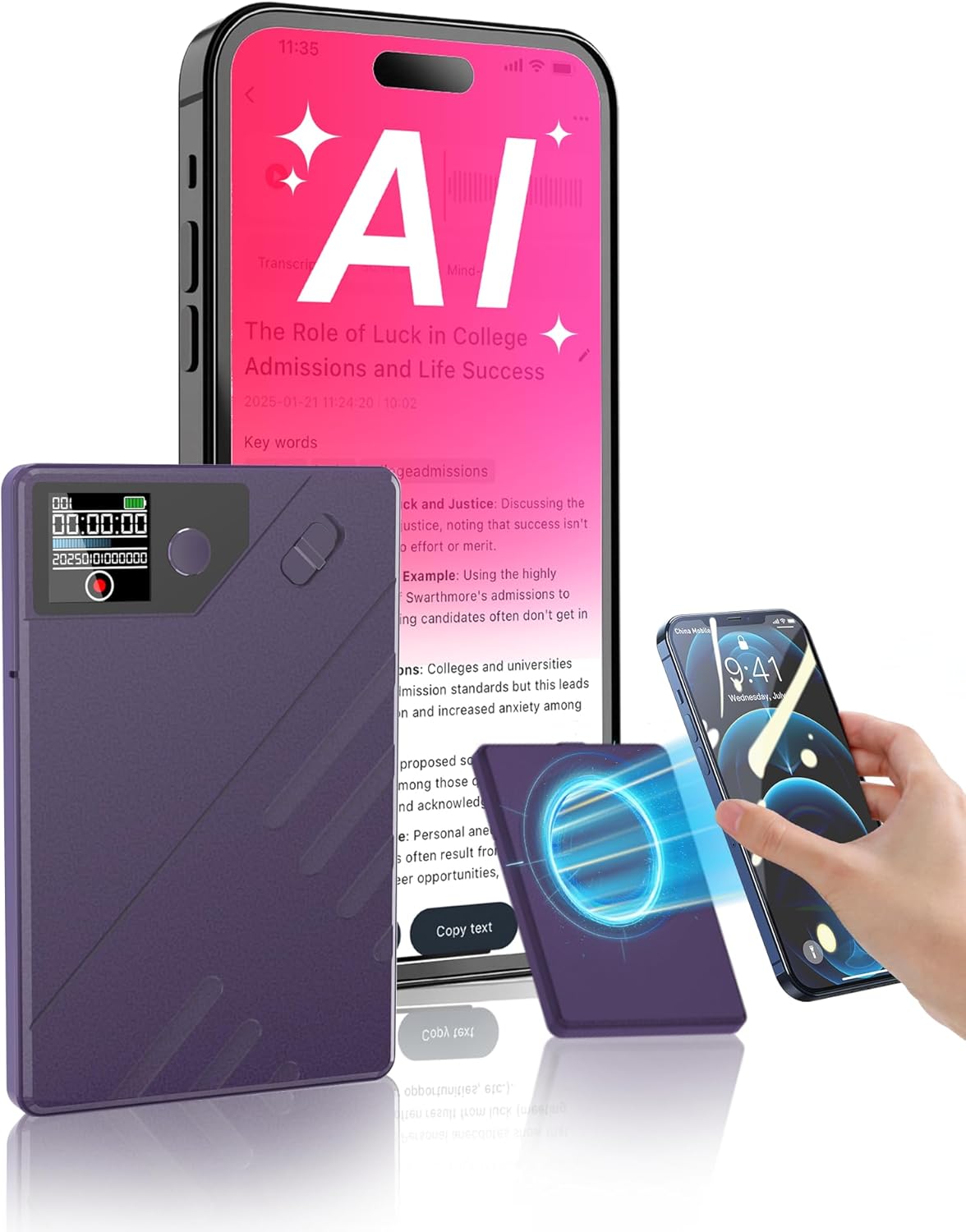
Image 1.1: The Powate AIVI-01 AI Voice Recorder alongside a smartphone showing its transcription feature.
2. Product Overview
2.1 Key Features
- AI Transcription & Summarization: Powered by GPT-4o, supports 112 languages, offering instant speech-to-text conversion and smart summaries. Includes 400 minutes of free transcription monthly.
- Superior Sound Quality: Equipped with a 6D Omnidirectional Dual Microphone and AI Noise Reduction Technology, filtering over 90% of background noise.
- Long Battery Life: Up to 60 hours of continuous use on a single charge (1-2 hours charging time).
- Privacy Protection: Encrypted storage with one-to-one device-to-app binding and unlimited cloud storage via the Powate web portal.
- Dual Recording Modes: Switch between standalone mode and app-connected mode for flexible operation.
- Compact & Portable: Slim design (0.31 inches) and ultralight (0.12 lbs) for easy carrying.
2.2 Package Contents
Verify that all items are present in your package:
- Powate AIVI-01 AI Voice Recorder
- Magnetic Ring
- USB Type-C Data Cable
- User Manual (this document)

Image 2.1: Included items in the Powate AIVI-01 package.
2.3 Device Layout
Familiarize yourself with the physical components of your Powate AIVI-01 recorder.
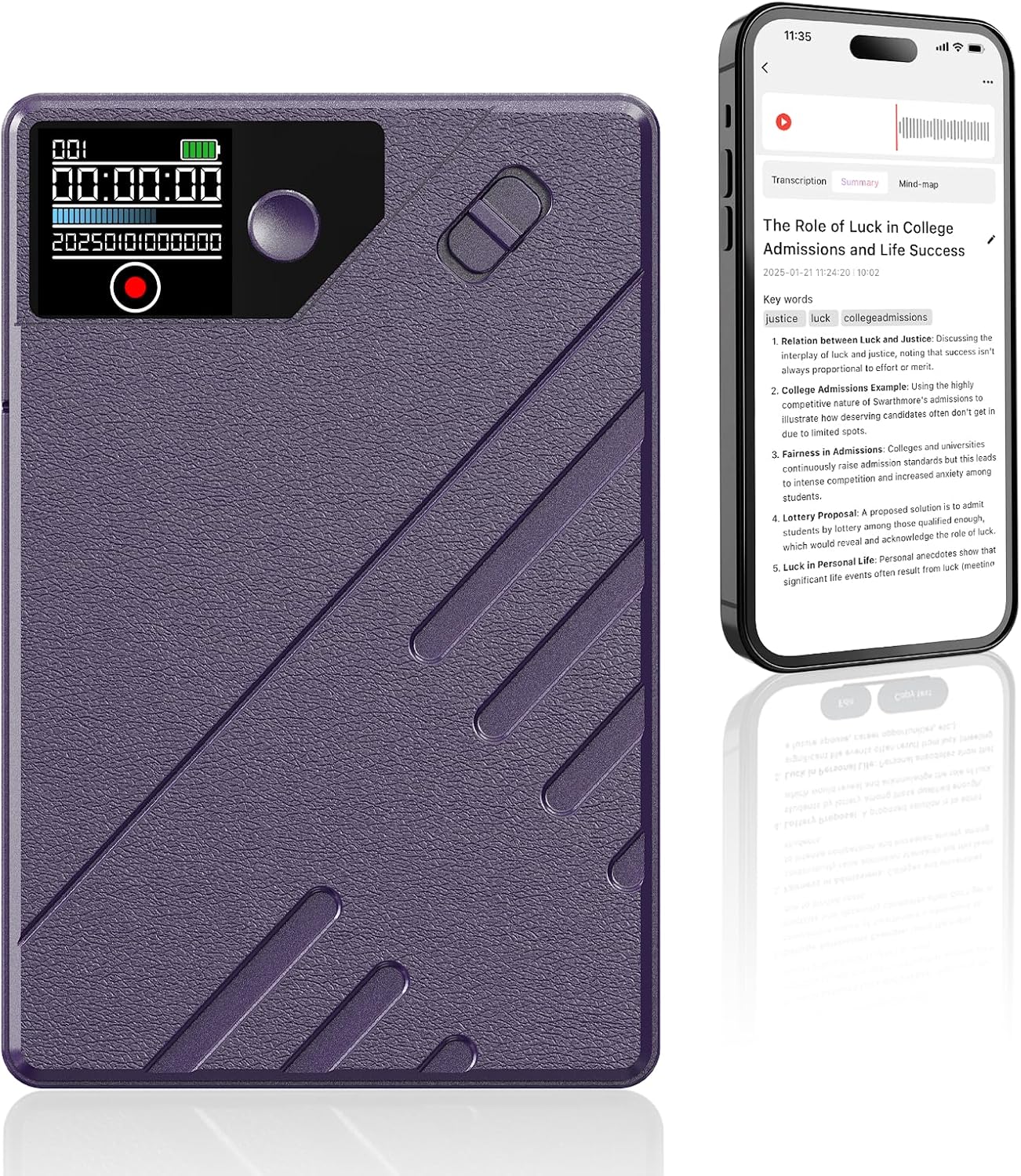
Image 2.2: Front view of the Powate AIVI-01 recorder, highlighting its display and controls.
- Display Screen: Shows recording status, time, and battery level.
- Record Button: Initiates and stops recording.
- Power/Mode Button: Turns the device on/off and switches modes.
- USB-C Port: For charging and data transfer.
- Microphones: Dual omnidirectional microphones for audio input.
3. Setup
3.1 Initial Charging
Before first use, fully charge your Powate AIVI-01. Connect the device to a power source using the provided USB Type-C cable. The device typically charges in 1-2 hours.
3.2 App Installation and Device Pairing
To utilize the AI transcription and summarization features, download the AIREC App on your smartphone.
- Download the AIREC App from your device's app store.
- Open the AIREC App.
- On the app's main screen, click the '+' icon or "Not Connected" status to initiate device search.
- Select your Powate AIVI-01 from the list of available devices and click "Connect Device".
- Follow any on-screen prompts to complete the pairing process. The AIREC logo in the app will indicate a successful connection.

Image 3.1: Steps for connecting the Powate AIVI-01 to the AIREC App.
4. Operating Instructions
4.1 Standalone Recording (Device-Only Mode)
This mode allows recording without a smartphone connection. Recordings will sync to the app later when connected.
- Ensure the device is powered on.
- Press the Record button to start recording. The display will show recording time.
- Press the Record button again to stop and save the recording.

Image 4.1: Dual Mode Recording options.
4.2 App-Connected Recording
For real-time transcription and immediate access to features, connect the device to the AIREC App.
- Ensure your device is paired and connected to the AIREC App (refer to Section 3.2).
- Within the AIREC App, navigate to the recording interface.
- Tap the record icon in the app to begin recording. The device will also indicate recording status.
- Tap the stop icon in the app to end the recording.
4.3 Transcription and Summarization
The Powate AIVI-01 leverages AI for converting audio to text and generating summaries.
- After recording, ensure the device is connected to the AIREC App.
- The app will automatically begin processing the audio for transcription. This may take some time depending on the recording length.
- Once transcribed, you can view the text within the app.
- To generate a summary, select the "Summarize" option within the app for the desired recording. The AI will provide key insights.
- The device supports 112 languages for transcription.

Image 4.2: AIREC App interface demonstrating transcription and summarization.

Image 4.3: Features of accurate transcription.

Image 4.4: Features of AI smart summaries.
4.4 File Management and Cloud Storage
Recordings are stored locally on the device (64GB) and can be uploaded to the Powate web portal for unlimited cloud storage.
- Access, download, or share your files securely through the AIREC App or the Powate web portal.
- All data is encrypted to ensure privacy.

Image 4.5: Cloud storage and magnetic features.
5. Maintenance
5.1 Cleaning
To maintain optimal performance, keep your device clean:
- Wipe the device with a soft, dry cloth.
- Do not use liquid cleaners or solvents.
- Ensure the microphone ports are free from dust and debris.
5.2 Battery Care
- Charge the device regularly, even if not in frequent use, to prolong battery life.
- Avoid exposing the device to extreme temperatures.
6. Troubleshooting
| Problem | Possible Cause | Solution |
|---|---|---|
| Device not turning on | Low battery | Charge the device fully using the provided USB-C cable. |
| Poor recording quality | Microphones obstructed, excessive background noise, device too far from source | Ensure microphones are clear. Reduce background noise. Position the device closer to the audio source. |
| App connection issues | Bluetooth off, app not updated, device not paired | Ensure Bluetooth is enabled on your phone. Update the AIREC App. Re-pair the device following Section 3.2. |
| Transcription not working | No internet connection, audio too unclear, free minutes exhausted | Ensure stable internet connection. Improve recording quality. Check your remaining free transcription minutes in the app. Purchase additional minutes if needed. |
7. Specifications
| Feature | Detail |
|---|---|
| Model Number | AIVI-01 |
| Product Dimensions | 0.5 x 1.5 x 2.5 inches |
| Item Weight | 4.6 ounces |
| Memory Storage Capacity | 64 GB |
| Battery Life | Up to 60 hours (continuous recording) |
| Charging Time | 1-2 hours |
| Supported Languages (Transcription) | 112 |
| Microphone Form Factor | Boundary |
| Audio Format | WAV |
| Hardware Interface | USB Type C |
| Headphones Jack | 3.5 millimeters |
| Screen Size | 1.5 Inches |
8. Warranty and Support
For warranty information and technical support, please refer to the official Powate website or contact their customer service directly. Keep your purchase receipt as proof of purchase.
Additional transcription time packages are available for purchase through the AIREC App if your monthly free minutes are exhausted.