
outohome IOG-2
outohome 5200BTU Portable Tent Air Conditioner User Manual
Model: IOG-2
1. Introduction
Thank you for choosing the outohome 5200BTU Portable Tent Air Conditioner. This compact and powerful unit is designed to provide efficient cooling for various outdoor and indoor environments, including camping tents, RVs, trucks, vans, cars, and small rooms. This manual provides essential information for safe operation, setup, maintenance, and troubleshooting to ensure optimal performance and longevity of your air conditioner.
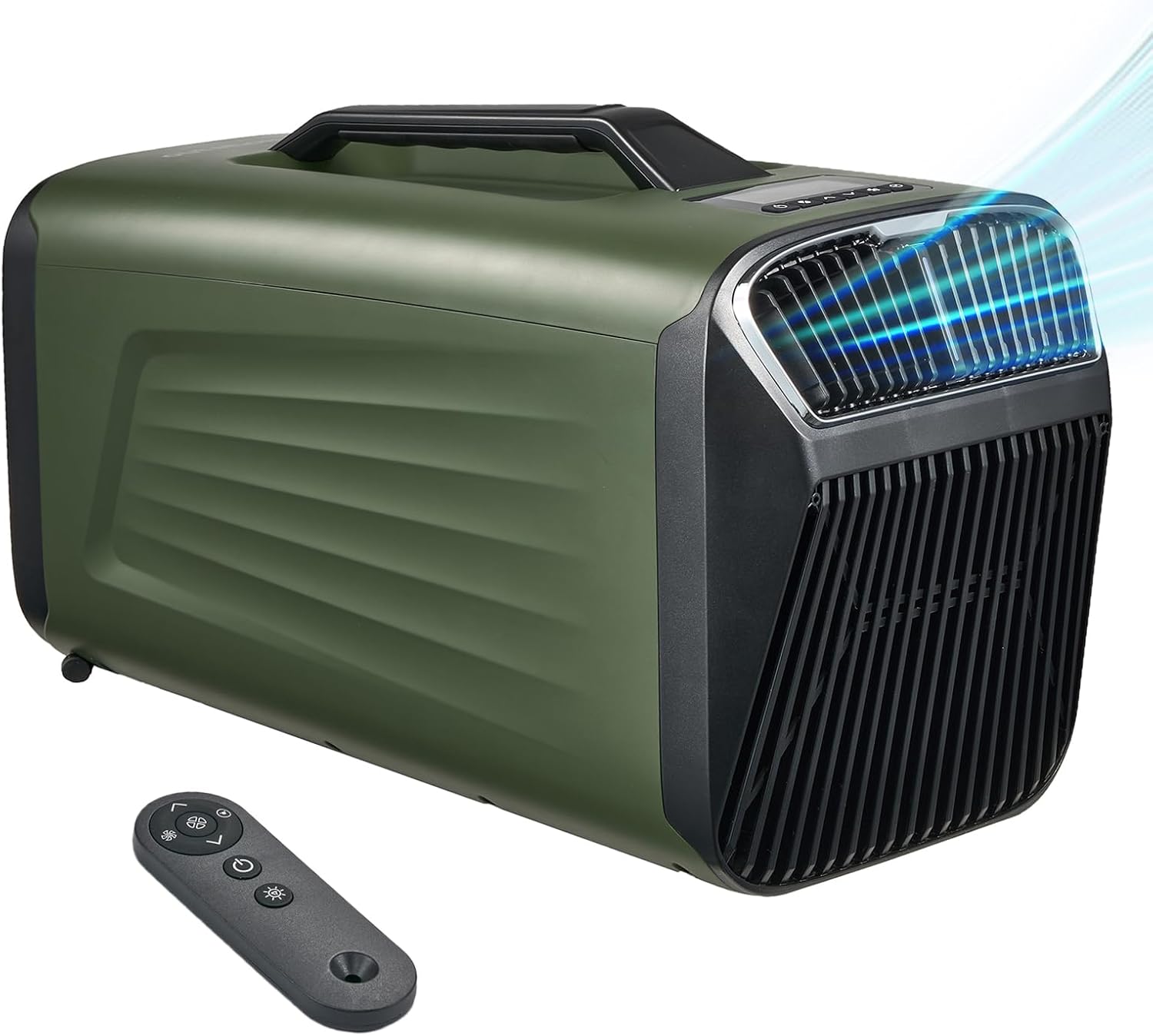
Figure 1.1: outohome 5200BTU Portable Tent Air Conditioner with remote control.
2. Safety Information
Please read all safety instructions carefully before operating the appliance. Failure to follow these instructions may result in electric shock, fire, or serious injury.
- Always use the correct voltage (120 Volts) as specified for the unit.
- Ensure proper ventilation around the unit to prevent overheating. Do not block air inlets or outlets.
- Do not operate the unit with a damaged cord or plug. If the cord is damaged, it must be replaced by the manufacturer or a qualified service agent.
- Keep the unit away from water and moisture. Do not immerse the unit in water or spray water directly onto it.
- Unplug the unit from the power source before cleaning or performing any maintenance.
- This appliance is not intended for use by persons (including children) with reduced physical, sensory or mental capabilities, or lack of experience and knowledge, unless they have been given supervision or instruction concerning use of the appliance by a person responsible for their safety.
- Children should be supervised to ensure that they do not play with the appliance.
- Do not attempt to repair or modify the unit yourself. Contact qualified service personnel for repairs.
3. Product Overview
3.1 Key Features
- Fast Cooling: 5200BTU cooling capacity, capable of dropping temperature by 18℉ (10℃) in 5 minutes.
- Compact and Portable: Weighs approximately 31 lbs (14 kg) with a convenient handle for easy transport. Dimensions: 31.2"D x 12.4"W x 14.6"H.
- Multiple Modes: Offers Cool, Dry, Sleep, and Fan settings.
- Low Noise Operation: Operates at 46-50dB in Sleep mode.
- Drainage-Free Operation: No drainage needed in cooling mode when humidity is below 70%. A drainage pipe is included for higher humidity conditions or dehumidification mode.
- Digital Display & Remote Control: Easy temperature and mode adjustments.
3.2 Components and Accessories
The package includes the main air conditioner unit, a remote control, two air ducts, two duct connectors, a window baffle accessory, and a drainage pipe.

Figure 3.1: Product dimensions and included accessories. The image shows the main unit, remote control, two air ducts, two duct connectors, a window baffle, and a drainage pipe.
4. Setup
The outohome portable air conditioner is versatile for both outdoor and indoor use. Follow these steps for typical setup:
4.1 Outdoor Setup (e.g., Camping Tent)
- Place the air conditioner unit on a stable, flat surface outside your tent or desired cooling area.
- Connect the air ducts to the unit's air outlets.
- Direct the air ducts into the tent opening or desired space to channel cool air inside.
- Ensure the unit has adequate space around it for proper airflow and heat dissipation.

Figure 4.1: Portable AC unit positioned outside a camping tent, directing cool air inside.
4.2 Indoor Setup (e.g., Room with Window)
- Place the air conditioner unit near a window.
- Clip the provided window baffle accessory onto the window frame.
- Insert one end of the air duct into the hole of the fitting on the window baffle.
- Connect the other end of the hose properly to the back cover of the air conditioner. This setup allows hot exhaust air to be vented outside.

Figure 4.2: Steps for setting up the portable AC unit for indoor use, showing connection to a window baffle.
4.3 Power Connection
Connect the power cord to a standard 120V AC outlet. For outdoor or mobile use (RV, truck, van), a compatible power source such as a portable power station or generator is required. Ensure the power source can provide at least 400W of continuous power. If using a DC12V or 24V source, a 1500W continuous pure sine wave inverter is needed (not included).
5. Operating Instructions
Your outohome air conditioner features an intuitive control panel and a remote control for easy operation.
5.1 Control Panel and Remote Control
The control panel on top of the unit allows you to power on/off, select modes, adjust temperature, and set the timer. The remote control provides convenient access to all functions from a distance.

Figure 5.1: The unit's display and remote control, illustrating the available modes: Cooling, Dry, Sleeping, and Fan.
5.2 Operating Modes
- Cooling Mode: Provides rapid cooling. Adjust the temperature using the up/down arrows. Temperature range: 60℉-88℉ (16℃-30℃).
- Dry Mode (Dehumidification): Reduces humidity in the air. In this mode, if indoor humidity exceeds 70%, you may need to connect the drainage pipe to drain collected water.
- Sleep Mode: Operates at a lower fan speed and reduced noise level (46-50dB) for quiet overnight use.
- Fan Mode: Circulates air without cooling, functioning as a fan.
5.3 Timer Function
The unit features a 24-hour timer, allowing you to set a specific time for the unit to automatically switch off.
5.4 Official Product Video
Video 5.1: Official product video demonstrating the outohome Portable Camping Air Conditioner in various usage scenarios, including setup and operation in outdoor environments.
6. Maintenance
Regular maintenance ensures efficient operation and extends the lifespan of your air conditioner.
- Cleaning the Exterior: Wipe the exterior of the unit with a soft, damp cloth. Do not use harsh chemicals or abrasive cleaners.
- Filter Cleaning: The unit has air filters that should be cleaned regularly (e.g., every two weeks or as needed, depending on usage). Refer to the filter compartment for removal and cleaning instructions. Typically, filters can be rinsed with water and air-dried before reinstallation.
- Storage: When not in use for extended periods, unplug the unit, clean it thoroughly, and store it in a dry, cool place away from direct sunlight.
7. Troubleshooting
If you encounter issues with your air conditioner, refer to the following common problems and solutions:
| Problem | Possible Cause | Solution |
|---|---|---|
| Unit does not turn on | No power, power cord not plugged in, power outlet malfunction. | Check power connection, try a different outlet, ensure power source is adequate. |
| Insufficient cooling | Air filters are dirty, air inlets/outlets blocked, room/tent size too large, high ambient temperature. | Clean air filters, ensure clear airflow, verify unit capacity matches space, consider external factors. |
| Unit is noisy | Unit not on a flat surface, internal components vibrating. | Place unit on a stable, flat surface. If noise persists, contact support. |
| Water leakage | Drainage pipe not connected or blocked (in high humidity/dry mode). | Ensure drainage pipe is properly connected and clear of obstructions. |
| Error Code 'E5' | Specific error condition (details not provided in general documentation). | If an 'E5' error code appears, please power cycle the unit (turn off, unplug, wait 5 minutes, plug back in, and restart). If the error persists, contact outohome customer support for further assistance. |
8. Specifications
| Feature | Specification |
|---|---|
| Brand | outohome |
| Model Name | IOG-2 |
| Cooling Capacity | 5200 BTU |
| Color | Green |
| Product Dimensions | 31.2"D x 12.4"W x 14.6"H (79.2cm D x 31.5cm W x 37.1cm H) |
| Item Weight | 31.9 pounds (14.47 kg) |
| Voltage | 120 Volts |
| Annual Energy Consumption | 400 Watt Hours |
| Noise Level | 46 dB (Sleep Mode) |
| Air Flow Capacity | 88 Cubic Feet Per Minute |
| Controls Type | Button |
| Material Type | Acrylonitrile Butadiene Styrene (ABS) |
| Country of Origin | China |
9. Warranty and Support
outohome products are manufactured to high-quality standards. For warranty information, product support, or to inquire about replacement parts, please refer to the warranty card included with your purchase or visit the official outohome website. Please have your model number (IOG-2) and purchase date available when contacting support.
Ask a question about this manual
Ask about setup, troubleshooting, compatibility, parts, safety, or missing instructions. Manuals+ will review the question and use this page’s manual context to help answer it.