
EAFCar 15A
EAFCar 15-Amp 12V Smart Automatic Lead Acid Battery Charger Instruction Manual
Model: 15A
1. Introduction
Thank you for choosing the EAFCar 15-Amp 12V Smart Automatic Lead Acid Battery Charger. This manual provides essential information for the safe and effective operation, maintenance, and troubleshooting of your new battery charger. Please read this manual thoroughly before use and retain it for future reference.
This charger is designed to charge and maintain 12-volt lead-acid batteries, including AGM, GEL, SLA, and Flooded types, commonly found in cars, trucks, SUVs, motorcycles, lawn mowers, boats, and other vehicles.
2. Safety Information
WARNING: Read all safety warnings and instructions before using this product. Failure to follow the warnings and instructions may result in electric shock, fire, and/or serious injury.
- Eye Protection: Always wear appropriate eye protection (safety glasses) when working with batteries.
- Ventilation: Ensure adequate ventilation during charging. Batteries can produce explosive gases.
- No Smoking/Sparks: Do not smoke or allow sparks or flames in the vicinity of the battery or charger.
- Disconnect Power: Always disconnect the AC power from the charger before making or breaking the connections to the battery.
- Proper Connection: Connect the positive (+) charger clamp to the positive (+) battery terminal and the negative (-) charger clamp to the negative (-) battery terminal.
- Avoid Short Circuits: Do not allow the positive and negative clamps to touch each other or any conductive material.
- Indoor Use: This charger is designed for indoor use. Do not expose it to rain or excessive moisture.
- Children and Pets: Keep the charger and battery out of reach of children and pets.
- Damaged Equipment: Do not operate the charger if it has been dropped, damaged, or exposed to water. Contact customer support.
3. Product Overview
The EAFCar 15-Amp Battery Charger features an intelligent design for efficient and safe battery charging and maintenance. Key components include a digital LCD display, mode selection button, battery clamps, and a power cord.

Image: The EAFCar 15-Amp Battery Charger, showing the main unit, red and black battery clamps, and the power plug.
Key Features:
- Intelligent Digital Display: Provides real-time information on temperature, voltage, current, and charging status.
- Multiple Protection: Includes over-voltage, over-current, reverse polarity, short circuit, fireproof material, and overheat protection.
- Winter/Summer Mode: Automatic temperature compensation for optimal charging in varying climates.
- Pulse Repair Function: Helps to restore sulfated or stratified batteries.
- Four Charging Modes: Vehicle, AGM/GEL, Motorcycle, and Repair modes for versatile application.
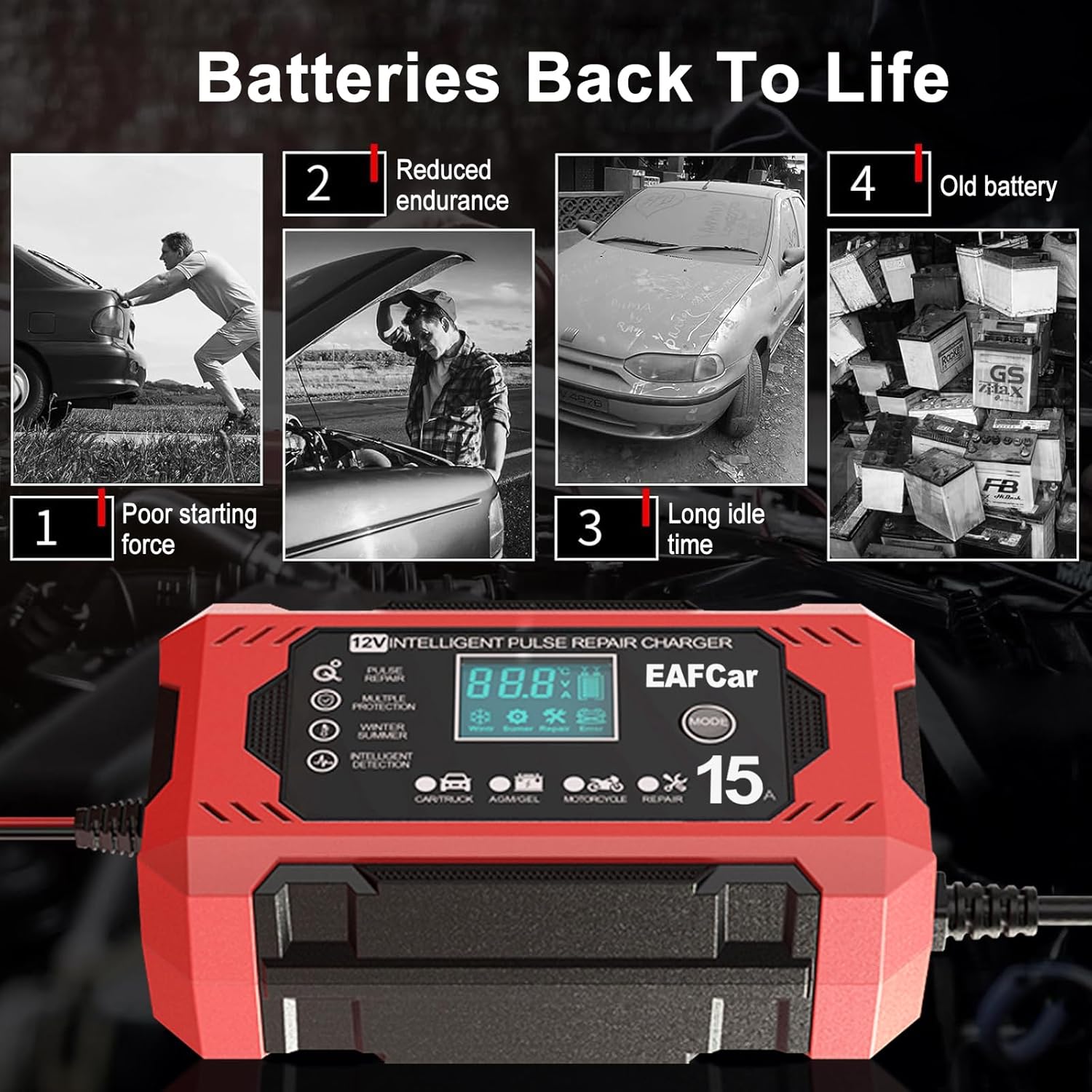
Image: A detailed view of the EAFCar charger's LCD screen, illustrating different display indicators such as temperature, desulfurization, voltage, repair status, current, full charge, error messages, and power off.
4. Specifications
| Specification | Value |
|---|---|
| Product Dimensions | 5.9 x 2.36 x 3.35 inches |
| Item Weight | 1.25 pounds |
| Item Model Number | 15A |
| Brand | EAFCar |
| Color | Red |
| Output Voltage | 12 Volts (DC) |
| Manufacturer | EAFCar |
5. Setup
Follow these steps to safely connect your EAFCar battery charger to a 12V battery.
- Prepare the Battery: Ensure the battery terminals are clean and free of corrosion. If necessary, clean them with a wire brush and a baking soda solution.
- Connect the Clamps:
- Connect the RED (+) positive clamp to the positive (+) battery terminal.
- Connect the BLACK (-) negative clamp to the negative (-) battery terminal.
Ensure a secure connection. Do not allow the clamps to touch each other.
- Connect to Power: Plug the charger's AC power cord into a standard 120V AC electrical outlet. The charger will automatically detect the battery voltage and begin the charging process.

Image: The EAFCar charger with its red and black clamps properly connected to the positive and negative terminals of a car battery, demonstrating ease of use.
6. Operating Instructions
The EAFCar charger features intelligent operation and multiple modes for various battery types and conditions.
6.1 Automatic Detection and Initial Display
Upon connecting to the battery and power, the charger will automatically detect the battery voltage and display the current status on the LCD screen. It will also automatically enter either Winter Mode (if ambient temperature is below 10°C) or Summer Mode (if ambient temperature is above 27°C) for temperature-compensated charging.
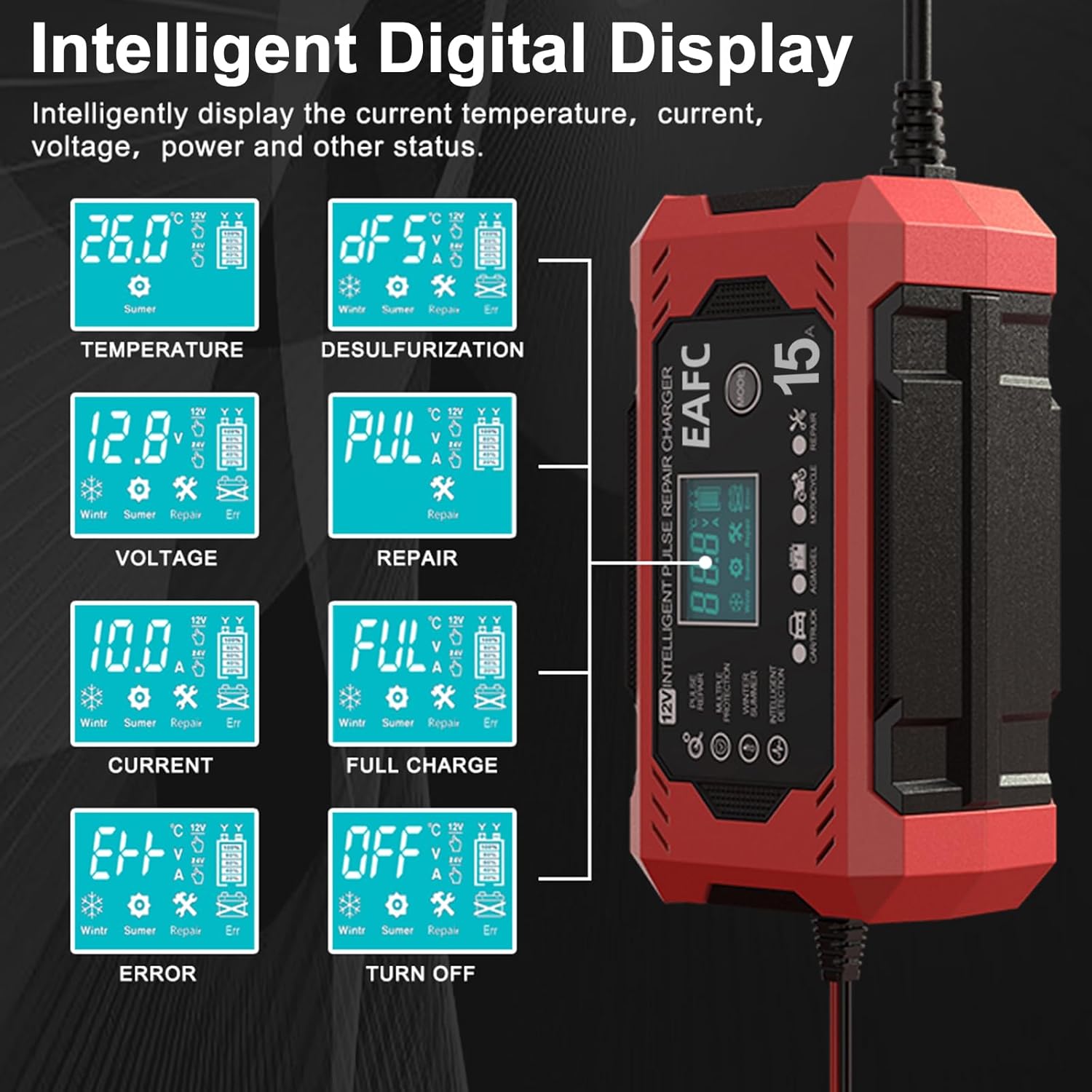
Image: The EAFCar charger's display showing automatic temperature detection, indicating 'Winter Mode' when the temperature is below 10°C and 'Summer Mode' when above 27°C.
6.2 Mode Selection
Press the MODE button to cycle through the available charging modes:
- Vehicle Mode: For standard 12V car, truck, and SUV batteries.
- AGM/GEL Mode: Specifically for AGM and GEL type 12V batteries.
- Motorcycle Mode: For 12V motorcycle batteries.
- Repair Mode: Used for desulfating and reconditioning old, sulfated, or deeply discharged batteries.

Image: The EAFCar charger's interface highlighting the four distinct charging modes: Vehicle, AGM/GEL, Motorcycle, and Repair Mode, with corresponding icons.
6.3 Charging Process and Display Indicators
During charging, the LCD will display various parameters:
- Temperature: Current ambient temperature.
- Voltage: Real-time battery voltage.
- Current: Charging current being delivered to the battery.
- Charging Status: Battery icon will show progress.
- FULL: Indicates the battery is fully charged. The charger will automatically switch to trickle charge/maintenance mode.
6.4 Pulse Repair Function
If your battery is old, has reduced endurance, or has been idle for a long time, the Repair Mode can help. Select this mode to attempt to activate and maintain under-voltage batteries by reducing sulfation and acid stratification.

Image: The EAFCar charger illustrating its ability to bring 'Batteries Back To Life' by addressing issues like poor starting force, reduced endurance, long idle times, and general aging of batteries through its repair function.
7. Maintenance
7.1 Battery Maintenance
- Regularly check battery terminals for corrosion and clean as needed.
- Ensure battery fluid levels (for flooded batteries) are adequate.
- For vehicles stored for extended periods, use the charger in maintenance mode to keep the battery optimally charged.
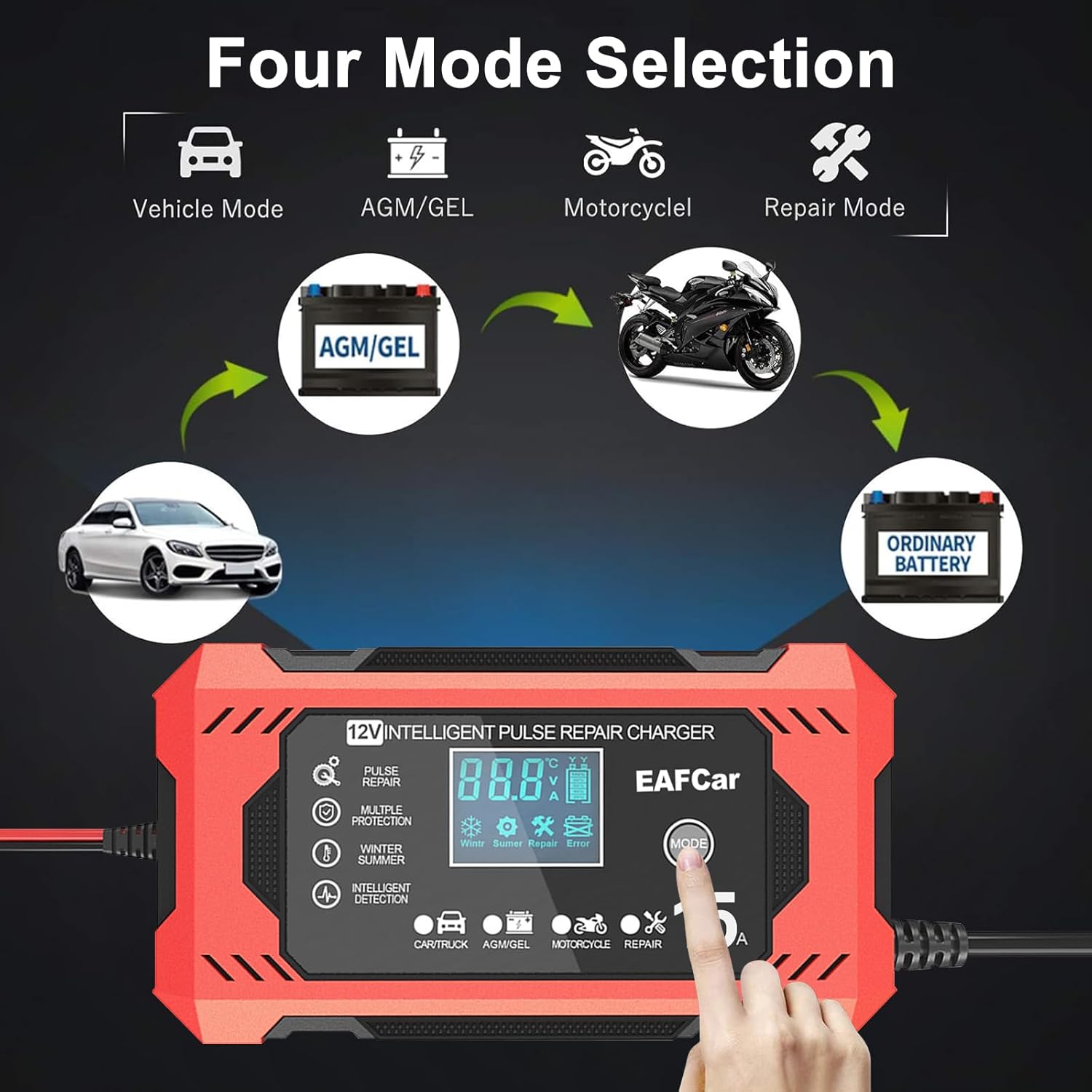
Image: The EAFCar charger connected to a car battery within an engine bay, demonstrating its function in maintaining the battery's charge and promoting stronger engine starts and extended battery life.
7.2 Charger Maintenance
- Disconnect the charger from both the AC outlet and the battery after each use.
- Clean the charger casing with a soft, dry cloth. Do not use harsh chemicals or abrasives.
- Store the charger in a cool, dry place, away from direct sunlight and moisture.
- Inspect the power cord and battery clamps for any damage before each use.
8. Troubleshooting
If you encounter issues with your EAFCar battery charger, refer to the following common problems and solutions:
| Problem | Possible Cause | Solution |
|---|---|---|
| Charger does not turn on / LCD is blank | No AC power; Loose connection; Faulty outlet | Check AC power cord connection; Try a different outlet; Ensure battery clamps are securely connected. |
| "Err" displayed on LCD | Reverse polarity; Short circuit; Battery voltage too low/high; Internal fault | Check clamp connections for correct polarity (+ to + / - to -); Ensure clamps are not touching; Verify battery voltage is within 12V range; If error persists, contact support. |
| Battery not charging or charging slowly | Incorrect mode selected; Severely sulfated battery; Loose connections; Battery fault | Ensure correct mode is selected for your battery type; Try Repair Mode for sulfated batteries; Check all connections; Have battery tested by a professional. |
| Charger gets hot | Normal operation; Poor ventilation; Overload | Some heat is normal. Ensure adequate ventilation around the charger; If excessively hot, disconnect and allow to cool, then re-evaluate connections and battery condition. |
If the problem persists after attempting these solutions, please contact EAFCar customer support for further assistance.
9. Warranty and Support
For warranty information and customer support, please refer to the documentation included with your purchase or contact the seller directly. Keep your purchase receipt as proof of purchase.
Ask a question about this manual
Ask about setup, troubleshooting, compatibility, parts, safety, or missing instructions. Manuals+ will review the question and use this page’s manual context to help answer it.