
1. Introduction
This manual provides essential information for the safe and efficient use of your new Samsung Galaxy S25 Ultra 5G smartphone. Please read this guide thoroughly before operating the device to ensure optimal performance and longevity. The Galaxy S25 Ultra is a high-performance smartphone featuring advanced camera capabilities, a powerful processor, and a vibrant AMOLED display.
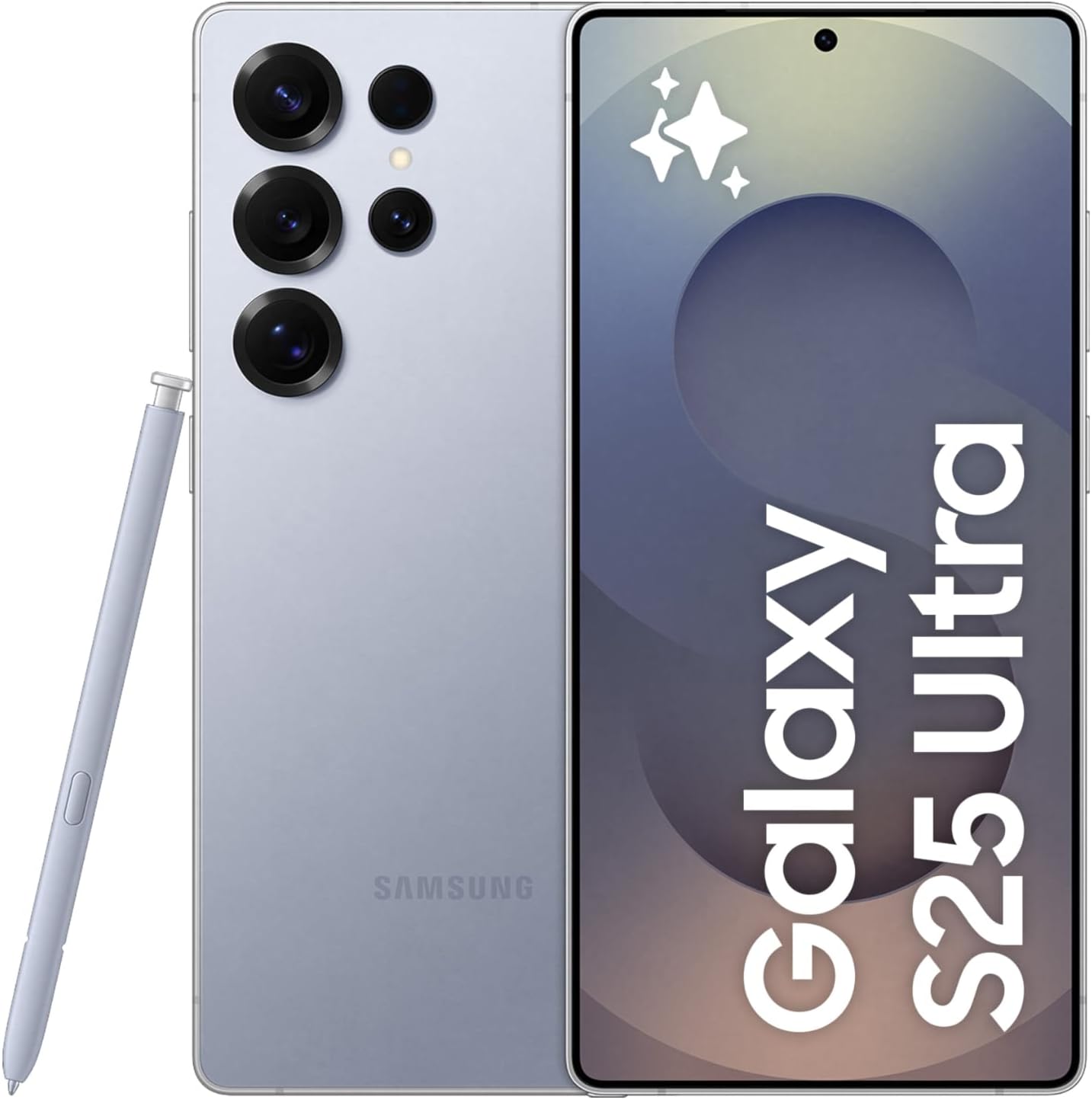
Image 1.1: Front and back view of the Samsung Galaxy S25 Ultra 5G with the S Pen.
2. What's in the Box
Verify that all items are present in your product packaging:
- Samsung Galaxy S25 Ultra 5G Smartphone
- USB-C Charge Cable
- SIM Tray Ejector
- Quick Start Guide (may vary by region)

Image 2.1: Package contents for the Samsung Galaxy S25 Ultra 5G.
3. Setup
3.1. SIM Card Installation
- Locate the SIM card tray on the side of the device.
- Insert the SIM tray ejector tool into the small hole next to the tray and press firmly until the tray pops out.
- Place your Nano-SIM card(s) and/or eSIM (if applicable) into the tray with the gold contacts facing down. The device supports up to two Nano-SIMs or one Nano-SIM and one eSIM simultaneously.
- Carefully reinsert the tray into the device until it clicks into place.
3.2. Initial Power On and Configuration
- Press and hold the Power/Side key until the Samsung logo appears.
- Follow the on-screen prompts to select your language, connect to a Wi-Fi network, and set up your Google account.
- Transfer data from a previous device if desired, using Samsung Smart Switch or other methods.
- Configure security settings, including fingerprint recognition or facial recognition.
Important Note on Network Compatibility: This unlocked device is compatible with GSM networks (e.g., AT&T, T-Mobile) but not with CDMA carriers (e.g., Verizon, Sprint). Verify your carrier's band support before use. 3G/4G/5G frequencies and coverage may vary by location and may require a new SIM card or additional configuration.
4. Operating Your Device
4.1. Display and Navigation
The Galaxy S25 Ultra features a 6.9-inch Dynamic LTPO AMOLED 2X display with a 120Hz refresh rate and 1440 x 3120 pixel resolution. Navigate the interface using touch gestures: tap, swipe, pinch-to-zoom. The device runs on Android 15 with Samsung's One UI 7, offering an intuitive user experience.
4.2. Camera Features
The device is equipped with a versatile quad-camera system:
- Main Camera: 200 MP wide-angle lens with OIS and multi-directional PDAF.
- Telephoto Camera: 10 MP with 3x optical zoom, OIS.
- Periscope Telephoto Camera: 50 MP with 5x optical zoom, OIS.
- Ultrawide Camera: 50 MP with 120° field of view, dual pixel PDAF.
- Front Camera: 12 MP for selfies and video calls.
Advanced features include 8K video recording, Laser AF, Best Face, LED flash, auto-HDR, and panorama. Explore various modes in the Camera application.

Image 4.1: Key features including camera specifications, processor, and battery life.
4.3. Battery Management
The device is powered by a 5000 mAh battery. To optimize battery life:
- Adjust screen brightness.
- Enable power-saving modes.
- Close unused applications running in the background.
- Limit background data usage for certain apps.
4.4. Advanced Features
The Galaxy S25 Ultra includes several advanced software features:
- Now Brief: Provides personalized daily briefings, including weather, calendar events, and news.
- Audio Eraser: An audio editing tool that allows for noise reduction and sound analysis directly on the device.

Image 4.2: The 'Now Brief' feature displaying personalized daily information.

Image 4.3: The 'Audio Eraser' feature for sound manipulation.
5. Maintenance
5.1. Cleaning Your Device
To clean your device, gently wipe it with a soft, lint-free cloth. Avoid using harsh chemicals, abrasive materials, or compressed air. Do not submerge the device in water.
5.2. Software Updates
Regularly check for and install software updates to ensure your device has the latest features, security patches, and performance improvements. Navigate to Settings > Software update to check for available updates.
6. Troubleshooting
6.1. Device Not Powering On
- Ensure the battery is charged. Connect the device to a charger for at least 10 minutes.
- Perform a forced restart by pressing and holding the Volume Down key and the Power/Side key simultaneously for more than 7 seconds.
6.2. Network Connectivity Issues
- Check if your SIM card is properly inserted.
- Verify that Airplane mode is off.
- Restart the device.
- Reset network settings: Settings > General management > Reset > Reset network settings.
6.3. Apps Crashing or Freezing
- Close and reopen the app.
- Clear the app's cache: Settings > Apps > [App Name] > Storage > Clear cache.
- Update the app from the Google Play Store.
- If the issue persists, consider uninstalling and reinstalling the app.
7. Specifications
| Model Name | Galaxy S25 Ultra |
| Model Number | SM-S938BZBIMEA |
| Display | 6.9-inch Dynamic LTPO AMOLED 2X, 120Hz, 1440 x 3120 pixels |
| Processor | Qualcomm SM8750-AB Snapdragon 8 Elite (3 nm) Octa-core CPU |
| Operating System | Android 15, One UI 7 |
| RAM | 12 GB |
| Storage | 256 GB |
| Main Camera | 200 MP (wide) + 10 MP (telephoto) + 50 MP (periscope telephoto) + 50 MP (ultrawide) |
| Front Camera | 12 MP |
| Battery | 5000 mAh |
| Dimensions | 162.8 x 77.6 x 8.2 mm (6.41 x 3.06 x 0.32 in) |
| Weight | 218 g (7.69 oz) |
| SIM Configuration | Nano-SIM + Nano-SIM + eSIM (max 2 at a time) |
| Connectivity | 5G, Wi-Fi, Bluetooth, GPS |
8. Warranty and Support
Warranty Information: Please note that this is an international version of the device. As such, it does not include a US warranty, as some manufacturers do not honor warranties for international items. For warranty details specific to your region, please consult the documentation provided with your device or contact your local Samsung support.
Customer Support: For further assistance, technical support, or service inquiries, please visit the official Samsung support website for your region or contact their customer service hotline. You can find regional contact information on the Samsung Support website.