
Casio G1646
Casio G-Shock DW5610UU-3 User Manual
Model: G1646
Brand: Casio
Introduction
This manual provides comprehensive instructions for the operation and maintenance of your Casio G-Shock DW5610UU-3 watch. Designed for durability and functionality, this timepiece combines sporty practicality with urban style. Please read this manual thoroughly to ensure proper use and to maximize the lifespan of your watch.
Key Features
- Shock resistant (G-SHOCK) and Mud resistant construction.
- Electro-luminescent backlight with Afterglow for visibility in low light.
- 1/100-second stopwatch for precise time measurement.
- Countdown timer for various timing needs.
- Multi-function alarm and Hourly time signal.
- Auto-calendar (to year 2039) for automatic date adjustment.
- 12/24-hour formats for time display preference.
- Flash Alert feature for alarms and hourly time signals.
- Water Resistance: 200 meters (660 feet).
- Durable Resin Case and Band with Mineral Crystal.
Product Overview

Figure 1: Front view of the Casio G-Shock DW5610UU-3 watch, showcasing its digital display and button labels.

Figure 2: Detailed close-up of the watch face and the durable resin band, highlighting the texture and construction.
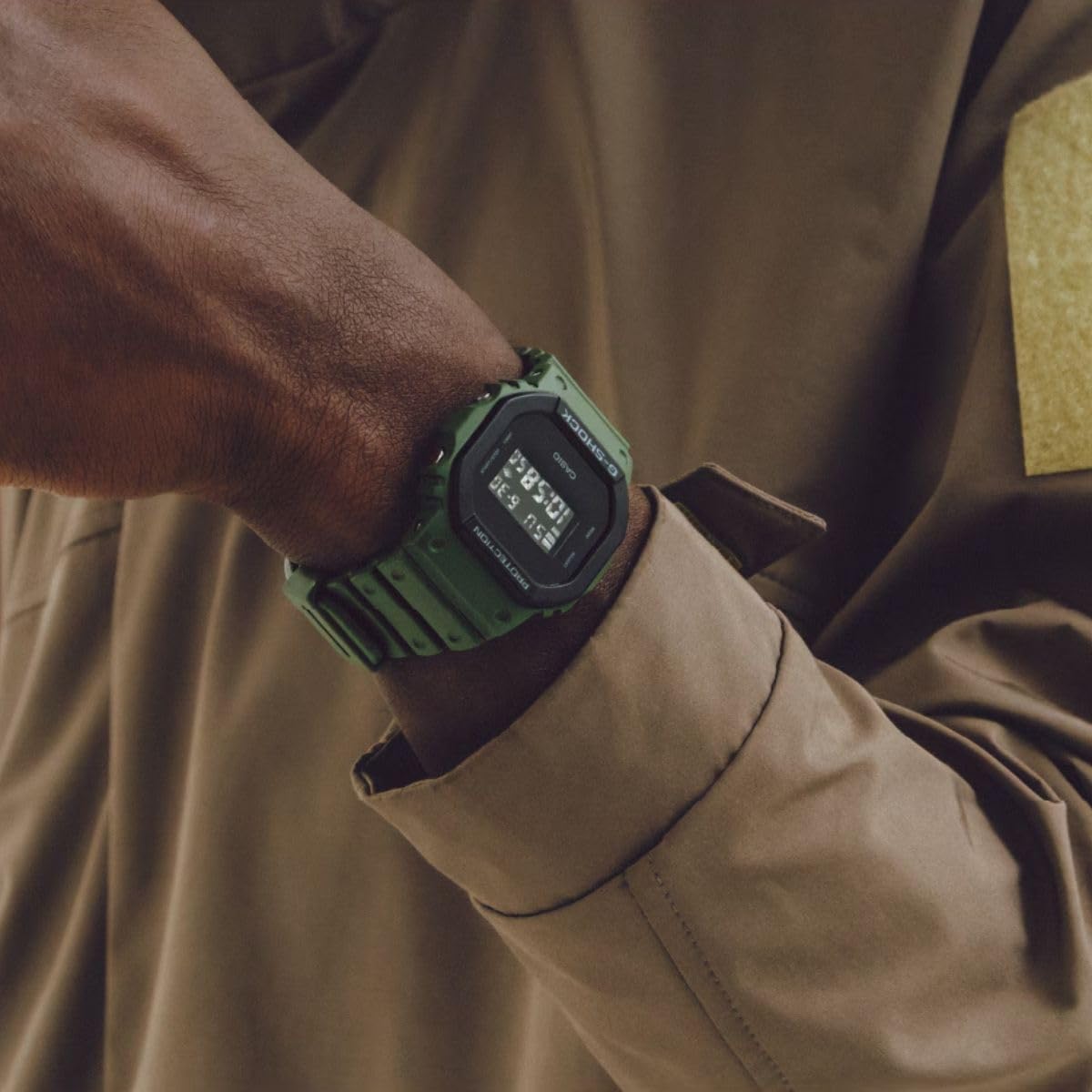
Figure 3: The watch as worn on a wrist, illustrating its size and aesthetic appeal in a real-world context.
Setup and Initial Configuration
Setting the Time and Date
- In Timekeeping Mode, press and hold the ADJUST button (top left) until the seconds start to flash, indicating the setting screen.
- Press the MODE button (bottom left) to cycle through the settings: Seconds → Hour → Minutes → Year → Month → Day.
- Use the START/STOP button (top right) to increase the flashing value, and the LIGHT button (bottom right) to decrease it (for some settings).
- Once all settings are configured, press the ADJUST button to exit the setting screen.
12/24-Hour Format
In Timekeeping Mode, press the START/STOP button to toggle between 12-hour and 24-hour time formats.
Operating Instructions
The watch features multiple modes accessible via the MODE button (bottom left).
Mode Navigation
Press the MODE button to cycle through the following modes:
- Timekeeping Mode
- Stopwatch Mode
- Countdown Timer Mode
- Alarm Mode
- Hourly Time Signal Mode
Using the Stopwatch
- Navigate to Stopwatch Mode.
- Press START/STOP to start and stop the stopwatch.
- Press ADJUST to reset the stopwatch to zero.
Using the Countdown Timer
- Navigate to Countdown Timer Mode.
- Press and hold ADJUST to enter setting mode.
- Use MODE to select hours, minutes, or seconds. Use START/STOP to change the value.
- Press ADJUST to confirm settings.
- Press START/STOP to start and stop the countdown.
Setting the Alarm
- Navigate to Alarm Mode.
- Press and hold ADJUST to enter alarm setting mode.
- Use MODE to select hour or minute. Use START/STOP to change the value.
- Press ADJUST to confirm settings.
- Press START/STOP to toggle the alarm on/off.
Using the Backlight (Electro-luminescent)

Figure 4: The watch display with the electro-luminescent backlight activated, providing clear visibility in low-light conditions.
Press the LIGHT button (bottom right) to illuminate the display for a few seconds. The Afterglow feature keeps the display lit for a short period after the button is released.
Maintenance
General Care
- Clean the watch regularly with a soft, dry cloth. For stubborn dirt, use a soft brush and mild soap solution, then rinse thoroughly and dry.
- Avoid exposing the watch to extreme temperatures, direct sunlight for prolonged periods, or strong magnetic fields.
- Do not operate buttons underwater, even if the watch is water-resistant.
Water Resistance
This watch is water-resistant to 200 meters (20 BAR). This means it is suitable for recreational scuba diving. However, it is not suitable for saturation diving. Always ensure the crown (if applicable, though not on this model) is pushed in before exposing the watch to water.
Battery Replacement
The approximate battery life is 2 years on CR2016. When the display becomes dim or functions become erratic, it may be time to replace the battery. Battery replacement should ideally be performed by a qualified technician to ensure water resistance is maintained.
Troubleshooting
| Problem | Possible Cause | Solution |
|---|---|---|
| Display is blank or dim. | Low battery. | Replace the battery. |
| Time is incorrect. | Time not set correctly or accidental button press. | Re-set the time and date as per "Setup" section. |
| Buttons are unresponsive. | Watch may be in a locked mode or internal issue. | Try pressing all buttons firmly. If issue persists, consult service center. |
| Water inside the display. | Seal compromise. | Immediately take the watch to an authorized service center. Do not attempt to dry it yourself. |
Specifications
| Feature | Detail |
|---|---|
| Model Number | G1646 (DW5610UU-3 Series) |
| Case Size (L× W× H) | 48.9 × 42.8 × 13.4 mm |
| Weight | 52g |
| Case and Bezel Material | Resin |
| Band Material | Resin |
| Construction | Shock Resistant, Mud Resistant |
| Water Resistance | 200-meter (20 BAR) |
| Power Supply | Approx. 2 years on CR2016 |
| Accuracy | ±15 seconds per month |
| Backlight | Electro-luminescent backlight, Afterglow |
| Calendar | Full auto-calendar (to year 2039) |
| Time Format | 12/24-hour format |
| Flash Alert | Flashes with buzzer for alarms, hourly time signal, countdown timer time up alarm |

Figure 5: Visual representation of key material and dimension specifications.
Warranty and Support
Your Casio G-Shock DW5610UU-3 watch is covered by a manufacturer's warranty against defects in materials and workmanship. The standard warranty period is typically one year from the date of purchase. Please retain your proof of purchase for warranty claims.

Figure 6: Confirmation of original product status and a one-year warranty period, as indicated by the manufacturer.
For technical support, service, or warranty inquiries, please contact Casio customer service or visit their official website. Do not attempt to repair the watch yourself, as this may void the warranty.
For more information, visit the official Casio Store on Amazon.
Related Documents - G1646
 |
G-SHOCK Connected App Guide: Power Trainer GBD800 & GBA800 Series A comprehensive guide for setting up and using the G-SHOCK Connected App with Power Trainer models GBD800 and GBA800, covering connection, step tracking, and timer features. |
 |
Casio G-Shock Database: Durability and Specifications Explore the Casio G-Shock Database for comprehensive details on shock-resistant and water-resistant watches. Find specifications, features, and heritage of the iconic G-Shock line. |
 |
CASIO G-SHOCK Operation Guide 5413: Features and Usage This comprehensive operation guide for the CASIO G-SHOCK Operation Guide 5413 details basic operations, mobile link connectivity with G-SHOCK+ and G'MIX App, time and date settings, alarms, stopwatch, timer functions, and troubleshooting tips. |
 |
CASIO G-SHOCK Часы: Международная Гарантия и Руководство Пользователя (Модуль 5590) Полное руководство пользователя и информация о международной гарантии для часов CASIO G-SHOCK, модуль 5590. Включает список международных сервисных центров CASIO. |
 |
CASIO G-SHOCK: Международная гарантия и руководство пользователя Полное руководство пользователя и информация о международной гарантии для часов CASIO G-SHOCK, включая список сервисных центров по всему миру, инструкции по эксплуатации, настройке функций и использованию Bluetooth-подключения. |
 |
Casio Operation Guide 3482: Comprehensive User Manual This operation guide provides detailed instructions for the Casio Operation Guide 3482 watch, covering setup, features, functions, and troubleshooting. Learn how to navigate modes, adjust time, use training functions, manage notifications, and more. |
Ask a question about this manual
Ask about setup, troubleshooting, compatibility, parts, safety, or missing instructions. Manuals+ will review the question and use this page’s manual context to help answer it.