
1. Introduction
The BodyHush Portable Sound Machine HB5 is designed to create a peaceful and comfortable atmosphere for sleep, study, or relaxation. It features a wide selection of soothing sounds, customizable night light options, and convenient timer functions, making it suitable for various users including babies, children, and adults.
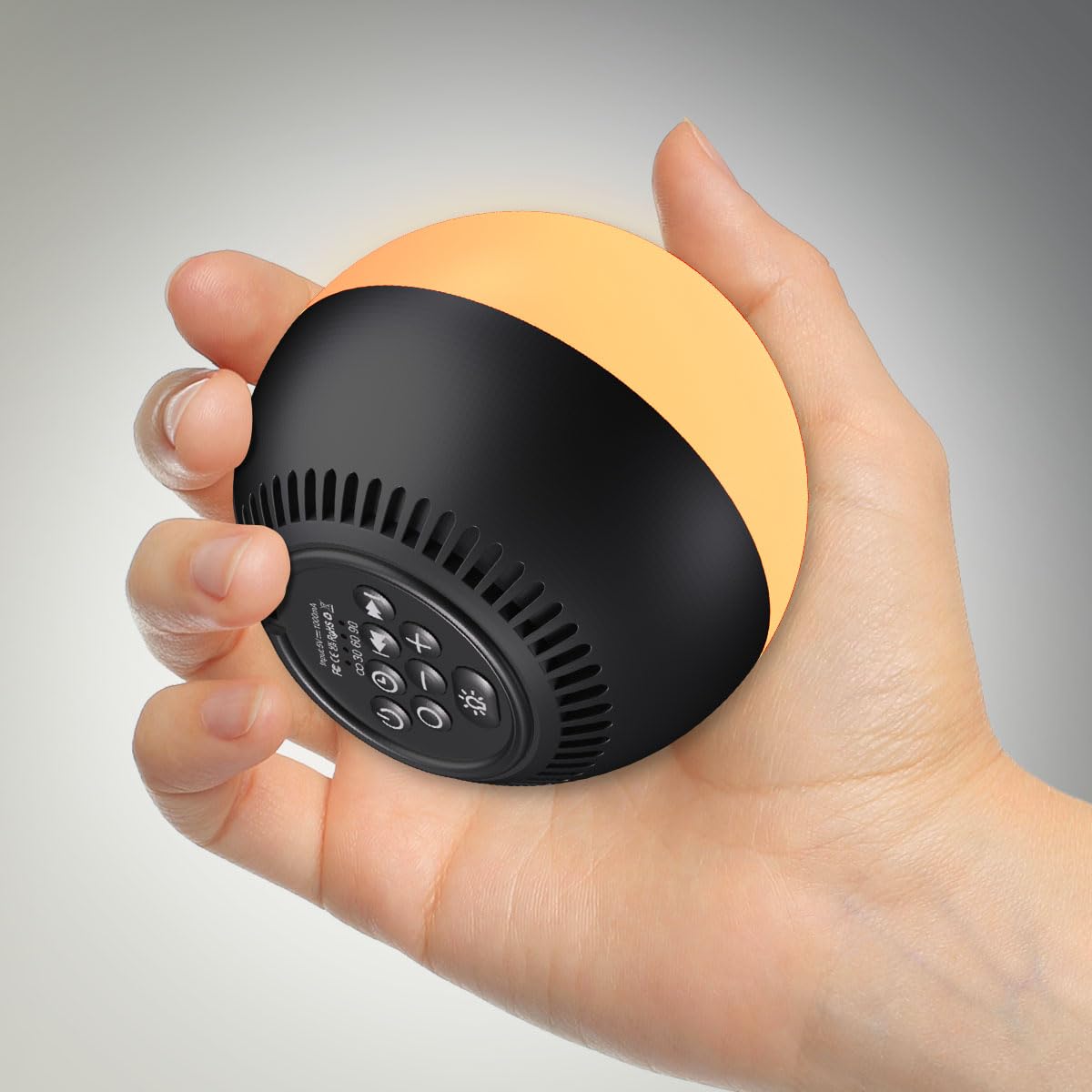
Figure 1: BodyHush Portable Sound Machine HB5
2. Safety Information
- Do not use this device near water.
- This product is not a toy. Keep out of reach of small children unless supervised.
- Prolonged exposure to high volumes may cause hearing damage. Adjust volume to a comfortable level.
3. Product Features
- 30 Soothing Sounds: Includes white noise, brown noise, pink noise, rain, fan, campfire, wave, lullabies, and other natural sounds.
- 12 Color Night Lights: Offers a variety of colors with adjustable brightness levels.
- Adjustable Brightness: Up to 10 brightness levels when plugged in, 5 levels when battery-powered.
- Rechargeable and Portable: Compact size, lightweight, and features a built-in rechargeable battery for travel.
- 4 Timer Options: Set for 30, 60, 90 minutes, or continuous play.
- Memory Function: Remembers the last volume level, audio track, timer, and night light settings.

Figure 2: Overview of 30 Soothing Sounds

Figure 3: Key Features Overview

Figure 4: Portable Design
4. Setup
4.1 Charging the Device
The BodyHush Sound Machine can be powered by its internal Lithium Polymer battery or by a corded electric connection. Use the included USB-C cable to charge the device. Ensure the device is fully charged before first use for optimal battery performance.
4.2 Powering On
Press the Power button ( ) located on the bottom of the device to turn it on. The device will automatically recall your last used settings.
5. Operating Instructions
All controls are located on the bottom of the device.
5.1 Sound Selection
- Press the Sound button (
 ) to cycle through the available sound categories.
 - Use the Previous Track (
 ) and Next Track (
 ) buttons to select from the 30 different sounds within the categories.
5.2 Volume Adjustment
Press the Volume Down ( ) or Volume Up (
 ) buttons to adjust the sound volume to your preferred level.
5.3 Timer Function
Press the Timer button ( ) to cycle through the available timer settings: 30 minutes, 60 minutes, 90 minutes, or continuous play. The corresponding indicator light will illuminate.

Figure 5: Timer Settings
5.4 Night Light Operation
- Press the Light button (
 ) to turn the night light on or off.
 - While the light is on, short press the Light button to cycle through the 12 available colors.
- To adjust brightness, press and hold the Light button. Release when the desired brightness is reached.
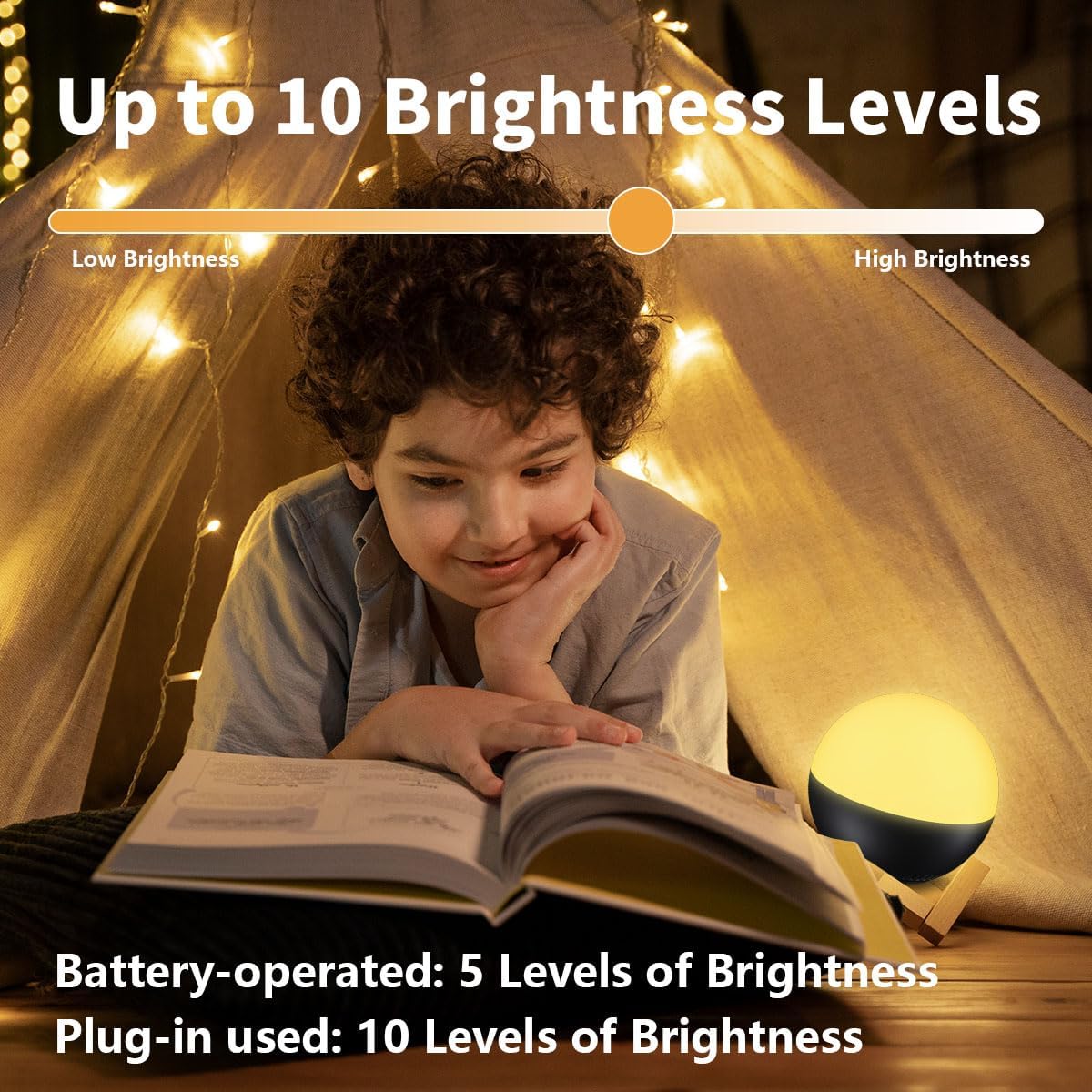
Figure 6: Adjustable Brightness Levels
6. Maintenance
- Clean the device with a soft, dry cloth. Do not use abrasive cleaners or immerse in water.
- Store in a cool, dry place when not in use.
- Ensure the charging port is free of dust and debris.
7. Troubleshooting
7.1 Device Not Turning On
- Ensure the device is fully charged. Connect it to a power source using the USB-C cable.
- Press and hold the Power button for a few seconds to ensure it registers.
7.2 Short Battery Life
- Battery life can vary based on usage, especially with continuous sound and high brightness night light settings.
- For extended use, keep the device plugged into a power source.
7.3 Sound Quality Issues
- Ensure the device is placed on a stable, flat surface to prevent vibrations affecting sound.
- Adjust the volume to an appropriate level.
8. Specifications
| Model Number | HB5 |
| Product Dimensions | 3.14 x 3.14 x 2.93 inches |
| Item Weight | 7.83 ounces (0.22 Kilograms) |
| Power Source | Battery Powered, Corded Electric |
| Battery Type | 1 Lithium Polymer battery (included) |
| Material Type | Plastic, Polypropylene |
| Color | Black |
9. Warranty and Support
This BodyHush Portable Sound Machine HB5 comes with an 18-month warranty. If you encounter any quality problems with the product, please contact BodyHush customer support for assistance. Refer to the product packaging or the official BodyHush website for specific contact details.