
1. Introduction
This manual provides detailed instructions for the installation, operation, and maintenance of your Goldlife P11 LED Pool Light. The P11 is an 11-inch, 120W, 12V LED light designed for inground pools, featuring a stainless steel body, adaptable joint, and a waterproof 2-in-1 controller with remote and app control capabilities.

Image: Key features of the Goldlife P11 LED Pool Light, including its brightness, sealed metal body, and corrosion resistance.
Video: Demonstration of the Goldlife P11 11-inch RGB Pool Light for inground pools, showcasing various color options.
2. Safety Information
- Always disconnect power before installation or maintenance.
- Ensure all electrical connections are made by a qualified electrician and comply with local codes.
- The light operates on a safe DC12V low voltage. Ensure the transformer output matches this requirement.
- Do not operate the light out of water for extended periods as it relies on water for cooling.
- Verify the waterproof integrity of all connections before submerging the light.
3. Package Contents
Verify that all items listed below are included in your package:
- 1x P11 Pool Light
- 1x 50ft Cord
- 1x C3 Control Box (2-in-1 Controller & Transformer)
- 1x C3-1 RF Remote
- 8x Crimping Caps

Image: Visual representation of the Goldlife P11 LED Pool Light package contents.
4. Installation
4.1. Adaptable Joint for Easy Maintenance
The P11 LED pool light features an adaptable connector for quick maintenance. This design allows you to remove the light fixture for replacement or repair without needing to rewire the entire system or drain the pool. It is compatible with various wire specifications.
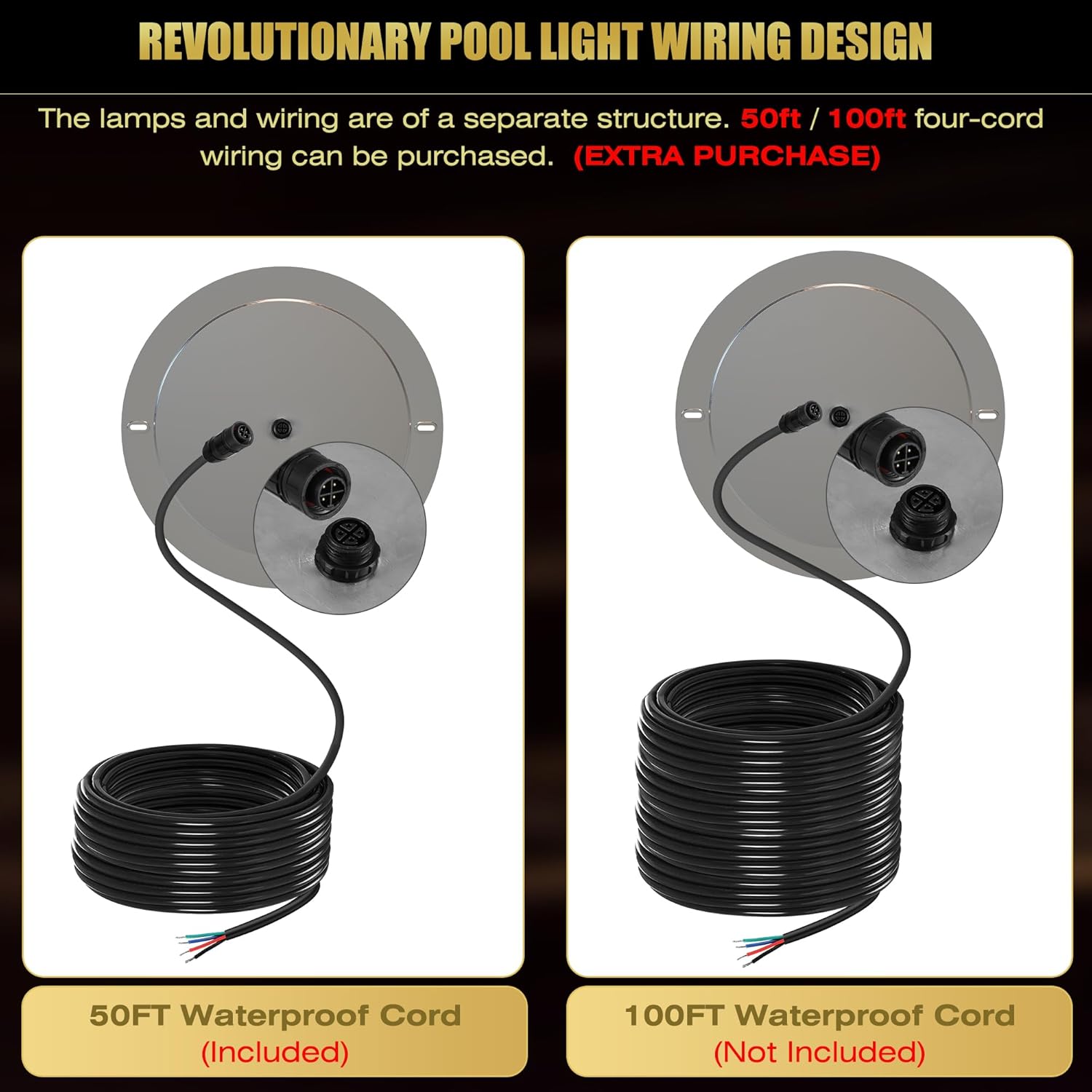
Image: Diagram illustrating the quick-release joint for simplified light replacement.
4.2. Wiring Design
The lamps and wiring are separate components. A 50ft four-core waterproof cord is included. A 100ft cord can be purchased separately if needed.

Image: Revolutionary pool light wiring design with options for 50ft (included) and 100ft (not included) cords.
4.3. Installation Methods
The P11 LED pool light supports two primary installation methods:
- Niche Installation: Suitable for 10-inch or 11-inch large wet niches (niches sold separately). The light is wired and fixed with top screws into the niche.
- Drilling Installation: Applicable to various pool wall structures. The light is wired and fixed directly to the wall with screws.
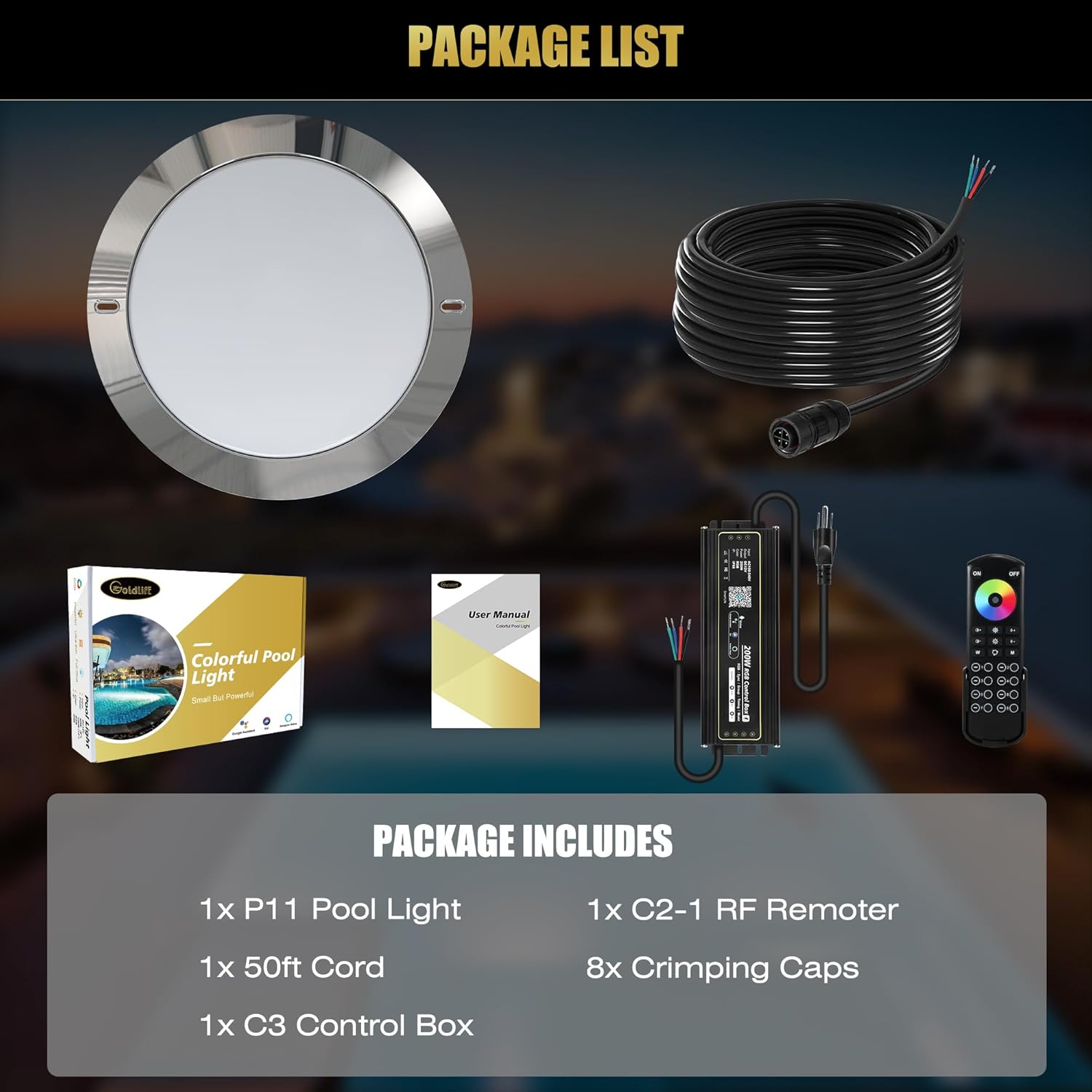
Image: Two-way easy installation guide for niche and drilling methods, including light dimensions.

Image: Electrical diagram for light installation, showing connections to the transformer and controller.
Video: Installation overview of the Goldlife 11-inch LED Pool Light for inground pools, demonstrating the process.
4.4. Connector Types
Goldlife offers diversified connectors for various installation needs. The P11 model uses an adaptable connector for easy maintenance and upgrade.

Image: Overview of different Goldlife swimming pool light connectors and their applications.
5. Setup
5.1. Control Box Overview
The included C3 Control Box functions as both a waterproof 2-in-1 controller and transformer. It supports RF remote control, APP (WiFi/Bluetooth) control, and voice control.

Image: All-in-one smart control box and two control methods (RF Remote and App).
5.2. Remote Control Pairing
To pair the remote control with the light:
- Within 3 seconds of powering on the light, quickly press the 'ON' button of any 'Zone' on the remote 3 times.
- The light will flash 3 times, indicating successful pairing.
5.3. App Pairing
To pair the light with the mobile app:
- Download the 'Smart Life' app, register, and add the device.
- Before powering on the light, keep pressing the group 1 '-' button on the paired remote.
- Then power on the light. The light will flash 3 times to activate the networking mode.
- In the app, click the '+' in the top right corner, then select 'Add Device'.
- Click on the discovered device, enter your WiFi password, and click 'Next' to connect.
- After successful connection, click 'Next' to complete.

Image: Detailed steps for remote and app pairing with the C3 controller.
Video: Step-by-step guide for remote and app pairing of the C3 RGB Controller.
6. Operating Instructions
The Goldlife P11 LED Pool Light offers extensive control options via the RF remote and the Smart Life app.
6.1. Available Functions
- Color Changing: Access 16 million colors.
- Dimming: Adjust brightness levels.
- Music Synchronization: Lights can sync with music.
- DIY Mode: Create custom lighting effects.
- Timing: Set schedules for light operation.
- Voice Control: Compatible with voice assistants (via app).
6.2. Remote Control Features
- 8-Zone smart control.
- Up to 500ft control distance.
- 360° control, effective even through walls.
6.3. App Control Features
- Full color spectrum control.
- Brightness adjustment.
- Speed control for dynamic modes.
- Color temperature adjustment (2700K-6500K).

Image: Visualizing the extensive control capabilities for color, brightness, speed, and color temperature.
7. Maintenance
- The adaptable connector allows for quick light replacement without draining the pool or rewiring.
- The light features a 316L level anti-corrosion stainless steel body, ensuring durability in pool environments.
- With an IP68 waterproof rating and fully filled glue, the light is designed for long-term underwater use without leakage.
- The expected lifespan of the LED is 50,000 hours.
- Regularly inspect the light and wiring for any signs of damage or wear.
8. Troubleshooting
| Problem | Possible Cause | Solution |
|---|---|---|
| Light does not turn on. | No power, faulty wiring, control box issue. | Check power supply. Verify all wiring connections. Ensure control box is functioning. |
| Remote control not working. | Remote not paired, battery low, interference. | Re-pair the remote following Section 5.2. Replace remote battery. Reduce interference sources. |
| App control not working. | App not paired, incorrect WiFi password, poor WiFi signal. | Re-pair the app following Section 5.3. Verify WiFi password and signal strength. Ensure Bluetooth is enabled during pairing. |
| Light flashes unexpectedly. | Loose connection, power fluctuation. | Check all wiring connections for tightness. Ensure stable power supply. |
9. Specifications
| Feature | Detail |
|---|---|
| Brand | Goldlife |
| Model Number | P11 |
| Size | 11 Inch |
| Material | Stainless Steel |
| Wattage | 120 watts |
| Voltage | 12 Volts (DC) |
| Light Output Maximum | 12000 Lumens |
| Efficiency | 100 lumens per watt |
| Light Source Type | LED |
| Light Color | Multicolor (RGB) |
| Water Resistance Level | Waterproof (IP68) |
| Control Method | App, Remote, Voice |
| Cord Length | 50ft (included) |
| Installation Type | Flush Mount, Wall Mount (Niche or Drilling) |
| Special Feature | Anti-Rust, Low Voltage, Adaptable Joint |
10. Warranty and Support
Goldlife offers a fast return and exchange service for any quality issues. For further assistance, please contact Goldlife customer support through the official store page.
To contact support:
- Visit the Goldlife Store.
- Click on 'Ask Question' to reach customer service.