
Aninerel ANJ-12000W-LVP-WIFI
Aninerel 12000W Hybrid Solar Inverter ANJ-12000W-LVP-WIFI User Manual
Model: ANJ-12000W-LVP-WIFI
1. Introduction
This manual provides essential instructions for the safe installation, operation, and maintenance of your Aninerel 12000W Hybrid Solar Inverter, model ANJ-12000W-LVP-WIFI. Please read this manual thoroughly before installation and operation to ensure optimal performance and safety. This inverter is designed for converting 48V DC power to 120V single-phase or 240V split-phase AC power, suitable for various on-grid and off-grid solar applications.
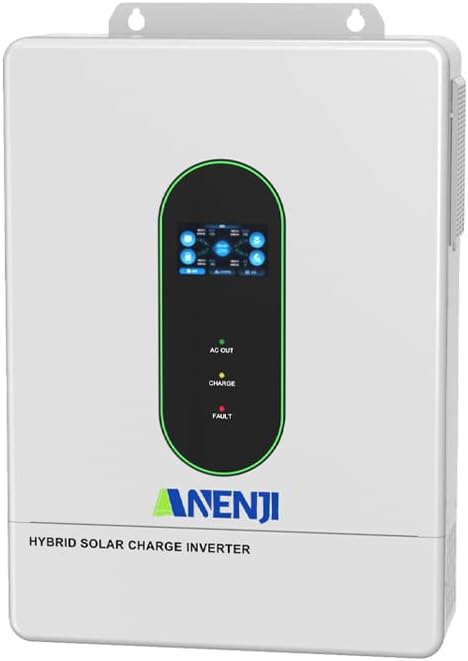
Image: Front view of the Aninerel 12000W Hybrid Solar Inverter.
2. Safety Instructions
Important Safety Precautions:
- Installation must be performed by qualified personnel in accordance with local electrical codes.
- Do not attempt to disassemble or repair the inverter. Refer all servicing to qualified service personnel.
- Ensure proper grounding of the inverter.
- Disconnect all power sources (PV, battery, AC grid) before performing any maintenance or wiring.
- Avoid contact with live terminals.
- The inverter generates high voltage. Exercise extreme caution.
- Install the inverter in a well-ventilated area, away from flammable materials and direct sunlight.
- This device is rated IP65 for dust and water resistance, suitable for indoor or semi-outdoor use.
3. Product Overview
3.1 Key Features
- Output Power: 12,000W continuous, 24,000W peak.
- Input Voltage: 48V DC.
- Output Voltage: 120V single-phase / 240V split-phase AC.
- MPPT Controllers: Built-in dual MPPT solar charging controllers, supporting up to 6,000W + 6,000W PV input.
- Max PV Voltage: 500V DC.
- Max Battery Charging: 220A.
- Parallel Capability: Supports parallel connection of up to 6 units for increased power output (up to 72kW).
- Battery Compatibility: Compatible with AGM, GEL, Lead-acid, Li-ion, and LiFePO4 48V batteries. Supports no-battery mode.
- Monitoring: LCD screen with real-time monitoring and Wi-Fi module for remote monitoring via app.
- Protection: Overvoltage, undervoltage, reverse polarity, short circuit, overload, overcurrent, backflow, overheating, overcharge protection.
- Cooling: Smart cooling with variable speed fan.
3.2 Product Components and Ports
The Aninerel 12000W Hybrid Solar Inverter features a clear display and various connection ports for comprehensive system integration.

Image: Front and rear view of the Aninerel 12000W Hybrid Solar Inverter, highlighting the display screen, pilot lamps, and various communication and power ports.
- Display screen
- Pilot lamp (AC Out, Charge, Fault indicators)
- AC output port
- AC input port
- WiFi port (optional)
- USB communication port
- RS485-1 communication port
- RS485-2/CAN communication port
- Dry contact port
- CT current sensing for self-consumption (optional)
- ON/OFF rocker switch
- Photovoltaic (PV) parameters (terminals)
- Battery parameters (terminals)
- Parallel communication port (parallel module only)
- AC input breaker
- Grounding screw hold
3.3 Included Accessories
The following items are typically included with your inverter:
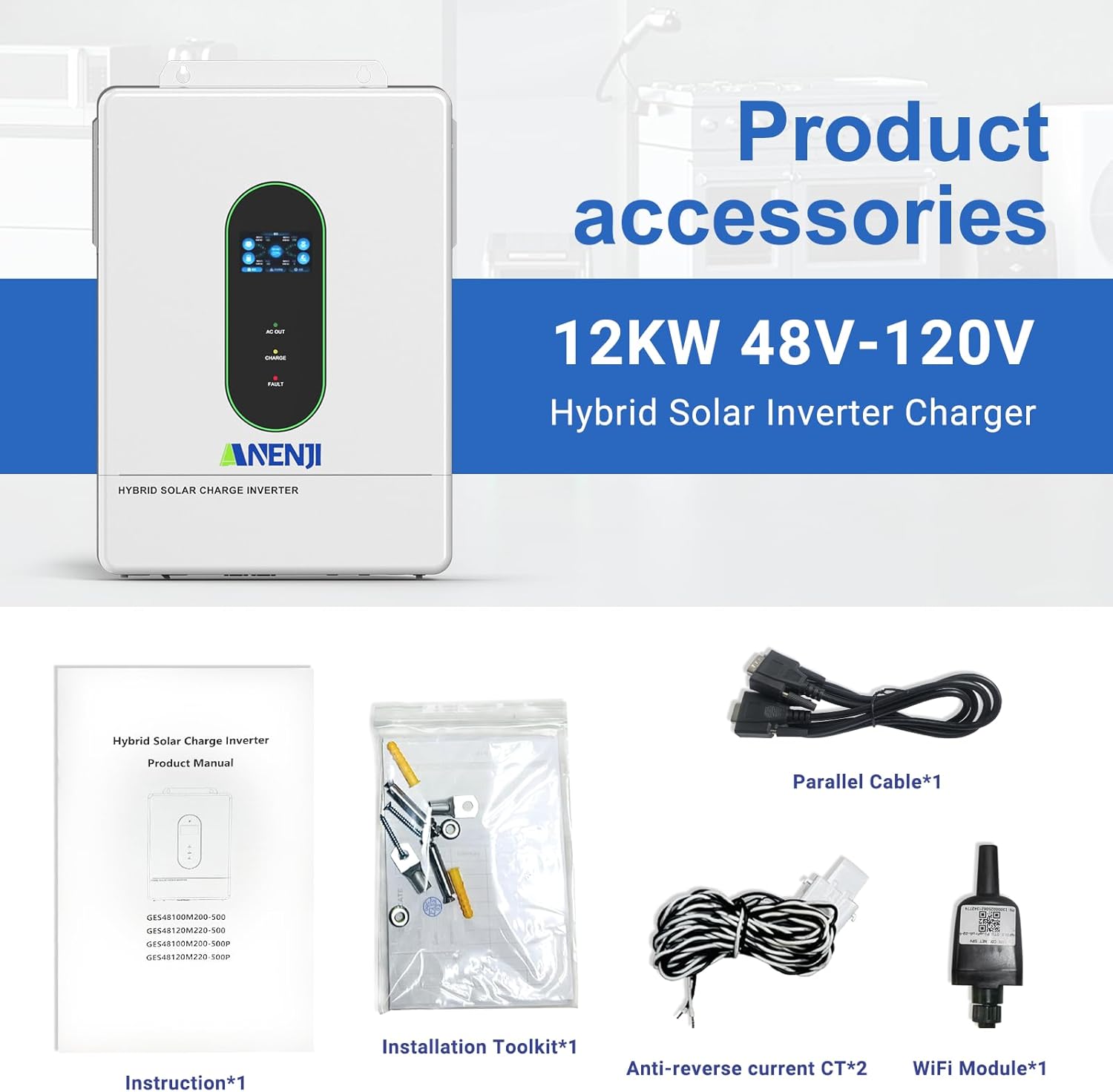
Image: Contents of the product package, showing the inverter, instruction manual, installation toolkit, parallel cable, anti-reverse current CT, and WiFi module.
- Instruction Manual
- Installation Toolkit
- Parallel Cable (x1, for parallel configurations)
- Anti-reverse current CT (x2)
- WiFi Module (x1)
4. Setup and Installation
Proper installation is crucial for the safe and efficient operation of the inverter. Always adhere to local electrical codes and consult a qualified electrician if unsure.
4.1 Site Selection
- Mount the inverter vertically on a solid surface.
- Ensure adequate clearance around the inverter for proper ventilation (at least 20 cm on all sides).
- Avoid direct sunlight, high temperatures, and high humidity.
- The operating temperature range is typically -10°C to 50°C.
4.2 Wiring Connections
All wiring must be performed with power disconnected from all sources (PV, battery, AC grid). Use appropriate wire gauges and circuit breakers as specified in the full product manual.
- Grounding: Connect the grounding screw to a reliable earth ground.
- Battery Connection: Connect the 48V battery bank to the battery terminals. Ensure correct polarity (+ to + and - to -). Recommended cable: 2 AWG/25 mm², Recommended fuse: 200A.
- PV Input Connection: Connect the solar panel array to the PV input terminals. Ensure the PV voltage is within the inverter's operating range (Max. 500VDC). Recommended cable: 10 AWG/6 mm².
- AC Input Connection: Connect the AC grid or generator input to the AC input port. Recommended cable: 10 AWG/6 mm², Recommended breaker: 63A.
- AC Output Connection: Connect your loads (appliances) to the AC output port. Output: 12000W, 110V/120V.

Image: A typical wiring diagram illustrating the connections for solar panels, battery bank, AC utility power, and household loads to the hybrid solar inverter.
4.3 Parallel Connection (Optional)
The ANJ-12000W-LVP-WIFI inverter supports parallel connection of up to 6 units to increase total power output and surge capacity. This allows for single-phase 120V, split-phase 240V, or three-phase 208V configurations.

Image: Visual representation of different parallel connection setups for the inverter, including single-phase (up to 6 units for 120V), split-phase (up to 6 units for 240V/120V), and three-phase (for 208V systems).
Refer to the detailed parallel connection guide in the full product manual for specific wiring and configuration instructions for single-phase, split-phase, and three-phase systems.
5. Operating Instructions
5.1 Initial Power-Up
- Ensure all wiring connections are secure and correct.
- Turn on the battery breaker.
- Turn on the PV array breaker (if applicable).
- Turn on the AC input breaker (if applicable).
- Switch the inverter's ON/OFF rocker switch to the "ON" position.
- The LCD display will illuminate, and the inverter will begin its startup sequence.
5.2 LCD Display and Control Buttons
The LCD screen provides real-time system status, including input/output power, battery status, and operational modes. Use the control buttons (typically Up, Down, Enter, Esc) to navigate menus and configure settings.
5.3 Charging Modes
The inverter offers flexible charging options for the battery bank:
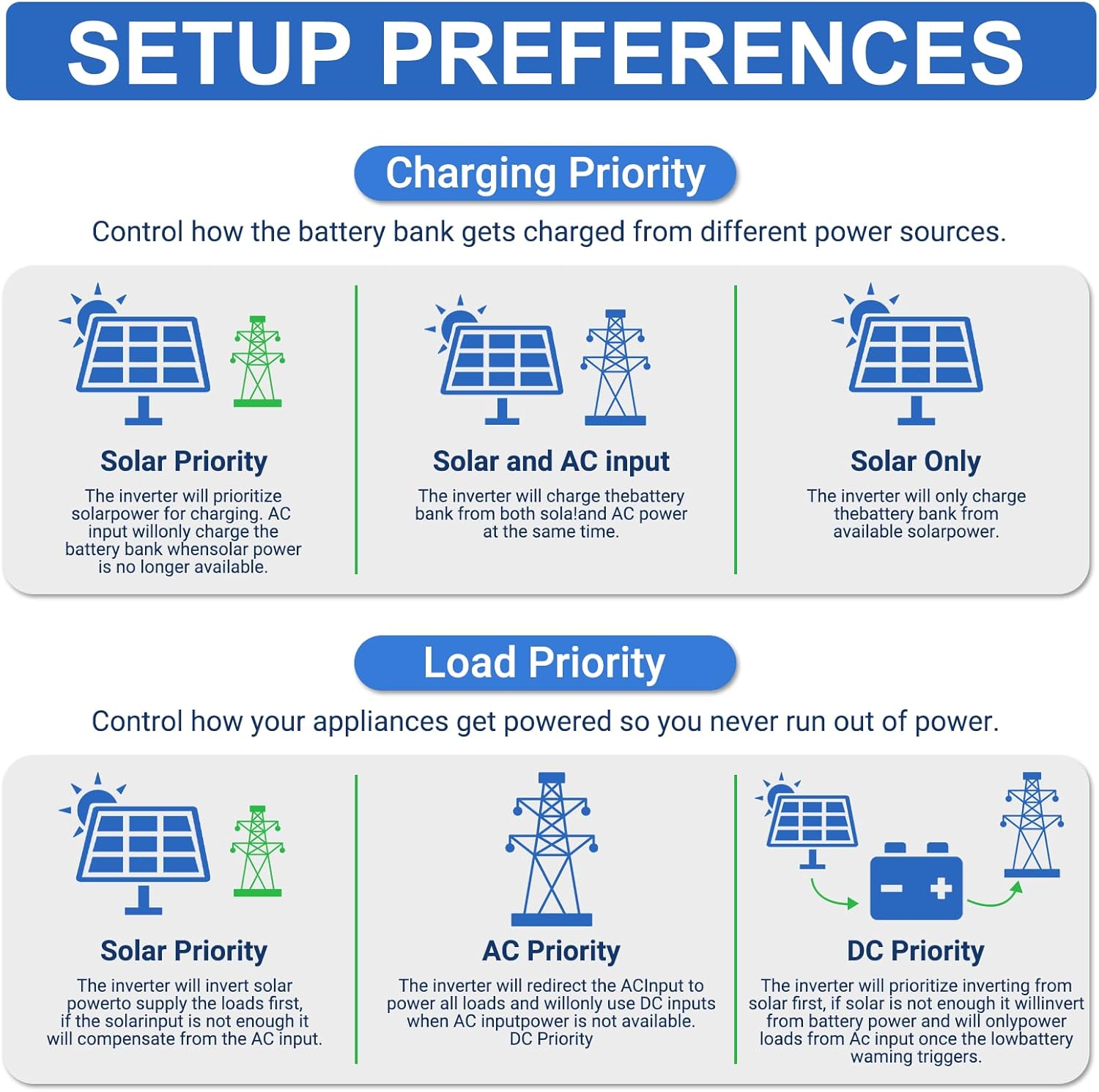
Image: Illustration of charging priority settings, including Solar Priority, Solar and AC Input Simultaneously, and Solar Only modes.
- Solar Only: The inverter charges the battery bank exclusively from solar power.
- AC Priority: The AC input (grid/generator) is prioritized for charging. Solar power charges only when AC is unavailable.
- Solar Priority: Solar power is prioritized for charging. AC input supplements charging only when solar power is insufficient.
- Hybrid Charging: Both solar and AC input charge the battery bank simultaneously.
5.4 Output Modes
The inverter allows you to define the power source for your loads:
- Mains Priority (AC First): AC input powers the loads. Inverter output (from battery/solar) is used only when AC input is unavailable.
- PV Priority (Solar First): Solar power directly powers the loads. If solar is insufficient, AC input or battery power will supplement.
- Inverter Output (DC Priority): Battery power (charged by solar/AC) is prioritized to power loads. AC input is used only when battery voltage drops to a programmable level.
5.5 Wi-Fi Monitoring
The included Wi-Fi module enables remote monitoring of your inverter's status via a smartphone application. Registration is required.
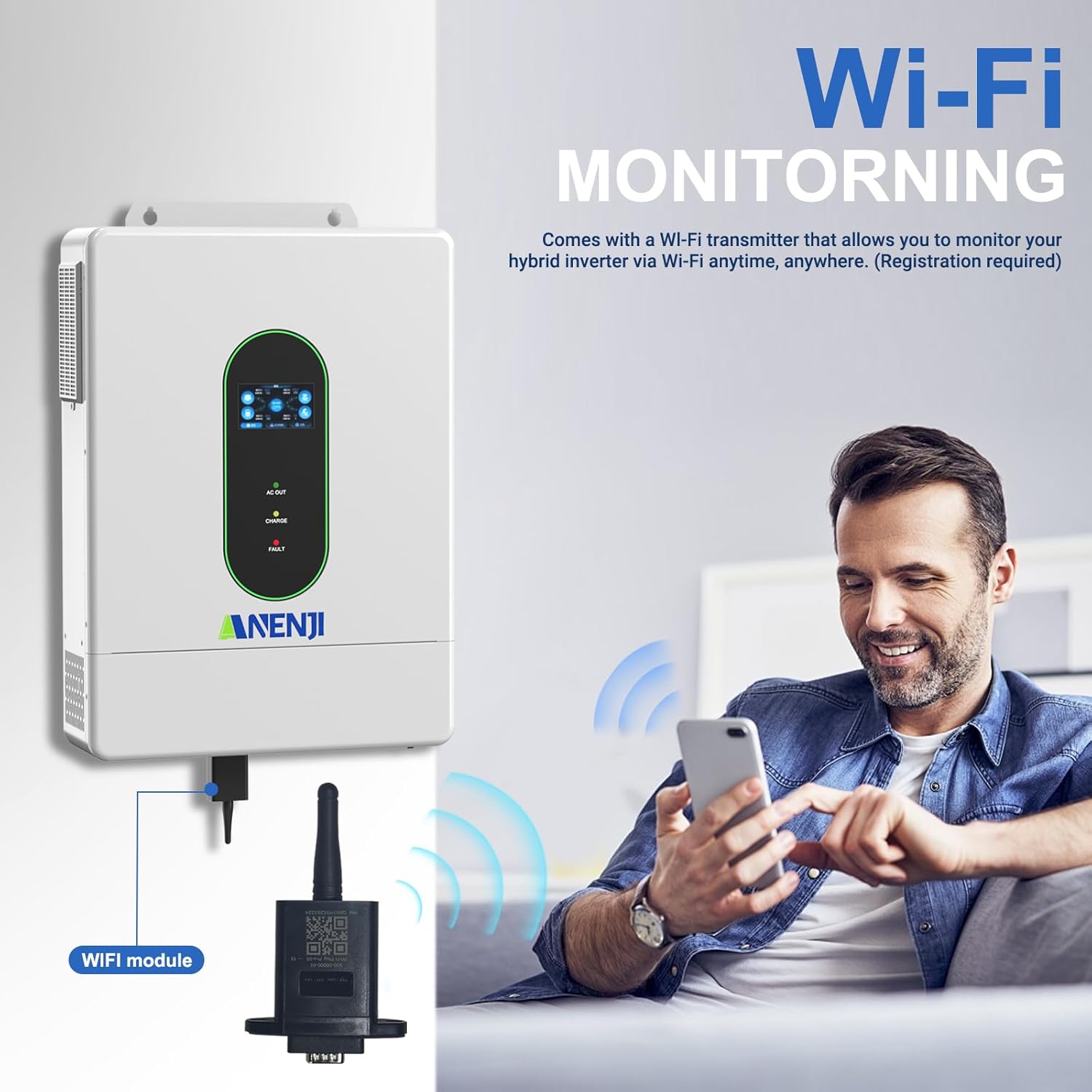
Image: A user monitoring the inverter's performance and status remotely using a smartphone application connected via the Wi-Fi module.
Install the "SmartValue" application on your smartphone. Follow the app's instructions to connect the Wi-Fi module and register your device for real-time data monitoring.
6. Maintenance
Regular maintenance ensures the longevity and optimal performance of your inverter.
- Cleaning: Periodically clean the inverter's exterior with a dry cloth. Ensure ventilation openings are free from dust and debris. Do not use liquid cleaners.
- Connections: Annually check all electrical connections for tightness and signs of corrosion. Retighten if necessary.
- Environment: Ensure the installation environment remains within specified temperature and humidity limits.
- Battery Inspection: If using lead-acid batteries, check electrolyte levels and terminal conditions as per battery manufacturer guidelines.
- Firmware Updates: Check the manufacturer's website or app for any available firmware updates.
7. Troubleshooting
This section provides guidance for common issues. For complex problems, contact technical support.
7.1 Common Issues and Solutions
| Problem | Possible Cause | Solution |
|---|---|---|
| Inverter not turning on | No battery power; ON/OFF switch off; loose connections. | Check battery voltage and connections. Ensure ON/OFF switch is in "ON" position. |
| No AC output | Overload; short circuit; battery low; AC output breaker tripped. | Reduce load. Check for short circuits. Charge battery. Reset AC output breaker. |
| No solar charging | PV input voltage too low/high; PV connections incorrect; MPPT fault. | Verify PV array voltage. Check PV wiring polarity. Ensure sufficient sunlight. |
| Error code on LCD | Specific system fault. | Refer to the full manual's error code section for specific meanings and troubleshooting steps. |
| Wi-Fi monitoring not working | Incorrect app; Wi-Fi module not connected; network issues; registration incomplete. | Ensure using "SmartValue" app. Check Wi-Fi module connection. Verify local Wi-Fi network. Complete app registration. |
If issues persist after attempting these solutions, please contact Aninerel technical support.
8. Specifications
| Parameter | Value |
|---|---|
| Model | ANJ-12000W-LVP-WIFI |
| Rated Power | 12000W |
| Peak Power | 24000W |
| DC Input Voltage | 48V |
| AC Output Voltage | 120V/240V Split Phase |
| Output Frequency | 50/60Hz (Auto sensing) |
| Waveform | Pure Sine Wave |
| Max. PV Input Power | 6000W + 6000W (Dual MPPT) |
| Max. PV Open Circuit Voltage | 500V DC |
| MPPT Voltage Range | 125VDC - 500VDC |
| Max. PV Charging Current | 220A |
| Max. AC Input Current | 160A |
| Battery Type | AGM, GEL, Lead-acid, Li-ion, LiFePO4 48V |
| Parallel Capability | Up to 6 units |
| Communication | USB, RS485, CAN, Wi-Fi (optional) |
| Dimensions (L x W x H) | 30 x 23 x 10 inches (approx.) |
| Weight | 58.9 pounds (approx.) |
| Protection Rating | IP65 |
9. Warranty and Support
For warranty information, please refer to the documentation provided with your purchase or contact Aninerel customer service. Typically, products come with a manufacturer's warranty covering defects in materials and workmanship.
Customer Support: If you encounter any issues or have questions regarding your Aninerel inverter, please contact the seller or Aninerel technical support. Have your model number (ANJ-12000W-LVP-WIFI) and purchase details ready when contacting support.
Returns: This product typically offers a 30-day easy return policy. Please check your purchase terms for details.
Ask a question about this manual
Ask about setup, troubleshooting, compatibility, parts, safety, or missing instructions. Manuals+ will review the question and use this page’s manual context to help answer it.