
YOBACARID W4PRO
YOBACARID W4PRO Electric Scooter User Manual
Model: 350W Electric Scooter for Adults
1. Important Safety Information
Before operating your YOBACARID W4PRO Electric Scooter, please read this manual thoroughly and retain it for future reference. Failure to follow the instructions and safety warnings could result in serious injury or property damage.
- Always wear a helmet and appropriate protective gear (knee pads, elbow pads) when riding.
- Observe all local traffic laws and regulations. Riding on public roads may be restricted in some areas.
- Do not exceed the maximum weight limit of 220 lbs (100 kg).
- Avoid riding in wet conditions, heavy rain, or on slippery surfaces.
- Do not ride under the influence of alcohol or drugs.
- Maintain a safe speed and distance from other vehicles and pedestrians.
- Regularly inspect the scooter for any loose parts, damage, or wear before each ride.
- Ensure the battery is fully charged before long rides and avoid overcharging.
- This product is intended for adult use only.
2. Package Contents
Verify that all items are present in your package:
- YOBACARID W4PRO Electric Scooter
- Charger
- Installation Tool Kit
- User Instruction Manual (this document)
3. Product Overview
3.1 Scooter Components
Familiarize yourself with the main parts of your electric scooter.

Image: Close-up view of the scooter's front white headlights, electronically assisted front wheel brakes, buzzer, and rear wheel handbrake system.
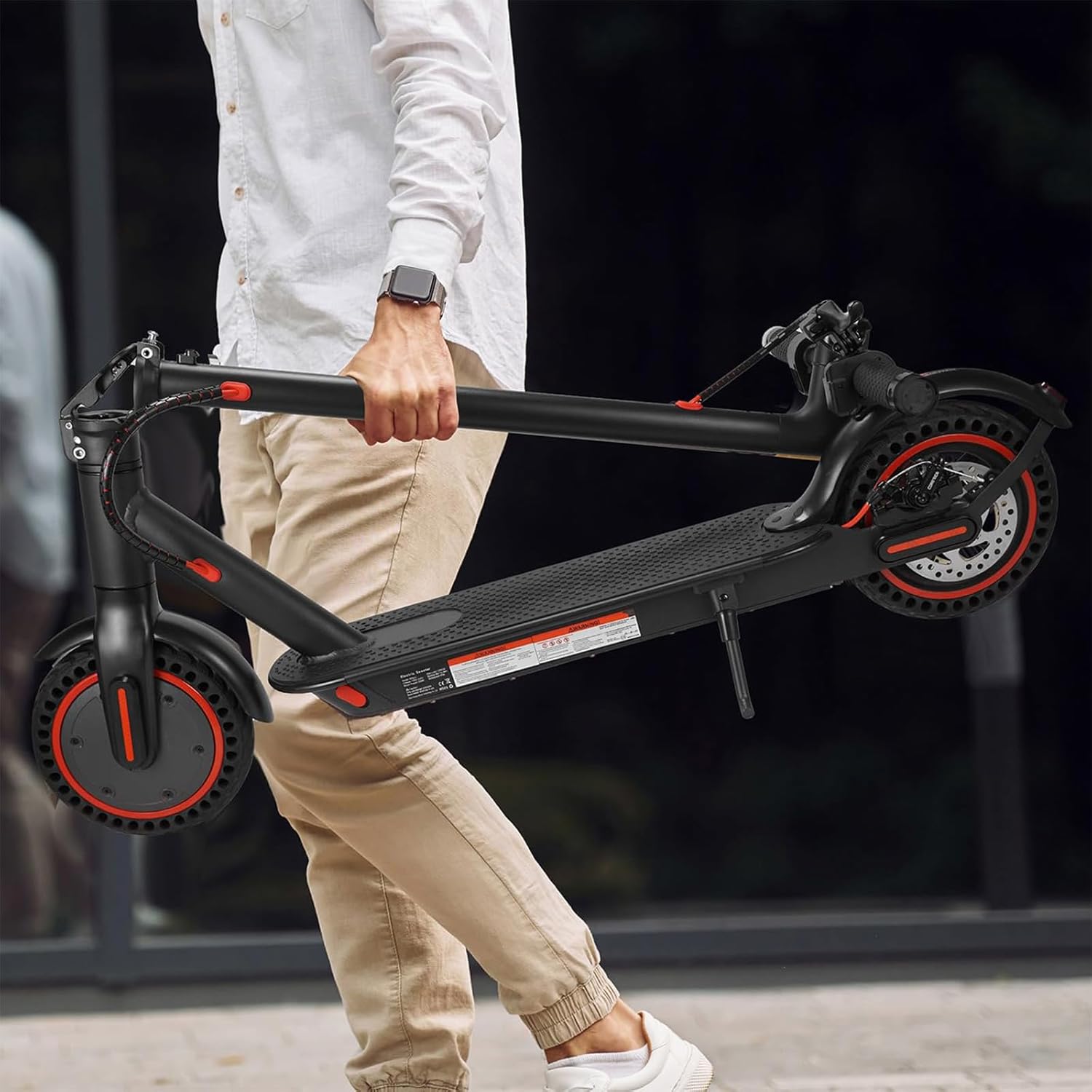
Image: Front perspective of the scooter, highlighting the front wheel, integrated headlight, and the folding latch on the stem.
3.2 Key Features
- Powerful Motor: Equipped with a 350W brushless hub motor for efficient performance.
- High Capacity Battery: Features a 36V 10.4AH battery, providing a range of 18-21 miles.
- Max Speed: Achieves a maximum speed of 19 MPH (25 km/h).
- Solid Tires: 8.5-inch honeycomb solid tires require no inflation, repair, or maintenance.
- Dual Braking System: Includes a drum brake and EABS anti-lock brake for reliable stopping power.
- Foldable Design: One-step folding system for easy storage and transport.
- Smart App Control: Connects to a mobile application for various settings and monitoring.
- Safety Certified: UL2272 tested for enhanced safety.

Image: Diagram illustrating the internal structure of the 350W electric brushless hub motor and the high-capacity 36V/10.4AH battery.
4. Assembly and Setup
The YOBACARID W4PRO Electric Scooter is approximately 85% pre-assembled. Follow these steps to complete the setup:
- Unfold the Scooter: Carefully lift the steering column until it locks into the upright position. Ensure the folding mechanism is securely latched.
- Attach Handlebars: Insert the handlebars into the steering column. Ensure they are aligned correctly and tighten any screws using the provided installation tool.
- Initial Charge: Before first use, fully charge the scooter's battery. Connect the charger to the charging port and then to a power outlet. The indicator light on the charger will change when charging is complete.
- Pre-Ride Check: Verify that all screws are tight, brakes are functioning correctly, and tires are in good condition.

Image: The electric scooter displayed in its fully extended, ride-ready state and its compact, folded state for storage or transport.
5. Operating Instructions
5.1 Power On/Off
- To Power On: Press and hold the power button on the display panel for a few seconds until the screen illuminates.
- To Power Off: Press and hold the power button again until the display turns off.
5.2 Riding the Scooter
- Kick Start: Place one foot on the deck and use the other foot to push off the ground to gain initial momentum.
- Engage Motor: Once moving, gently press the accelerator lever with your thumb to engage the motor.
- Braking: To slow down or stop, release the accelerator and gently squeeze the brake lever on the handlebar. The scooter features a dual braking system for effective stopping.
- Speed Modes: The scooter typically has multiple speed modes. Refer to the display or app for switching between modes (e.g., Eco, Standard, Sport).
- Headlights: Press the light button on the display to turn the front and rear LED lights on or off.
5.3 App Control
The YOBACARID W4PRO Electric Scooter can be connected to a smartphone application for enhanced control and monitoring.
- Download App: Scan the QR code in the manual or on the scooter to download the official YOBACARID app.
- Connect: Enable Bluetooth on your smartphone and open the app. Follow the in-app instructions to pair with your scooter.
- App Functions: Through the app, you can:
- Select riding modes (e.g., Eco, Drive, Sport)
- Control the light system
- Adjust speed limits
- Activate/deactivate cruise control
- Monitor scooter status (battery level, mileage, speed)
- Lock/unlock the scooter
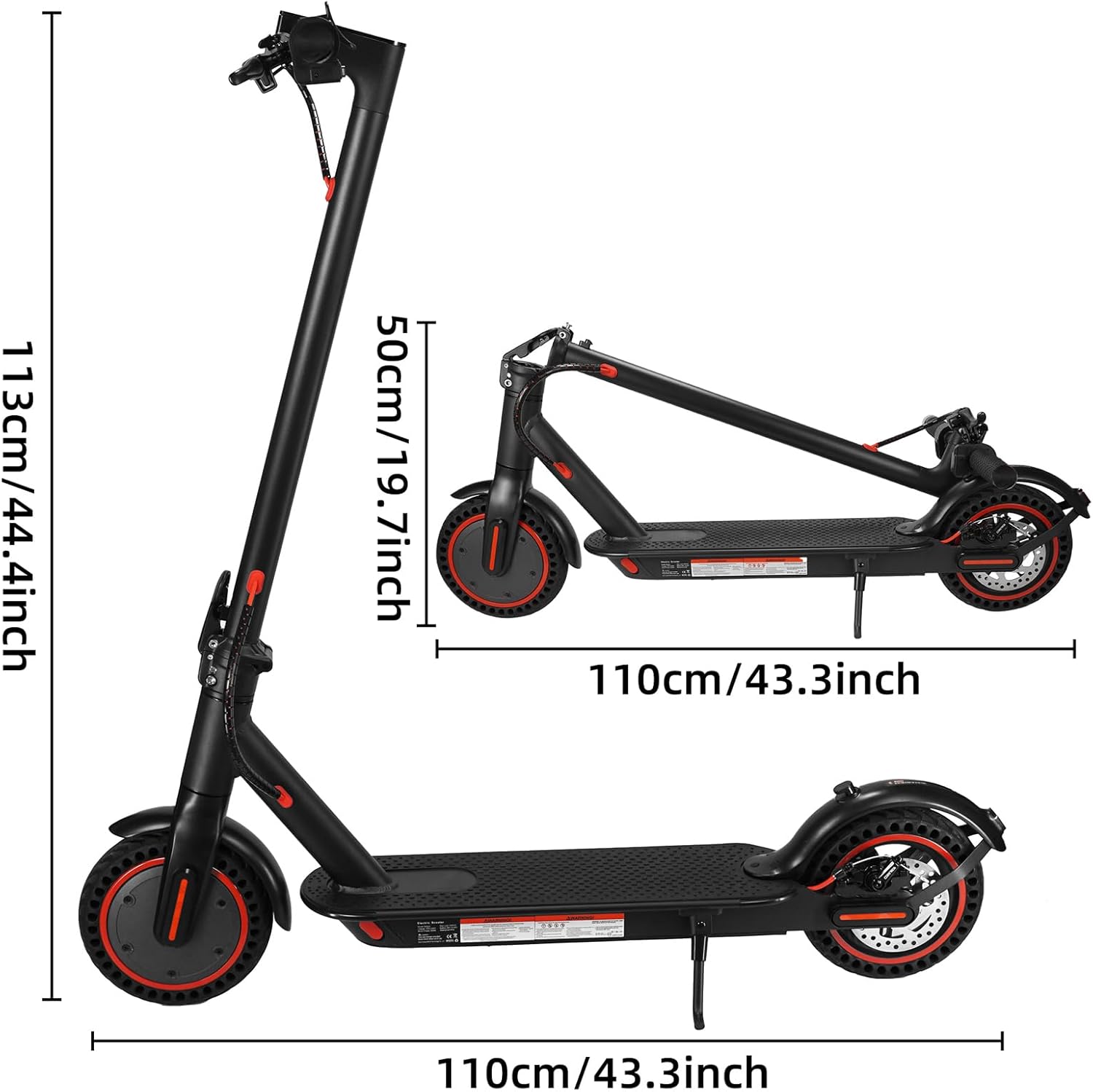
Image: A smartphone displaying the YOBACARID mobile application interface, showing various control options and real-time scooter data.
5.4 Folding the Scooter
The scooter features a one-step folding system for convenient storage and portability.
- Ensure the scooter is powered off.
- Locate the folding latch mechanism at the base of the steering column.
- Engage the latch to release the steering column.
- Gently fold the steering column downwards until it clicks into place, securing it to the rear fender.

Image: An individual carrying the YOBACARID W4PRO electric scooter, demonstrating its portability when folded.
6. Maintenance
- Cleaning: Wipe the scooter with a damp cloth. Do not use high-pressure water or immerse the scooter in water.
- Tires: The 8.5-inch solid honeycomb tires are maintenance-free and do not require inflation. Inspect them periodically for excessive wear or damage.
- Brakes: Regularly check the brake levers and cables for proper tension and function. Adjust if necessary.
- Battery Care: Charge the battery regularly, even if the scooter is not in use, to prolong its lifespan. Store the scooter in a cool, dry place.
- Fasteners: Periodically check all screws and bolts to ensure they are tight.
7. Troubleshooting
If you encounter issues with your scooter, refer to the following common troubleshooting tips:
- Scooter not turning on: Ensure the battery is charged. Check the power button for proper function.
- Motor not engaging: Confirm the scooter has initial momentum (kick-start). Check battery level.
- Brakes not working effectively: Inspect brake cables and pads for wear or damage. Adjust brake tension if needed.
- App connectivity issues: Ensure Bluetooth is enabled on your phone and the scooter is powered on. Try restarting both devices.
For more complex issues or if troubleshooting steps do not resolve the problem, please contact YOBACARID customer support.
8. Specifications
| Feature | Specification |
|---|---|
| Material | Aluminum |
| Max Mileage | 18-21 Miles (20-25 km) |
| Max Speed | 19 MPH (25 km/h) |
| Max Load | 220 lbs (100 kg) |
| Climbing Angle | 15° |
| Battery | 36V 10.4AH |
| Charging Time | 3 hours |
| Motor Power | 350W |
| Tire Size | Front 8.5", Rear 8.5" |
| Tire Type | Solid Honeycomb |
| Brake System | Disc Brake (Rear), EABS (Front) |
| Lights | Front & Rear LED with Brake Light |
| App Control | Yes |
| Foldable | Yes |
| Product Weight | 32 lbs (14.5 kg) |
| Safety Certification | UL2272 |
9. Warranty and Support
Your YOBACARID W4PRO Electric Scooter comes with a 1-year limited warranty from the date of purchase, covering manufacturing defects.
This warranty does not cover damage caused by:
- Improper use or maintenance
- Accidents or collisions
- Unauthorized modifications or repairs
- Normal wear and tear
For warranty claims, technical support, or any questions regarding your scooter, please contact YOBACARID customer service through the retailer where you purchased the product or visit the official YOBACARID website for contact information.