
vonezone Electronic Dart Board Cabinet UHZ201O User Manual
Model: UHZ201O
1. Introduction
This manual provides instructions for the safe and proper use of your vonezone Electronic Dart Board Cabinet. Please read this manual thoroughly before installation and operation, and retain it for future reference.
The vonezone Electronic Dart Board Cabinet is designed for recreational dart play, featuring an LED scoring display, multiple game options, and a protective cabinet. It supports up to 8 players and includes soft-tip darts for indoor use.
2. Safety Information
- Adult Supervision: This product is intended for use by adults. Children should only use the dartboard under direct adult supervision.
- Soft Tip Darts: Use only soft-tip darts with this electronic dartboard to prevent damage to the board and reduce the risk of injury.
- Power Source: Use only the provided power adapter. Ensure the power outlet voltage matches the adapter's requirements. Do not use batteries as the primary power source; disassembling the cabinet is required for battery installation, which is not recommended for regular use.
- Installation: Ensure the dartboard cabinet is securely mounted to a sturdy wall surface to prevent it from falling. Follow all installation instructions carefully.
- Clear Area: Maintain a clear throwing area around the dartboard, free from obstacles, people, or pets, to prevent accidents.
- Maintenance: Do not attempt to repair the dartboard yourself. Refer all servicing to qualified personnel.
3. Package Contents
Verify that all items listed below are included in your package:
- Electronic Dartboard Cabinet (x1)
- Soft Tip Darts (x12)
- Dart Wings (x12)
- Replacement Tips (x50)
- Flight Protectors (x2)
- Power Adapter (x1)
- Tool Wrenches (x1)
- User Manual (x2)
- Expansion Screws (x2)
- Screws (x2)

Image: All accessories included with the dartboard cabinet.
4. Setup
4.1 Wall Mounting
- Choose Location: Select a sturdy wall in an area with sufficient space for throwing darts. The recommended bullseye height is 1.73 meters (68.11 inches) from the floor. The recommended throwing distance is 2.37 meters (93.3 inches) from the board face.
- Mark Holes: Use the cabinet as a template to mark the drilling points for the mounting screws.
- Drill Holes: Drill pilot holes at the marked locations. Insert expansion screws if necessary for drywall installation.
- Mount Cabinet: Securely attach the dartboard cabinet to the wall using the provided screws. It is recommended to have two people for easier installation.

Image: Standard installation sizes for the dartboard cabinet, including bullseye height and throwing distance.

Image: Detailed product dimensions of the dartboard cabinet, both open and closed.
4.2 Dart Assembly
Assemble the soft-tip darts by screwing the dart wings onto the dart barrels. Attach flight protectors if desired.
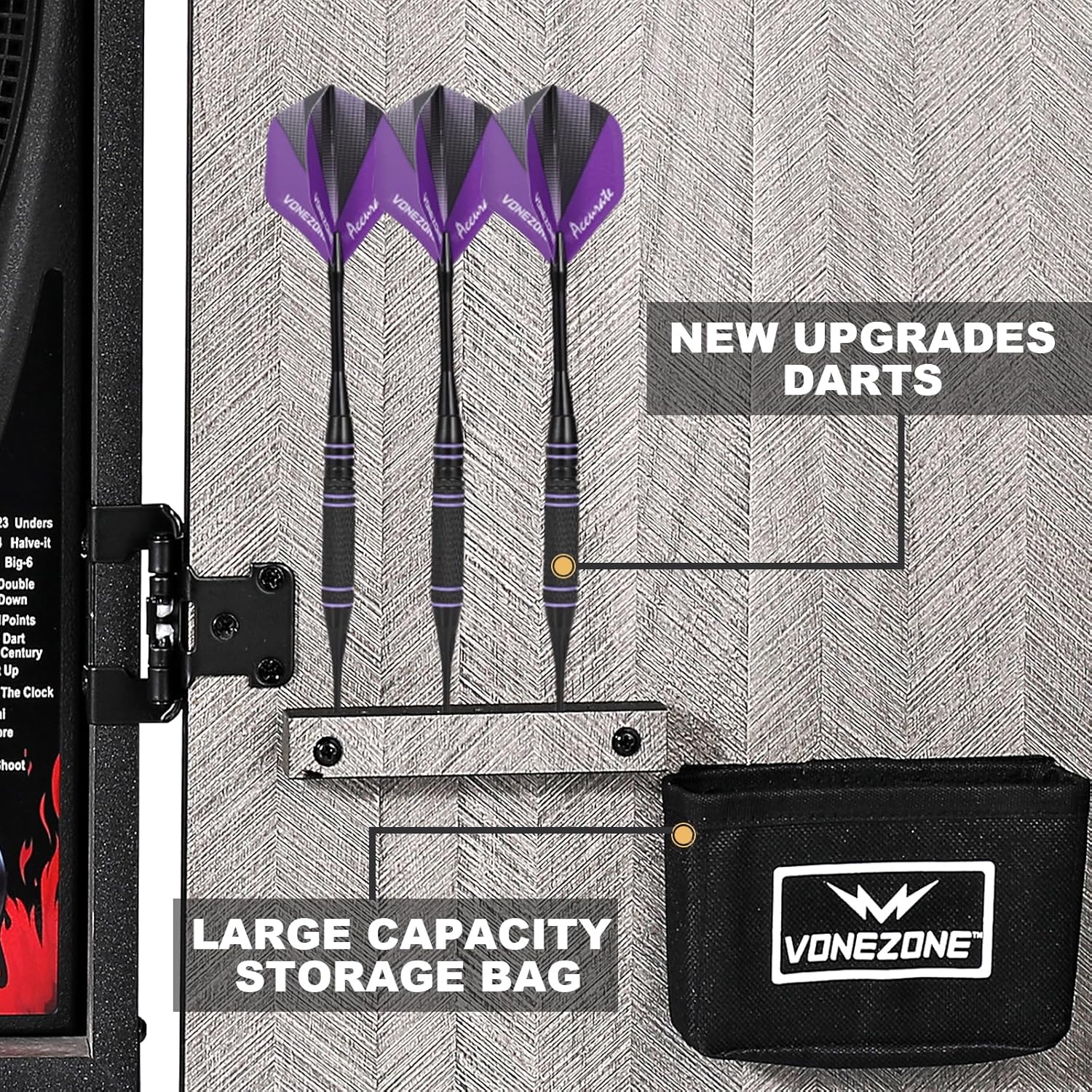
Image: New upgraded darts and the large capacity storage bag for accessories.
4.3 Power Connection
Connect the provided power adapter to the dartboard and plug it into a standard electrical outlet.
4.4 Magnetic Puzzle Door Customization
The cabinet doors feature 18 unique magnetic puzzle pieces. These pieces can be freely combined to create personalized designs on the cabinet exterior when closed.

Image: The magnetic puzzle door feature, showing various design possibilities.
Video: Demonstrates the fun puzzle-style electronic dartboard cabinet and its customizable magnetic pieces.
Video: Shows the 18-piece puzzle-style electronic dartboard cabinet and how to rearrange the magnetic pieces.
Video: A brief 3D overview of the 18 puzzle electronic dartboard cabinet.
5. Operating Instructions
5.1 Power On/Off
Press the ON/OFF button to power the dartboard on or off.
5.2 Game Selection
The dartboard offers 34 games with 355 variations. Use the GAME button to cycle through available games. Press ENTER to select a game.

Image: Overview of the 34 games and 355 variations available on the dartboard.
5.3 Player Selection
The dartboard supports up to 8 players. Use the PLAYER button to select the number of players for your game. The LED display will show color-coded indicators for each player.
5.4 Scoring and Display
The dartboard features an automatic scoring system with a high-definition LED display. Scores are updated automatically after each throw. The ultra-thin spider web design helps reduce dart bounce-outs, ensuring accurate scoring.
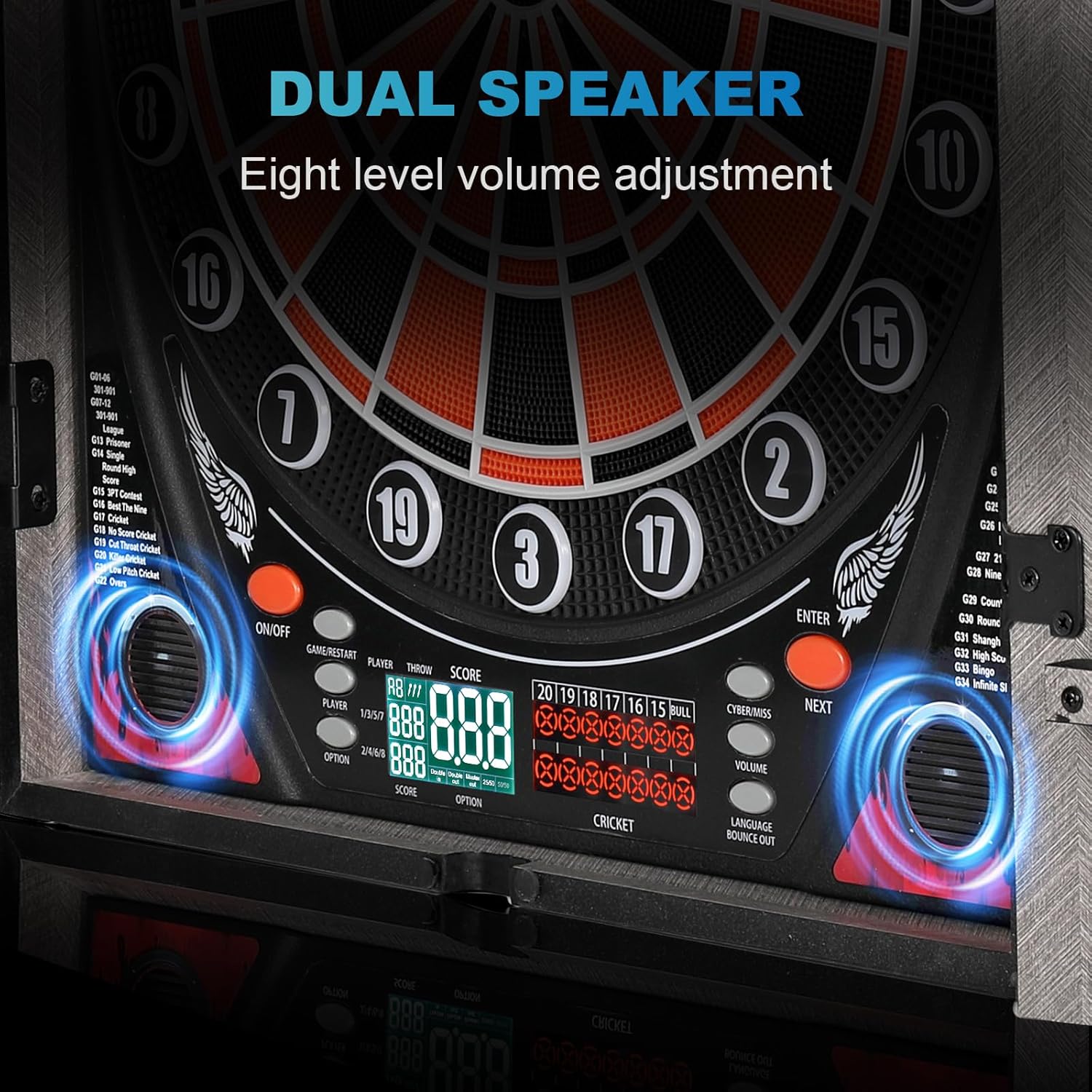
Image: Detailed view of the LED scoring display and the ultra-thin spider web dartboard design.
5.5 Volume Adjustment
Adjust the game sound volume using the VOLUME buttons. There are eight levels of volume adjustment.
5.6 Language Selection
The dartboard supports English, German, and French languages. Refer to the manual's specific section for language selection instructions.
5.7 Dart Throwing Technique
Proper dart throwing involves a consistent stance, aiming, a smooth take-back, and a controlled release. Practice is key to improving accuracy.
- Stance: Stand comfortably at the throwing line.
- Aiming: Focus on your target on the dartboard.
- Take Back: Bring the dart back smoothly.
- Release: Release the dart with a fluid motion towards the target.

Image: Game preparation steps, showing the sequence of aiming, taking back, and releasing a dart.
Video: An overview of the Lieutenant General Electronic Dartboard Cabinet, demonstrating its features and operation.
6. Maintenance
6.1 Cleaning
Wipe the dartboard and cabinet surfaces with a soft, dry cloth. Do not use abrasive cleaners or solvents.
6.2 Dart Tip Replacement
If a soft tip dart becomes damaged or worn, replace it with one of the 50 included replacement tips. Simply unscrew the old tip and screw on a new one.
7. Troubleshooting
- No Power: Ensure the power adapter is securely connected to both the dartboard and a working electrical outlet.
- Low Volume: Adjust the volume using the VOLUME buttons. If the volume remains low at maximum setting, ensure no external factors are obstructing the speakers.
- Darts Not Registering: Ensure you are using soft-tip darts. Check if the dart segments are clear of debris. If a segment is consistently not registering, gently press on it to ensure it is not stuck.
- Dart Bounce-Outs: While the ultra-thin spider web design minimizes bounce-outs, ensure darts are not worn or damaged. Replace tips as needed.
- Display Issues: If the LED display is not functioning correctly, try powering the unit off and on again. If the issue persists, contact customer support.
8. Specifications
| Feature | Specification |
|---|---|
| Brand | vonezone |
| Model Number | UHZ201O |
| Material | Acrylonitrile Butadiene Styrene (ABS), Engineered Wood |
| Product Dimensions (W x H) | 3.54"W x 22.44"H (Closed) |
| Item Weight | 23 pounds |
| Number of Games | 34 |
| Game Variations | 355 |
| Max Players | 8 |
| Dart Type | Soft Tip |
| Display Type | LED Scoring |
| Supported Languages | English, German, French |
9. Warranty and Support
9.1 Warranty Information
Enjoy professional after-sales support within 180 days of purchase. Free returns and exchanges are available within 3 months of the purchase date for non-human-caused quality issues.
9.2 Customer Support
If you encounter any problems or have questions regarding your vonezone Electronic Dart Board Cabinet, please contact our customer support team. Refer to your purchase documentation for contact details.