Introduction
This manual provides comprehensive instructions for the safe and efficient operation of your ZGCINE PS-BLK22 Charging Case. Please read this manual thoroughly before using the product and retain it for future reference.
Product Overview
Key Features
- Supports USB-C Power Delivery (PD) input for fast charging.
- Dual charging slots for Panasonic LUMIX DMW-BLK22 camera batteries.
- Integrated storage slots for 2 SD cards, 2 TF cards, and 1 CFE Type-B card.
- Features a 0.96-inch OLED screen for displaying charging status and battery voltage.
- Compact and portable design.
Package Contents
- ZGCINE PS-BLK22 Charging Case
- USB-C to USB-C Cable (Inferred, typically included with such devices)
- User Manual (This document)
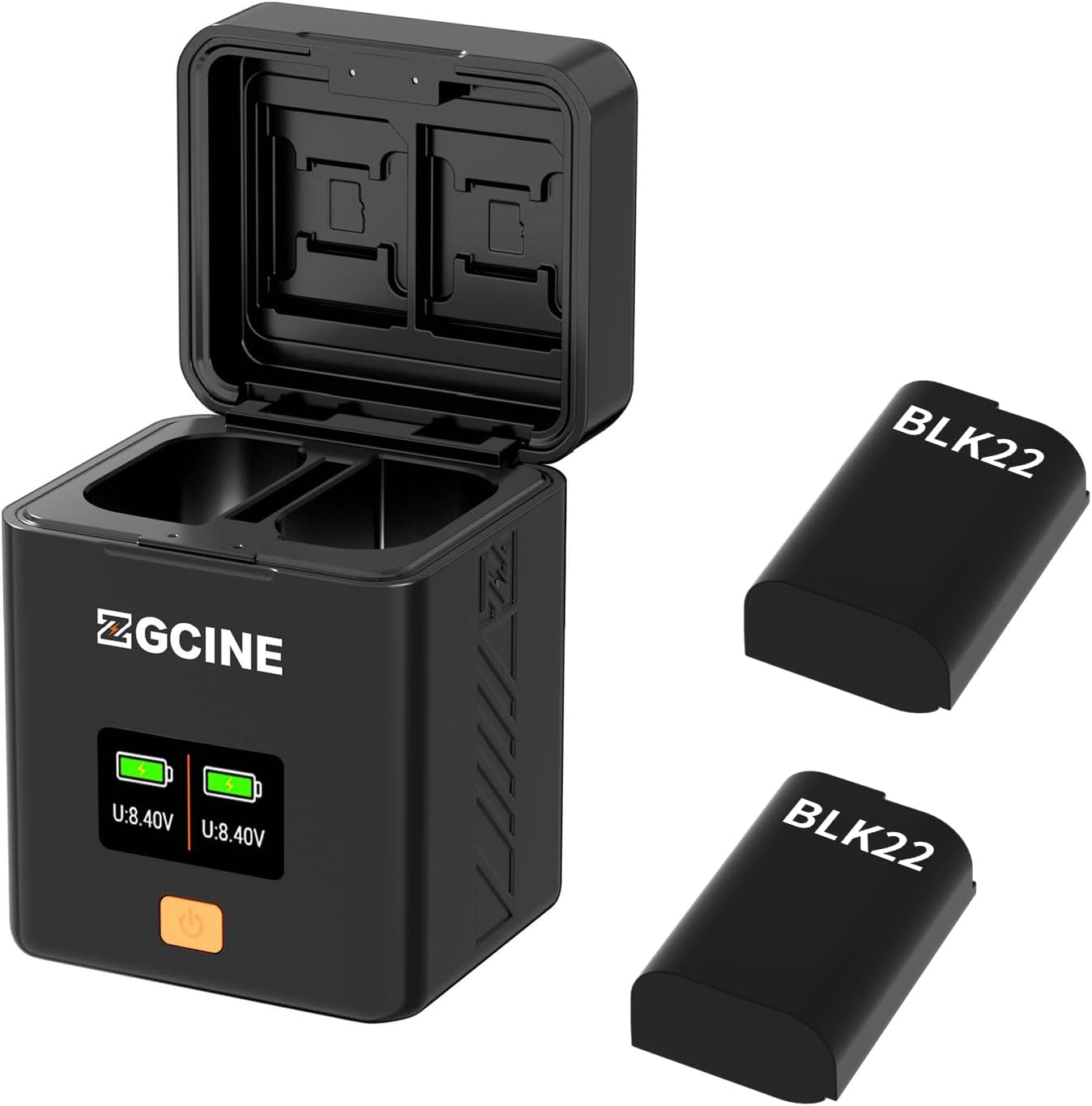
Figure 1: The ZGCINE PS-BLK22 Charging Case shown with its lid open, revealing battery slots and memory card storage. Two DMW-BLK22 batteries are depicted alongside the charger.
Setup
- Connect Power: Use a USB-C to USB-C cable to connect the charging case's USB-C input port to a compatible USB-C PD power adapter (not included). The OLED screen will illuminate, indicating power is supplied.
- Insert Batteries: Carefully insert one or two Panasonic DMW-BLK22 batteries into the designated charging slots. Ensure correct orientation.
- Insert Memory Cards (Optional): Place SD, TF, or CFE Type-B cards into their respective storage slots for secure keeping.
Operating Instructions
Charging Batteries
- Once batteries are inserted and power is connected, the charging process begins automatically.
- The OLED screen will display the charging status for each battery, including current voltage (U: 8.40V) and a battery level indicator.
- A full battery icon on the OLED screen indicates that the battery is fully charged. The charging process will automatically stop to prevent overcharging.
- The charging case supports simultaneous charging of two batteries.
Using Memory Card Slots
- The integrated slots are for storage only and do not provide data transfer capabilities.
- Insert memory cards firmly into their corresponding slots (SD, TF, CFE Type-B) for secure transport and organization.
OLED Display Information
The 0.96-inch OLED screen provides real-time information:
- Battery Voltage: Displays the current voltage of each inserted battery (e.g., U: 8.40V).
- Charging Status: A dynamic battery icon indicates ongoing charging. A static, full battery icon indicates charging completion.
Maintenance
- Cleaning: Use a soft, dry cloth to clean the exterior of the charging case. Do not use liquid cleaners or solvents.
- Storage: Store the charging case in a cool, dry place away from direct sunlight and extreme temperatures.
- Handling: Avoid dropping the device or subjecting it to strong impacts.
Troubleshooting
| Problem | Possible Cause | Solution |
|---|---|---|
| OLED screen does not light up. | No power supply or faulty cable. | Ensure the USB-C cable is securely connected to a working USB-C PD power source. Try a different cable or power adapter. |
| Batteries are not charging. | Incorrect battery insertion or battery fault. | Re-insert batteries, ensuring correct orientation. Test batteries in another charger if available. Ensure the charger has power. |
| Slow charging. | Insufficient power input. | Ensure your USB-C PD power adapter provides adequate power (e.g., 9V/3A for optimal speed). |
Specifications
| Feature | Detail |
|---|---|
| Model | PS-BLK22 |
| USB-C PD Input | 5V/3A; 9V/3A |
| USB-C PD Output | 8.4V/1A*2 |
| Compatible Batteries | Panasonic LUMIX DMW-BLK22 |
| Memory Card Slots | 2x SD, 2x TF, 1x CFE Type-B |
| Display | 0.96-inch OLED screen |
| Net Weight | 135g (4.8 ounces) |
| Dimensions | 66mm x 62mm x 84mm (2.6 x 2.4 x 3.3 inches approx.) |
| UPC | 715968591148 |
| Manufacturer | ZGCINE |
Warranty and Support
ZGCINE products are designed and manufactured to the highest quality standards. For warranty information, technical support, or service inquiries, please refer to the warranty card included with your product or visit the official ZGCINE website. Please retain your proof of purchase for warranty claims.
For further assistance, you may contact ZGCINE customer support through their official channels.


