1. Product Overview
The Chofit T70/T80 Smart Watch Bands are designed as replacement wristbands for various T70 and T80 series smartwatches. These bands are crafted from durable silicone, offering comfort and reliability for daily wear.
1.1 Compatible Models
These replacement bands are compatible with the following smartwatch models:
- soudorv T70
- Csasan T70
- Kuizil T70
- WeurGhy T70
- Puqo T80
1.2 Key Features
- Material: Made from premium, soft silicone, ensuring durability and comfort. It is sweat-resistant, waterproof, and lightweight.
- Adjustable Size: Designed to fit most adult wrists, with an adjustable range suitable for wrist sizes between 5.5 inches and 7.5 inches.
- Secure Closure: Features a stainless steel buckle for secure fastening and easy adjustment.
- Easy Installation: Engineered for straightforward attachment and removal from your smartwatch.
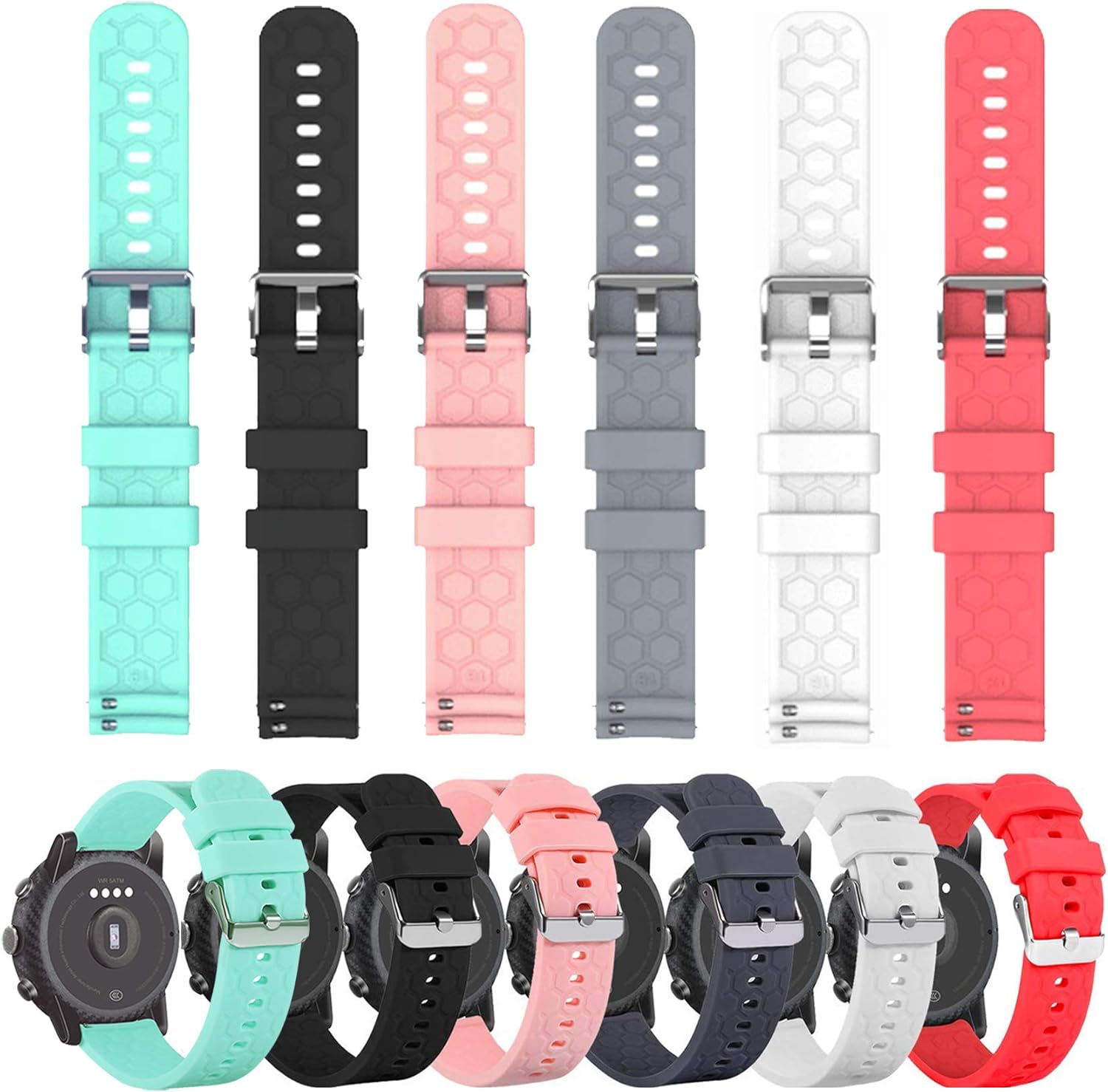
Image 1.1: Overview of the Chofit T70/T80 Smart Watch Bands in multiple colors, both detached and attached to smartwatches.
2. Setup and Installation
2.1 Attaching the Watch Band
The Chofit T70/T80 watch bands feature quick-release pins for easy attachment. Follow these steps:
- Locate the spring bars on the back of your smartwatch.
- Insert one end of the band's spring bar into the lug hole on the watch casing.
- Slide the quick-release pin lever to retract the other end of the spring bar.
- Align the retracted pin with the opposite lug hole and release the lever.
- Gently pull the band to ensure it is securely attached to the watch.

Image 2.1: Detail of the watch band showing the quick-release pin mechanism for installation.
2.2 Adjusting the Band Size
To ensure a comfortable and secure fit, adjust the band length using the stainless steel buckle:
- Place the smartwatch on your wrist.
- Thread the end of the band through the buckle.
- Select a hole that allows the watch to sit snugly but comfortably on your wrist, without being too tight or too loose.
- Insert the buckle pin into the chosen hole.
- Secure the excess strap using the two loops provided.

Image 2.2: Detail of the stainless steel buckle and strap loops for size adjustment.
3. Operating (Wearing) Your Watch Band
3.1 Achieving a Proper Fit
A properly fitted watch band is crucial for comfort and accurate sensor readings (if applicable to your smartwatch). The band should be snug enough that it does not slide freely on your wrist, but not so tight that it restricts circulation or causes discomfort. Ensure the watch sensor maintains consistent contact with your skin.

Image 3.1: Example of the pink watch band worn on a wrist.
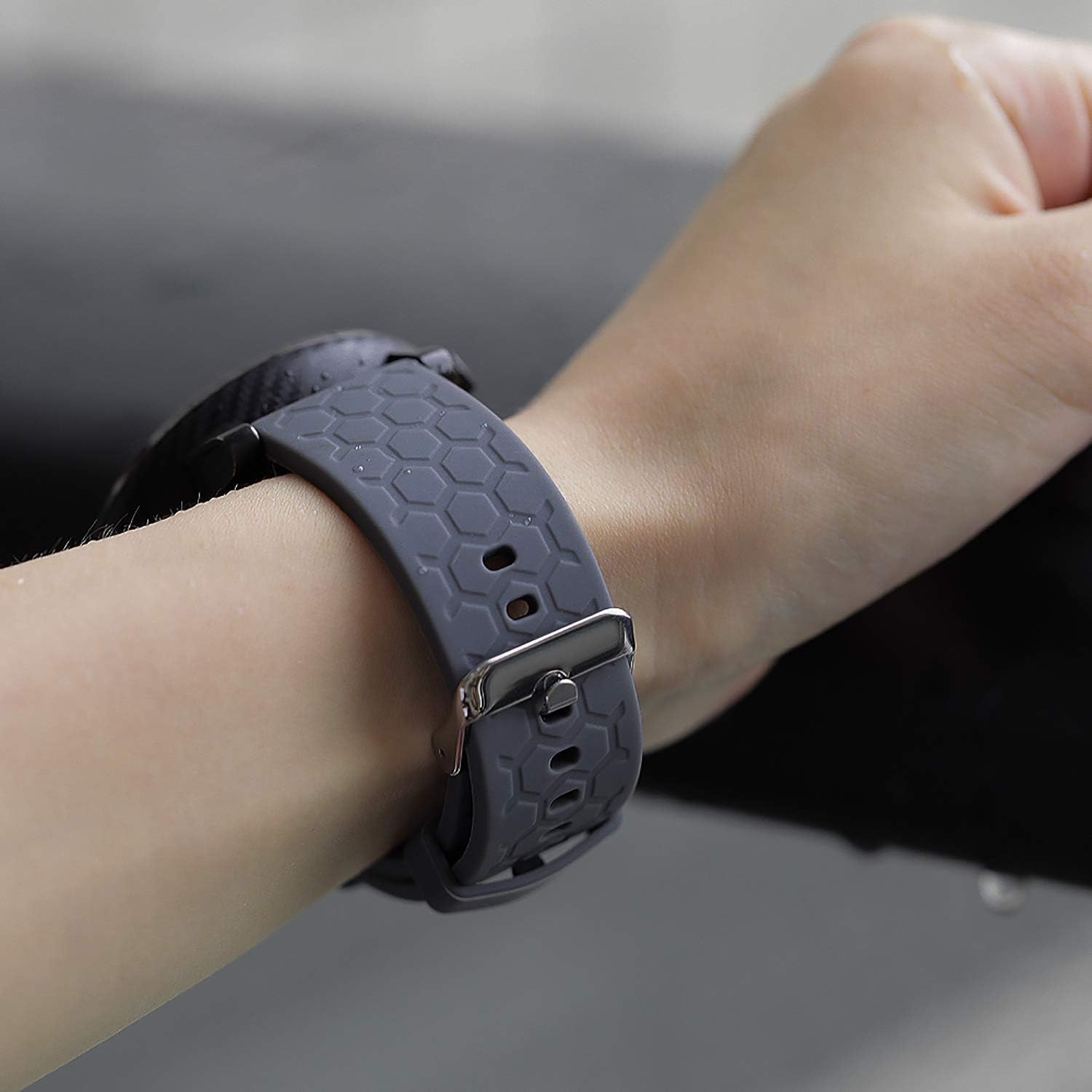
Image 3.2: Example of the grey watch band worn on a wrist.

Image 3.3: Example of the teal watch band worn on a wrist.
4. Care and Maintenance
4.1 Cleaning Instructions
To maintain the appearance and longevity of your silicone watch band, regular cleaning is recommended:
- Remove the band from your smartwatch before cleaning.
- Wipe the band with a soft, damp cloth. For deeper cleaning, use a small amount of mild soap (e.g., hand soap) mixed with water.
- Gently scrub the band, paying attention to any textured areas.
- Rinse thoroughly with clean water to remove all soap residue.
- Dry the band completely with a soft, lint-free cloth before reattaching it to your smartwatch.
- Avoid using harsh chemicals, abrasive cleaners, or stiff brushes, as these can damage the silicone material.
4.2 Storage
When not in use, store your watch bands in a cool, dry place away from direct sunlight and extreme temperatures. This helps prevent material degradation and discoloration over time.
5. Troubleshooting
5.1 Band Not Attaching Securely
- Check Pin Alignment: Ensure both ends of the quick-release pin are fully seated in the lug holes of the smartwatch.
- Inspect Pins: Verify that the quick-release pins are not bent or damaged. If damaged, contact support for replacement.
- Verify Compatibility: Double-check that your smartwatch model is listed as compatible with these bands.
5.2 Skin Irritation
- Clean Band: Ensure the band is clean and free from sweat, dirt, or soap residue.
- Adjust Fit: A band that is too tight can cause irritation. Loosen the band slightly to allow for better air circulation.
- Allow Skin to Breathe: Periodically remove your watch to allow your skin to breathe, especially after intense activity.
5.3 Discoloration or Staining
- Regular Cleaning: Follow the cleaning instructions in Section 4.1 to prevent buildup of dirt and oils.
- Avoid Contact with Chemicals: Exposure to certain chemicals, dyes (e.g., from clothing), or strong sunlight can cause discoloration.
6. Product Specifications
- Material: Environment protection silicone
- Buckle Material: Stainless Steel
- Adjustable Wrist Size: 5.5 inches - 7.5 inches (140mm - 190mm)
- Compatibility: soudorv T70, Csasan T70, Kuizil T70, WeurGhy T70, Puqo T80 smartwatches
- Features: Sweat-resistant, waterproof, durable, lightweight, anti-dust, anti-dirt
7. Warranty and Support
Specific warranty details for the Chofit T70/T80 Smart Watch Bands are not provided within this manual. For warranty information, product support, or to address any issues not covered in this guide, please refer to the retailer where the product was purchased or visit the official Chofit brand store online.
You can often find additional support and contact information by visiting the Chofit Store on Amazon.


