
AGPTEK A02PL
AGPTEK A02PL MP3 Player User Manual
Model: A02PL
Introduction
This manual provides detailed instructions for the safe and efficient use of your AGPTEK A02PL MP3 Player. Please read this manual thoroughly before operating the device and retain it for future reference. The AGPTEK A02PL is a portable music player designed for high-quality audio playback, offering extended battery life and versatile functions.
Safety Information
- Do not expose the device to extreme temperatures, direct sunlight, or high humidity.
- Avoid dropping or subjecting the device to strong impacts.
- Do not disassemble, repair, or modify the device yourself. Contact qualified service personnel for assistance.
- Keep the device away from water and other liquids.
- Use only the provided USB cable for charging to prevent damage.
- Prolonged listening at high volume levels may cause hearing damage. Adjust volume to a safe level.
Package Contents
Verify that all items are present in the package:
- AGPTEK A02PL MP3 Player
- USB Cable
- AUX Cable
- User Manual (this document)
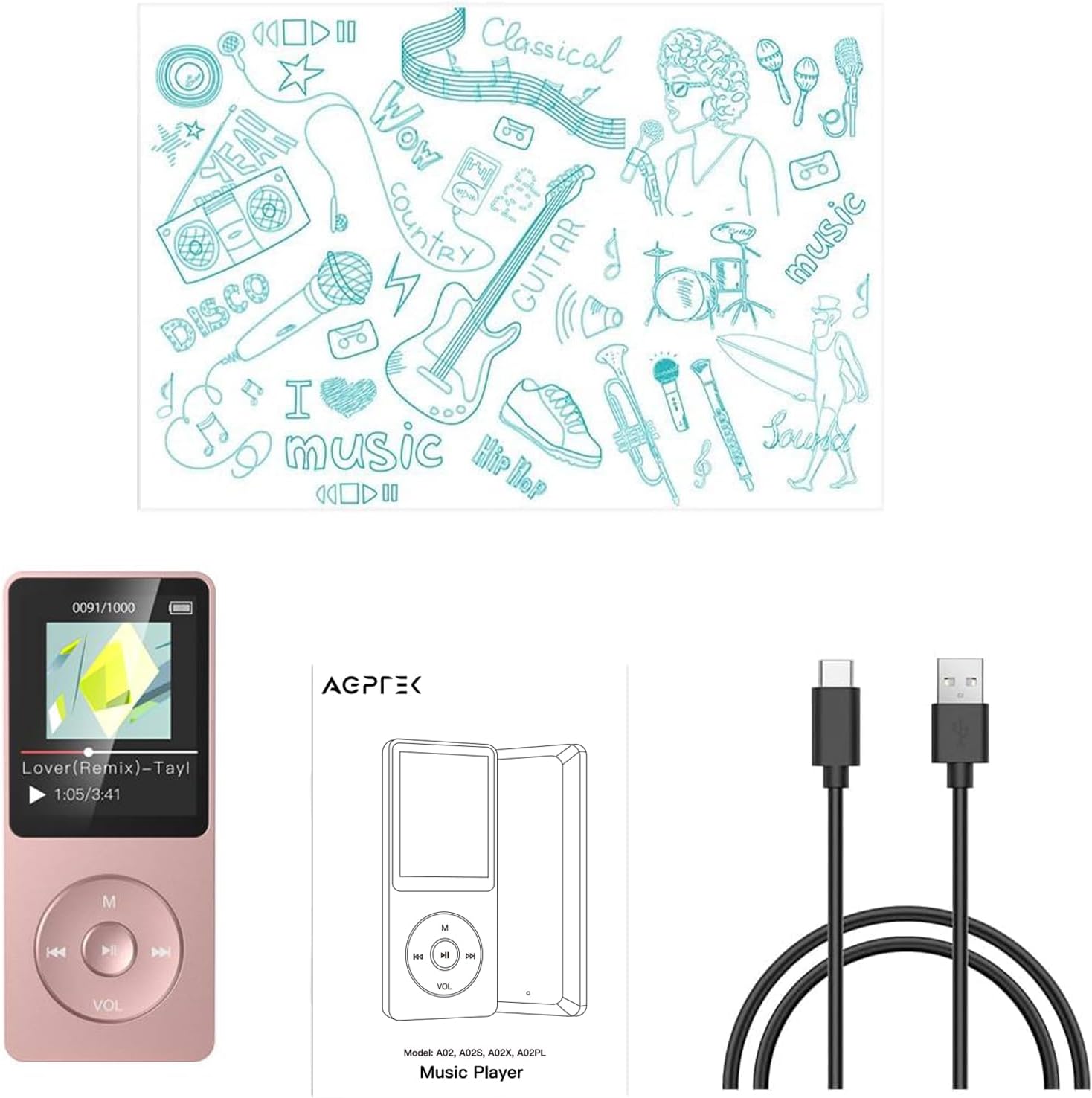
Image: The AGPTEK A02PL MP3 Player in rose gold, alongside its included USB charging cable and a printed user manual.
Product Overview
The AGPTEK A02PL features a compact design with intuitive button controls and a clear display.

Image: A front and back view of the AGPTEK A02PL MP3 Player, showcasing its rose gold finish, screen, and circular navigation buttons on the front, and product information on the back.
Controls and Ports:
- Display Screen: Shows menus, music information, and settings.
- Navigation Buttons: Up, Down, Left, Right, and Center (Play/Pause) for menu navigation and playback control.
- 'M' Button: Menu/Mode button.
- 'VOL' Button: Volume control activation.
- Power Switch: On/Off toggle.
- USB Port: For charging and data transfer.
- Headphone Jack: 3.5mm audio output.
- MicroSD Card Slot: For expandable memory.
Setup
1. Charging the Device
Before first use, fully charge the MP3 player. Connect the provided USB cable to the device's USB port and the other end to a computer's USB port or a compatible USB wall adapter.

Image: The AGPTEK A02PL MP3 Player connected via USB cable to a laptop, illustrating the charging process. A battery icon on the screen indicates charging status.
A full charge typically takes 2-3 hours and provides up to 70 hours of music playback.

Image: An infographic highlighting the device's battery performance: 70 hours of music playback on a single charge, with a charging time of 2.5-3 hours.
2. Transferring Music and Files
Connect the MP3 player to your computer using the USB cable. The device will appear as a removable disk. You can then drag and drop music files (MP3, WMA, OGG, WAV, APE, FLAC, AAC-LC, ACELP) and other supported files (e.g., TXT for e-books, AMV for videos) directly into the player's folders.

Image: A diagram illustrating two methods of file transfer: directly to the device's internal storage and to an inserted TF (MicroSD) card. A note indicates that transfers are limited to 1GB at a time.
Note: The device does not directly support Audiobook and iTunes formats. For APE and FLAC files, ensure they are within 8KHz-48KHz and 1000Kbps specifications.
3. Expanding Memory (MicroSD Card)
The AGPTEK A02PL has 64GB of built-in memory and supports external MicroSD cards up to 128GB. Insert the MicroSD card into the designated slot on the side of the player until it clicks into place.
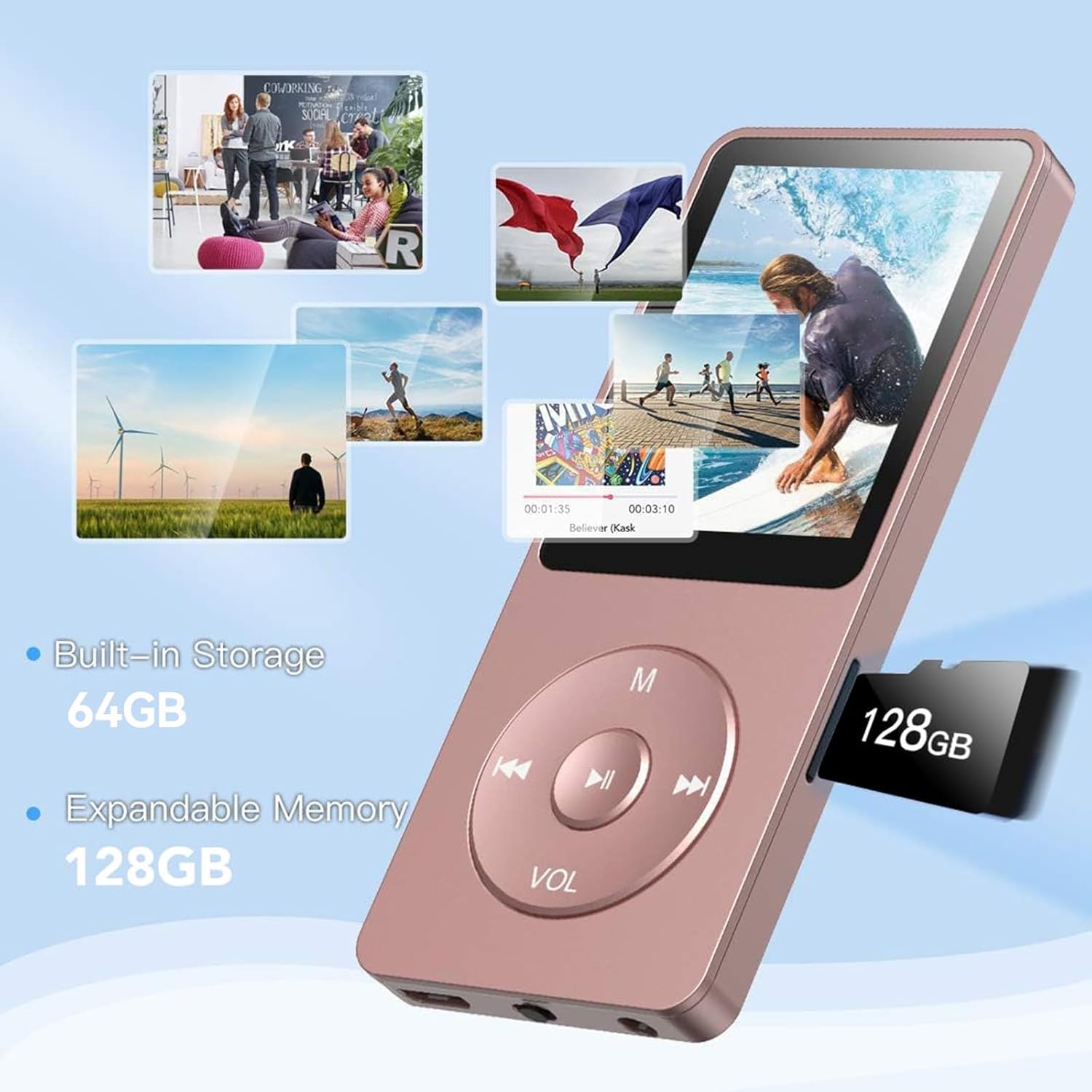
Image: The AGPTEK A02PL MP3 Player with an illustration highlighting its 64GB built-in storage and the option to expand memory by inserting a 128GB MicroSD card into the side slot.
Operating Instructions
1. Basic Navigation
Use the navigation buttons (Up, Down, Left, Right) to move through menus. Press the center button (Play/Pause) to select an option or confirm an action. Press the 'M' button to return to the previous menu or access main menu options.
2. Music Playback
From the main menu, select 'Music'. You can browse by Artist, Album, Songs, Genres, Playlists, or Folders. Select a song to begin playback.

Image: The AGPTEK A02PL MP3 Player screen showing various supported audio formats (MP3, WMA, APE, FLAC, WAV, ACELP, DRM) and a visual representation of music with a violin image.
Playback Modes:
While playing music, press the 'M' button to access playback options such as:
- Play in Order
- Shuffle
- Repeat All
- Repeat One
- A-B Repeat (for specific section looping)
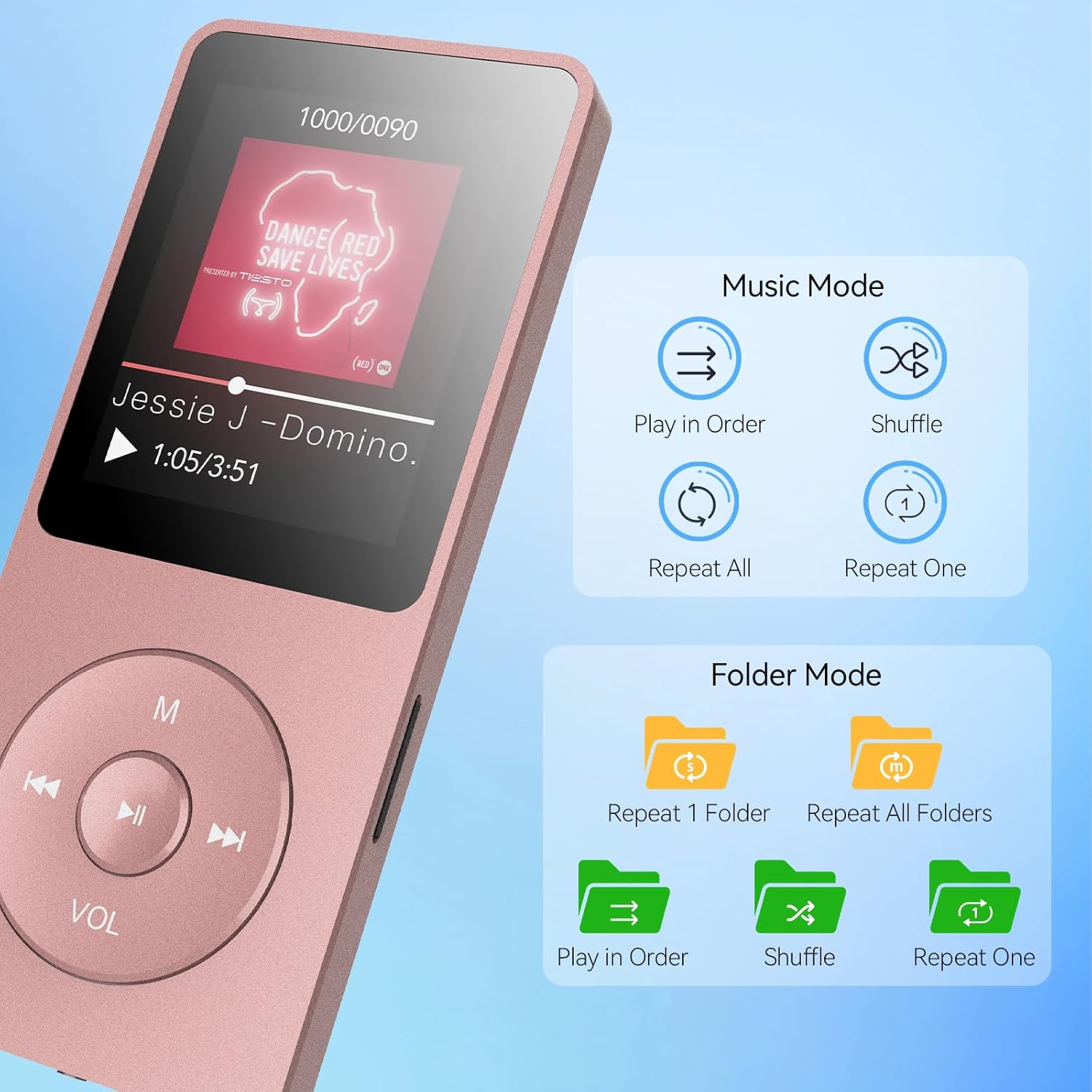
Image: The AGPTEK A02PL MP3 Player screen displaying options for Music Mode (Play in Order, Shuffle, Repeat All, Repeat One) and Folder Mode (Repeat 1 Folder, Repeat All Folders, Play in Order, Shuffle, Repeat One).
Volume Control:
Long press the 'VOL' button to enter volume control mode. Then, press the Left or Right navigation buttons to increase or decrease the volume.
3. FM Radio
Connect headphones to the device as they act as the FM antenna. From the main menu, select 'FM Radio'. You can auto-tune or manually scan for stations.
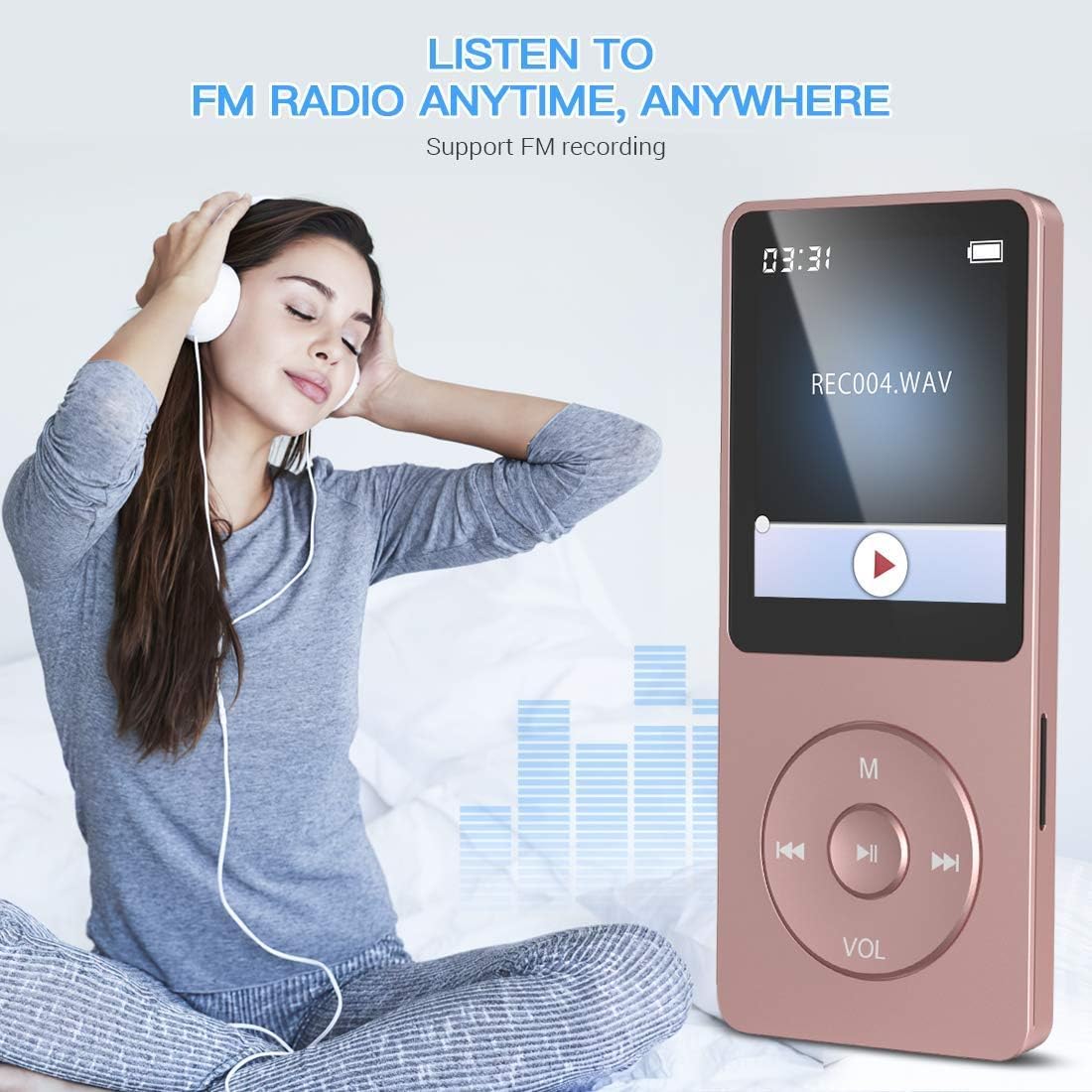
Image: A woman wearing headphones, listening to the AGPTEK A02PL MP3 Player, with an overlay indicating 'LISTEN TO FM RADIO ANYTIME, ANYWHERE' and 'Support FM recording'.

Image: A graphic representation of the FM radio function, showing a frequency dial ranging from 87.50MHz to 107.00MHz, indicating the player's FM tuning capability.
4. Recording
Select 'Record' from the main menu to access the voice recording function. The device can record audio through its built-in microphone.

Image: A graphic featuring a microphone icon surrounded by sound waves, symbolizing the device's recording capability.
5. Other Functions
The AGPTEK A02PL includes additional features accessible from the main menu:
- E-Book: Read text files (.TXT).
- Video: Play supported video files (.AMV).
- Alarm: Set alarms.
- Folder: Browse files directly by folder structure.

Image: An infographic titled 'POWERFUL FUNCTIONS' displaying icons for E-Book, Folder, Music, Alarm, Video, Record, A-B Repeat, and FM Radio, indicating the versatile capabilities of the MP3 player.
Maintenance
- Cleaning: Use a soft, dry cloth to clean the device. Do not use abrasive cleaners or solvents.
- Storage: Store the device in a cool, dry place when not in use. Avoid extreme temperatures.
- Battery Care: To prolong battery life, avoid fully discharging the battery frequently. Charge the device regularly, even if not in use for extended periods.
Troubleshooting
| Problem | Possible Cause | Solution |
|---|---|---|
| Device does not turn on. | Battery is depleted. | Charge the device for at least 30 minutes. |
| Device freezes or is unresponsive. | Software glitch or temporary error. | Press and hold the power button for 10-15 seconds to force a restart. If unresponsive, use a paperclip to press the reset hole (if available). |
| Cannot transfer files to the device. | Incorrect USB connection mode; Driver issue; Corrupted file system. | Ensure the device is connected in data transfer mode. Try a different USB port or cable. Reformat the device (this will erase all data). |
| No sound or low sound. | Volume too low; Headphones not properly connected; Corrupted audio file. | Increase volume. Ensure headphones are fully plugged in. Try different headphones. Check if the audio file plays on another device. |
| FM Radio reception is poor. | Headphones not connected; Weak signal. | Ensure headphones are connected. Try moving to an area with better signal. |
Specifications
| Feature | Detail |
|---|---|
| Model Name | A02PL |
| Built-in Memory | 64 GB |
| Expandable Memory | Supports up to 128GB MicroSD Card |
| Battery Life (Music Playback) | Up to 70 hours |
| Charging Time | 2-3 hours |
| Supported Audio Formats | MP3, WMA, OGG, WAV, APE, FLAC, AAC-LC, ACELP |
| Connectivity Technology | Aux, USB |
| Item Weight | 4.2 ounces |
| Package Dimensions | 7.52 x 5 x 0.75 inches |
Warranty and Support
Your AGPTEK A02PL MP3 Player comes with a standard manufacturer's warranty. For warranty details, product support, or technical assistance, please refer to the contact information provided on the AGPTEK official website or the product packaging. Do not attempt to repair the device yourself, as this may void your warranty.
Ask a question about this manual
Ask about setup, troubleshooting, compatibility, parts, safety, or missing instructions. Manuals+ will review the question and use this page’s manual context to help answer it.