
Spectrum Smart Puffin Smart
4G LTE-Advanced USB WiFi Dongle & Mobile Hotspot Router
Model: Puffin Smart
Brand: Spectrum Smart
Introduction
This manual provides instructions for the setup, operation, and maintenance of your Spectrum Smart 4G LTE-Advanced USB WiFi Dongle & Mobile Hotspot Router. This device is designed to provide portable internet access by connecting to 4G LTE cellular networks, acting as a mobile WiFi hotspot for various devices.
What's in the Box
Verify that all items are present in your product packaging:
- USB Router
- Spectrum Smart SIM Card (pre-installed)
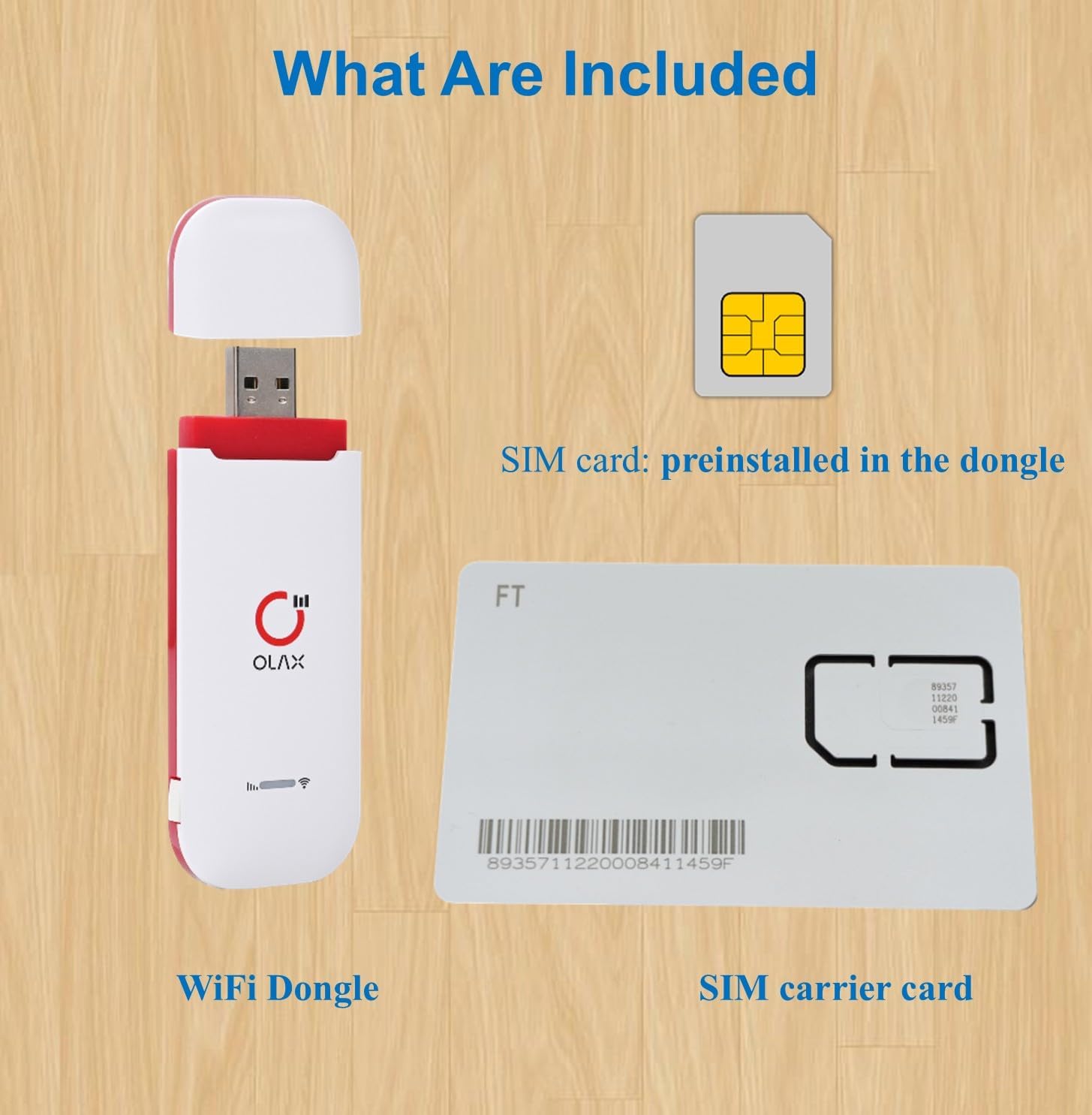
Image: The package includes the WiFi Dongle and a SIM carrier card with the Spectrum Smart SIM card pre-installed in the dongle.
Setup
1. SIM Card Installation (Pre-installed)
The Spectrum Smart SIM card comes pre-installed in your USB WiFi Dongle. No manual installation is required for initial setup. Ensure the SIM card is securely seated within the device.
2. Powering the Device
The dongle is USB-powered. Simply plug the USB connector into any standard USB port for power. This can be a laptop, a power bank, a car charger, or a USB wall adapter.

Image: The USB WiFi dongle is shown plugged into a laptop's USB port, providing instant internet access.
3. Activation and Subscription
A cellular data plan is required for the device to function and is not included with the purchase. Activation and subscription must be completed via the official Spectrum SIM website. Refer to the documentation provided with your SIM card for specific activation instructions and website details.
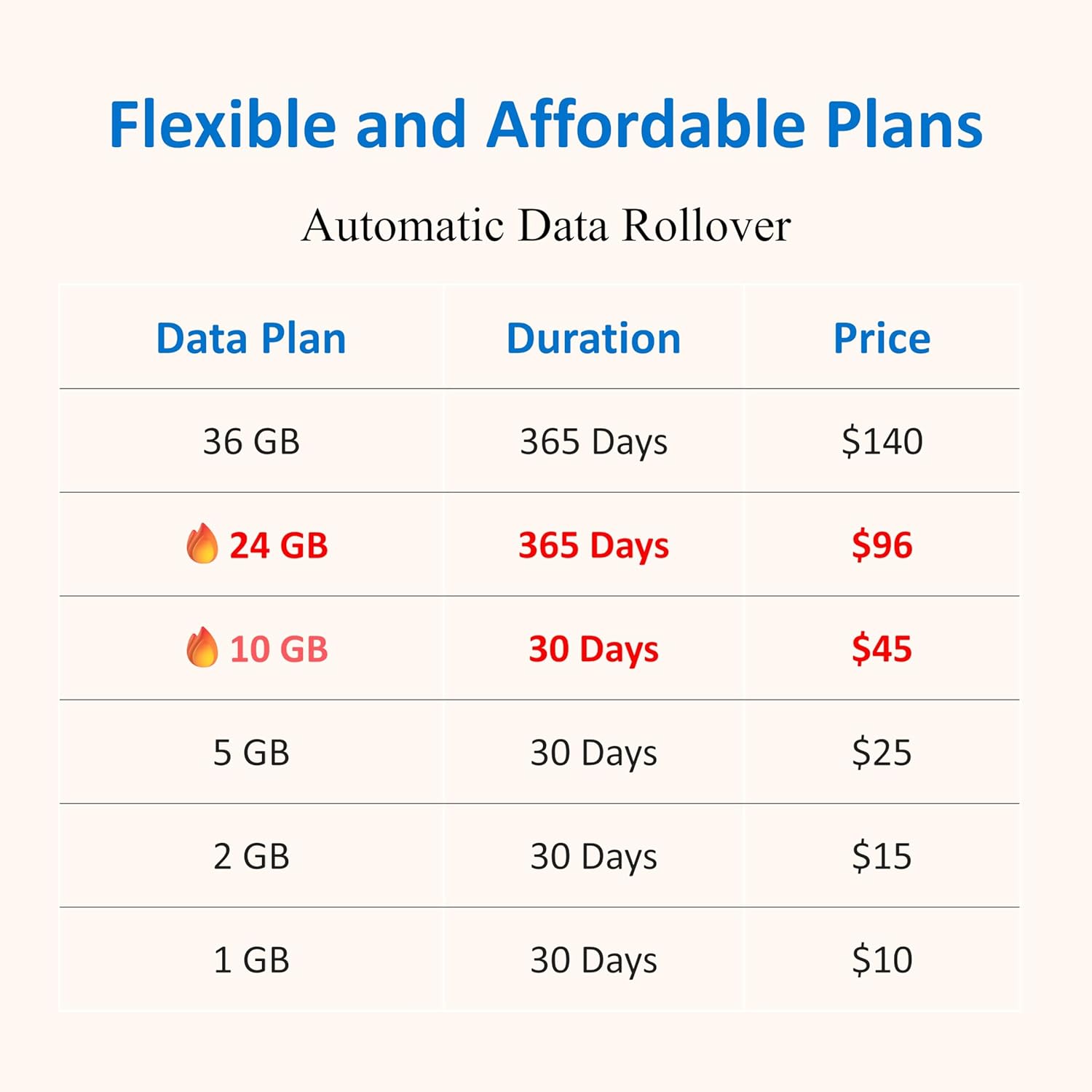
Image: A table illustrating flexible data plans available for the Spectrum Smart SIM, including options for 1 GB to 36 GB with varying durations and prices.
Operating Instructions
1. Connecting to the WiFi Hotspot
Once the dongle is powered, it will broadcast a WiFi network. Search for available WiFi networks on your laptop, smartphone, tablet, or other compatible device. Select the network name (SSID) corresponding to your dongle and enter the password (usually found on a label on the device or in accompanying documentation).
2. Network Compatibility and Performance
The device works with major U.S. carriers including AT&T, T-Mobile, and Verizon, supporting key LTE bands (B2, B4, B7, B12, B13, B28). It is a 4G-only device. Typical download speeds range from 5–15 Mbps, suitable for video streaming and general internet use.

Image: A map of the United States indicating widespread network coverage provided by AT&T, T-Mobile, and Verizon, ensuring reliable connectivity.
3. Connecting Multiple Devices
The dongle can seamlessly share its internet connection with multiple devices simultaneously, making it suitable for families, remote teams, or small businesses. It provides stable WiFi for up to 10 devices.
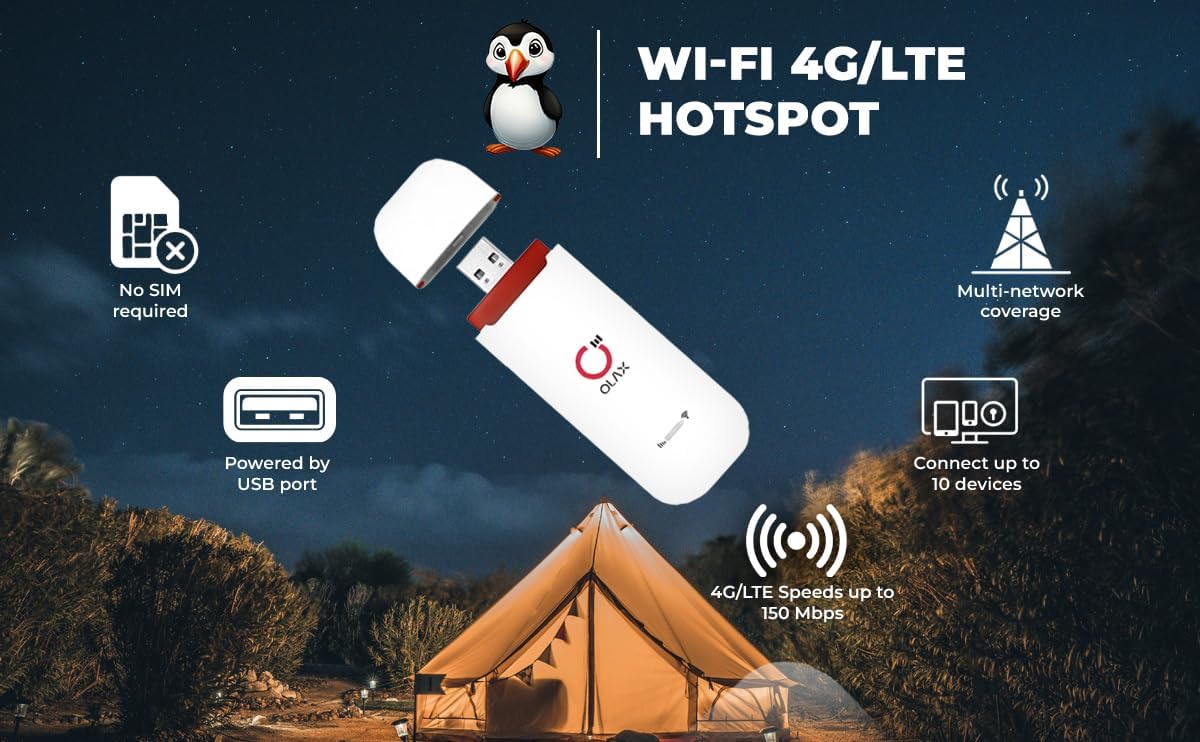
Image: An infographic detailing the features of the Puffin Smart WiFi 4G/LTE Hotspot, emphasizing its USB power, multi-network coverage, and ability to connect up to 10 devices with speeds up to 150 Mbps.
Maintenance
To ensure optimal performance and longevity of your device, follow these maintenance guidelines:
- Keep the device clean and free from dust. Use a soft, dry cloth for cleaning.
- Avoid exposing the device to extreme temperatures, direct sunlight, or moisture.
- Do not attempt to open or repair the device yourself, as this will void the warranty.
- Store the device in a cool, dry place when not in use.
Troubleshooting
If you encounter issues with your USB WiFi Dongle, refer to the following common problems and solutions:
- No Internet Connection:
- Ensure the dongle is properly plugged into a powered USB port.
- Verify that your Spectrum Smart SIM card is activated and has an active data plan.
- Check for network coverage in your current location.
- Restart the dongle by unplugging and re-plugging it.
- Slow Connection Speed:
- Move to an area with better cellular signal strength.
- Reduce the number of connected devices.
- Ensure no background applications are consuming excessive bandwidth.
- Cannot Connect to WiFi Network:
- Double-check the WiFi password.
- Ensure your device's WiFi is enabled.
- Restart both the dongle and the device you are trying to connect.
Specifications
| Feature | Detail |
|---|---|
| Model Name | Puffin Smart |
| Product Dimensions | 1.55 x 1 x 3.95 inches |
| Item Weight | 2.08 ounces |
| Connectivity Technology | LTE, 4G |
| Wireless Communication Standard | 802.11ac |
| Frequency Band Class | Single-Band |
| Compatible Devices | Laptop, Personal Computer, Smart Television, Smartphone, Tablet |
| Included Components | Spectrum Smart SIM Card, USB Router |
| Color | White and Red |
| Operating System | RouterOS |
| Special Feature | Long-Range 4G LTE Connectivity, Support for 10 Devices |
Warranty and Support
For warranty information and customer support, please refer to the documentation included with your purchase or visit the official Spectrum Smart website. Keep your proof of purchase for warranty claims.