
Introduction
Thank you for choosing the Symphony Silenzo 120i Desert Cooler. This manual provides essential information for the safe and efficient operation, maintenance, and troubleshooting of your new appliance. Please read it thoroughly before use and retain it for future reference.
Safety Instructions
- Always place the cooler on a stable, level surface to prevent tipping.
- Ensure the power supply matches the voltage specified on the product label.
- Do not operate the cooler with a damaged power cord or plug. Contact qualified service personnel for repairs.
- Keep children and pets away from the cooler during operation.
- Never insert objects into the cooler's grilles or openings.
- Unplug the cooler from the power outlet before filling water, cleaning, or performing any maintenance.
- Do not use the cooler near flammable materials or in wet environments.
- Avoid overfilling the water tank. Use the water level indicator to monitor.
- Ensure proper ventilation in the room for effective cooling.
What's in the Box
Upon unpacking, please ensure all components are present and undamaged:
- 1N - Symphony Silenzo 120i Cooler Unit
- 4N - Castor Wheels
- 4N - Legs
- 1N - Remote Control
- User Manual (this document)

Image: The Symphony Silenzo 120i Desert Cooler with its included castor wheels and legs, ready for assembly.
Setup and Assembly
- Attach Castor Wheels: Carefully tilt the cooler and insert the four castor wheels into the designated slots at the bottom of the unit's legs. Ensure they are securely locked into place for easy mobility.
- Placement: Position the cooler on a firm, level surface in a well-ventilated area. For optimal cooling, ensure there is an open window or door nearby to allow for air circulation.
- Initial Water Fill: Open the Easy-Fill water inlet and pour clean water into the tank. Monitor the water level indicator to avoid overfilling.
- Power Connection: Plug the power cord into a suitable electrical outlet.
Video: This video demonstrates the key features of the Symphony Silenzo 120i, including its silent operation, powerful air throw, digital touchscreen, remote control, 3-side honeycomb pads, easy-fill system, water level indicator, castor wheels, and inverter compatibility.
Product Features and Operation
Super Silent Operation
The Silenzo 120i is engineered for quiet performance, featuring an Owl Wing Fan and special acoustic design. It operates at a low noise level of 30 Decibels, ensuring a peaceful environment.
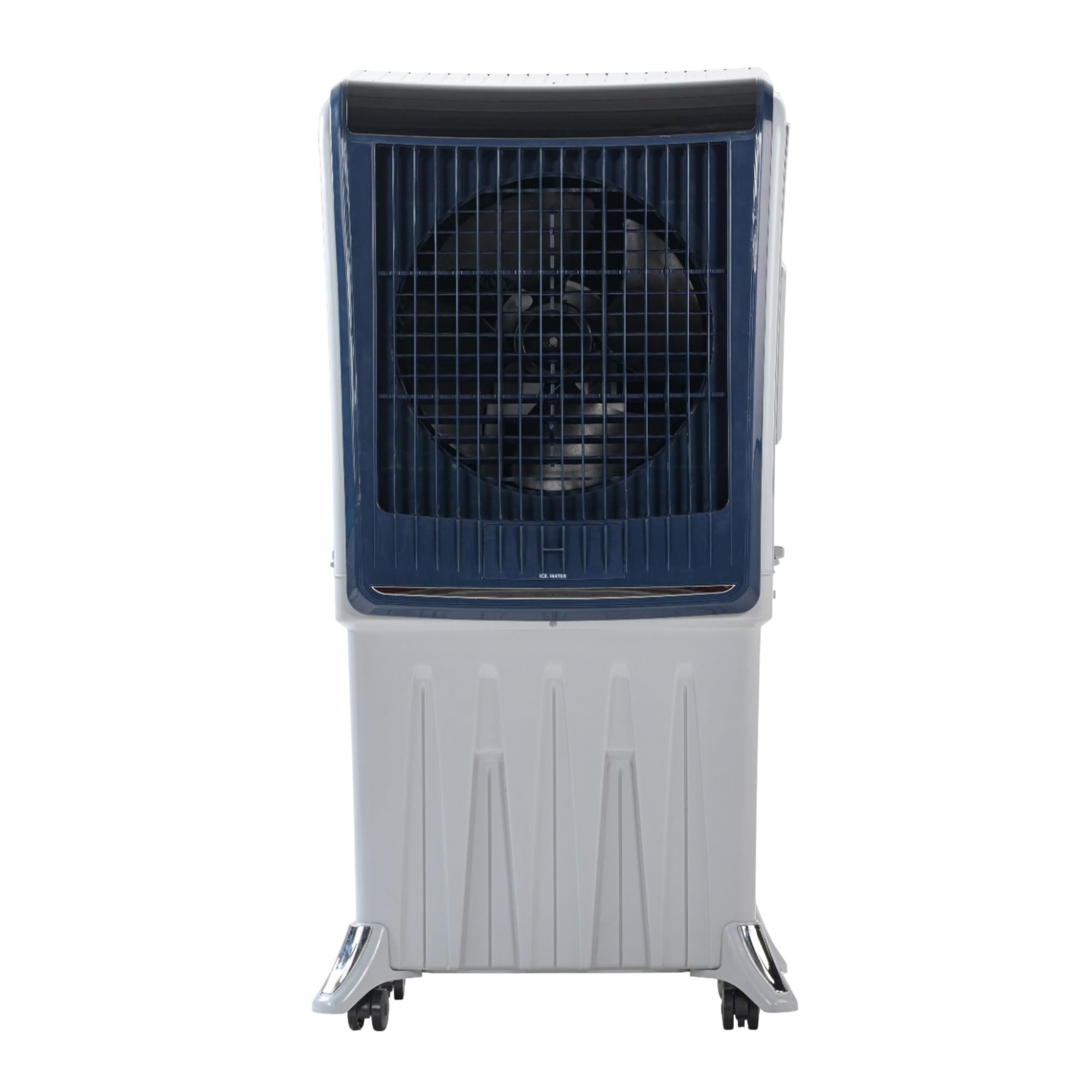
Image: The Symphony Silenzo 120i Desert Cooler delivering whisper-quiet cooling, ideal for maintaining a serene atmosphere.
i-Pure+ Technology
This advanced technology filters dust, allergens, and pollutants from the air, providing a healthier and cleaner environment. The multi-stage filter system ensures improved air quality.

Image: The Symphony Silenzo 120i Desert Cooler highlighting its i-Pure+ Technology for delivering clean and fresh air.
Honeycomb Cooling Pads
Equipped with 3-side honeycomb cooling pads, the Silenzo 120i maximizes cooling efficiency by providing a larger surface area for water evaporation, resulting in faster and more effective cooling.

Image: A detailed view of the 3-side honeycomb cooling pads, designed for maximum cooling efficiency.
CFD Technology for Uniform Cooling
The CFD (Computational Fluid Dynamics) technology ensures uniform and consistent air distribution across the room, eliminating hot spots and providing even cooling.

Image: The Symphony Silenzo 120i Desert Cooler illustrating its CFD Technology for uniform air distribution.
Easy-Fill Water System
The cooler features an Easy-Fill system for convenient and hassle-free water refilling. It also includes a water level indicator to help you monitor the water in the tank.

Image: The Symphony Silenzo 120i Desert Cooler demonstrating its Easy-Fill water system for convenient refilling.
Remote and Touchscreen Control
Operate your cooler with ease using either the full-function remote control or the intuitive digital touchscreen panel. Adjust settings such as fan speed, cooling mode, and swing with a simple touch or click.

Image: A close-up of the Symphony Silenzo 120i's touchscreen control panel, showing various function icons.
Inverter Compatible
The Silenzo 120i is designed to be inverter compatible, ensuring uninterrupted cooling even during power outages, providing continuous comfort.

Image: This image highlights the CFD Technology for uniform cooling, inverter compatibility for uninterrupted operation, and the Easy-Fill feature for convenient water refilling.
Operating Instructions
- Power On/Off: Press the 'Power' button on the touchscreen or remote to turn the cooler on or off.
- Adjust Fan Speed: Use the 'Fan' button on the remote or the fan speed icon on the touchscreen to cycle through High, Medium, and Low speeds.
- Select Cooling Mode: Press the 'Cool' button on the remote or the snowflake icon on the touchscreen to activate or deactivate the cooling function.
- Activate Swing Function: Press the 'Swing' button on the remote or the swing icon on the touchscreen to enable or disable the automatic louver movement for wider air distribution.
- Set Timer: Use the 'Timer' button on the remote or the clock icon on the touchscreen to set an operating timer (if available on your model).
- Water Refilling: When the water level is low, refill the tank through the Easy-Fill inlet. Ensure the cooler is unplugged before refilling.
Maintenance
Regular maintenance ensures optimal performance and longevity of your cooler.
- Cleaning Cooling Pads: Periodically clean the honeycomb pads to prevent dust and mineral buildup. Refer to the detailed cleaning instructions in the full manual for your specific model.
- Draining Water: Drain the water tank regularly, especially if the cooler will not be used for an extended period. This prevents stagnant water and odor.
- Exterior Cleaning: Wipe the exterior surfaces with a soft, damp cloth. Do not use harsh chemicals or abrasive cleaners.
- Dust Filter Cleaning: Clean the dust filter regularly to maintain air quality and airflow.
Troubleshooting
If you encounter issues, refer to the following common problems and solutions:
| Problem | Possible Cause | Solution |
|---|---|---|
| Cooler does not turn on | No power supply, power cord loose, power button not pressed. | Check power outlet, ensure cord is securely plugged in, press power button. |
| No cooling effect | Water tank empty, cooling pads dry, pump malfunction, poor ventilation. | Fill water tank, check water pump operation, ensure adequate room ventilation. |
| Unusual noise | Obstruction in fan, loose parts, low water level. | Check for obstructions, ensure all parts are secure, refill water tank. |
| Water leakage | Overfilling, damaged water tank, improper drainage. | Do not overfill, check for cracks, ensure drain plug is secure. |
If the problem persists after attempting these solutions, please contact Symphony customer support.
Specifications
| Feature | Detail |
|---|---|
| Brand | Symphony |
| Model Name | SILENZO - 120 I |
| Model Number | ACODE494 |
| Material | Plastic |
| Mounting Type | Freestanding |
| Special Feature | Adjustable Speed |
| Colour | light Grey |
| Controls Type | Remote & Touchscreen |
| Reservoir Capacity | 112 Liters |
| Floor Area Coverage | 34 Square Meters |
| Item Weight | 17 Kilograms |
| Recommended Uses | Residential indoor cooling |
| Form Factor | Desert |
| Wattage | 195 Watts |
| Noise Level | 30 Decibels |
| Item Dimensions (D x W x H) | 66D x 50W x 133H Centimeters |
Warranty and Support
The Symphony Silenzo 120i Desert Cooler comes with a 1 Year On-Site Warranty. For any service requests, technical assistance, or warranty claims, please contact the manufacturer directly.
Manufacturer Contact Information:
Symphony Limited
Symphony House, FP12-TP50 Bodakdev, Ahmedabad 380059
Phone: +91 79 6621 1111


