
1. Introduction
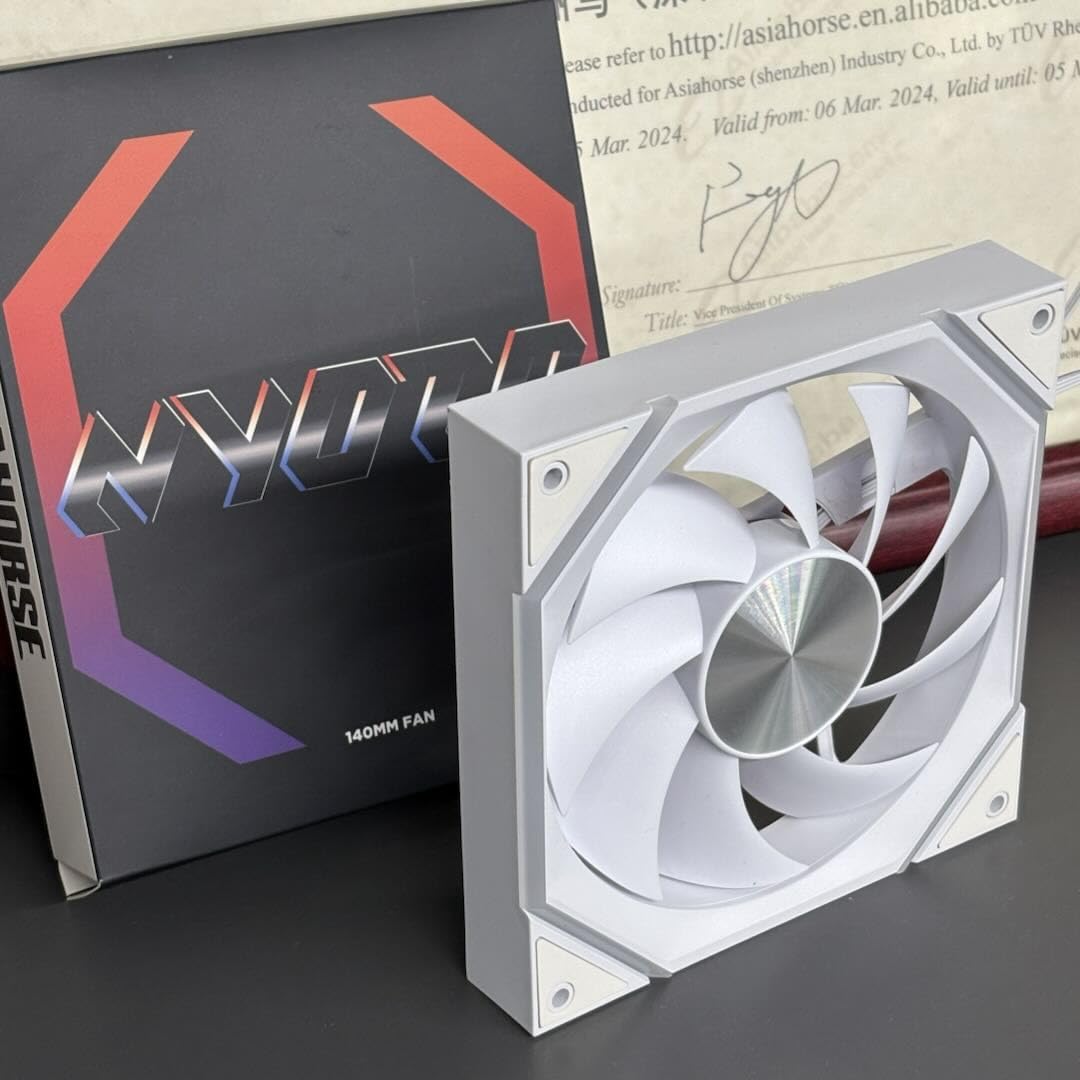
Thank you for choosing the AsiaHorse Nyota ARGB PC Case Fan 140MM. This fan is designed to provide efficient cooling and vibrant ARGB lighting for your computer system. This manual will guide you through the installation, operation, and maintenance to ensure optimal performance and longevity of your fan.
2. Key Features
- High-Performance Hydrodynamic Bearing (HDB): Features a sealed oil system for reduced friction, quieter operation, and an extended lifespan of over 50,000 hours.
- Superior Cooling: Delivers 89.77 CFM airflow and 3.24 mmH2O air pressure at 1800 RPM, effectively dissipating heat during demanding tasks.
- Quiet Operation: Engineered with a special noise reduction design, including a 7-blade structure and rubber pads, limiting noise to a maximum of 30dB(A).
- ARGB Sync Compatibility: Supports 16.8 million color ARGB lighting effects and is compatible with motherboard control software such as Asus Aura Sync, Gigabyte RGB Fusion, and MSI Mystic RGB Sync.
- Durable Construction: Built with high-quality plastic for reliability and long-term performance.
3. Technical Specifications
| Feature | Specification |
|---|---|
| Model Number | NyotaMega |
| Dimensions (L x W x H) | 140 x 140 x 25 mm |
| Fan Speed | 800-1800 ±10% RPM |
| Airflow Capacity | 89.77 CFM ±10% |
| Air Pressure | 3.24 mmH2O |
| Noise Level | 6-29 dB(A) (Max 30 dB(A)) |
| Bearing Type | Hydrodynamic Fluid Bearing (HDB) |
| Lifespan | > 50,000 hours |
| Power Connector | 4-Pin PWM |
| ARGB Connector | 5V 3-Pin ARGB |
| Voltage | 12 Volt |
| Wattage | 7 Watt |
| Material | Plastic |
| Compatible Devices | Desktop PCs, 280/420mm CPU Water Coolers |
4. Installation Guide
Before installation, ensure your computer is powered off and unplugged from the wall outlet. Refer to your PC case and motherboard manuals for specific fan header locations and clearances.
4.1 Package Contents
- 1 x AsiaHorse Nyota 140mm ARGB PC Case Fan
- 1 x 4-Pin PWM Cable
- 1 x 5V 3-Pin ARGB Cable
- 4 x Mounting Screws
- 1 x User Manual (this document)
4.2 Fan Direction and Placement
The Nyota fan supports both forward (exhaust) and reverse (air suction) configurations. Proper fan placement is crucial for optimal airflow and cooling efficiency within your PC case.
This image illustrates the AsiaHorse Nyota ARGB 140mm PC case fan installed within a computer chassis. It demonstrates how the fan can be configured for either forward (exhaust) or reverse (air suction) airflow, optimizing cooling for components like the GPU and overall PC case temperature. The fan's ARGB lighting is visible, adding to the aesthetic appeal.
- Forward (Exhaust) Configuration: Ideal for chassis rear, front, or top mounting, and for CPU water cooling setups. Air is pushed out of the case.
- Reverse (Air Suction) Configuration: Suitable for case bottom or side mounting, and for CPU air cooling. Air is drawn into the case.
4.3 Installation Steps
- Prepare the Mounting Location: Identify the desired fan mounting location in your PC case. Ensure there is sufficient clearance.
- Position the Fan: Place the fan in the chosen location, ensuring the desired airflow direction (forward for exhaust, reverse for intake).
- Secure the Fan: Use the provided mounting screws to firmly attach the fan to the case. Avoid overtightening.
- Connect PWM Cable: Connect the 4-pin PWM cable from the fan to an available 4-pin fan header on your motherboard. This allows for speed control.
- Connect ARGB Cable: Connect the 5V 3-pin ARGB cable from the fan to an available 5V 3-pin ARGB header on your motherboard. Warning: Do NOT connect to a 12V 4-pin RGB header, as this will damage the fan's ARGB LEDs.
- Cable Management: Route the cables neatly to avoid interference with other components and to improve airflow.
- Power On: Once all connections are secure, close your PC case, plug in the power, and turn on your computer.
5. Operation
5.1 Fan Speed Control (PWM)
The AsiaHorse Nyota fan utilizes PWM (Pulse Width Modulation) technology, allowing your motherboard to dynamically control the fan speed based on system temperature. This ensures optimal cooling performance while minimizing noise.
- Access your motherboard's BIOS/UEFI settings or use compatible software provided by your motherboard manufacturer to configure fan curves.
- Adjust fan speeds to balance cooling needs with desired noise levels.
5.2 ARGB Lighting Control
The fan's ARGB lighting can be controlled via your motherboard's compatible software. Ensure the 5V 3-pin ARGB cable is correctly connected to your motherboard's ARGB header.
- Compatible Software: Use software such as Asus Aura Sync, Gigabyte RGB Fusion, or MSI Mystic RGB Sync to customize lighting effects.
- Customization Options: Adjust colors, lighting modes, brightness, and speed to create personalized visual effects.
6. Maintenance
Regular maintenance helps ensure the longevity and optimal performance of your fan.
- Dust Cleaning: Periodically clean dust from the fan blades and frame using compressed air or a soft brush. Ensure the fan is powered off and unplugged before cleaning.
- Inspection: Check for any loose cables or obstructions that might impede fan rotation.
- Avoid Liquids: Do not use liquid cleaners directly on the fan or its electrical components.
7. Troubleshooting
| Problem | Possible Cause | Solution |
|---|---|---|
| Fan not spinning |
|
|
| ARGB lighting not working |
|
|
| Fan is too loud |
|
|
8. Warranty and Support
The AsiaHorse Nyota ARGB PC Case Fan 140MM comes with a 3-year hassle-free warranty from the date of purchase.
If you encounter any issues or have questions regarding your product, please do not hesitate to contact our professional customer service team. We aim to respond within 24 hours.
For support, please visit the AsiaHorse official website or refer to the contact information provided with your purchase documentation.