1. Introduction
Thank you for choosing the SGYYOFDP Robot Window Cleaner Model WD8. This device is designed to efficiently clean glass surfaces using advanced features such as dual water jets, smart memory navigation, and high vacuum suction. Please read this manual thoroughly before operating the device to ensure safe and optimal performance.
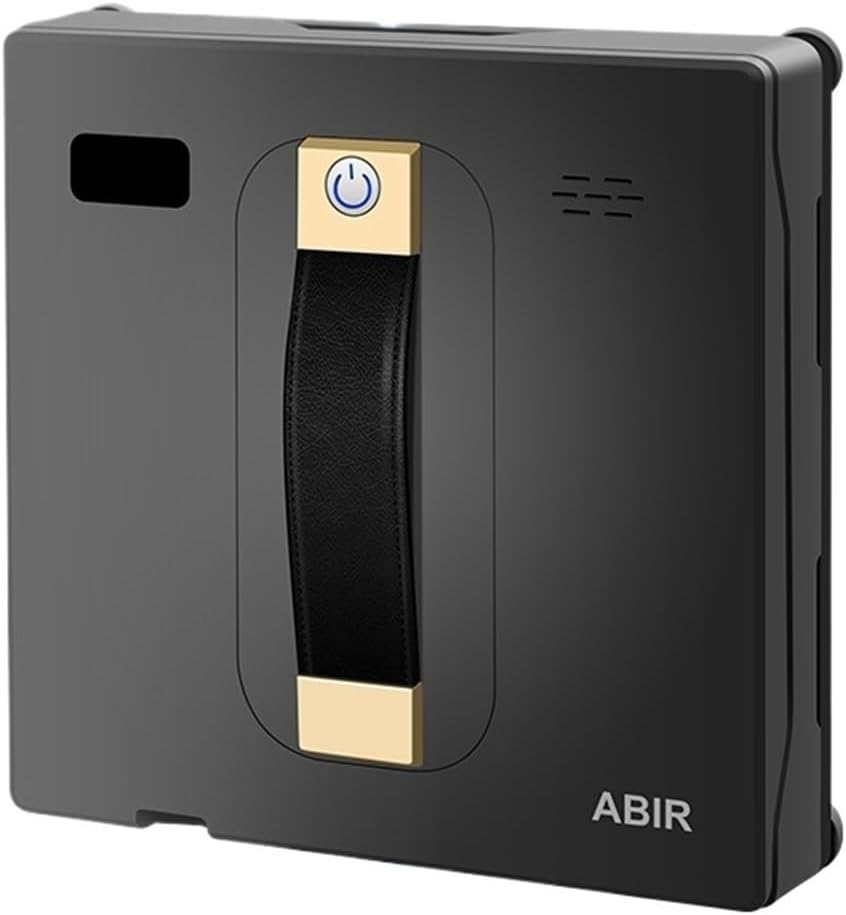
Image 1: The SGYYOFDP Robot Window Cleaner WD8, a rectangular device with a central handle and power button, designed for automated window cleaning.
2. Safety Information
To ensure safe operation and prevent damage, observe the following safety guidelines:
- Always ensure the power cord is securely connected before operation.
- Do not use the device on cracked or damaged glass surfaces.
- Keep hands and loose clothing away from moving parts during operation.
- The device features multiple safety protection functions, including overcharge, overcurrent, and overheating protection, to ensure charging safety and stability.
- The intelligent charging system automatically identifies charging devices, adjusts current, and powers off after a full charge.
- Ensure the safety rope is attached when cleaning high windows.
- Do not immerse the device in water or other liquids.
3. Product Features
The WD8 Robot Window Cleaner is equipped with advanced technology for efficient and thorough cleaning:
- Dual Water Jet System: Sprays water in three directions for high-efficiency cleaning.
- Smart Memory Function: Returns to the original starting location after completing a cleaning cycle.
- High Vacuum Suction: Provides strong adhesion to glass surfaces (3000PA).
- Laser Sensor & Edge Detection: Automatically detects edges and obstacles.
- APP Control: Operate the robot via Tuya Smart or Smart Life APP connected via Bluetooth.
- Multiple Cleaning Routes: Supports N, Z, N+Z, and Spot cleaning modes.
- Simulated Manual Wiping: Performs strong back-and-forth wiping for stubborn stains.
- Power-off Protection (UPS): Maintains suction for a short period in case of power loss.
- Voice Prompt: Provides audio feedback on status.
- Low Noise Operation: Designed for quiet cleaning.
- Support Frameless Windows: Capable of cleaning frameless glass.

Image 2: An infographic illustrating key features such as Brushless Motor, APP Control, Dual Water Spray, Smart Memory, Anti-falling, and 3000PA Strong Suction.

Image 3: Close-up view of the robot's dual spray nozzles, demonstrating water being atomized and sprayed onto a glass surface for efficient cleaning.
4. Specifications
| Feature | Detail |
|---|---|
| Model No. | WD8 |
| Brand | SGYYOFDP |
| Voltage | 100-240V |
| Suction Power | 3000PA |
| Cord Length | 5.5 m |
| Material | ABS |
| Control Mode | Remote control or APP (Tuya Smart, Smart Life) |
| Cleaning Methods | N / Z / N+Z / Spot cleaning |
| Smart Memory | Yes |
| Edge Detection | Automatic |
5. Setup
- Charge the Device: Before first use, ensure the robot is fully charged. Connect the power adapter to the robot and a power outlet. The intelligent charging system will manage the charging process.
- Attach Cleaning Pads: Securely attach the clean microfiber pads to the bottom of the robot.
- Fill Water Tank: Open the water tank cap and fill it with appropriate window cleaning solution or distilled water. Close the cap tightly.
- Connect Safety Rope: For safety, especially on high windows, attach the safety rope to a secure anchor point indoors.
- Place on Window: Place the robot on the glass surface, ensuring it has full contact and suction is engaged. Press the power button to activate suction.
6. Operating Instructions
The WD8 can be controlled via remote control or a smartphone application.
6.1 Using the Remote Control
- Power On/Off: Press the power button on the robot or remote to turn on/off.
- Start/Pause Cleaning: Press the 'Start' button to begin cleaning. Press again to pause.
- Select Cleaning Mode: Use the mode selection buttons (N, Z, N+Z, Spot) to choose the desired cleaning pattern.
- Manual Control: Use the directional arrows to manually guide the robot if needed.
- Manual/Auto Spray: Control the water spray function.
6.2 Using the Smartphone APP (Tuya Smart / Smart Life)
- Download APP: Download and install the "Tuya Smart" or "Smart Life" app from your device's app store.
- Pair Device: Enable Bluetooth on your smartphone. Open the app, add a new device, and follow the on-screen instructions to connect to the WD8 robot.
- Control Functions: Once connected, you can control all robot functions, including starting/pausing, selecting cleaning modes, manual navigation, and water spray, directly from the app.

Image 4: An illustration showing the robot window cleaner being controlled by both a physical remote control and a smartphone application interface, highlighting ease of use.

Image 5: The robot performing a simulated manual wiping motion, moving back and forth to deeply clean stubborn stains on a window.
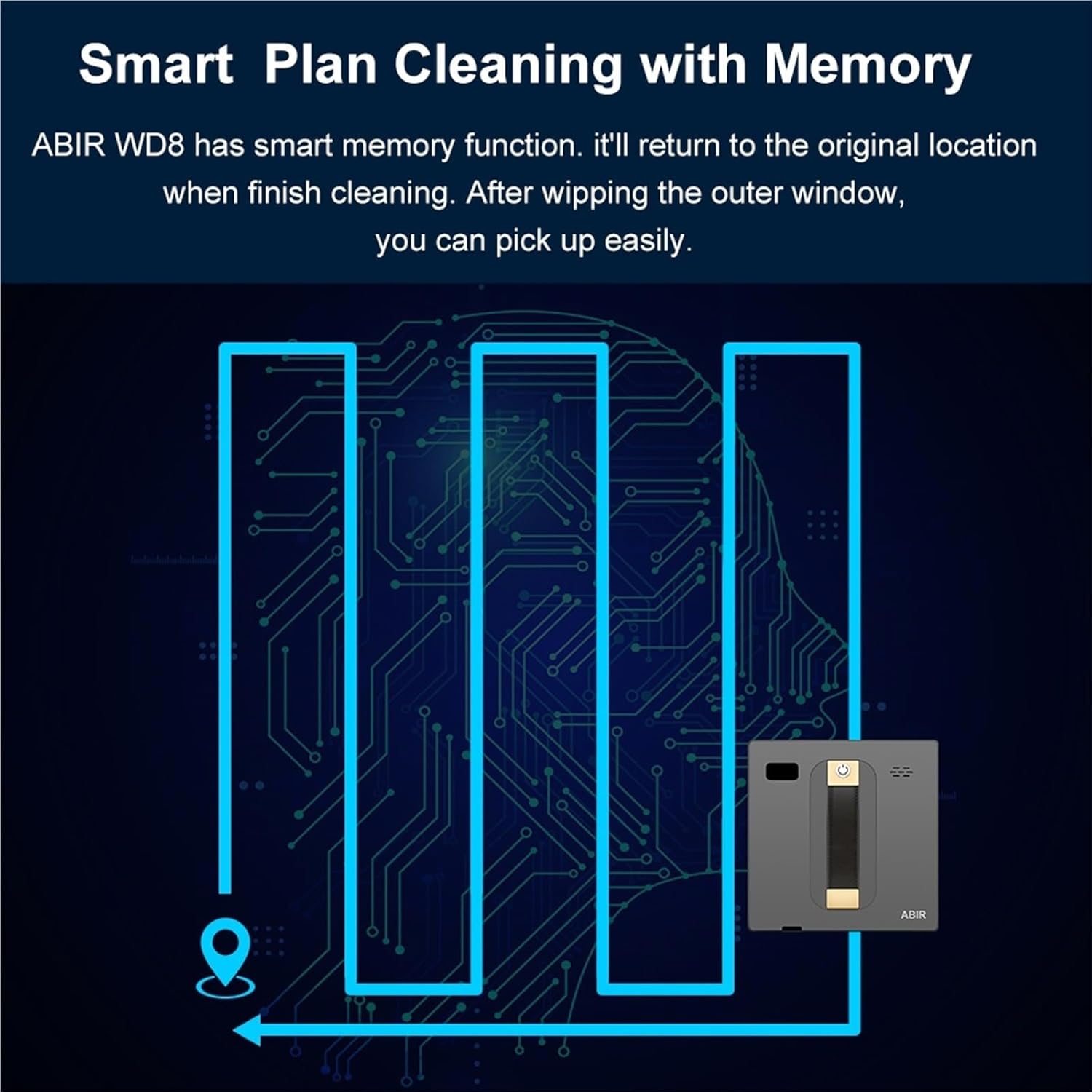
Image 6: A diagram illustrating the smart memory function of the ABIR WD8, showing its cleaning path and its ability to return to the original starting location after completing a cleaning cycle.
7. Maintenance
Regular maintenance ensures the longevity and optimal performance of your window cleaner.
- Clean Microfiber Pads: After each use, remove and wash the microfiber cleaning pads. Allow them to air dry completely before reattaching.
- Clean Water Tank: Periodically empty and rinse the water tank to prevent residue buildup.
- Wipe Exterior: Use a soft, dry cloth to wipe the exterior of the robot, removing any dust or grime.
- Check Sensors: Ensure the sensors on the robot's edges are clean and free from obstructions.
- Store Properly: When not in use, store the robot in a cool, dry place away from direct sunlight.
8. Troubleshooting
If you encounter issues with your SGYYOFDP Robot Window Cleaner, refer to the following common problems and solutions:
- Robot not adhering to glass:
- Ensure the power cord is securely connected and the robot is powered on.
- Check if the suction cups/pads are clean and free from debris.
- Verify the glass surface is not excessively wet or oily.
- Robot not moving or cleaning effectively:
- Check if the cleaning pads are dirty and need replacement or cleaning.
- Ensure the water tank has sufficient cleaning solution.
- Restart the robot and try a different cleaning mode.
- APP connection issues:
- Ensure Bluetooth is enabled on your smartphone and the robot.
- Restart both the app and the robot.
- Try re-pairing the device through the app settings.
- Unusual noises during operation:
- Check for any foreign objects caught in the moving parts or cleaning pads.
- Ensure the robot is properly seated on the glass surface.
9. Warranty and Support
For warranty information or technical support, please refer to the contact details provided with your purchase or visit the official SGYYOFDP website. Keep your proof of purchase for warranty claims.


