1. Product Overview
The VATOS Smart Remote Control Robot Dog, Model BG1533G, is an interactive robotic toy designed for children aged 3 and above. It features a metallic blue finish, glowing eyes, and a range of interactive functions controlled via a remote or touch. This manual provides detailed instructions for setup, operation, and maintenance to ensure optimal performance and enjoyment.

Image 1.1: The VATOS Smart Remote Control Robot Dog, showcasing its metallic blue design.
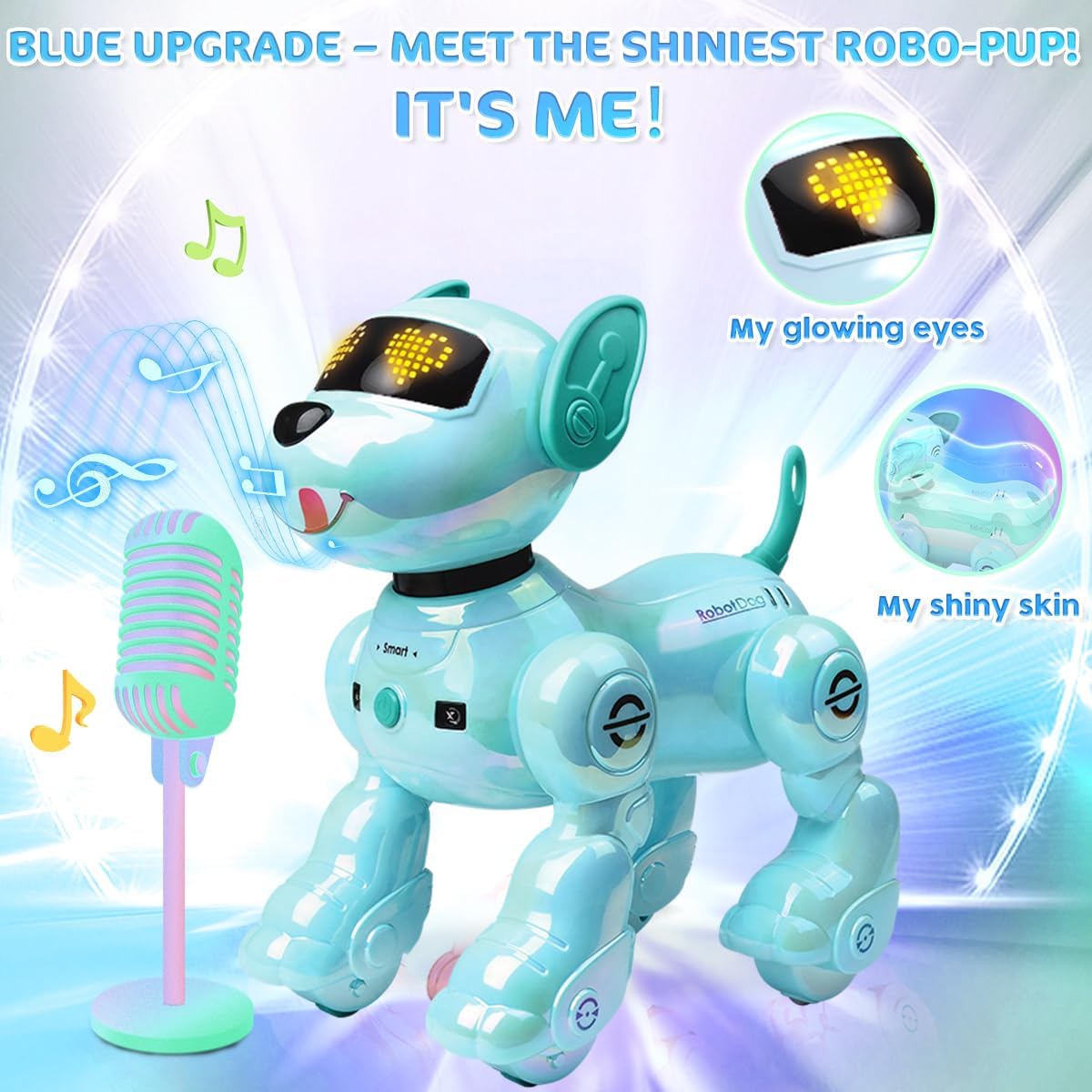
Image 1.2: Detail of the robot dog's glowing eyes and shiny metallic blue finish.
2. Safety Information
This product is suitable for children aged 3 and above. Adult supervision is recommended during play. Please read and follow all instructions carefully before use.
- Do not expose the robot dog or its components to water or excessive moisture.
- Keep away from open flames or high temperatures.
- Ensure batteries are inserted correctly with the proper polarity.
- Do not mix old and new batteries, or different types of batteries.
- Remove batteries if the toy will not be used for an extended period.
- Dispose of batteries responsibly according to local regulations.
3. Setup
3.1. Robot Dog Battery Installation and Charging
The robot dog requires two rechargeable CR5 batteries (included). These batteries provide approximately 30 minutes of play each, totaling 60 minutes with both.
- Locate the battery compartment on the underside of the robot dog.
- Use a screwdriver to open the battery compartment cover.
- Insert one rechargeable battery, ensuring correct polarity.
- Close the compartment cover and secure it with the screw.
- To charge the batteries, remove them from the robot dog. Connect the charging cable to the battery and a compatible USB power source (e.g., adapter, power bank, laptop). The charging indicator will show the charging status.
- Always ensure batteries are fully charged before use for optimal performance.
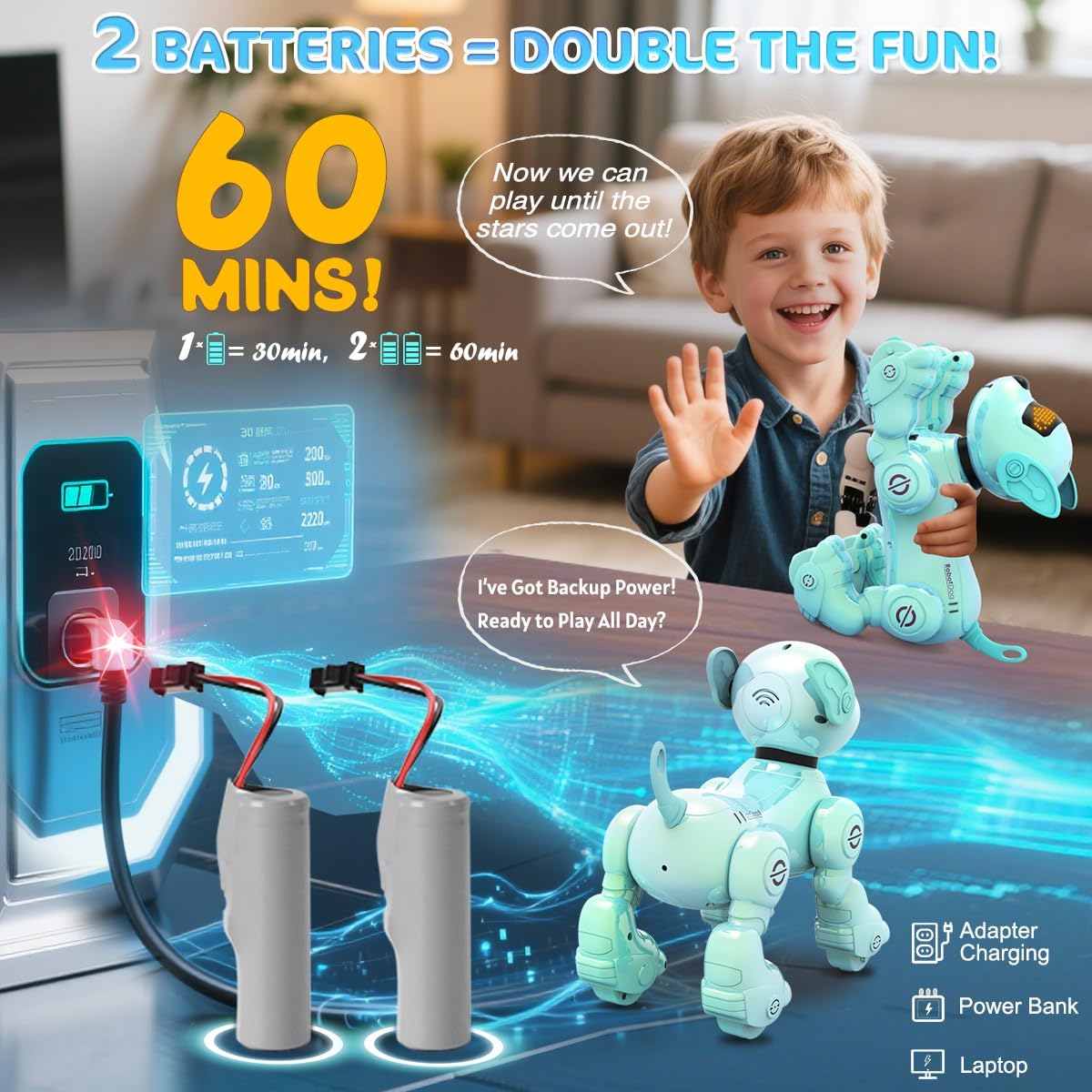
Image 3.1: The robot dog's two rechargeable batteries and charging method.
3.2. Remote Control Battery Installation
The remote control requires two small batteries (not included). The specific type is not provided, please refer to the packaging for details.
- Locate the battery compartment on the back of the remote control.
- Open the battery compartment cover.
- Insert the two small batteries, observing the correct polarity.
- Close the compartment cover securely.
4. Operating Instructions
4.1. Powering On/Off
- To power on the robot dog, press the 'Smart' button located on its body.
- To power off, press and hold the 'Smart' button again.
4.2. Remote Control Functions
The remote control allows for various commands and interactions. Refer to the diagram below for button layout and functions:
Image 4.1: Remote control function diagram.
- Movement: Use the directional buttons for Forward, Back, Turn Left, and Turn Right.
- Volume Control: Use 'Volume +' and 'Volume -' buttons to adjust the sound level. The robot dog has 4 levels of volume adjustment.
- Interactive Actions:
- DEMO: Initiates a demonstration sequence of actions.
- Handstand: Commands the robot dog to perform a handstand.
- Sit Down: Commands the robot dog to sit.
- Play Cute: Triggers a cute action sequence.
- Dancing: Makes the robot dog dance to music.
- Children's Song: Plays a children's song.
- Get Down: Commands the robot dog to lie down.
- Push-Ups: Makes the robot dog perform push-ups.
- Say Hello: Commands the robot dog to greet.
- Follow: Activates follow mode, where the robot dog will follow you using its infrared sensor.
- Stop/Stand to Attention: Halts current actions or makes the dog stand still.
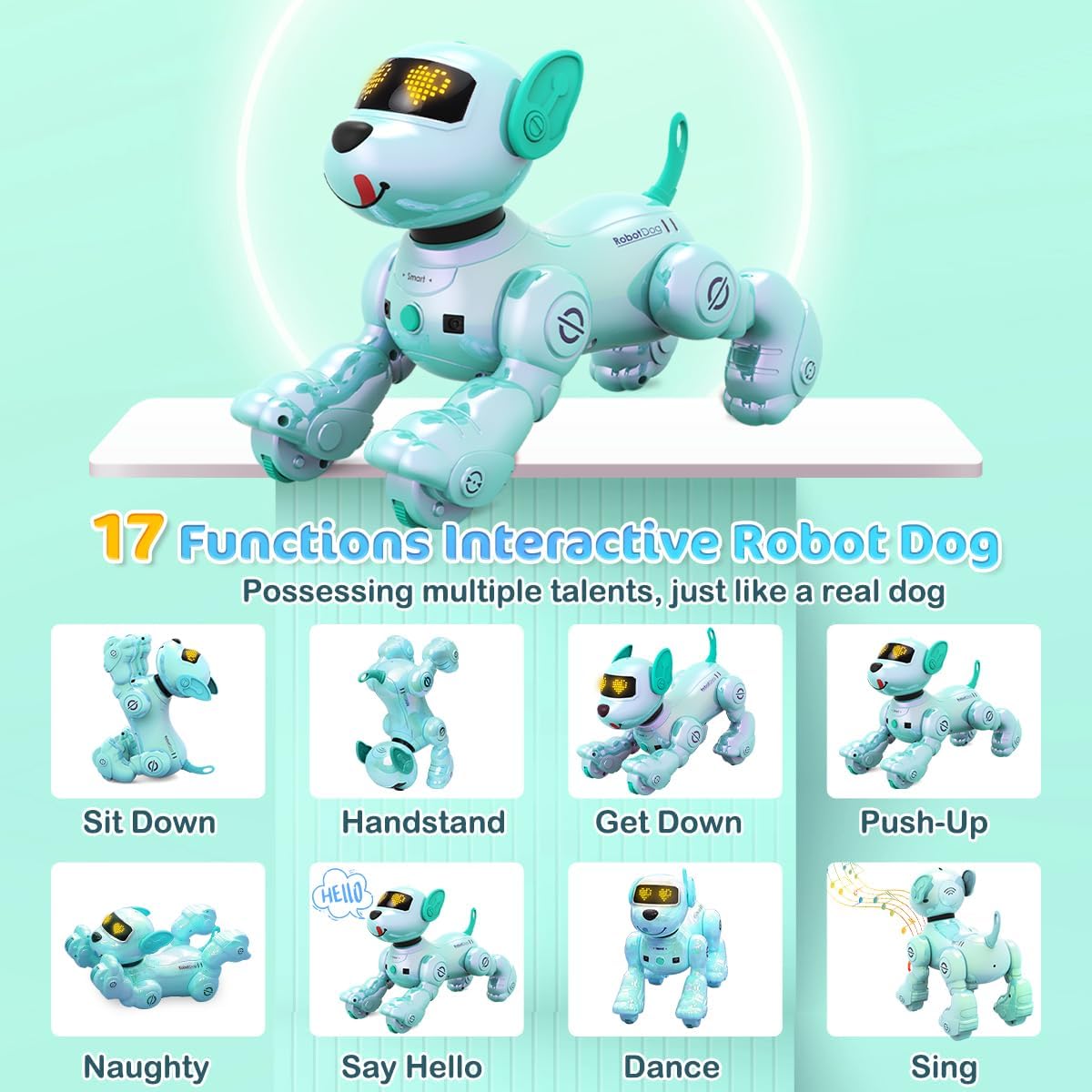
Image 4.2: The robot dog demonstrating 17 interactive functions.

Image 4.3: The robot dog can sing and dance, with adjustable volume.
4.3. Interactive Touch Functions
- Chin Touch: When you touch the robot dog's chin, it will randomly trigger actions and sounds.
- Automatic Actions: If no function is selected after turning on, the robot dog will automatically perform a series of actions every 5 seconds, such as sitting, rolling, push-ups, saying hello, and making dog sounds.

Image 4.4: Interacting with the robot dog by touching its chin.
4.4. Programmable Actions
The robot dog can record up to 100 custom commands, allowing children to create their own sequences of actions. This feature encourages creativity and introduces basic programming concepts.
- Press the 'Programming' button on the remote control to enter programming mode.
- Input a sequence of desired actions using the remote control buttons.
- Press the 'Programming' button again to save and execute the sequence.
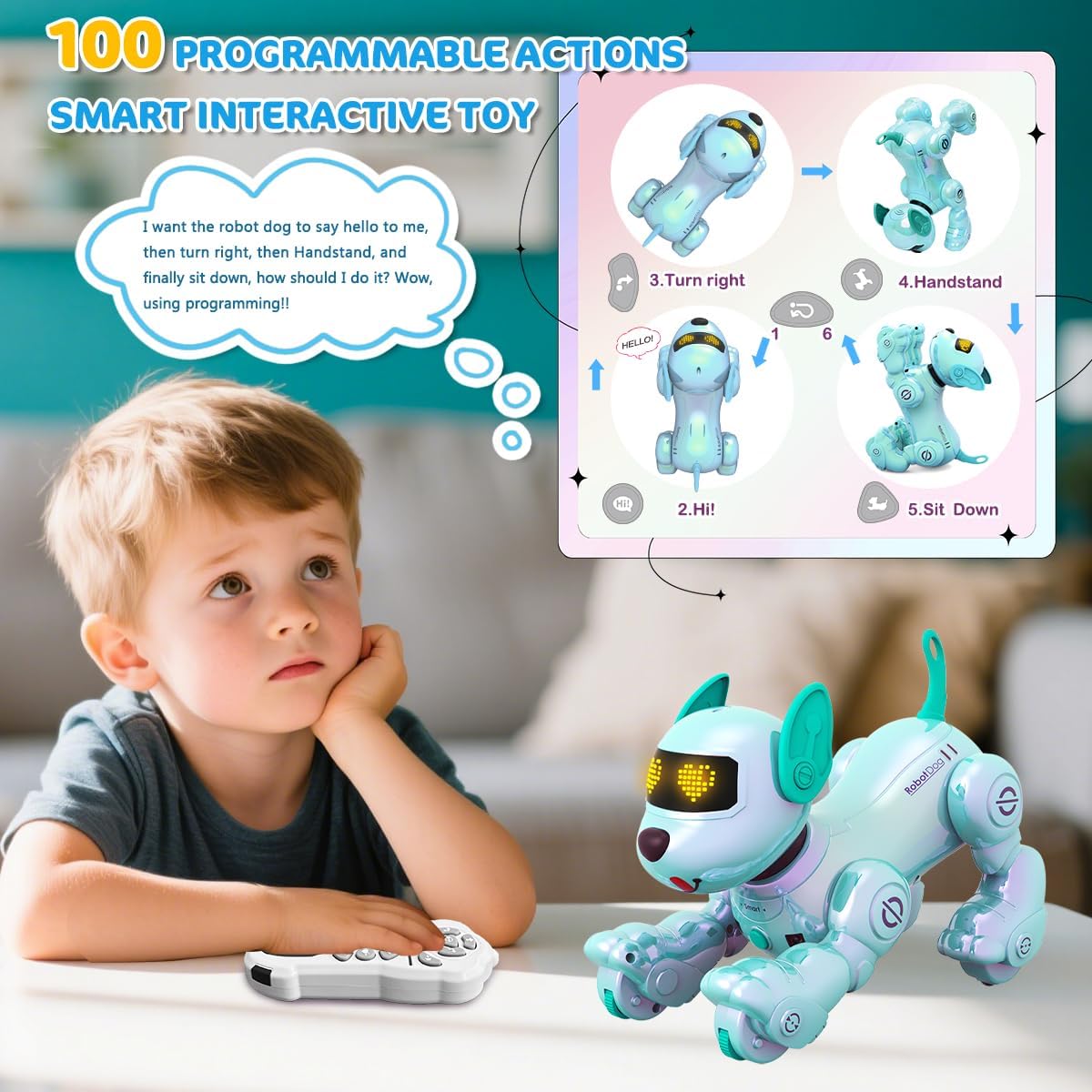
Image 4.5: Programming the robot dog with up to 100 actions.
4.5. Official Product Video
Video 4.1: An official product video demonstrating the VATOS New Robot Dog Toy's various features and interactive capabilities, including movement, sounds, and different poses.
5. Maintenance
- Cleaning: Wipe the robot dog with a soft, dry cloth. Do not use harsh chemicals or abrasive cleaners.
- Storage: Store the robot dog in a cool, dry place away from direct sunlight when not in use.
- Battery Care: Always remove batteries if the toy is to be stored for an extended period to prevent leakage.
6. Troubleshooting
- Robot Dog Not Responding:
- Check if the robot dog is powered on.
- Ensure the remote control batteries are correctly installed and not depleted.
- Verify that the robot dog's rechargeable battery is charged and properly inserted.
- Make sure there are no obstructions between the remote control and the robot dog.
- Robot Dog Not Moving:
- Check for any physical obstructions preventing movement.
- Ensure the surface is flat and clear.
- Confirm that the battery is not low.
- Sound Issues:
- Adjust the volume using the remote control's 'Volume +' button.
- Ensure the robot dog is not in a silent mode (if applicable).
- Short Playtime:
- Ensure batteries are fully charged before each play session.
- Replace old or worn-out batteries with new ones if necessary.
7. Specifications
| Feature | Detail |
|---|---|
| Product Dimensions | 9.25 x 5.71 x 9.65 inches |
| Item Weight | 2.33 pounds |
| Model Number | BG1533G |
| Manufacturer Recommended Age | 36 months - 3 years |
| Batteries (Robot Dog) | 2 CR5 rechargeable batteries (included) |
| Manufacturer | VATOS |
8. Warranty and Support
For warranty information or technical support, please refer to the product packaging or contact VATOS customer service directly. Keep your purchase receipt as proof of purchase.


