
Introduction
Thank you for choosing the TIATUA Instant Kids Camera X2. This camera is designed to provide a fun and creative photography experience for children aged 3 to 12. It features inkless thermal printing, 1080P video recording, a 2.4-inch screen, and various creative modes to inspire young photographers. Please read this manual carefully to ensure proper use and maintenance of your camera.
Product Features
- Inkless Instant Printing: Utilizes advanced thermal technology to print black and white photos without toner or ink.
- High-Definition Capture: Equipped with an HD lens for 1080P video recording and 12MP photos.
- 2.4-inch Large Screen: Provides a clear view for framing shots and reviewing content.
- Multifunctionality: Includes video recording, time-lapse photography, continuous shooting, flash, MP3 playback, and built-in puzzle games.
- Creative Tools: Over 20 filters, frames, and stickers to enhance photos, plus DIY painting options.
- 16x Digital Zoom: Allows for closer shots and detailed captures.
- Portable and Rechargeable: Features a 1300mAh rechargeable battery for extended use and a compact design.
- Ample Storage: Comes with a 32GB SD card to store thousands of photos and videos.
What's in the Box
- TIATUA Instant Kids Camera X2 Body
- 32GB SD Card
- 3 Rolls of Thermal Printing Paper
- Color Markers
- USB Type-C Charging Cable
- Lanyard
Setup
1. Charging the Camera
Before first use, fully charge the camera's 1300mAh battery. Connect the included USB Type-C cable to the camera's charging port and a compatible USB power adapter (not included). The charging indicator will show the charging status.
2. Inserting the SD Card
Locate the SD card slot on the side of the camera. Insert the provided 32GB SD card into the slot until it clicks into place. Ensure the card is inserted correctly to avoid damage.
3. Installing Printing Paper
- Push up the part with the lens to open the paper slot.
- Install a roll of thermal printing paper, ensuring the paper feeds out correctly.
- Pull approximately 1 inch of paper out when installation is complete.

Image: Steps for installing printing paper into the camera. First, open the paper slot. Second, place the paper roll inside. Third, pull out a small length of paper.
Video: This video demonstrates the process of installing printing paper into the TIATUA Instant Kids Camera X2, showing how to open the compartment, insert the paper roll, and close it correctly for printing.
Operating Instructions
1. Power On/Off
Press and hold the power button to turn the camera on or off.
2. Taking Photos
In photo mode, frame your shot using the 2.4-inch screen. Press the shutter button to capture a 12MP image.
3. Video Recording
Switch to video mode. Press the record button to start and stop 1080P video recording.

Image: The camera screen displaying a scene of two children playing, with an overlay indicating 1080P video recording capability.
4. Instant Printing
After taking a photo, you can choose to print it instantly. The camera uses thermal printing technology to produce black and white images. You can select different print modes (e.g., Grayscale) and adjust printing densities (Low, Medium, High) for desired results.
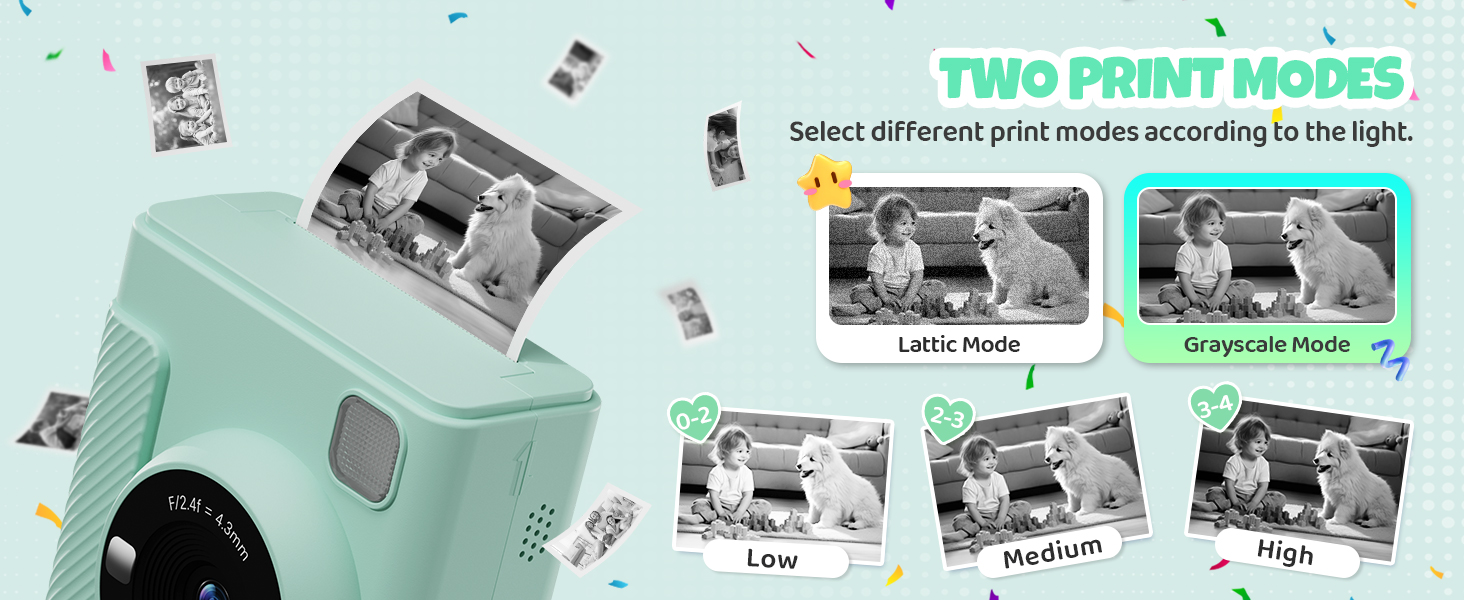
Image: The camera screen displaying options for two print modes (Lattice and Grayscale) and three printing densities (Low, Medium, High) for instant photos.
5. Using Filters and Frames
Explore over 20 whimsical filters and stickers to add creative effects to your photos before printing or saving. Navigate through the options using the camera's buttons.
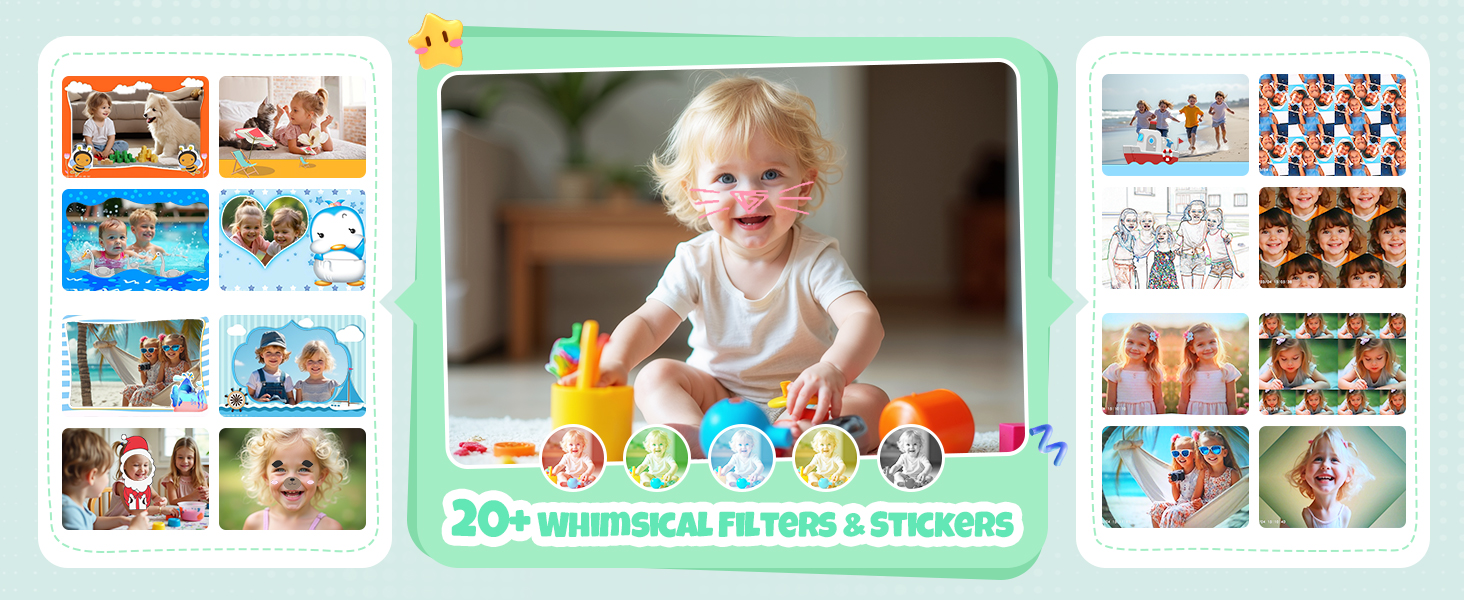
Image: A collection of photos showcasing different frames and filters available on the camera, adding a playful touch to children's pictures.
6. Digital Zoom (16x)
Use the zoom function to get closer to your subject. The camera supports up to 16x digital zoom.
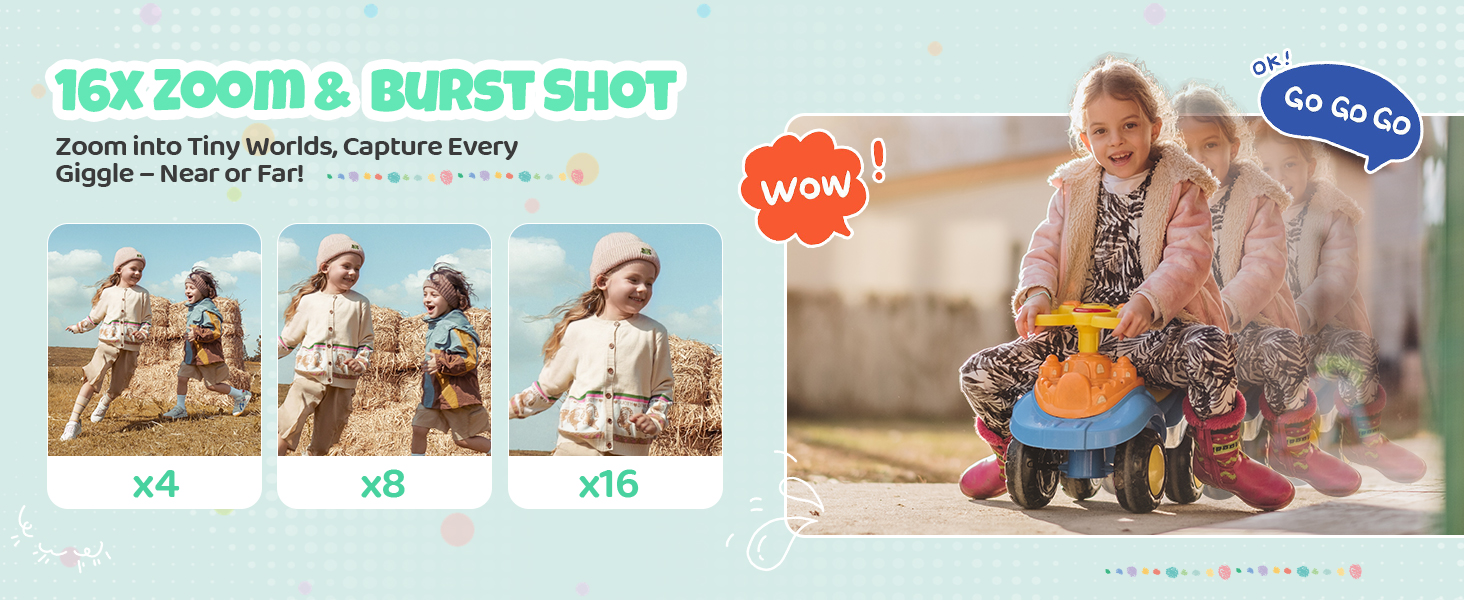
Image: A visual representation of the camera's 16x digital zoom, illustrating how images appear at various magnification levels.
7. Burst Shot
Activate burst mode to capture a sequence of photos quickly, ideal for action shots.
8. Time-Lapse Photography
Set a timer for 2, 5, or 10 seconds to capture photos automatically, perfect for group shots or self-portraits.
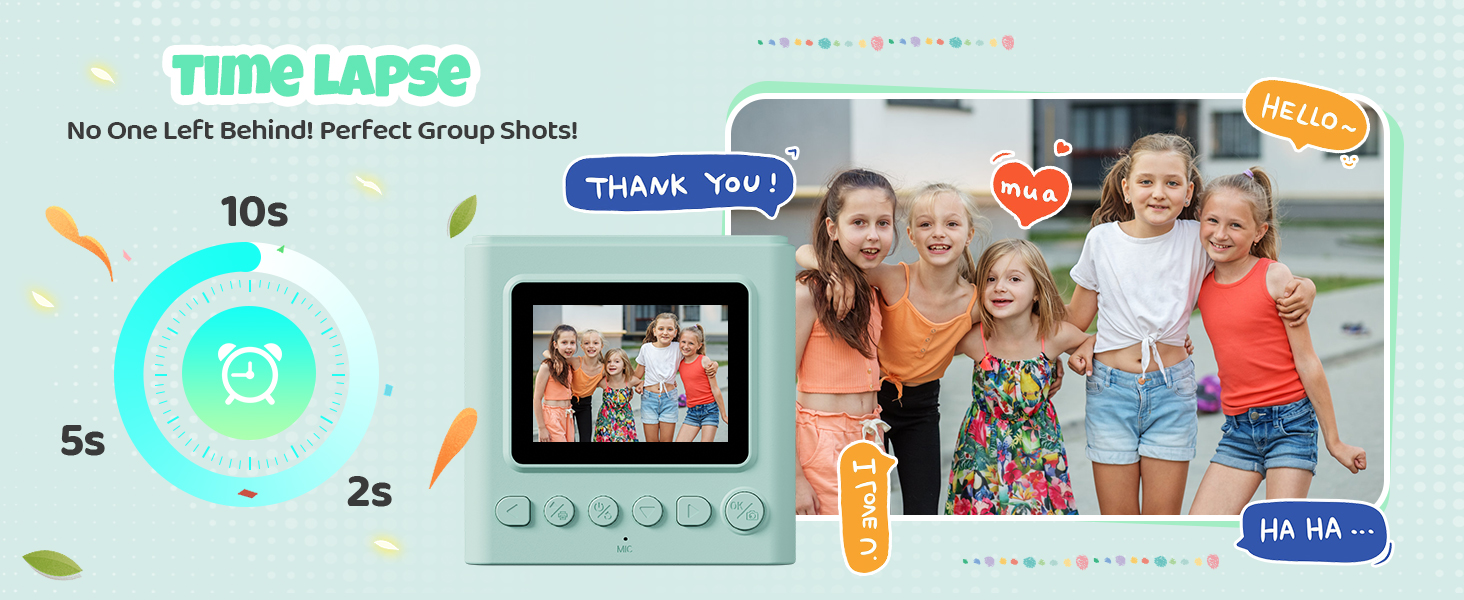
Image: The camera's display showing time-lapse options (2s, 5s, 10s) with a group of children ready for a timed photo.
9. Games and Music Player
The camera includes 5 built-in puzzle games for entertainment. It also features an MP3 player function, allowing children to listen to music.
Image: An overview of the camera's multi-functional capabilities, highlighting features like instant printing, video recording, MP3 playback, and built-in games.
10. File Transfer
To transfer photos and videos, connect the camera to a computer using the USB cable or remove the SD card and use a card reader.
Maintenance
- Keep the camera clean by wiping it with a soft, dry cloth.
- Avoid exposing the camera to extreme temperatures, moisture, or direct sunlight.
- Do not attempt to disassemble the camera, as this will void the warranty.
- Store the camera in a safe place when not in use to prevent damage.
Troubleshooting
| Problem | Possible Cause | Solution |
|---|---|---|
| Camera does not turn on | Low battery | Charge the camera fully using the provided USB Type-C cable. |
| Cannot take photos/videos | SD card full or not inserted correctly | Check if the SD card is properly inserted. Delete unnecessary files or replace the SD card if full. |
| Photos are not printing | No printing paper, paper jammed, or incorrect installation | Ensure paper is loaded correctly and there is enough paper. Clear any paper jams. |
| Poor print quality | Low battery, dirty print head, or low print density setting | Charge the camera. Gently clean the print head. Adjust print density settings to 'High'. |
| Camera freezes | Software issue | Press and hold the power button for 10 seconds to force a restart. |
Specifications
| Feature | Detail |
|---|---|
| Model Number | X2 |
| Screen Size | 2.4 inches (LCD) |
| Photo Resolution | Up to 12 MP (4032 x 3024 pixels) |
| Video Resolution | 1080P (30 FPS) |
| Zoom | 16x Digital Zoom |
| Storage | 32GB SD Card (included) |
| Battery Capacity | 1300mAh Lithium Polymer |
| Charging Interface | USB Type-C |
| Printing Technology | Inkless Thermal Printing |
| Supported File Formats | JPEG (images), MP4 (video) |
| Dimensions | 16.6 x 11.7 x 6.7 cm |
| Weight | 370 g |
| Recommended Age | 3-12 years |
Warranty and Support
The TIATUA Instant Kids Camera X2 comes with a 1-year free warranty from the date of purchase. This warranty covers manufacturing defects and malfunctions under normal use. For warranty claims or technical support, please contact TIATUA customer service through your retailer or the official TIATUA website. Please retain your proof of purchase for warranty validation.